
Bulk verification endpoint: submit a list, poll for results
Bulk verification handles hundreds, thousands, or up to a million addresses per task. It's a two-step asynchronous flow: create a task, then poll for results when the task completes.
The shape of the flow
┌─────────────────┐     ┌─────────────────┐     ┌─────────────────┐
│  Step 1: POST   │────▶│  Processing...  │────▶│  Step 2: GET    │
│  Create task    │     │  (background)   │     │  Get results    │
└─────────────────┘     └─────────────────┘     └─────────────────┘
        │                       │                       │
Returns task_id Takes time Returns results- POST your list → receive a
task_id. - Poll the get-results endpoint → receive status and (when complete) full results.
Step 1 — create the task
Endpoint details
| Property | Value |
|---|---|
| URL | https://app.validemailchecker.com/api/verify-bulk |
| Method | POST |
| Content-Type | application/json |
| Authentication | Bearer token (API key) |
| Max emails per task | 1,000,000 |
Request body
{
  "emails": ["user1@example.com", "user2@example.com", "user3@example.com"],
  "name": "Q2 newsletter cleanup"
}| Field | Type | Required | Description |
|---|---|---|---|
emails | array<string> | Yes | Array of addresses to verify |
name | string | No | Friendly task name — helps you find it later in the dashboard |
cURL example
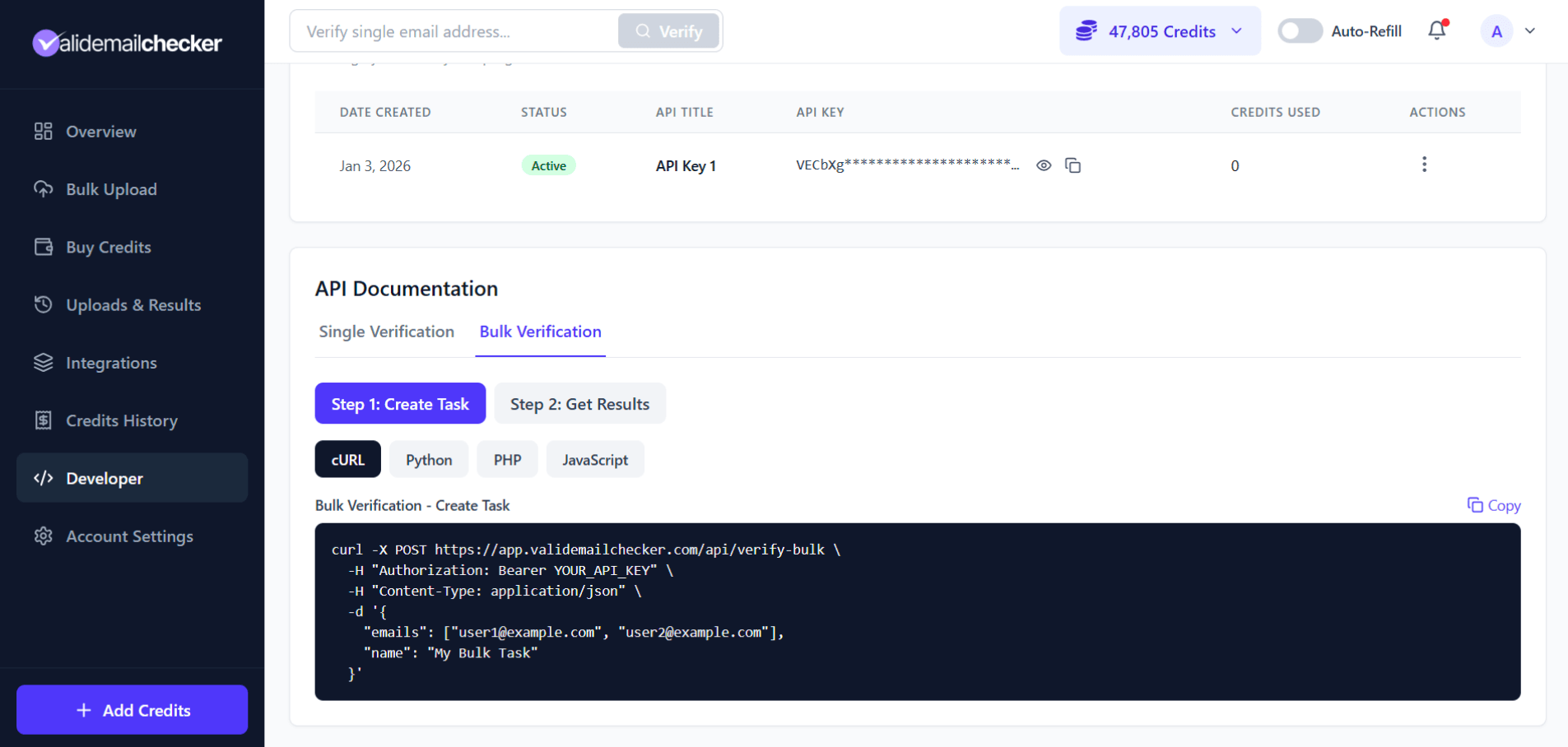
curl -X POST https://app.validemailchecker.com/api/verify-bulk \
  -H "Authorization: Bearer YOUR_API_KEY" \
  -H "Content-Type: application/json" \
  -d '{
    "emails": ["user1@example.com", "user2@example.com"],
    "name": "Q2 newsletter cleanup"
  }'
Response
{
  "task_id": "VECGE7KL3DQ",
  "status": "processing",
  "total_emails": 2,
  "is_chunked": false,
  "total_chunks": 1,
  "partial_failure": false,
  "failed_emails_count": 0,
  "credits_refunded": 0,
  "message": "Bulk verification task created successfully"
}Step 2 — get the results
Endpoint details
| Property | Value |
|---|---|
| URL | https://app.validemailchecker.com/api/get-results/{task_id} |
| Method | GET |
| Authentication | Bearer token (API key) |
cURL example
curl https://app.validemailchecker.com/api/get-results/VECGE7KL3DQ \
  -H "Authorization: Bearer YOUR_API_KEY"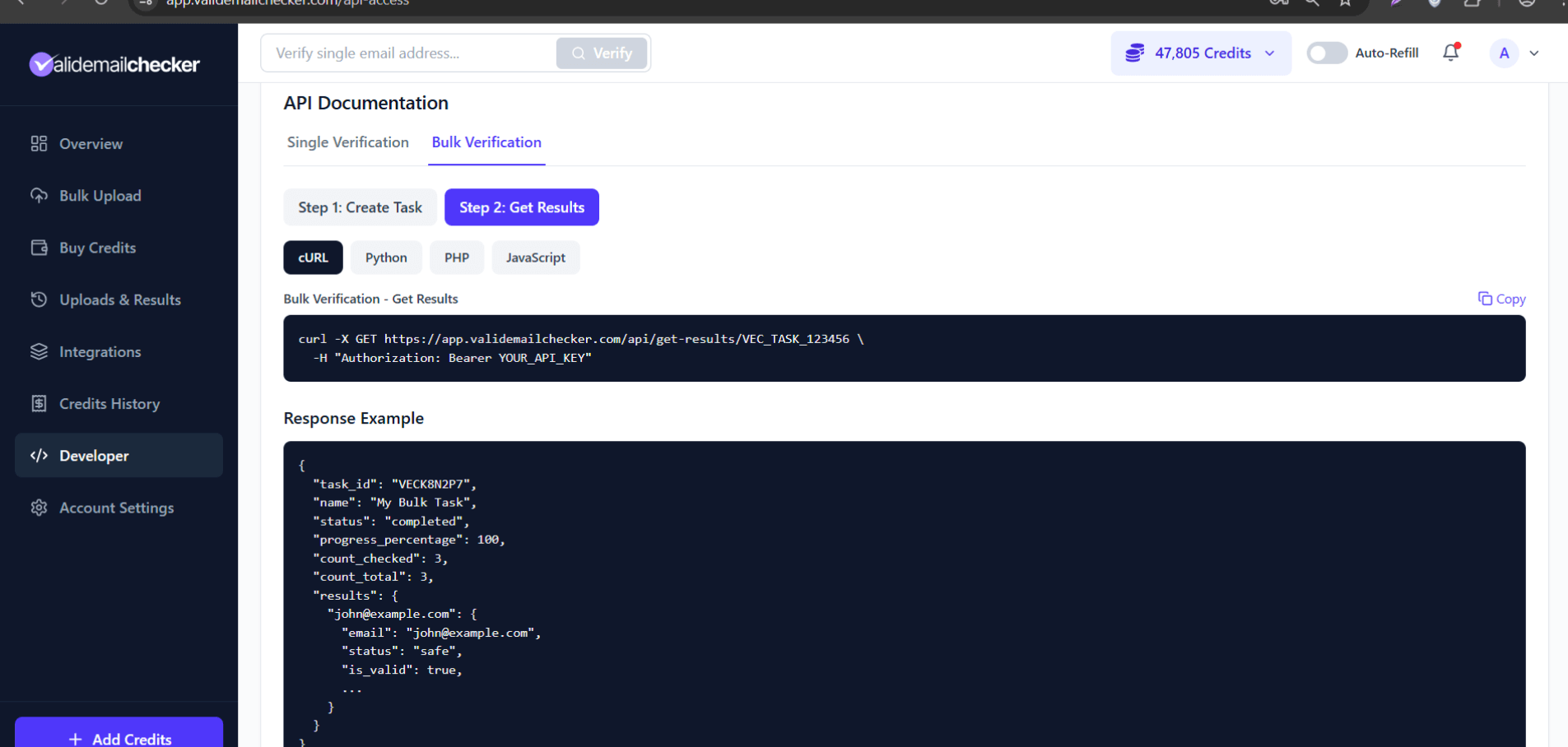
Response (completed task)
{
  "task_id": "VECGE7KL3DQ",
  "name": "Q2 newsletter cleanup",
  "status": "completed",
  "progress_percentage": 100,
  "count_checked": 2,
  "count_total": 2,
  "results": {
    "support@validemailchecker.com": {
      "email": "support@validemailchecker.com",
      "status": "role_account",
      "is_valid": true,
      "is_disposable": false,
      "is_role_account": true,
      "is_catch_all": false,
      "is_free_email": false,
      "mx_found": true,
      "domain": "validemailchecker.com",
      "risk_score": 7,
      "deliverability": "high",
      "credits_used": 1,
      "verified_at": "2026-05-19T21:17:06.460Z",
      "reason": "Role account detected"
    },
    "username@gmail.com": {
      "email": "username@gmail.com",
      "status": "inbox_full",
      "is_valid": false,
      "is_disposable": false,
      "is_role_account": false,
      "is_catch_all": false,
      "is_free_email": true,
      "mx_found": true,
      "domain": "gmail.com",
      "risk_score": 80,
      "deliverability": "low",
      "credits_used": 1,
      "verified_at": "2026-05-19T21:17:06.460Z",
      "reason": "Inbox full"
    }
  }
}progress_percentage for in-progress tasks. Full results only appear when status is completed.Task statuses
| Status | Meaning |
|---|---|
pending | Task created, waiting for processing to start |
processing | Verification is running |
completed | All emails verified, results ready |
failed | Task failed (rare, usually a system issue) |
404 Task not found.Polling strategy
Bulk verification is asynchronous. Poll the get-results endpoint at sensible intervals — don't hammer it.
Simple polling loop (Node.js)
async function waitForResults(taskId, maxWaitSeconds = 600) {
  const startTime = Date.now();
  const pollInterval = 5000; // 5 seconds

  while (Date.now() - startTime < maxWaitSeconds * 1000) {
    const response = await fetch(
      `https://app.validemailchecker.com/api/get-results/${taskId}`,
      { headers: { Authorization: `Bearer ${process.env.VEC_API_KEY}` } }
    );

    const data = await response.json();

    if (data.status === 'completed') return data.results;
    if (data.status === 'failed')    throw new Error('Task failed');

    console.log(`Progress: ${data.progress_percentage}%`);
    await new Promise(r => setTimeout(r, pollInterval));
  }

  throw new Error('Timeout waiting for results');
}
Recommended poll intervals
| List size | Suggested interval |
|---|---|
| 1–100 emails | Every 3 seconds |
| 100–1,000 emails | Every 5 seconds |
| 1,000–10,000 emails | Every 10 seconds |
| 10,000+ emails | Every 30 seconds |
How long does the task take?
| List size | Typical time |
|---|---|
| 100 emails | Seconds |
| 1,000 emails | 1–2 minutes |
| 10,000 emails | 5–10 minutes |
| 100,000 emails | 15–30 minutes |
| 1,000,000 emails | 1–2 hours |
Times vary based on the mix of email domains and how quickly each mail server responds. Some domains use greylisting that intentionally delays verification.
Error responses
Task creation errors
{
  "error": "Insufficient credits",
  "required": 1000,
  "current_balance": 500,
  "message": "You need 1000 credits but only have 500 available"
}
Result-retrieval errors
{
  "error": "Task not found"
}
See rate limits and error handling for the full error matrix.
Defensive get-results wrapper
async function safeGetResults(taskId) {
  const response = await fetch(
    `https://app.validemailchecker.com/api/get-results/${taskId}`,
    { headers: { Authorization: `Bearer ${process.env.VEC_API_KEY}` } }
  );

  if (response.status === 404) throw new Error('Task not found — may have expired');
  if (response.status === 401) throw new Error('Invalid API key');
  if (response.status === 403) throw new Error('Unauthorized — task belongs to a different account');

  return await response.json();
}
Common questions
How are credits charged?
Credits are reserved when the task is created (so the count is locked in upfront). Any address that comes back unknown is auto-refunded after the task completes.
Can I cancel a running task?
Tasks cannot be cancelled once started. Credits are reserved at creation, so submit the right list the first time.
What if my process crashes mid-poll?
The task keeps running on our side. Call get-results again with the same task_id to resume checking status. The task itself is independent of your polling process.
Do API-created tasks show in the dashboard?
Yes — they appear on the Uploads & Results page like dashboard-created tasks. Useful if you want to download results as CSV/XLSX from the dashboard instead of consuming them through the API.
Next steps
Related questions
Still stuck? Email support