Email List Hygiene Best Practices: A Decision Framework
 Priya IyerJune 16, 2026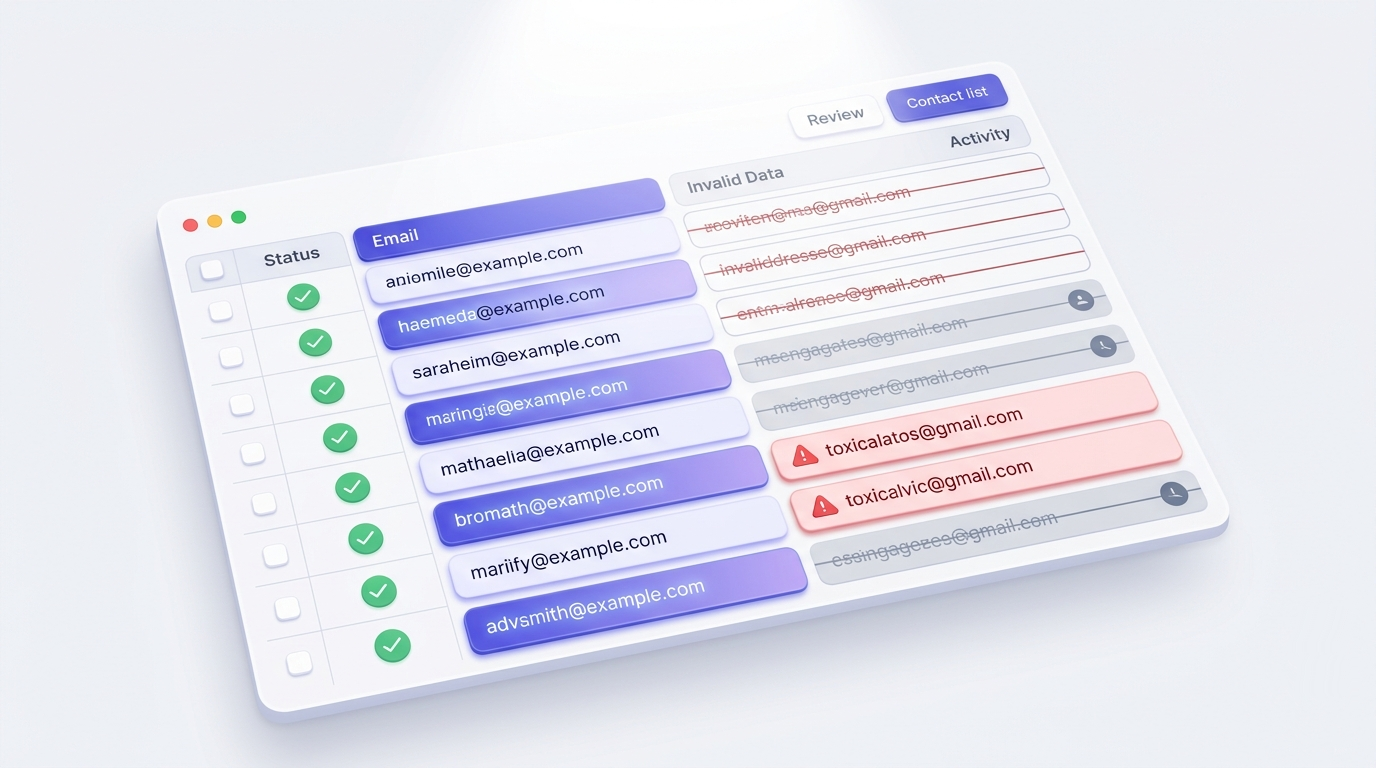
One in five marketing emails never reaches an inbox. For senders with dirty lists, that number is worse — and the damage compounds every time they hit send.
If you've been treating list hygiene as a once-a-year task — or skipping it entirely — this guide will show you exactly what to clean, when to clean it, and what to do with every result you get back. Not a vague checklist. A decision framework tied to specific address types.
The piece no other guide in this space covers: what each verification status actually tells you to do next. Safe, risky, catch-all, spamtrap, unknown — each one is a different instruction, not just a score.
What email list hygiene actually means (and what it doesn't)
List hygiene is not a purge. It's not the thing you do once when a campaign tanks, then forget about for two years. It's the ongoing practice of keeping every address on your list worth sending to — which means removing addresses that will bounce, suppressing contacts who've gone silent, and blocking bad addresses before they ever enter the list in the first place.
The confusion usually comes from conflating three different problems. First, there are invalid addresses — syntax errors, dead MX records, mailboxes that no longer exist. These hard-bounce on the first send and damage your sender reputation immediately. Second, there are disengaged contacts — real people with working inboxes who simply stopped caring. They don't bounce, but low engagement pulls your inbox placement down over time. Third, and most dangerous, are what we'd call toxic addresses: spamtraps, role accounts, and disposable addresses. These actively harm your reputation rather than just failing to help it.
When deliverability guides say 'scrub your list,' they usually mean some combination of: syntax validation, MX record lookup to confirm the domain accepts mail, an SMTP probe to check whether the specific mailbox exists, and engagement segmentation to surface the chronically unresponsive. Each of those is a separate operation. Conflating them leads to incomplete cleaning.
Klaviyo has made this point directly in their sender guidance: active contacts drive revenue; vanity subscriber counts drive nothing. A 200,000-address list with 15% engagement is worth less than a 40,000-address list with 60% engagement — and the larger list is actively making the smaller one harder to monetize by dragging down your domain's reputation with every send.
The cost frame most senders miss: every bad address doesn't just cost you a bounce. It costs you a small fraction of your sender reputation, which is the asset that determines whether your future sends reach the inbox at all. Bad addresses are a tax on every email you send, not just the one they bounce.
Why 39% of senders skip it — and what happens when they do
Mailgun's State of Email Deliverability report found that 39% of senders rarely or never clean their list. The most common reason isn't laziness — it's that the damage isn't visible until it's severe.
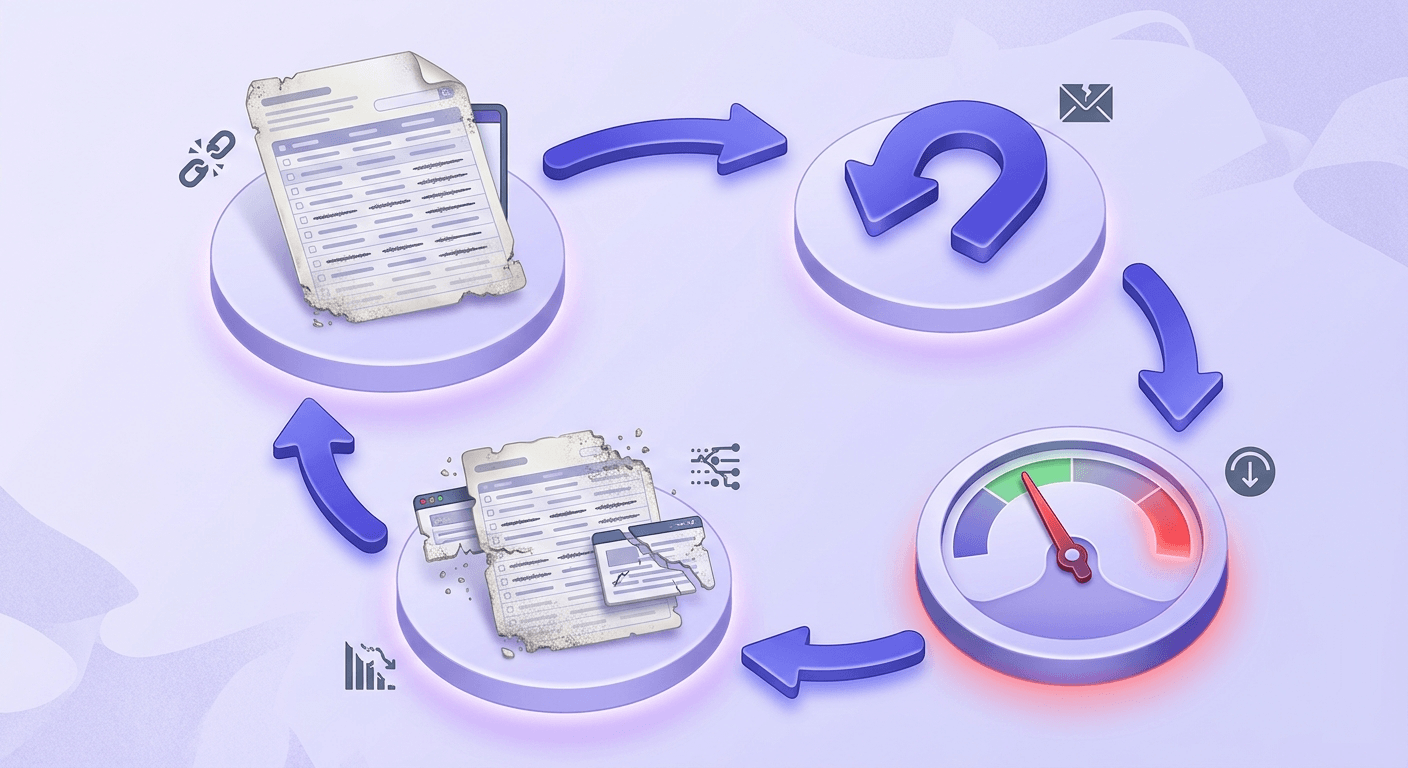
Here's the compounding loop. A stale list generates high bounce rates. ISPs notice high bounce rates and start filtering your mail more aggressively. Aggressive filtering means fewer emails reach the inbox, so engagement drops even for the contacts who would have opened. Lower engagement signals to ISPs that your mail isn't wanted, so filtering gets stricter. By the time open rates have cratered, the sender reputation damage is months old.
Gmail, Outlook, and Yahoo all score senders on engagement signals over time — not just per-campaign bounce rate. Gmail's Postmaster Tools lets you see your domain reputation directly; Google's sender guidelines spell out the thresholds they enforce. Outlook uses its own Smart Network Data Services. Yahoo uses complaint feedback loops. All three are measuring the same thing: does your audience want your mail?
The thresholds that matter for cold senders specifically: bounce rates above 2% start damaging IP reputation. Google's spam complaint rate threshold is 0.10% — above 0.30% is a crisis that can result in bulk deferrals. These aren't soft guidelines. They're the numbers where automated systems start throttling or blocking your sends. For more on keeping bounce rates in check, the post on how to reduce email bounce rate below 2% covers the mechanics in detail.
The seven address types that belong off your list
Not all bad addresses are bad in the same way. Each type has a different removal trigger and a different urgency level.
Hard bounces — syntax failures and dead MX records — should be removed after the first bounce. There is no scenario where a hard bounce becomes deliverable later. Keeping these addresses on your list and mailing to them again is the fastest way to trigger ISP filtering.
Soft bounces — inbox full, temporarily disabled accounts — are different. A single soft bounce doesn't mean the address is dead. But three consecutive soft bounces on three separate sends is a strong signal the mailbox is effectively gone. Suppress after the third consecutive failure.
Spamtraps are the most dangerous category. There are two types: recycled traps (addresses that were once real, abandoned, then repurposed by inbox providers to catch senders who don't clean their lists) and pristine traps (addresses that were never real — created specifically to catch senders who harvest or purchase lists). Hitting a pristine trap is a serious reputation emergency. It signals to ISPs that you're not building your list through legitimate opt-in. The moment a spamtrap shows up in a bounce report or blacklist notification, treat it as a fire drill: investigate the list source, check your blacklist status immediately, and file removal requests if needed.
Role addresses — info@, admin@, support@, hello@, noreply@ — are shared inboxes. They have low engagement by design (no single person owns them), and they carry higher complaint risk because anyone on the team can hit 'spam' on mail they didn't personally subscribe to. Suppress them from marketing sends. They may be valid for transactional mail where the role address is the intended recipient.
Disposable addresses — 10-minute mail providers, DEA services — are fine to block at signup. Mailing to them after the fact is wasteful at best and damaging at worst, since many disposable domains eventually get repurposed as spamtraps.
Catch-all domains accept every email sent to them regardless of whether the specific mailbox exists. You can't confirm mailbox existence through SMTP probing on a catch-all domain. Treat these as risky: real deliverability is possible, but bounce risk is elevated. See our complete guide to catch-all emails for how to handle them in practice.
Chronically unengaged contacts — real people with working inboxes who haven't opened or clicked in six to twelve months — belong in a re-engagement segment before suppression, not in the immediate removal bucket. They're valuable if you can reactivate them. The distinction matters because suppressing without a re-engagement attempt leaves money on the table.
How often to clean — and the right trigger for each type
The minimum cadence most deliverability practitioners agree on — Email on Acid and Mailgun both cite this — is twice a year for typical senders. High-volume senders (100K+ sends per month) should run a verification pass monthly.
But calendar-based cleaning misses the most important triggers, which are event-based:
- Post-campaign bounce spike: if a single campaign generates a bounce rate above 2%, run a full verification pass before the next send — don't wait for the next scheduled cycle.
- Blacklist hit: any blacklist appearance means you clean immediately. The list source is suspect.
- Sudden open-rate drop: a drop of more than 5 percentage points in a single campaign, without a content explanation, often signals deliverability degradation — check inbox placement first, then list quality.
- New imported or purchased list: no exceptions. Any list that wasn't built through your own opt-in flow gets verified before the first send. Purchased lists in particular are high-risk; even well-sourced ones contain stale addresses and occasional traps.
- New ESP connection: when you sync a list to a new platform like Mailchimp, Klaviyo, or ActiveCampaign, run a verification pass first. Migrating a dirty list to a new ESP doesn't clean the list — it just moves the problem.
Engagement-based thresholds: 90 days of inactivity is the point where a contact should enter a re-engagement sequence. 180 days without any response to that sequence is the suppression trigger. These windows are adjustable based on your send frequency — for a weekly newsletter, 90 days means roughly 13 ignored sends; for a monthly send, it means three.
Stop bad addresses at the door: list building controls
The cheapest form of list hygiene is prevention. Every bad address you block at signup is an address you never have to clean, and more importantly, never have to mail to.
Double opt-in is the highest-leverage upstream control available to any sender. It requires the subscriber to confirm their address by clicking a link in a confirmation email before they're added to your list. This simultaneously confirms that the inbox is real and that the person who submitted the form has access to it. The objection — that double opt-in reduces list growth — is true in raw numbers and irrelevant in practice. The contacts who drop off at the confirmation step were never going to open your emails anyway.
Bot protection at the signup form catches automated submissions before they reach your list. reCAPTCHA v3 handles most bot traffic passively. Honeypot fields — hidden form fields that real users never see or fill — catch simpler bots that fill every field. Timing checks flag submissions completed in under two seconds, which no human can do.
Disposable domain blocking checks the submitted address against a live list of known disposable email providers at the moment of form submission. Valid Email Checker maintains a database of 111,102 disposable domains, refreshed weekly. A real-time check at signup costs milliseconds and prevents an entire category of problem from ever entering your list.
Source tracking is underused. Tag every subscriber with their acquisition source — organic search, paid ad, webinar, content download, referral. When a bounce spike hits, source tagging tells you which channel brought the bad addresses. Without it, you're debugging blind.
Real-time verification at the point of capture — an API call that runs syntax and MX checks before the form submits — catches invalid addresses before they enter your system. You can validate email addresses at the point of capture with a single API endpoint call. This is different from double opt-in: it's a technical check, not a behavioral confirmation. Both serve different purposes and both are worth running.
Free tool · no signup
Catch invalid addresses before they reach your list
Real-time syntax and MX validation at the point of capture — no bounces from addresses that were never real.
Re-engagement campaigns: the last step before suppression
A contact who hasn't opened in 90 days isn't necessarily lost. They might have changed jobs, changed email clients, or just gone through a period of inbox neglect. The re-engagement sequence is your chance to find out before you suppress them permanently.
The structure is simple: two to three emails over one to two weeks, with direct subject lines that acknowledge the gap. 'We haven't heard from you in a while' outperforms clever subject lines in this context because the reader knows exactly what they're being asked. Include a single, clear reconfirmation option — one click to stay subscribed.
What counts as re-engagement: a click, a reply, a purchase, a login — any signal that the person is actually there. Be careful with opens. Apple's Mail Privacy Protection and other email client features inflate open rates with bot-generated opens, so a recorded open without any downstream action is weak evidence of real engagement.
If someone doesn't respond to the re-engagement sequence, suppress them — don't delete them. Suppression means you stop mailing but keep the record, which matters for compliance. GDPR and CAN-SPAM both create scenarios where you need to prove you stopped contacting someone; a deletion leaves you without that evidence.
Read the re-engagement results as diagnostic signal. If a segment from a specific acquisition source consistently fails to re-engage, the problem isn't those individuals — it's that source. Fix acquisition before cleaning again.
Reading your verification results: what each status means for your next send
Most guides treat verification as a binary: pass or fail. That's wrong. A good verifier returns ten distinct statuses, and each one is a different instruction. Here's what to do with each one.
The full breakdown of all ten statuses — including edge cases and what triggers each one in the 11-stage verification engine — is covered in the email verification statuses explained pillar guide. This section focuses on the workflow decisions.
| Status | What it means | What to do next |
|---|---|---|
| Safe | Real mailbox, will accept mail | Send normally |
| Risky | Real mailbox, elevated bounce risk | Send to warm lists; exclude from cold outreach |
| Catch-all | Domain accepts everything; mailbox unconfirmable | Monitor bounce rate closely; exclude from cold campaigns |
| Invalid | Syntax/MX/SMTP rejected the address | Hard suppress immediately — will bounce |
| Disposable | Burner or DEA provider address | Suppress from all marketing sends |
| Role | Shared inbox (info@, admin@, support@) | Suppress from marketing; may be valid for transactional |
| Spamtrap | Known spamtrap address | Fire drill — investigate list source, check blacklists, file removal request |
| Disabled | Account permanently disabled by provider | Suppress — treat same as invalid |
| Inbox full | Mailbox over quota, temporarily unavailable | Suppress for 30 days, re-verify before next send |
| Unknown | Neither provider returned a definitive answer | Do not send — a good verifier refunds these credits automatically |
The Unknown status deserves its own paragraph. When a verification engine can't confirm an address either way — both providers returned a non-definitive response — most verifiers charge you for the attempt anyway and return 'unknown' as the result. That's a non-answer you paid for. Valid Email Checker automatically refunds the credit for every Unknown result, no support ticket required. The refund posts to your credit history as soon as the result comes back. It's the only verifier that does this as a default billing behavior, not a special exception. You can read more about how the credit refund works in our help center.
See what your addresses actually are
Paste any email address and get the full 11-stage verification result — safe, risky, spamtrap, unknown, and more.
Powered by Valid Email Checker — full SMTP handshake, disposable + role detection, no card required.
Metrics to track after a cleaning cycle
Cleaning your list without measuring the outcome is like taking medicine without checking your temperature. These are the five numbers that tell you whether it worked.
Bounce rate
Hard bounces should drop below 0.5% for marketing sends after a thorough cleaning. For cold outreach, the ceiling is 2% — above that, your IP reputation is taking damage with every campaign. If bounce rate doesn't drop after cleaning, the list source is still feeding bad addresses in.
Spam complaint rate
Google's threshold is 0.10%. Above 0.30% is a deliverability crisis. Check Google Postmaster Tools directly — it shows your domain reputation and complaint rate for Gmail recipients. This is the number ISPs act on, not the one your ESP dashboard shows you.
Open rate and click rate
Expect a short-term drop in raw numbers after cleaning — you're sending to fewer people. The rate should improve. A cleaned list with a 35% open rate is worth more than a bloated list with a 12% open rate. If rates don't improve after cleaning, the problem is content or send frequency, not list quality.
Inbox placement rate
Delivery rate (did the server accept it?) and inbox placement rate (did it land in the inbox, not spam?) are different metrics. Use a seed-list test — a set of test addresses across Gmail, Outlook, and Yahoo — before and after a cleaning cycle to measure actual placement. The email deliverability checker can give you a baseline before you run the full seed test.
List growth vs. list churn
A healthy program adds more new subscribers than it suppresses in the same period. If churn exceeds growth consistently, the problem is upstream — acquisition is either low-volume or bringing in low-quality addresses. Fix the source before cleaning again.
One more thing worth tracking: sender reputation directly. Both Google Postmaster Tools and Microsoft's SNDS give you domain-level reputation scores. Check these before and after a cleaning cycle. A cleaning pass that removes spamtraps and hard bounces should move your reputation from 'bad' or 'medium' toward 'high' within two to four weeks of consistent, clean sending.
The email deliverability vs. delivery guide goes deeper on why these two concepts are often confused and how list hygiene is the foundation of both. If your metrics aren't improving after cleaning, that's the right next read.
List hygiene is not a project with an end date. It's the background condition that makes everything else in email marketing work. The senders who maintain consistent inbox placement aren't doing anything exotic — they're just not mailing to addresses that shouldn't be on their list. Verify your full list before the next send and read the results as instructions, not a score.
Free tool · no signup
Verify your full list before the next send
11-stage verification with auto-refunds on Unknown results. Upload your list, get clean results back.
Frequently asked questions
How often should you clean your email list?
What's the difference between a hard bounce and a soft bounce for list hygiene purposes?
What is a spamtrap and how does it end up on a legitimate email list?
Should you delete unengaged subscribers or suppress them?
What does a catch-all domain mean for email verification?
Is double opt-in really necessary if you're already verifying addresses?
How do you know if your list hygiene is working — what metrics prove it?
What happens to your sender reputation if you keep mailing to role addresses?
Every metric that matters in email marketing — bounce rate, complaint rate, inbox placement — traces back to list quality. The fastest way to find out where your list stands is to run a sample through verification and read what comes back. The results aren't a grade; they're a set of instructions.
Try Valid Email Checker free
Verify any email in under a second
Get 150 free verifications. No credit card. Auto-refund on every Unknown result — the only verifier we know that does this.
- 150 free credits when you sign up
- Auto-refund every Unknown verification (we're the only ones that do)
- 11-stage flow catches what 1-step checkers miss
- Drop-in integrations for Mailchimp, HubSpot, SendGrid, 14 more
Written by
Priya IyerPriya writes about the human side of email — how you word it, when you send it, and how to grow a list without wrecking your deliverability. From sign-offs and subject lines to lifecycle automation and list hygiene, she's after email that respects the reader's inbox and still gets results. Her north star: more opens and replies, fewer unsubscribes and spam complaints.