
Quick start guide: verify your first email in 5 minutes
Ready to clean your first email list? Five minutes from now you will go from "I have a messy email list" to "I know exactly which addresses are safe to send."
This guide walks through the whole flow — account creation, your first verification, downloading clean results.
Create your account
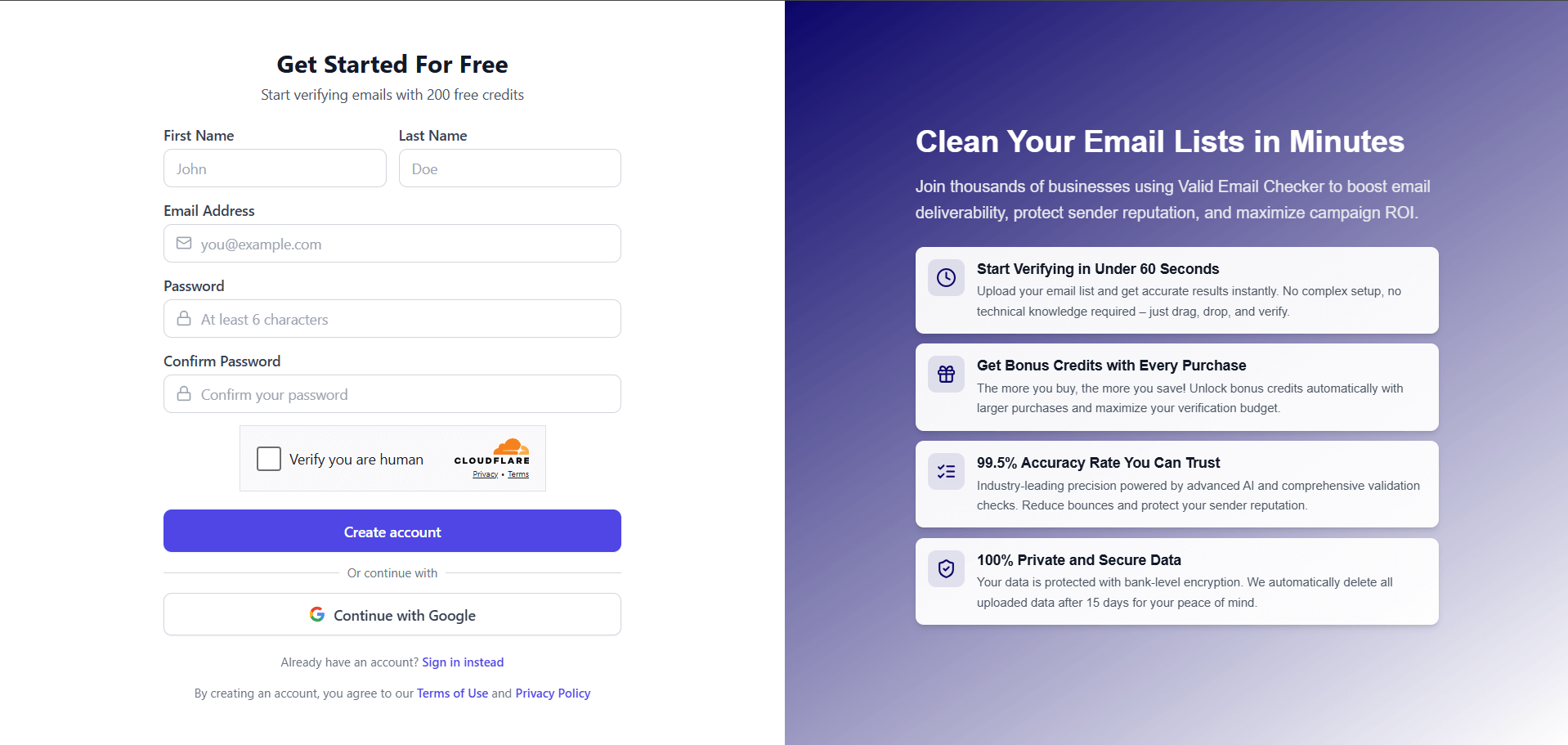
Head over to app.validemailchecker.com/auth/signup. Fill in:
- First name + Last name — your real name (used in receipts and team displays)
- Email address — a real address you have access to. You will need to confirm it.
- Password — something secure (at least 6 characters; longer is better)
- Confirm password — re-type to catch typos
Click Create account. Done.
Confirm your email
Here is where some people get tripped up. Your account is created but you cannot log in yet — you need to verify the email address first.
After clicking Create account, you land on a screen asking you to check your inbox.
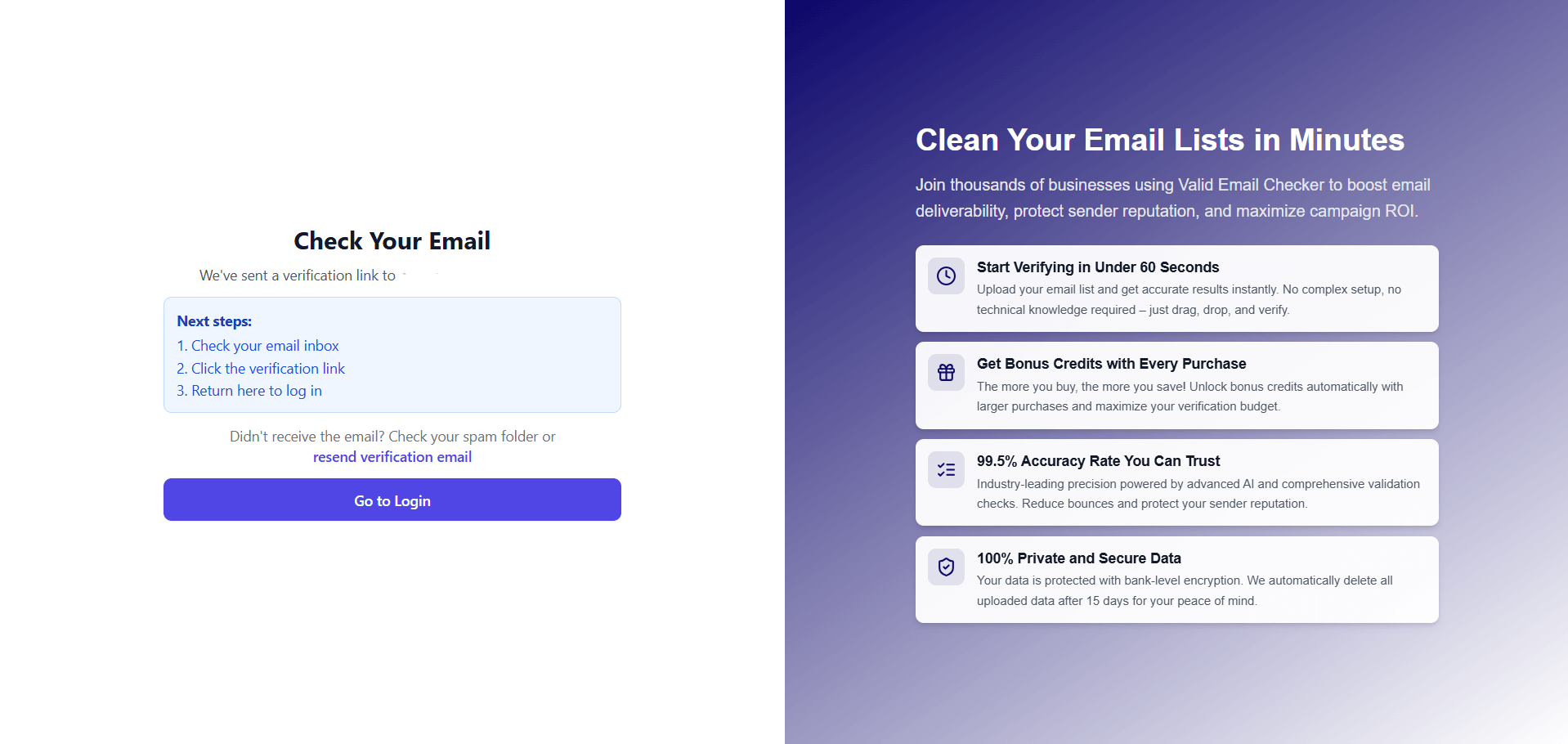
Check your inbox for an email from Valid Email Checker with a verification link. If it is not there within a minute, check spam. Still nothing? Use the resend verification email link on the login page to get a fresh one.
Click the link. You land on the login screen with a success message. Now you can sign in.
Why we require email confirmation
Fair question. We are an email verification company — we practice what we preach. Beyond that:
- Security — confirms you own the address you signed up with
- Abuse prevention — stops bots and bad actors from spinning up throwaway accounts
- Communication — we need a working address to reach you about account events
- Your free credits — the 150 credits are added after confirmation, not before
No confirmation, no credits. Spend the 30 seconds.
Log into your dashboard
Sign in at app.validemailchecker.com/auth/login. You land on the dashboard with your 150 free credits already loaded in the top-right corner.
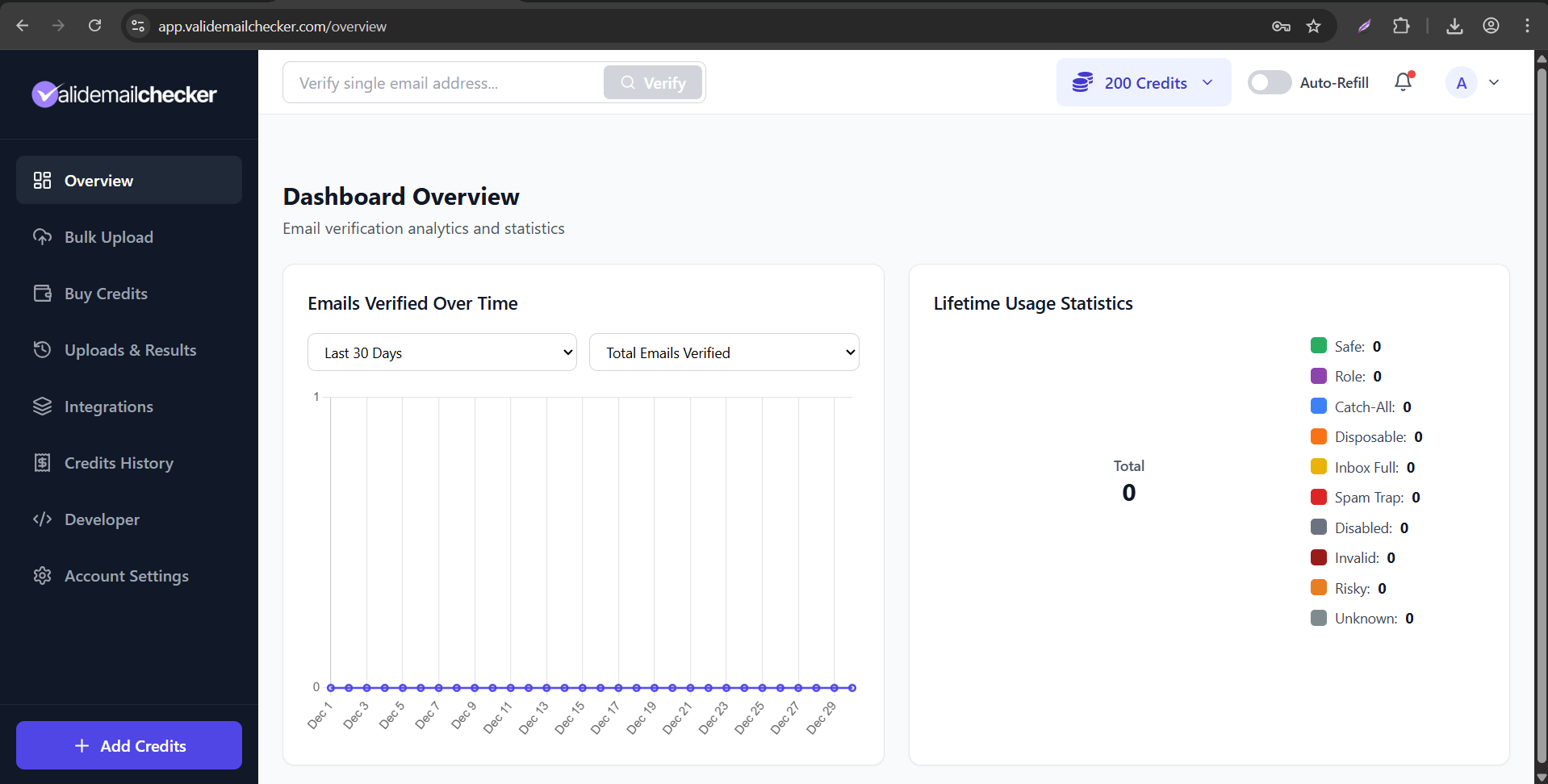
The dashboard has everything you need: the single-email verifier at the top, the bulk upload page in the sidebar, your verification history, and your credit balance. Take a minute to look around.
Verify your first email
Two paths depending on what you want to do.
Path 1: Single email verification
At the top of the dashboard there is a single-email verifier. Paste any address — yours, a friend's, a test one. Click Verify.
A result appears in under 2 seconds with:
- Status — Safe / Invalid / Disposable / Catch-All / Role / Spam Trap / Disabled / Inbox Full / Unknown
- Confidence score — 0 to 100
- Detail flags — MX found, deliverable, free-email, etc.
- Recommendation — whether to send or skip
One credit gets used. You have 199 left.
Path 2: Bulk verification
Click Bulk Upload in the sidebar. Drag a CSV or TXT file onto the upload area, or paste a list of addresses directly into the text box.
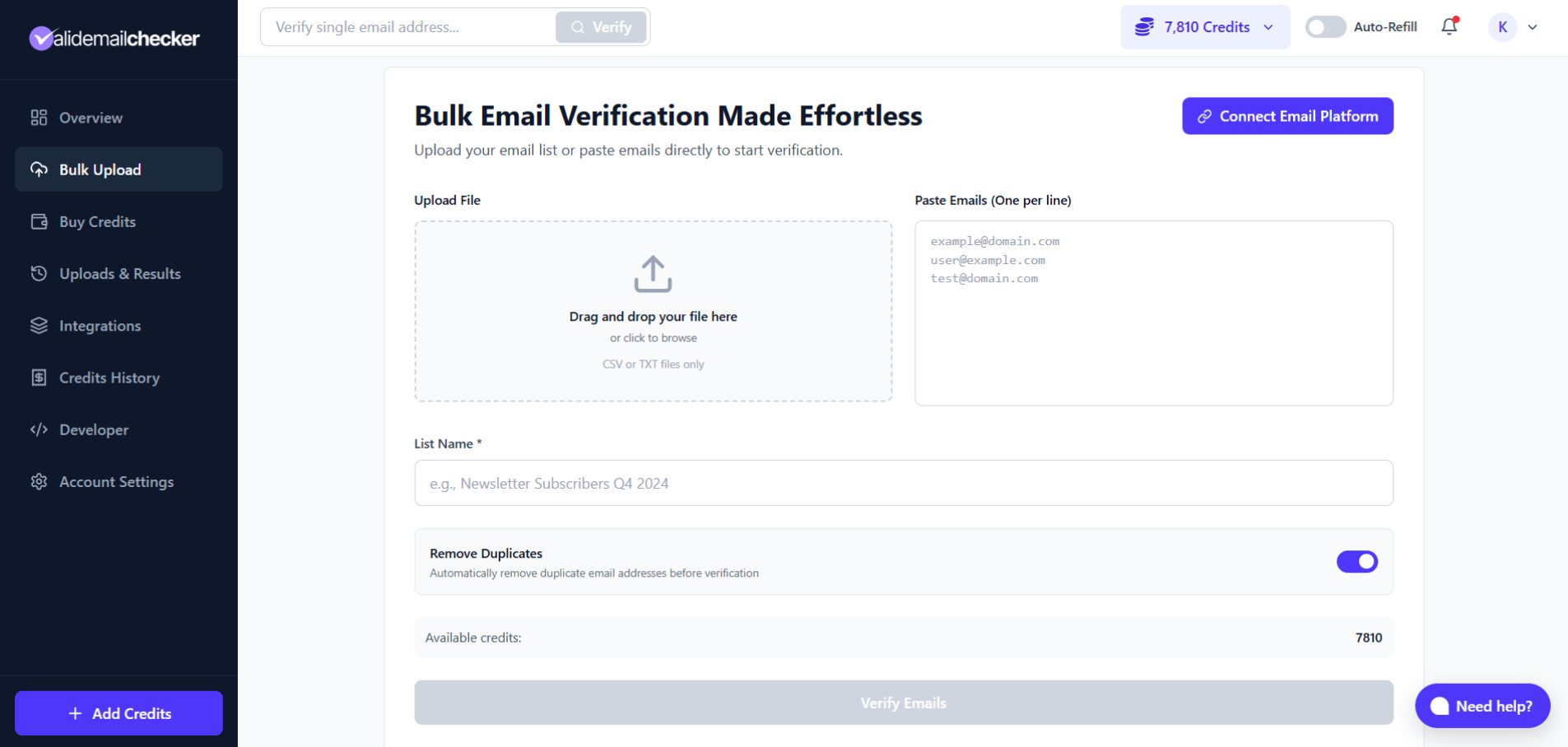
Give the list a name. Confirm the count of unique addresses (duplicates are removed automatically — you only pay for unique ones). Click Start.
The task runs in the background. You can close the tab — we email you when it is done. Typical processing times:
| List size | Approximate time |
|---|---|
| 100 emails | Seconds |
| 1,000 emails | Under 1 minute |
| 10,000 emails | 5 to 10 minutes |
| 100,000 emails | 15 to 30 minutes |
| 1,000,000 emails | 1 to 2 hours |
Download your results
When the bulk task finishes, head to Uploads & Results in the sidebar. Find your list and click View Results.
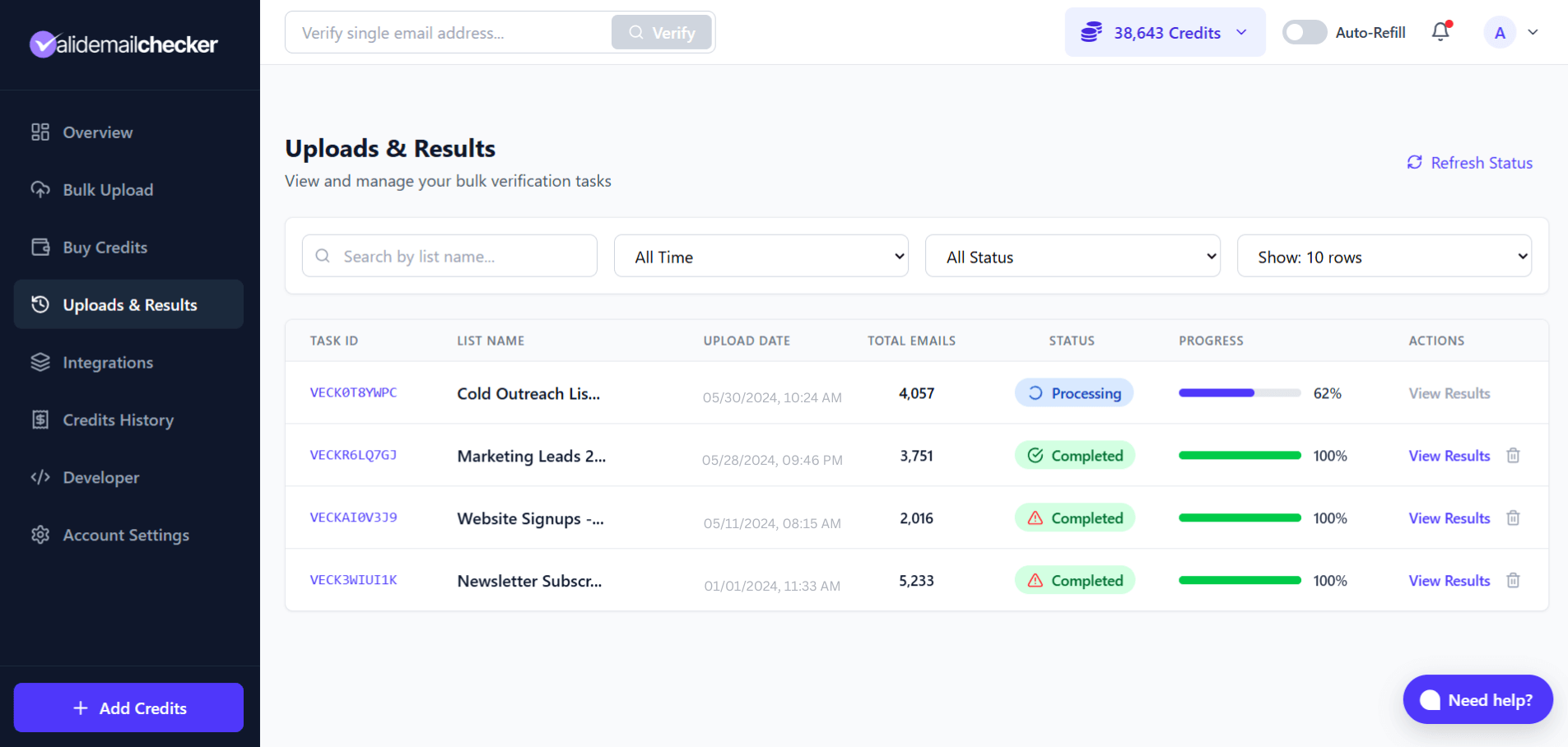
You see every address with its status, confidence score, and detail flags. Filter by status to see only Safe, only Invalid, or any mix. Export to CSV or Excel when ready.
What's next
You have verified your first email. Some natural next steps:
Related questions
Still stuck? Email support