
Klaviyo integration: one-click OAuth, list verification, profile data preserved
Klaviyo connects with one-click OAuth — there are no API keys to create or paste. The flow: click Connect with Klaviyo, approve access on Klaviyo's authorization screen, pick a list, verify. Profile properties, event history, and predictive analytics data are unaffected by any cleanup actions.
Permissions we request
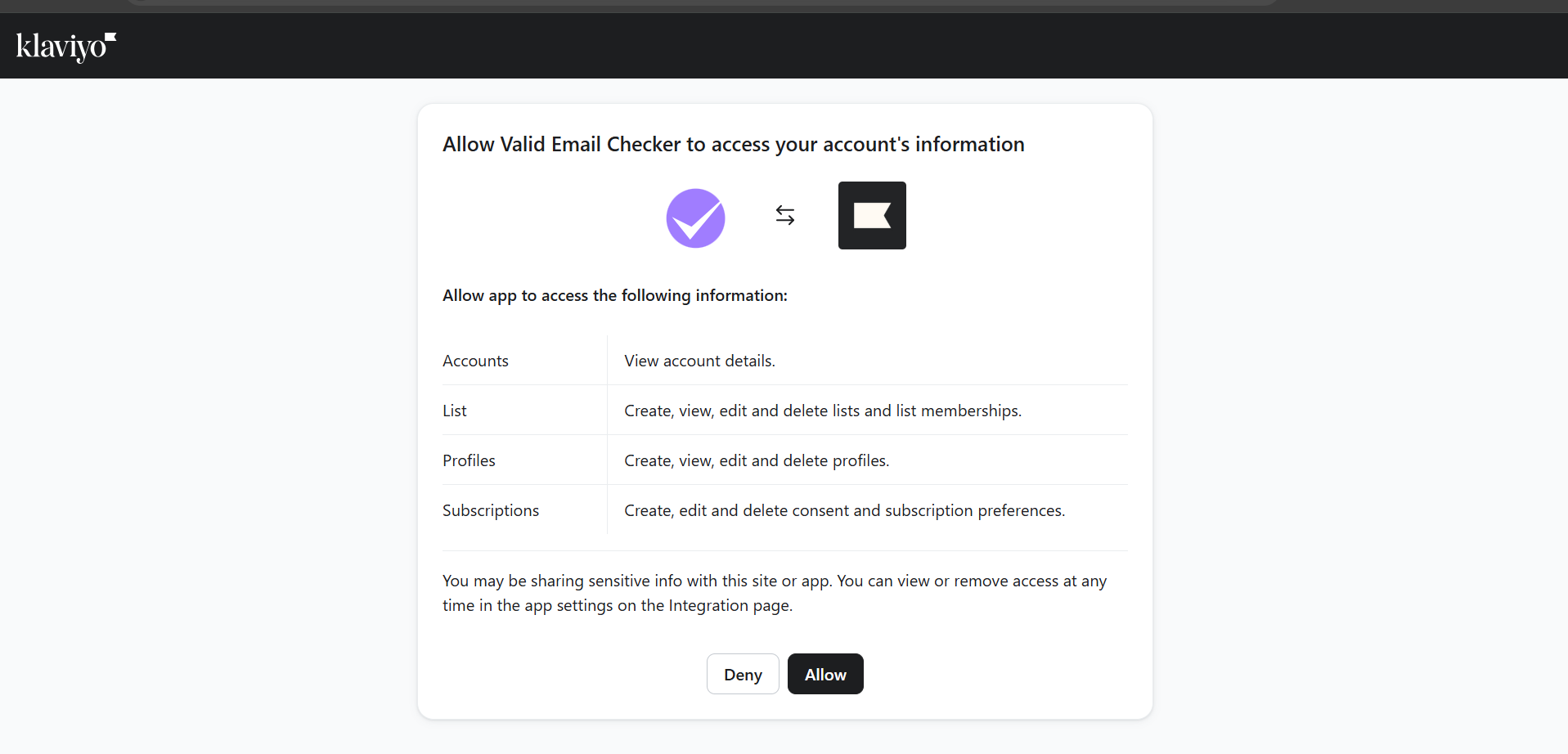
On Klaviyo's authorization screen you'll see exactly what Valid Email Checker can do. We request only the least-privilege scopes below:
- accounts:read — identify which Klaviyo account you connected.
- lists:read / lists:write — read your lists and segments; remove contacts from a list when you choose Delete.
- profiles:read / profiles:write — read profiles to verify them, and update status when you clean.
- subscriptions:write — suppress (unsubscribe) contacts when you choose Unsubscribe.
Connecting Klaviyo
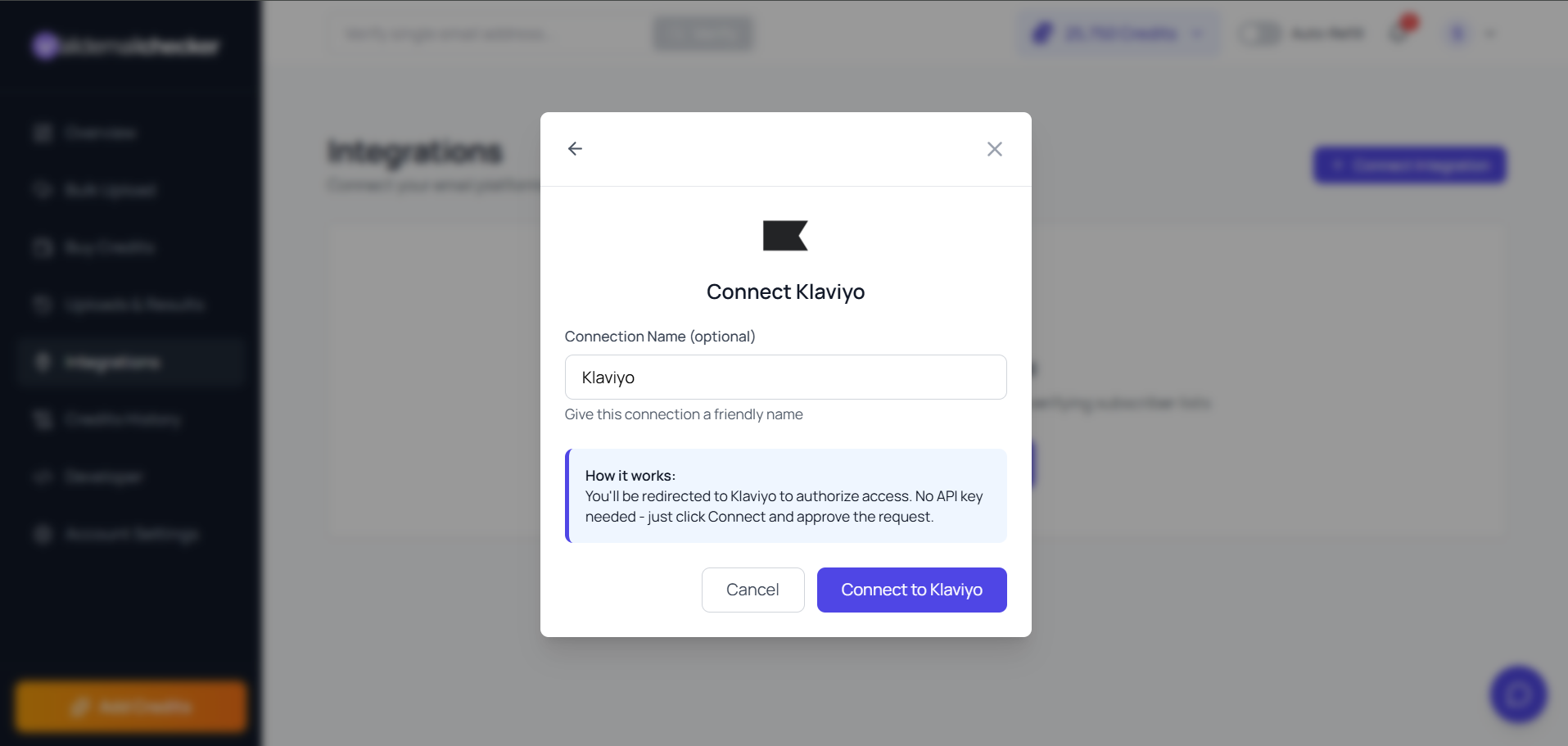
- In our dashboard, go to Integrations (or Bulk Upload → Connect Email Platform) and click Klaviyo.
- Optionally name the connection — handy if you manage multiple brands.
- Click Connect with Klaviyo. You're redirected to Klaviyo's authorization screen.
- Sign in if needed, review the permissions, and click Allow. You're brought straight back, connected — and your lists and segments sync automatically.
What you can verify
- Lists — every list in your Klaviyo account, manually created or imported.
- Select a list and VEC counts its emailable profiles, so you can size the job before you spend anything.
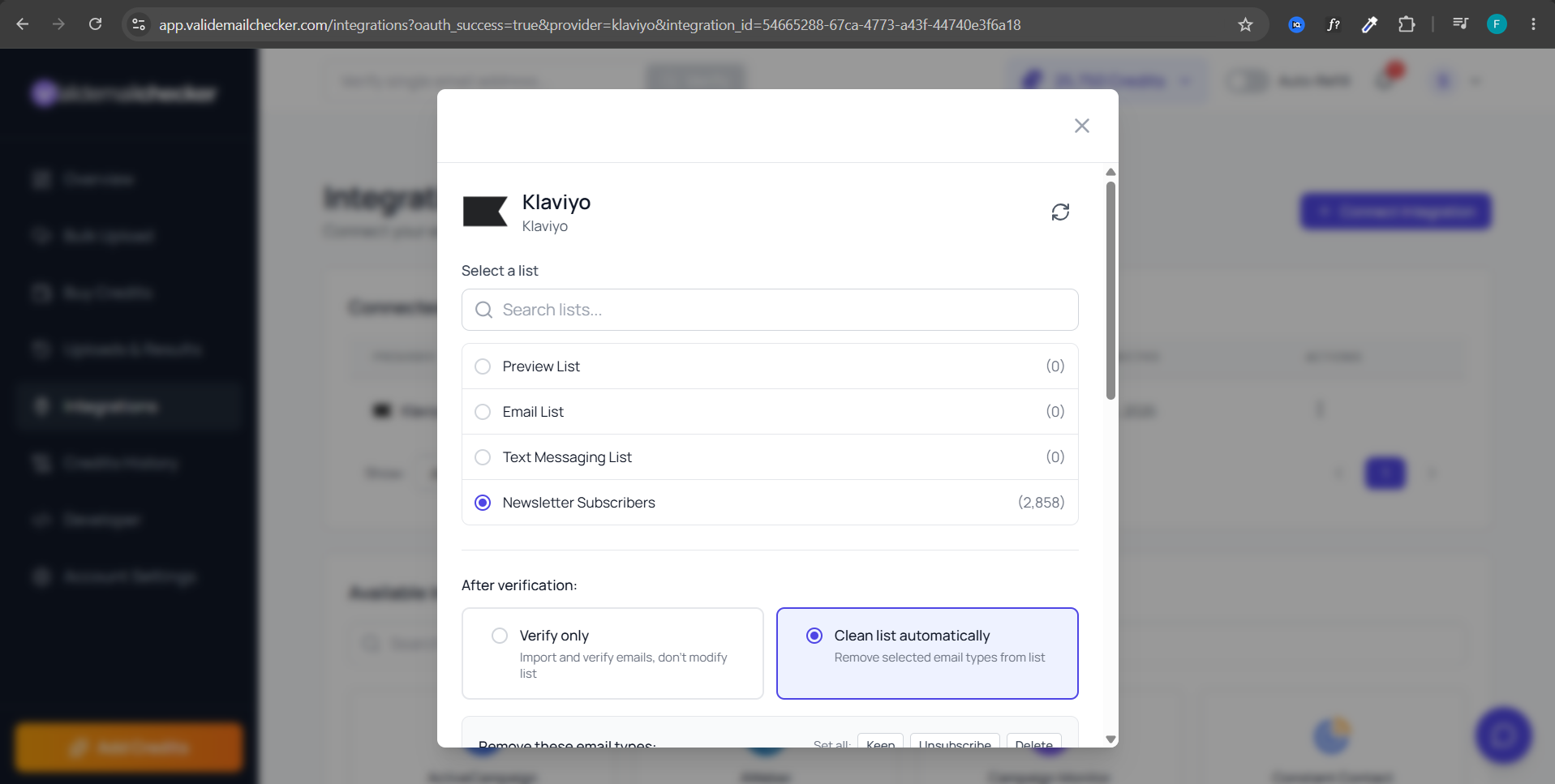
The count appears once you select a list, and covers only emailable profiles — anyone unsubscribed or suppressed in Klaviyo is skipped and never charged for. See selecting a Klaviyo list for the details.
Clean-list defaults
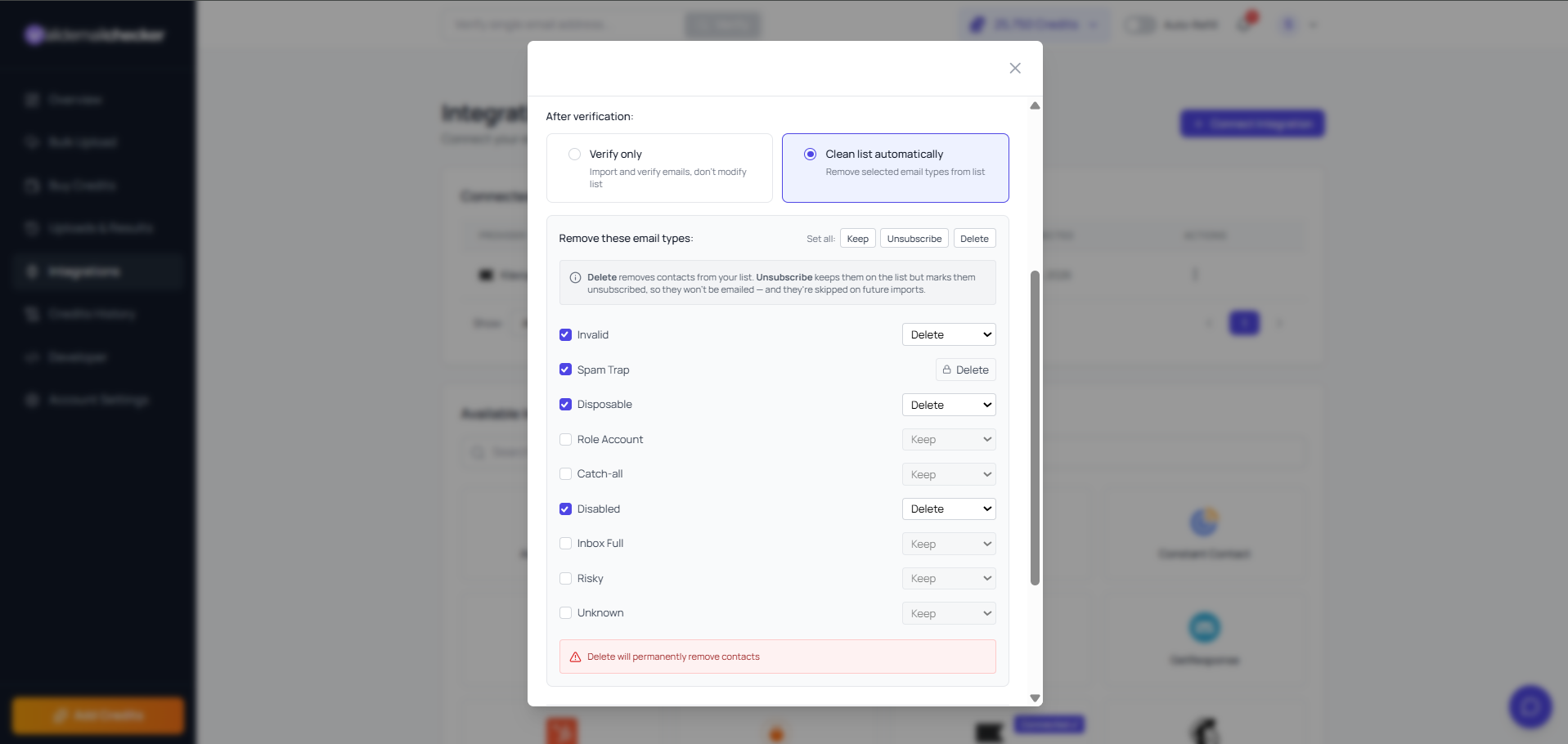
The undeliverable categories — Invalid, Spam Trap, Disposable, and Disabled — are enabled and set to Delete by default; Role Account, Catch-all, Inbox Full, Risky, and Unknown default to Keep so you opt in deliberately. Use Set all to apply one action across every category. See the Klaviyo action options FAQ for the full table.
In Klaviyo, Unsubscribe suppresses the profile so it can no longer receive email marketing — it stays on the list, keeps every property and event, and VEC skips it on future imports. Delete removes the profile from the selected list only; the profile record itself remains in your Klaviyo account.
You always get exportable results
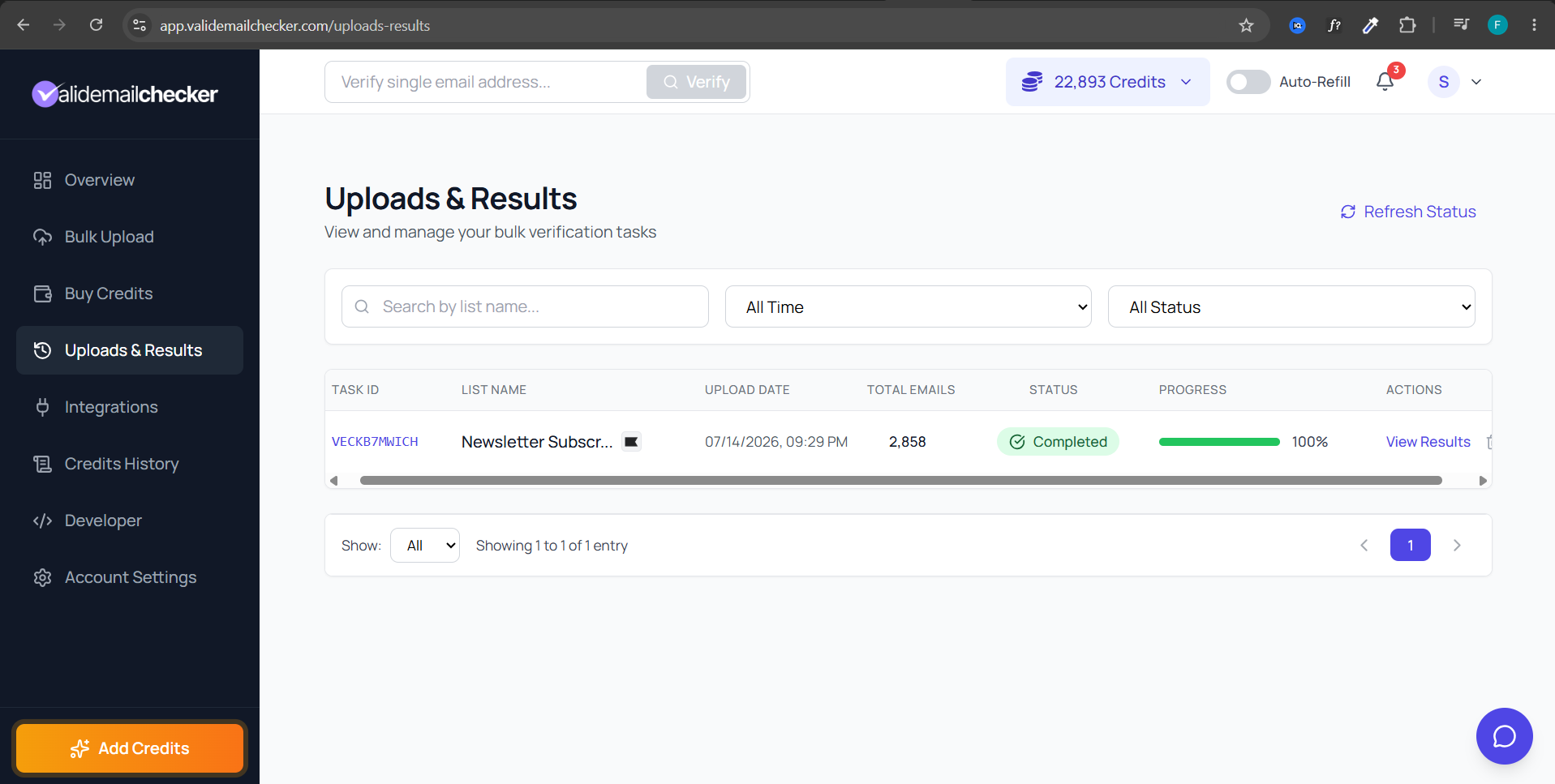
Both modes return a full results breakdown you can view and export from the Uploads & Results page. Verify Only leaves your Klaviyo list untouched; Clean List Automatically also applies your chosen actions back to Klaviyo — either way, the same results are yours to review and download.
Common Klaviyo issues
"Connection didn't complete"
- The authorization was declined, or the Klaviyo tab was closed before you clicked Allow — click Klaviyo again and Connect with Klaviyo to restart.
- You approved access on the wrong Klaviyo account. Delete the connection, sign into the correct account, and reconnect.
- Access was revoked inside Klaviyo. Reconnect and approve again.
"Cleanup did not update all profiles"
Klaviyo's API has rate limits that throttle bulk writes. For very large lists, cleanup writes are queued and processed over several minutes. If updates seem stalled after 10+ minutes, contact support — we can check the API response log on our end.
Cost
1 credit per profile verified. Verifying a 100,000-profile list costs up to 100,000 credits (less, after duplicates and unknown-refunds). Unsubscribed and suppressed profiles are skipped entirely, so you are never charged for them.
Next steps
Related questions
Still stuck? Email support