How to reduce email bounce rate below 2%
 Mara ChenJune 14, 2026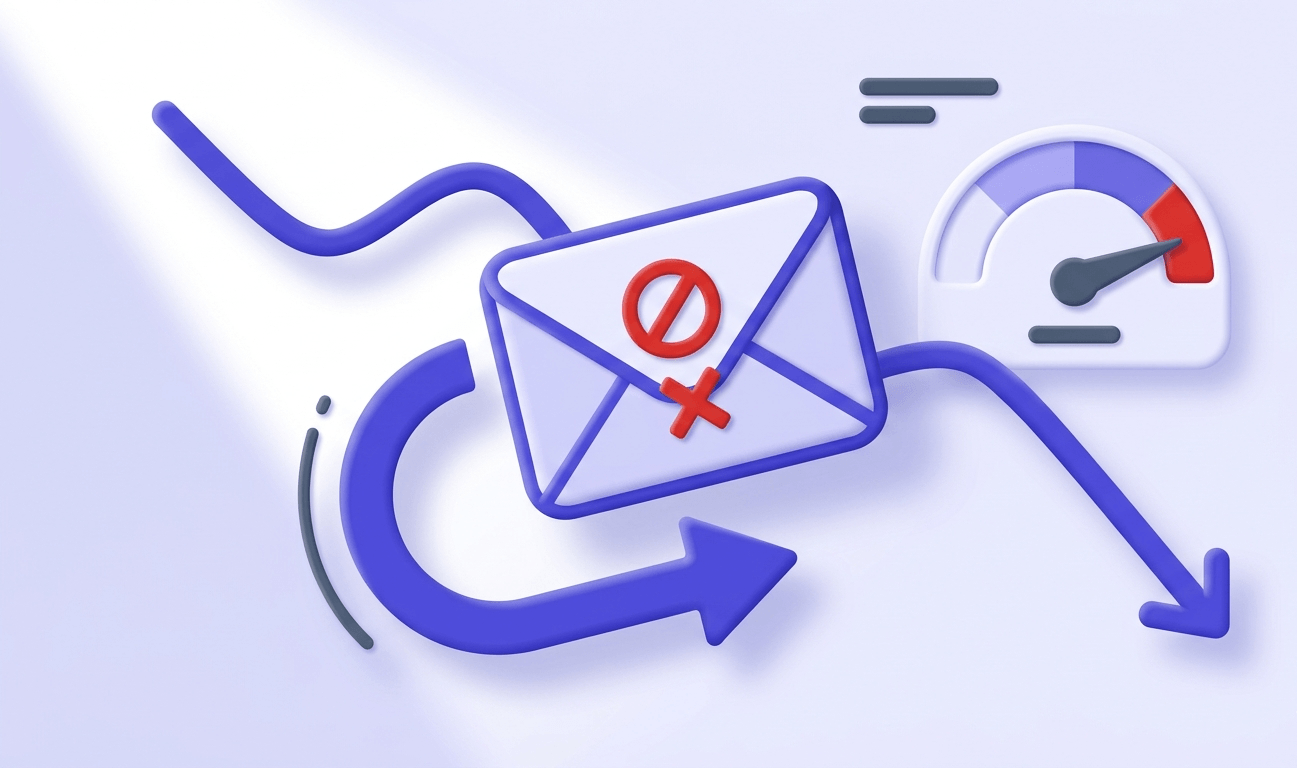
One in five marketing emails never reaches an inbox. Of the ones that do, a surprising number bounce back before anyone sees them — and each bounce quietly chips away at the sender reputation that determines whether your next campaign lands or disappears.
By the time you finish this post, you'll know exactly why your bounce rate is where it is, which causes are worth fixing first, and how to build a sending workflow that keeps bounces below 2% on every campaign — not just the next one.
The short version: the senders with the lowest bounce rates aren't cleaning harder after the fact. They're verifying before every send.
What your bounce rate is actually telling you
Not all bounces are the same, and treating them as one metric is how senders get into trouble. A hard bounce means the address doesn't exist, the domain has no mail server, or the receiving server has permanently rejected delivery. A soft bounce means the address is real but temporarily unavailable — a full inbox, a server timeout, a brief outage.
The distinction matters because your response has to be different. Hard bounces require immediate removal. Soft bounces get a few retry attempts before you suppress.
The formula is straightforward: divide your hard bounces by the total emails sent, then multiply by 100. Send 10,000 emails and 300 hard-bounce — you're at 3%. That's already past the threshold that Campaign Monitor, Klaviyo, and most ESPs treat as a warning sign. The widely agreed ceiling is 2%. Above that, inbox providers start questioning the quality of your list. Above 5%, you're in list-health emergency territory — not a deliverability tweak.
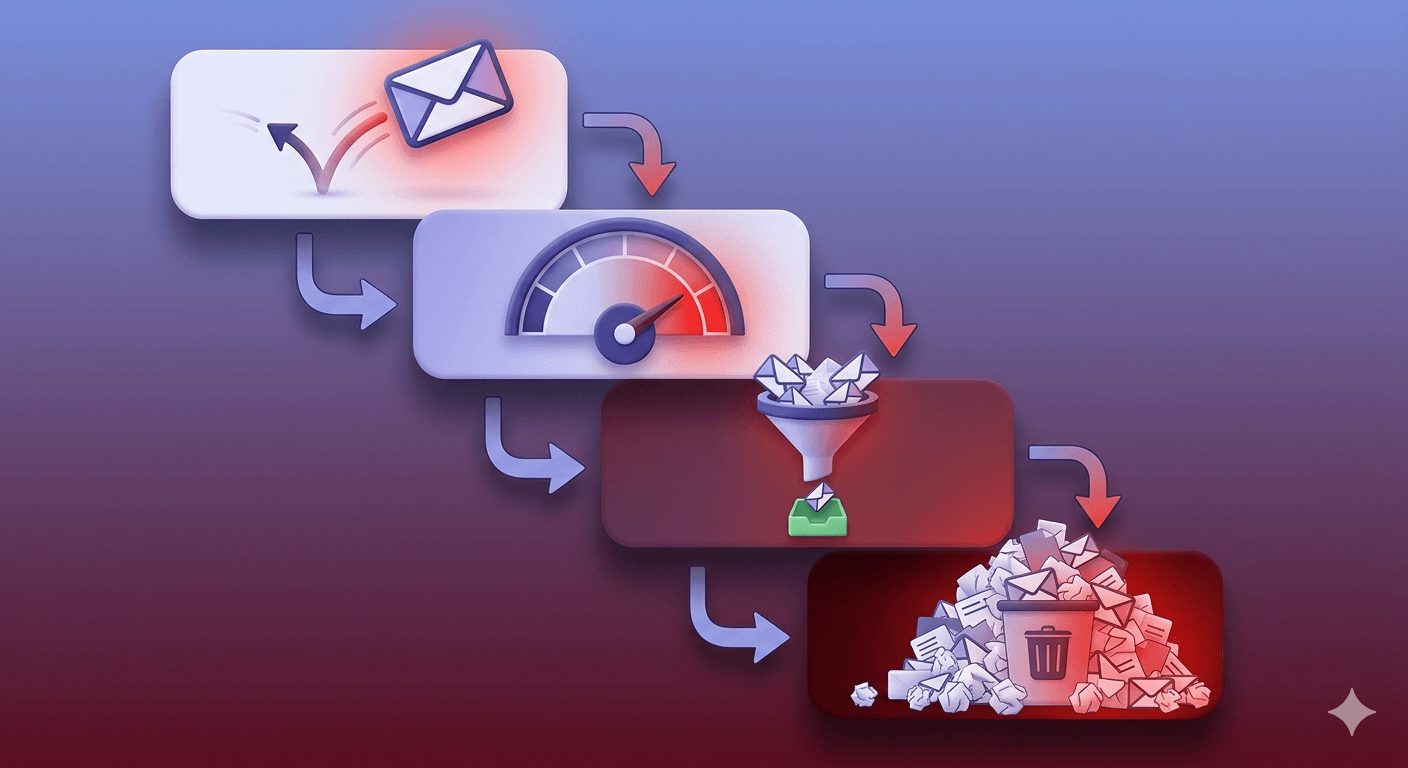
Here's what makes bounce rate dangerous over time: it compounds. A 4% bounce rate on one campaign signals to inbox providers that your list is poorly maintained. They lower your sender reputation score. Your next campaign starts with a handicap — lower inbox placement, higher spam-folder rate, and an apparent bounce rate that looks even worse because fewer messages are reaching the inbox in the first place. The damage feeds itself.
The root causes worth diagnosing before you fix anything
Jumping straight to list cleaning without understanding why your list is dirty is how senders end up cleaning the same problem every quarter. There are five causes worth diagnosing first.
Purchased or scraped lists arrive pre-poisoned. The addresses may have been valid at some point, but you have no relationship with the contacts, no consent on file, and no way to know how stale the data is. Beyond the bounce risk, purchased lists frequently contain spamtraps — addresses specifically maintained to identify senders who don't build lists properly. One spamtrap hit can get an IP blacklisted.
Stale subscribers are the slow version of the same problem. An address that was valid at opt-in two years ago may belong to a role that's since been eliminated, a company that's shut down, or a person who simply abandoned the inbox. Lists decay at roughly 20–25% per year. A 50,000-contact list you haven't cleaned in 18 months could have 10,000+ dead addresses.
Fake and incentive-driven signups — contest entries, giveaways, locked content — generate throwaway addresses at scale. People type whatever gets them past the gate. Those addresses are usually syntactically valid but point to nothing, or they're disposable inboxes that self-destruct within hours.
Typos at the point of entry are underrated. gmial.com, hotmial.com, yaho.com — these look real, pass basic format checks, and don't fail until your sending server tries to deliver. A real-time syntax check at the signup form catches the obvious ones. Verification catches the rest.
Missing authentication is the fifth cause — and it's sneakier. Fewer than 40% of sending domains have SPF, DKIM, and DMARC all configured correctly. When authentication fails, receiving servers may reject the message outright, which shows up as a bounce. The message never had a deliverability problem — it had an identity problem.
Verify your list before you send — not after
Most deliverability advice treats list cleaning as something you do after a bad campaign. Remove the hard bounces, suppress the complainers, re-send. That's damage control. The senders who maintain sub-1% bounce rates consistently don't clean reactively — they verify proactively, before a single message goes out.
The difference is mechanical. Reactive cleaning means you've already paid the reputation cost. Proactive verification means the bad addresses never touch the wire.
Test an address before it costs you
Paste any email address and see the 11-stage verification result in seconds.
Powered by Valid Email Checker — full SMTP handshake, disposable + role detection, no card required.
A serious verification engine — like the 11-stage flow explained in our help center — checks more than syntax. It checks whether the domain has functioning MX records, whether the SMTP handshake succeeds, whether the specific mailbox exists, whether the domain is a catch-all, whether the address is disposable, and whether it matches known spamtrap patterns. Syntax checkers catch typos. Full verification catches the addresses that look real but will bounce.
One result type deserves special attention: unknown. This is what a verifier returns when both verification providers can't give a definitive answer — the domain is real, the MX records exist, but the server won't confirm or deny the mailbox. Most verifiers charge you for that result. Valid Email Checker auto-refunds those credits automatically, no support ticket required. You can see exactly how this works in our refunds and credit returns guide. That makes pre-send verification genuinely risk-free: you only pay for results that tell you something actionable.
When you read your verification output, the statuses that matter most for bounce prevention are: safe (send confidently), risky (send with caution — elevated bounce risk), catch_all (the domain accepts everything, so individual mailbox existence can't be confirmed), and invalid (remove immediately — this is a guaranteed hard bounce). The full breakdown of every result type is worth bookmarking if you're setting up a verification workflow for the first time.
On cadence: verify new imports immediately, before they enter any sending sequence. Re-verify dormant segments — contacts who haven't engaged in 90+ days — before reactivation campaigns. Addresses that were valid six months ago may not be valid today.
Free tool · no signup
Verify your list before the next send
11-stage verification. Auto-refund on Unknown results. 200 free credits to start.
Double opt-in: the upstream fix most senders skip
Double opt-in is the simplest upstream filter you can add to an acquisition flow. When someone submits their email, they get a confirmation message. They have to click a link in that message before they're added to your list. Addresses that were typed wrong never get confirmed. Disposable inboxes that self-destruct before the confirmation arrives never get added. People who signed up on impulse and aren't genuinely interested self-select out.
The result is a list that's smaller but dramatically cleaner. Double opt-in subscribers consistently show higher open rates, lower unsubscribe rates, and lower bounce rates than single opt-in subscribers from the same acquisition source. The upfront friction filters out the noise.
Single opt-in is defensible in specific contexts: a transactional flow where the user just completed a purchase, a B2B form where the company email is required for access, or a migration from a verified list you already trust. Outside those scenarios, the convenience of single opt-in usually costs more in list quality than it saves in conversion rate.
One practical note: your confirmation email needs to land in the inbox to work. That means your sending domain needs proper authentication set up before you launch double opt-in — otherwise the confirmation itself goes to spam, and legitimate subscribers never confirm. Which brings us to the next section.
Authentication: SPF, DKIM, and DMARC in plain terms
SPF tells receiving mail servers which IP addresses are authorized to send on behalf of your domain. It's a DNS TXT record that lists your approved sending sources. When a message arrives claiming to be from your domain, the receiving server checks whether the sending IP is on the list. If it's not — and you haven't published an SPF record — the server has no way to verify the claim.
DKIM adds a cryptographic signature to each outgoing message. The receiving server looks up your public key in DNS and uses it to verify the signature. If the message was altered in transit, the signature fails. If your domain never published a DKIM key, there's nothing to verify.
DMARC is the policy layer that sits on top of both. It tells receiving servers what to do when SPF or DKIM fails: none (monitor only), quarantine (send to spam), or reject (block delivery). Without a DMARC record, receivers are on their own when authentication fails — and they'll often make conservative choices that hurt your deliverability. The DMARC.org overview explains the policy options in detail if you're setting one up for the first time.
One specific SPF trap: the 10-lookup limit. SPF allows a maximum of 10 DNS lookups during evaluation, as defined in RFC 7208. Every include: in your SPF record that points to another SPF record counts as a lookup — and those nested records often include further lookups. If your ESP, CRM, and transactional mail service each add their own include: directives, you can hit the limit without realizing it. When you do, SPF silently returns permerror, which most receivers treat as a failure. Our SPF Record Generator guide covers how to diagnose and fix this.
Before your next send, check your SPF record and confirm your DMARC policy is live. Both checks take under a minute and will show you exactly what receiving servers see when your mail arrives. For a deeper explanation of how all three protocols work together, the email authentication pillar guide covers the full picture.
List hygiene as an ongoing practice, not a one-time event
Hard bounces need to come off your list immediately after they occur — not at the end of the month, not after the next campaign. Every ESP requires this, and most will suspend accounts that don't comply. Delaying hard-bounce removal means you're re-sending to known dead addresses, which amplifies the reputation damage with every campaign.
Soft bounces are more nuanced. Most ESPs apply automatic retry logic over 24–72 hours. If the address continues to soft-bounce after three to five attempts, treat it as a suppression candidate. If it soft-bounces across multiple campaigns over 30 days, remove it. The distinction between a genuinely full inbox and a quietly disabled account gets blurry quickly.
Engagement-based segmentation is your early-warning system. Subscribers who haven't opened or clicked in six months are statistically more likely to bounce, mark as spam, or have converted to a dead address — in that order. Running a sunset campaign before they reach that point (a simple "still interested?" with an easy unsubscribe) reduces your bounce exposure without losing contacts who might still be engaged.
Role addresses — info@, admin@, support@, hello@ — deserve their own handling. These addresses are usually shared inboxes with multiple readers and high turnover. They have low engagement rates, elevated spam-complaint rates, and frequently change ownership without the address itself changing. Many verification engines flag these as role status. Sending marketing email to role addresses inflates your complaint rate more than your bounce rate — but the reputation damage is the same.
On cadence: pre-campaign cleaning matters more than monthly cleaning. A monthly sweep is a reasonable baseline. But if you're importing a new list — from a webinar, a trade show, a content download — verify that import before it enters any sending sequence. The bulk verification walkthrough covers how to do this efficiently at scale.
Sending practices that keep bounces from creeping back up
Even a clean list can generate elevated bounces if your sending behavior is erratic. Sudden volume spikes — going from 5,000 emails per week to 50,000 in a single send — trigger spam filters at receiving servers, which reject messages before they can be delivered. Those rejections show up as bounces. The messages weren't to bad addresses; they were rejected because the sending pattern looked suspicious.
Domain warm-up is the structured version of volume management. New sending domains need to establish a reputation before they can send at scale. For transactional senders, the ramp is measured in days — start at a few hundred per day and double every day or two. For marketing senders, the ramp is slower: weeks, not days, with consistent engagement signals building the reputation gradually. Skipping warm-up and sending at full volume on day one is one of the fastest ways to get a new domain flagged.
Suppression lists are non-negotiable. Every hard bounce and every unsubscribe goes on a permanent suppression list. If you're using multiple sending tools — a marketing ESP, a transactional service, a cold outreach platform — those suppression lists need to be synchronized. Sending a re-engagement campaign to someone who hard-bounced on your transactional flow is a reputation hit that was entirely preventable.
Monitor bounce rate per campaign, not just in aggregate. Aggregate bounce rate smooths over problems. A single bad import — 5,000 contacts from a purchased list dropped into a 50,000-contact send — might not move your overall rate much. But isolating by campaign shows the spike immediately, and you can quarantine the import before it damages the next send.
Verify every new import before it enters a sequence
Run any new contact list through a verifier before adding it to your ESP. Filter out
invalid,disposable, andspamtrapresults at minimum. Flagcatch_allfor separate treatment.Remove hard bounces within 24 hours
Don't wait for a monthly cleanup cycle. Hard bounces need to leave your active list immediately after the campaign report is available. Add them to your permanent suppression list at the same time.
Confirm SPF, DKIM, and DMARC are passing before each major campaign
Authentication breaks more often than senders expect — a DNS change, a new ESP integration, or an SPF record edit can silently break authentication. A quick check before a large send costs nothing.
Segment by engagement before re-engaging dormant contacts
Contacts who haven't opened in 6 months should go through a re-engagement sequence before receiving your main campaigns. Those who don't respond get suppressed, not re-sent to.
Re-verify dormant segments every 90 days
An address that was valid at opt-in decays over time. Any segment that hasn't been mailed in 90+ days should be re-verified before reactivation. The decay rate accelerates for B2B addresses where employee turnover is higher.
How to measure progress and know when you're back on track
Bounce rate doesn't exist in isolation. Watch three other metrics alongside it: spam complaint rate (above 0.1% and Google and Yahoo will start filtering your mail, per Google's sender guidelines), open rate (a proxy for inbox placement and list engagement), and inbox placement rate (the percentage of messages that actually land in the inbox rather than spam or promotions).
Email header analysis tells you where messages are actually landing. The Received chain in a message header shows every server the message passed through, and the X-Spam-Status and authentication results headers show whether SPF, DKIM, and DMARC passed. Our Email Header Analyzer parses this automatically — paste the raw header and it tells you exactly what happened. This is more reliable than relying on your ESP's reporting, which often doesn't show you the full picture.
If your bounce rate spiked and you've cleaned the list, here's what a realistic recovery looks like: two to four weeks of clean sending at modest volume for a mild spike. Eight to twelve weeks for a serious reputation hit. The timeline depends on your sending volume — higher volume means faster feedback from inbox providers, which can accelerate both the damage and the recovery. Don't try to accelerate recovery by sending more; send consistently and let the clean engagement signals accumulate.
The single leading indicator that predicts future bounces before they happen is engagement rate on new subscribers in the first 30 days. If new contacts aren't opening or clicking within their first month, they're either not interested, not reaching the inbox, or both. Either way, they're on a path toward becoming bounce risks. Catching this early — before the first re-engagement campaign, before the first suppression decision — is where the real leverage is.
The email deliverability vs. delivery guide goes deeper on the distinction between messages that send and messages that land — it's a useful read once you've got bounce rate under control and want to optimize placement.
Free tool · no signup
See where your messages are actually landing
Check inbox placement, authentication status, and sender reputation in one report.
Bounce rate below 2% isn't a one-time achievement — it's a process. Verify before you send, remove hard bounces immediately, keep authentication current, and treat every new import as a potential source of contamination until it's been checked. The senders who maintain clean lists don't work harder at cleanup; they build verification into the workflow so cleanup rarely becomes necessary.
Frequently asked questions
What is a good email bounce rate?
What is the difference between a hard bounce and a soft bounce?
How do I calculate my email bounce rate?
Why is my bounce rate suddenly higher than usual?
Does a high bounce rate affect my sender reputation?
How often should I clean my email list?
Does double opt-in actually reduce bounce rates?
What happens if I don't remove hard bounces immediately?
Every tactic in this post points to the same root principle: bad addresses cost more than good ones, and the cheapest time to catch them is before they send. Run a sample of your next campaign through a verifier, read the failure mix, and you'll know exactly where your bounce rate is coming from.
Try Valid Email Checker free
Verify any email in under a second
Get 150 free verifications. No credit card. Auto-refund on every Unknown result — the only verifier we know that does this.
- 150 free credits when you sign up
- Auto-refund every Unknown verification (we're the only ones that do)
- 11-stage flow catches what 1-step checkers miss
- Drop-in integrations for Mailchimp, HubSpot, SendGrid, 14 more
Written by
Mara ChenMara covers deliverability from the receiving end — the filters, reputation signals, and quiet rejections that decide whether you reach the inbox or the spam folder. She cares less about clever subject lines than the unglamorous fundamentals that actually move placement: clean lists, consistent sending, and a sender reputation you don't have to rebuild every quarter. Expect practical, no-hype advice grounded in how mailbox providers really behave.