
Deleting your account: what happens and how to do it
If you no longer need your Valid Email Checker account, you can delete it permanently. This page explains what gets removed, what to do first, and the actual deletion flow.
What gets removed
| Data | What happens |
|---|---|
| Account credentials | Email and password removed; the email is released for new signups |
| Profile info | Name, phone, address — gone |
| All credits | Monthly + PAYG balances both wiped |
| Verification history | Every uploaded list and result file deleted |
| Subscription | Cancelled immediately — no refund for remaining time |
| Team membership | You are removed from any teams you were on |
| Invoices | Payment history deleted from your view |
| API keys | Every key revoked and deleted |
What to do before deleting
Download any results you might need
Once deleted, you cannot recover verification results, downloaded files, or upload history. Export anything you need first.
Use remaining credits if you want
Your PAYG balance disappears with the account. If you have meaningful credits left, consider using them before pulling the trigger — or selling those minutes to a friend with an account.
Cancel your subscription first (optional)
If you have an active subscription, deleting cancels it automatically. There is no refund for unused subscription time. If you want to use the remaining time, cancel the subscription first — that gives you the rest of the billing period before access ends.
If you have a team
Account owners deleting their account: every team member loses access immediately. They cannot use your shared credits anymore. Tell them in advance if it matters.
How to delete your account
- Open Account Settings in the sidebar.
- Select the Profile tab.
- Scroll to the Delete Account section at the bottom.
- Click Delete My Account.
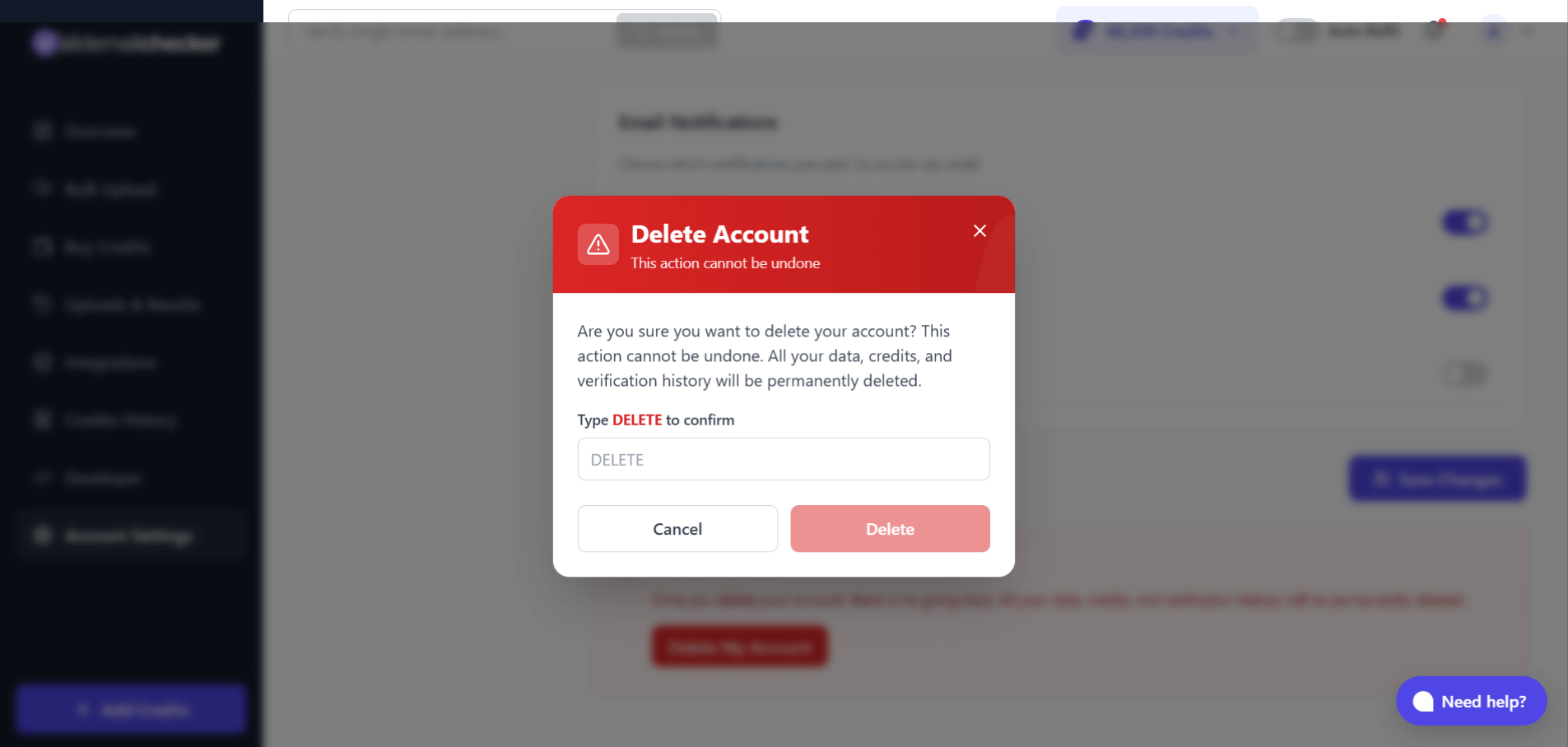
- Read the warning carefully.
- Type `DELETE` in the confirmation field (case-sensitive).
- Click Delete to permanently delete the account.
You are signed out immediately and redirected to the login page.
After deletion
- You cannot log back in — the account no longer exists.
- You cannot recover any data.
- Your email address is released — you can sign up again with the same email if you want, but nothing transfers.
- Any active subscription stops at the moment of deletion.
- Any API integrations using your keys start returning
401 Invalid or inactive API key.
Alternatives worth considering
Just want a break?
You do not have to delete to stop using the service. Cancel the subscription, stop logging in, and your PAYG credits stay where they are. They never expire — they will be there when you come back.
Want to stop the charges only?
Cancel the subscription and turn off auto-refill. Your account stays alive at zero cost. You keep your PAYG balance.
Privacy concern with us holding your data?
Reasonable. Read how we protect your data first — it covers what we actually store, encryption, the 15-day verification-result retention, and the rest. If that does not resolve the concern, deletion is the right path.
Common questions
Can I recover my account after deletion?
No. The deletion is permanent and immediate.
Will I get a refund for unused subscription time?
No. If you want to use remaining subscription time, cancel the subscription instead of deleting — that keeps your access through the end of the billing period. Deletion forfeits any remaining time without refund.
What happens to team members?
They lose access immediately when an owner deletes the account. To keep verifying, they would need their own account.
Can I sign up again with the same email?
Yes — the email address is released on deletion. The new account starts fresh: no credits, no history, no integrations.
I'm a team member. What happens if I delete?
You are removed from the team. The account owner is not affected. You lose access to the shared credits, of course.
How long does deletion take?
Instant. The moment you confirm, the account and all associated data are gone.
Need help instead?
Before you delete, check whether the underlying problem can be solved. Drop us a line:
- Email: support@validemailchecker.com
- Live chat: click the chat icon in the bottom-right of the dashboard
- Contact form: validemailchecker.com/contact
If the answer is still deletion after that, no hard feelings — the button is right there.
Next steps
Related questions
Still stuck? Email support