Email Deliverability: Why List Quality Matters More Than Authentication
 Devon ParkJune 18, 2026
You can hit a 98% delivery rate and still have a third of your list never see a single message. That gap — between an email a server accepts and an email a human actually reads — is where most sending programs quietly bleed revenue.
By the end of this guide you'll be able to diagnose where your messages are really landing, read the signals mailbox providers score you on, and fix the one lever you have full control over before you spend a dollar on anything else.
The thread that ties it all together is upstream of authentication, content, and warm-up: the quality of the list you send to. We'll build the causal chain from a single invalid address all the way to a spam-foldered campaign — and show you where to break it.
What email deliverability actually means (and what it doesn't)
Deliverability and delivery sound like synonyms. They are not, and confusing them is the first mistake that sinks a sending program.
Delivery is the low bar. It means the receiving server accepted your message instead of bouncing it. Your email service provider reports this as your "delivery rate," and it looks reassuring because it's almost always high. A 98% delivery rate is normal. It also tells you almost nothing about whether anyone read the email.
Deliverability is the metric that pays. It measures where the accepted message actually landed: the primary inbox, the Promotions tab, or the spam folder. A 98% delivery rate can sit on top of a 65% inbox placement rate — meaning the server took your mail and then quietly filed a third of it where no one looks.
For most senders, the Promotions tab and the spam folder both count as failed deliverability. If you're running marketing campaigns and your open rate craters, the Promotions tab is often the culprit. If you're running cold outreach or transactional mail, the spam folder is the killer. Either way, "accepted by the server" was never the goal. A read message was.
The gatekeepers here are not your ESP. Mailchimp, SendGrid, and the rest hand your message to the receiving network and report back what happened. The real decision — inbox, tab, or spam — is made by the mailbox provider: Gmail, Outlook, Yahoo, Apple Mail. They run the filters. They score your reputation. They decide. Your ESP is the courier, not the judge. We unpack this distinction in depth in our guide on email deliverability vs. delivery, which is worth reading alongside this one.
So the number to chase isn't delivery rate, and it isn't even open rate — opens lag the truth by days and are increasingly distorted by privacy proxies. The leading indicator is inbox placement rate: of the messages a provider accepted, what fraction reached a folder the recipient actually checks. Everything in this guide bends toward improving that one number.
How mailbox providers decide where your email lands
Mailbox providers run a scoring pipeline on every message, and the order matters. Reputation is evaluated before content. Authentication is evaluated before reputation. Fail an early gate and the later ones never get a chance to save you.
Here's the deal: a provider scores three things, roughly in this sequence — your sending IP, your sending domain, then your content. Authentication checks (SPF, DKIM, DMARC) act as the entry door. If a message can't prove it came from who it claims, the provider doesn't bother weighing your clever subject line. It's already suspicious.

Once you're through the door, engagement does the heavy lifting. Opens, replies, and — most powerfully — a recipient dragging your message from Promotions into the primary inbox all raise your score. Spam complaints, deletes without opening, and "mark as spam" clicks tank it. Providers treat their own users' behavior as the ground truth about whether your mail is wanted.
IP age and volume feed into this too. A brand-new IP that sends 50,000 emails on day one looks exactly like a spammer who just spun up fresh infrastructure. Providers expect legitimate senders to ramp gradually, which is why warm-up exists (more on that later). Sudden volume spikes from a cold IP are one of the fastest ways to get throttled.
Gmail's category tabs deserve a special note because marketers conflate them with spam. The Promotions tab is not the spam folder. Mail there was delivered and accepted as legitimate — Gmail just sorted it as commercial. For a retailer, Promotions is often fine. For a transactional notification or a one-to-one outreach email, landing in Promotions is a failure, because the recipient expects it in Primary and won't go looking. The distinction matters because the fixes differ: Promotions placement is mostly a content-and-engagement problem, while spam placement is usually a reputation-or-authentication problem.
Google publishes its expectations openly, and they're worth reading directly rather than secondhand — the Google email sender guidelines spell out the authentication, complaint-rate, and unsubscribe requirements that became mandatory for bulk senders. If you send more than 5,000 messages a day to Gmail addresses, those rules are not suggestions.
The three authentication records every sender needs
Authentication is the entry door we just described. Three DNS records control it, and in 2026 you need all three. Google and Yahoo's bulk-sender requirements made them effectively mandatory — skipping one is no longer a tolerable shortcut.
SPF, the Sender Policy Framework, is a DNS TXT record that lists which IP addresses are allowed to send mail for your domain. When a receiving server gets your message, it checks the sending IP against that list. If your real sending IP isn't there, SPF fails. The standard behind it is RFC 7208, and the single most common misconfiguration is exceeding its hard limit of 10 DNS lookups.
DKIM, DomainKeys Identified Mail, adds a cryptographic signature to each message. The receiving server uses a public key published in your DNS to verify the signature, which proves two things: the mail genuinely came from your domain, and the content wasn't altered in transit. DKIM is defined in RFC 6376.
DMARC is the policy layer that sits on top. It tells receivers what to do when SPF or DKIM fails — nothing (monitor), quarantine (spam folder), or reject (bounce) — and it sends you aggregate reports showing who's sending mail under your domain. That reporting is how you catch spoofers and misconfigured subdomains. DMARC is specified in RFC 7489, and the DMARC.org overview is a readable starting point.
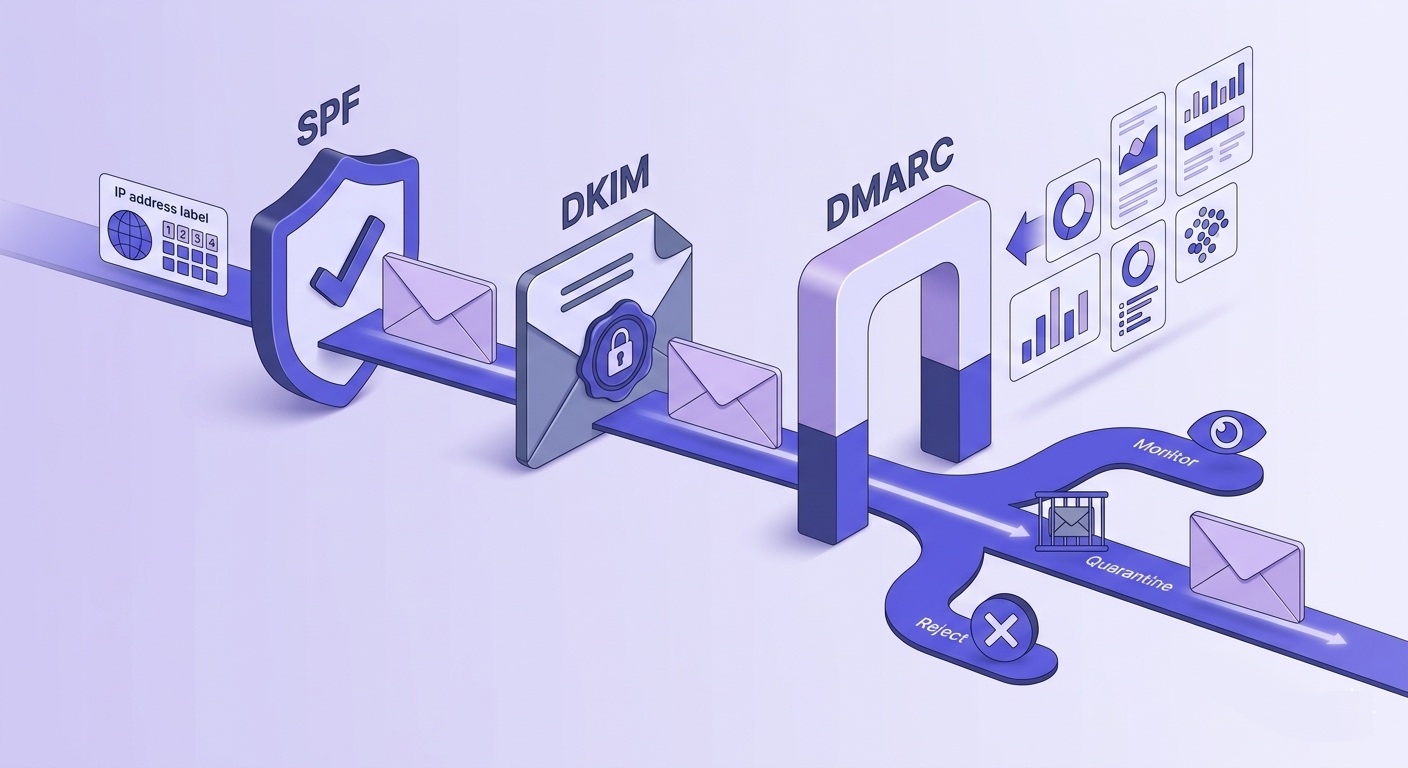
These three are not interchangeable. SPF proves the IP is authorized. DKIM proves the content is intact. DMARC ties them to your visible "from" domain and gives receivers an instruction. We walk through exactly how they reinforce each other in how email authentication actually works together, which is the pillar to read if records are where you're stuck.
The 10-lookup SPF trap is worth dwelling on because it's so common. Every include: in your SPF record can trigger further lookups, and once you chain a few ESPs and tools together you blow past the limit. When that happens, SPF returns a permerror and many receivers treat the whole check as a fail. You can audit this in seconds — check your SPF record and confirm the lookup count, then read your DMARC policy to see whether you're set to monitor or enforce. Our SPF record generator guide covers how to flatten records that have grown too large.
Free tool · no signup
See your authentication status in one pass
Check SPF, DKIM, and DMARC together and find the misconfigurations before a mailbox provider does.
Sender reputation: what it is and what destroys it
Reputation is the running score mailbox providers keep on you. Pass authentication and reputation becomes the thing that decides inbox versus spam. It comes in two flavors, and in 2026 they're weighted differently than they used to be.
IP reputation is the score attached to the sending IP address. Domain reputation is attached to your sending domain. The trend has been clear: providers lean increasingly on domain reputation, because IPs change, get shared across senders, and are easy to rotate, while your domain is a stable identity you can't shed. If you send from a shared ESP pool, your domain reputation is the part you actually own and can protect.
What destroys it? Spam complaints first. Google's published threshold is a 0.10% complaint rate, and above 0.30% you're in serious trouble — the kind where mail starts landing in spam by default. To stay safe you want to keep complaints well under 0.08%, which gives you headroom for a bad campaign without crossing the line.
The complaint-rate numbers that matter
Google flags sustained complaint rates at 0.30% and asks bulk senders to stay under 0.10%. Aim for below 0.08% as your working ceiling. One bad segment can spike you past the line in a single send.
The slower killer is a dirty list. Invalid addresses, role accounts, and spamtraps don't announce themselves — they erode reputation over months. Every message to an address that hard-bounces is a signal to the receiving network that you don't know who's on your list. Do it at scale and providers conclude you bought or scraped your data, which is exactly the profile of a spammer.
Spamtraps are the most dangerous of these. A recycled spamtrap is an address that was once a real inbox, went dormant, and was repurposed by a blacklist operator to catch senders mailing stale data. You can't see them. You can't remove them by asking. The only defense is not having dead addresses on your list in the first place — which is a list-hygiene problem, not a content problem.
Hard bounce rate ties it together. A hard bounce above 2% signals list-quality problems to receiving servers, and the bounce itself is logged against your reputation. Cold outreach senders should target below 1%, because they're sending to colder, less-verified data and have less reputation slack to absorb the damage. Our guide on reducing email bounce rate below 2% breaks down the tactics.
List hygiene: the deliverability lever most senders ignore
Here's the thesis of this entire guide: list hygiene is not one bullet in a best-practices checklist. It's the upstream cause of most deliverability failures, and it's the single lever you have complete control over.
You can't make a recipient open your email. You can't force Gmail to file you in Primary. But you can decide, before you hit send, that no invalid address, no spamtrap, and no disposable burner is on the list. That decision is entirely yours, and it's the one that prevents the reputation damage everything else tries to recover from.
Every email you send to an invalid address is a vote against your domain's reputation. You get to decide how many of those votes you cast.
Valid Email Checker
Deliverability team
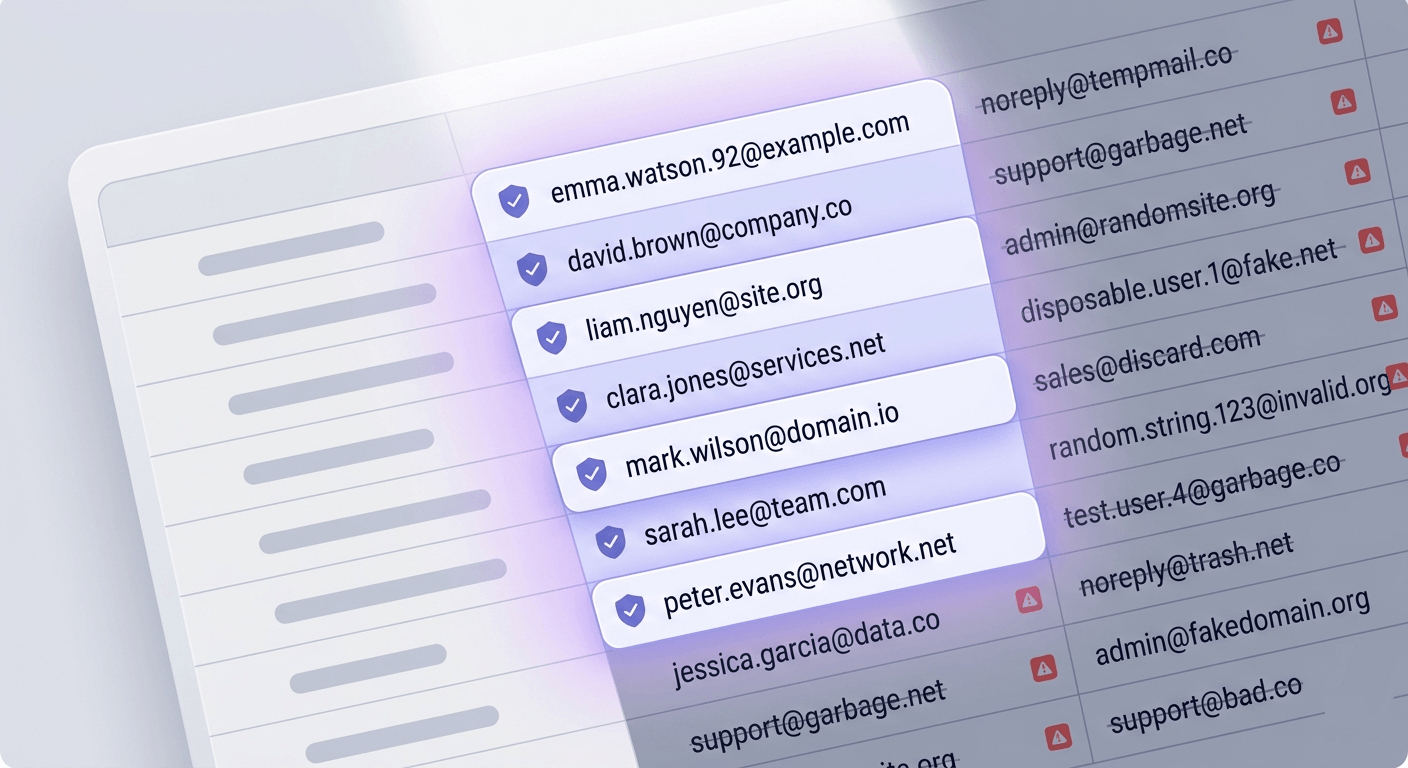
Four address types do the most damage. Invalid addresses hard-bounce and directly signal poor data quality. Disposable addresses — ten-minute and burner-mail providers — are dead by the time you send and inflate your bounce rate. Role-based addresses like info@, support@, and admin@ are shared inboxes with low engagement and higher complaint risk. And spamtraps, as covered above, can land you on a blacklist outright.
Catch-all domains are the tricky case. A catch-all domain accepts mail for any address at that domain, which means the SMTP handshake succeeds even when the specific mailbox doesn't exist. A naive check sees "accepted" and marks the address valid. It isn't — it's unverifiable, which is a different risk profile entirely. We explain the trap fully in our catch-all emails guide.
How often should you clean? At minimum before every major campaign — not once a year. Lists decay continuously: people change jobs, abandon addresses, and let mailboxes fill up. A list verified in January is measurably dirtier by April. The senders with the best placement treat verification as a pre-send step, not an annual chore. Our email list hygiene framework lays out a decision tree for cadence by list type.
The economics, plainly
One hard bounce costs more in reputation damage than the revenue from ten good sends. Reputation recovery takes weeks; a clean send takes minutes. The math almost always favors cleaning first.
This is also where verification quality matters. A verifier that guesses on hard cases and charges you for the guess isn't doing you a favor — a wrong "valid" is the most expensive result, because you send to it and bounce. We built our engine around an 11-stage flow and a simple rule: when both providers return a non-definitive answer, the result comes back as Unknown and we automatically refund that credit. We only charge when we're certain, which is the same standard mailbox providers apply to your sends. You can see how the stages work in the 11 stages and every status explained.
Test an address against the 11-stage engine
Paste any email and watch syntax, MX, SMTP, catch-all, and disposable checks run live. Unknown results are always free.
Powered by Valid Email Checker — full SMTP handshake, disposable + role detection, no card required.
The causal chain: how one invalid address becomes a spam-foldered campaign
Competitors treat list quality as a footnote. The reason it deserves top billing is that the failure isn't isolated — it cascades. Trace the chain and you'll see why hygiene is the leverage point.
Step one: you send to invalid addresses, and they hard-bounce. Step two: the receiving servers record those bounces as evidence your data is poor. Step three: your domain reputation drops. Step four — and this is the part that hurts — the lower reputation applies to your entire list, not just the bad addresses. Your best, most engaged subscribers now see your mail in Promotions or spam.
Step five closes the loop. Because your engaged subscribers no longer see you, their opens and replies dry up. Those were the positive engagement signals propping up your reputation. Lose them and the score falls further, which pushes more mail to spam, which kills more engagement. It's a doom loop, and it started with a handful of addresses you could have removed in advance.
The break point is obvious once you see the chain: remove the invalid addresses before step one. Verification isn't a nice-to-have bolted onto the end of your process — it's the intervention that prevents the cascade from ever starting. That's the whole argument for verifying your list before sending.
How to test your email deliverability right now
You can't improve what you can't see, and your ESP's delivery rate hides the truth. Here's how to find out where your mail actually lands without spending anything.
Run a seed-list inbox placement test
Send your campaign to a set of seed addresses across Gmail, Outlook, Yahoo, and Apple Mail at the same time. A deliverability tool then reports where each copy landed — inbox, Promotions, or spam — per provider. This is the closest thing to ground truth you'll get without surveying real recipients. Run a deliverability check to get the per-provider breakdown.
Read the deliverability report
A good report gives you four numbers: inbox %, spam %, Promotions %, and a per-provider split. The split matters — you might be at 95% inbox on Gmail and 40% on Outlook, which points to a Microsoft-specific reputation or authentication problem rather than a list problem.
Inspect the email headers
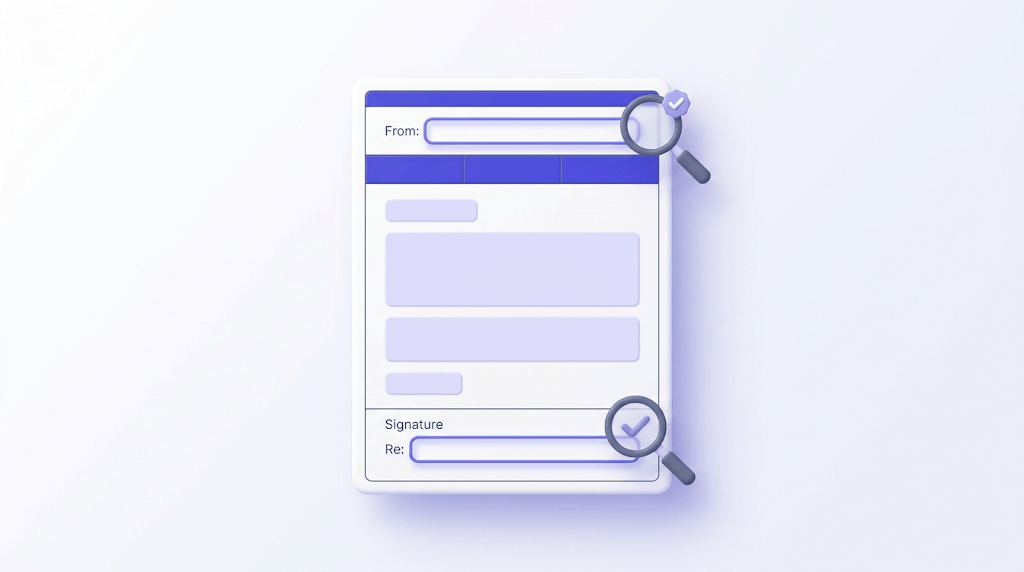
Open a delivered message and read the full headers. They show which filters touched the message, the authentication results (SPF, DKIM, DMARC pass or fail), and sometimes the spam score that decided its fate. This tells you why a message was filtered, not just that it was.
Check your IP and domain against blacklists
Look up your sending IP and domain on the major blacklists. If you're listed, that alone can explain a placement collapse. Each blacklist has its own delisting process, and the first requirement is always the same: prove you've cleaned up whatever got you listed.
Track inbox placement rate weekly
Pick one number and watch it over time: inbox placement rate. Not open rate, which lags and is distorted by privacy proxies. A weekly placement number turns deliverability from a mystery into a trend you can manage.
For the header-reading step, the Email Header Analyzer parses the raw headers into a readable authentication summary, which beats squinting at raw text. And if a blacklist check comes back positive, our IP Blacklist Checker shows which lists flagged you so you can start the right delisting process.
Best practices to improve inbox placement
Once you know where you stand, these are the levers that move the number — roughly in order of impact.
Warm up new domains and IPs gradually
A new domain or IP has no reputation, and providers treat "no reputation" with suspicion. Ramp your volume over four to six weeks, starting small and increasing daily, sending to your most engaged subscribers first. The goal is to build a track record of wanted mail before you scale. We cover the nuance — including why transactional senders can ramp faster — in the warm-up section below.
Segment by engagement
Send to your most engaged subscribers first and suppress the unengaged. Engagement is the strongest positive signal you have, so leading with your best segment teaches providers that your mail gets opened and replied to. Mailing a graveyard of dormant addresses does the opposite — it drags your engagement metrics down and your reputation with them.
Use double opt-in
Double opt-in confirms intent at the point of signup, which reduces complaint rates because everyone on the list actually asked to be there. It also blocks typo'd and fake addresses from ever entering your list — a hygiene win at the front door rather than the back.
Make unsubscribing easy
The one-click list-unsubscribe header is now required by Google and Yahoo for bulk senders. Beyond compliance, an easy unsubscribe is a deliverability asset: a recipient who can leave with one click won't hit "mark as spam" instead — and a spam complaint costs you far more than an unsubscribe. Hiding the unsubscribe link is a false economy.
Watch your content signals
Excessive links, image-only emails with no text, misleading subject lines, and spam-trigger phrasing all push you toward filters. Content is scored last, but it's still scored. The fix is mundane: a sensible text-to-image ratio, honest subject lines that match the body, and links that point where they say they do.
Maintain suppression lists
Before every send, remove hard bounces, complainers, and long-term unengaged addresses. A suppression list is your institutional memory of who not to mail. Skipping it means re-sending to addresses that already bounced or complained — repeating the exact mistake that damaged you the first time.
The order to fix things in
Authentication first (it's a hard gate), then list hygiene (it's the upstream cause), then engagement segmentation, then content. Fixing content while your SPF record errors out is rearranging furniture in a burning room.
Domain warm-up done right
Warm-up is where a lot of generic advice goes wrong, because the right ramp depends on what you send. The standard guidance — warm up over six weeks — is correct for marketing senders on a new domain. It's wrong for transactional senders, who should ramp in days, not weeks, because their mail is triggered by user actions and is exactly the kind providers want delivered fast.
The mechanics for a cold marketing domain: start at a few hundred sends a day to your most engaged subscribers, then increase volume by a consistent percentage daily as long as your engagement holds and complaints stay low. If complaints spike or placement drops, hold volume steady until the metrics recover before climbing again. Warm-up is a feedback loop, not a fixed schedule.
The mistake that kills new domains is the day-one blast: 50,000 emails from an IP with zero history. To a mailbox provider, that's indistinguishable from a spammer who just bought fresh infrastructure. Even with perfect authentication and a clean list, the volume curve alone gets you throttled. Patience here is cheaper than recovery.
One detail people miss: warm up the domain and the sending IP if you control a dedicated IP. On a shared ESP pool you inherit the pool's IP reputation, so your domain reputation is the variable you're actually building. Either way, the principle holds — establish a track record of wanted mail before you scale volume.
Engagement: the signal that outweighs everything else
If authentication is the entry door and reputation is the bouncer, engagement is the regular who gets waved in. Modern filtering leans harder on engagement than on any other content or list signal, because it's the most honest proxy for "does the recipient want this?"
Positive engagement is more than opens. Replies are stronger. A recipient moving your message from Promotions to Primary is stronger still — it's an explicit vote that your mail belongs in the important folder. Providers notice these actions per-recipient and aggregate them into your reputation.
Negative engagement cuts the other way and weighs heavily. Deleting without opening, marking as spam, and never opening over a long window all tell the provider your mail is unwanted. This is why mailing dormant subscribers is so corrosive: you're manufacturing negative signals at scale. Suppressing a long-unengaged segment can raise your placement for everyone else, because you stop diluting your engagement average.
The practical move is a re-engagement and sunset policy. Try to win back the unengaged with a focused campaign; if they don't respond after a defined window, suppress them. It feels counterintuitive to stop mailing part of your list, but a smaller engaged list outperforms a large dormant one on every metric that decides placement.
Blacklists and how to get off them
A blacklist (more politely, a blocklist) is a published list of IPs or domains that operators believe are sending spam. Mailbox providers consult them, and a listing on a major one can collapse your placement overnight. Knowing how you got listed tells you how to get off.
The most common path onto a blacklist is hitting a spamtrap, which loops us back to list hygiene. Spamtrap operators run blacklists; mail one of their traps and you can be listed automatically. Other paths include sustained high complaint rates, sudden volume spikes from a cold IP, and compromised accounts sending through your infrastructure.
Getting delisted follows a pattern. First, confirm the listing — check your domain and IP against the major lists. Second, fix the root cause: clean the list, plug the leak, stop the behavior that triggered it. Third, submit a delisting request through the blacklist's process. The request almost always asks you to demonstrate you've cleaned house, which is why a pre-verified send list is the strongest evidence you can attach.
Some lists delist automatically after a clean period; others require manual review. Either way, delisting without fixing the cause is pointless — you'll be relisted on your next send. The Spamhaus Checker covers the most influential list, and our IP Blacklist Checker covers the broader set.
Deliverability for cold outreach versus marketing
The same principles apply to cold outreach and opt-in marketing, but the thresholds and tactics diverge enough to matter. Treating them identically gets cold senders into trouble fast.
Cold outreach lives or dies on bounce rate. You're mailing addresses that never opted in and often came from a finder tool or scrape, so the raw data is colder and dirtier. Anything above a 2% bounce rate and your sending reputation starts cooking — cold senders should target below 1%. That makes pre-send verification non-negotiable rather than optional. Our guide to cold email list verification covers the technical foundation, and if you pull addresses from tools like Apollo or LinkedIn finders, verifying the output before sending is the difference between a campaign and a blacklisting.
Marketing senders have more reputation slack because their list opted in and engages, but they send at higher volume, so a small complaint-rate problem scales into a big one. Their lever is engagement segmentation and complaint management more than raw verification — though verification still matters before every major campaign.
One thing both share: the subject line and template matter far less than the list. A brilliant cold email subject line sent to a list full of invalid addresses still bounces. We've made this point repeatedly because senders keep optimizing the wrong end — list quality outranks template quality every time. The rules tightened further in recent years; our roundup of what changed in cold email from 2024 to 2026 tracks the enforcement shift.
How verification fits into your sending workflow
Verification only helps if it's frictionless enough to run before every send. Bolt it on as a manual export-import chore and people skip it. Build it into the workflow and it just happens.
There are three practical entry points. The first is one-click ESP integration: connect your provider, verify the audience in place, and the clean list lands back in the same audience. We connect to 17 platforms, including Mailchimp, Klaviyo, HubSpot, SendGrid, ActiveCampaign, and Brevo. The list goes in dirty, comes out verified, no CSV gymnastics. The integrations overview covers how each one works.
The second is bulk upload: drop in a CSV, let the engine process it, and download the cleaned file with every address classified. Bulk handling and the 15-day download window are covered in our bulk verification walkthrough. The third is the API, for teams that want verification at the point of signup or inside their own pipeline.
curl -X POST https://api.validemailchecker.com/functions/v1/api-verify-single \
  -H "Authorization: Bearer YOUR_API_KEY" \
  -H "Content-Type: application/json" \
  -d '{"email": "name@company.com"}'
A single verification returns in well under a second; bulk jobs are submitted and polled asynchronously, which is the right design for hundreds of thousands of addresses. The API overview documents endpoints, auth, and rate limits. Whichever entry point you use, the payoff is the same: invalid, disposable, role, and spamtrap-risk addresses get flagged before they ever touch your send.
And the Unknown auto-refund matters most here. When the engine genuinely can't determine a result — both providers return non-definitive — it returns Unknown and refunds the credit automatically, posting the refund to your credits history. You're never charged for a guess. That's covered in the free email verifier breakdown and in our refunds policy.
What good deliverability actually looks like in numbers
Vague targets don't help you manage anything. Here are the benchmarks worth holding yourself to, with the caveat that they vary by industry and provider.
| Metric | Acceptable | Strong | Danger zone |
|---|---|---|---|
| Inbox placement rate | 85%+ | 95%+ | Below 80% |
| Spam complaint rate | Below 0.10% | Below 0.08% | Above 0.30% |
| Hard bounce rate (marketing) | Below 2% | Below 1% | Above 3% |
| Hard bounce rate (cold) | Below 1% | Below 0.5% | Above 2% |
| Authentication (SPF/DKIM/DMARC) | All three present | DMARC at enforcement | Any one failing |
Inbox placement above 85% is considered acceptable; above 95% is strong. Below 80% means a meaningful chunk of your audience never sees you, and it's time to investigate authentication and list quality before sending again.
You can calculate your own placement rate without a paid tool. Send to a seed list spread across the major providers, count how many copies landed in the inbox versus Promotions versus spam, and divide inbox by total. It's a sample rather than a census, but tracked weekly it's a reliable trend line — which is more useful than a precise number measured once.
One more time, because it's the most common mistake: aggregate open rate is a lagging indicator, distorted by privacy proxies that auto-open images. Inbox placement rate is the leading one. If you track a single deliverability metric, make it placement, and read it weekly rather than after a campaign fails.
How long recovery takes when reputation is already damaged
Suppose the damage is done — placement has collapsed and you suspect reputation is the cause. The honest answer on recovery time is: weeks, sometimes longer, and only if you fix the root cause first.
Reputation is built on a rolling window of behavior, so providers need to see sustained good sending before they revise their view. There's no reset button and no support ticket that restores your score. You earn it back the same way you lost it — one send at a time, in the opposite direction.
The recovery playbook mirrors warm-up. Stop sending to anything unverified. Clean the list down to addresses you're certain about and the segment that still engages. Re-establish a track record of low bounces, low complaints, and positive engagement, ramping volume slowly. Providers will revise upward as the evidence accumulates, but they're appropriately slow to trust a sender who recently looked like a spammer.
The frustrating truth is that recovery costs far more than prevention. Weeks of suppressed volume and reduced reach versus a few minutes of pre-send verification — that asymmetry is the entire argument for treating list hygiene as the first lever, not the last. If you're deep enough in the hole that this feels overwhelming, our guide on when to hire a deliverability consultant covers where outside help actually pays off.
The short version
Authenticate with all three records. Verify before every send. Lead with your engaged subscribers. Watch inbox placement weekly. Do those four things and most deliverability problems never start.
Frequently asked questions
Frequently asked questions
What is the difference between email delivery and email deliverability?
What is a good email deliverability rate?
Why are my emails going to spam instead of the inbox?
How do SPF, DKIM, and DMARC affect deliverability?
How does a dirty email list hurt sender reputation?
How do I test my email deliverability for free?
What spam complaint rate will get my domain blacklisted?
How long does it take to recover from a damaged sender reputation?
Inbox placement is the metric that pays, and list hygiene is the one lever you fully control before authentication, content, or warm-up ever come into play. The fastest way to see where your list stands is to run a sample through a verifier and read the failure mix — invalid, disposable, role, and catch-all tell you exactly how much reputation risk you're carrying. If any address comes back Unknown, we refund that credit automatically, so the only thing you pay for is certainty.
Try Valid Email Checker free
Verify any email in under a second
Get 150 free verifications. No credit card. Auto-refund on every Unknown result — the only verifier we know that does this.
- 150 free credits when you sign up
- Auto-refund every Unknown verification (we're the only ones that do)
- 11-stage flow catches what 1-step checkers miss
- Drop-in integrations for Mailchimp, HubSpot, SendGrid, 14 more
Written by
Devon ParkDevon writes about the parts of email nobody puts on a landing page: SPF, DKIM, DMARC, MX records, and the DNS quirks that quietly decide whether your mail lands or bounces. His aim is to turn specs that read like legalese into something you can implement today — usually with the exact record to copy and a way to confirm it worked. When other guides hand-wave past setting up authentication, Devon stops and shows you how.