How to Send a Follow Up Email (That Actually Gets Replies)
 Priya IyerJuly 22, 2026
Only 8.5% of cold emails get a reply. Knowing how to send a follow up email — and doing it right — is what separates the senders who close from the ones who wonder why no one ever writes back.
After reading this, you'll be able to write follow-ups that give the recipient a genuine reason to respond, time them correctly, and avoid the structural mistakes that make even well-written messages disappear.
The part nobody else covers: a perfectly crafted follow-up sent to a defunct address, a catch-all domain, or from a domain missing SPF authentication never gets the chance to perform. We'll cover both problems.
Why most follow-up emails get ignored
The gap between sending and getting a reply isn't usually about effort. It's about what the email signals before the recipient reads past the first line.
"Just checking in" is the most common opener in follow-up emails and the most reliable way to get deleted. It tells the reader three things at once: you have nothing new to say, you're filling a cadence slot, and their time doesn't factor into the calculation. That's a lot of damage in four words.
The structural mistake runs deeper than the opener. Most follow-ups treat themselves as reminders — a nudge that says "hey, I emailed you." The recipient already knows that. What they don't know is why this email, right now, deserves a response they didn't give the first time. A follow-up that doesn't answer that question is just noise.
Then there's the inbox environment. Promotional filters, high send volume from your domain, and a sender reputation that's been quietly eroding from previous bounces all work against you before your subject line is even rendered. If your last campaign had a bounce rate above 2%, the follow-up sequence is already fighting uphill. Google's email sender guidelines make the threshold explicit — sustained bounce rates above that level trigger filtering and, eventually, blocking.
The fix isn't to send more. It's to send better — and to send only to addresses that are actually reachable. More on that later.
Before you write anything: define the objective
There are exactly three legitimate reasons to send a follow-up email: get a reply, get a decision, or keep a relationship warm. Everything else is either a combination of these or a rationalization for sending when you shouldn't.
The objective changes everything downstream. A follow-up designed to get a reply is short, asks a single direct question, and makes it easy to respond with one sentence. A follow-up designed to get a decision needs to reduce friction — it surfaces the options, removes ambiguity, and gives the recipient something concrete to act on. A relationship-maintenance email is lower pressure, softer in tone, and doesn't end with a demand.
The context matters just as much. A follow-up after a job interview operates in a completely different emotional register than a follow-up after a cold outreach email. Post-interview: warmth, specificity about the role, gratitude without groveling. Post-cold-outreach: a new hook or piece of value, not a restatement of the original pitch.
What about silence? No response is information, but it's not always a signal to stop. Inboxes are noisy. Decision timelines slip. People intend to reply and don't. None of that is a hard no. The signal to stop is a hard no, a bounce, or three unanswered follow-ups past the initial outreach.
Write the objective before you open a draft
One sentence: "I want [recipient] to [specific action] by [date or trigger]." If you can't write that sentence, you're not ready to write the email.
Timing: when to send and how many is too many
Timing rules vary by context, but the underlying principle is consistent: send when the conversation is still fresh and you have something worth saying.
For post-meeting and post-interview follow-ups, the window is 24–48 hours. Within 24 hours is better. Beyond 48 and you're no longer capitalizing on the warmth of the interaction — you're just sending an email.
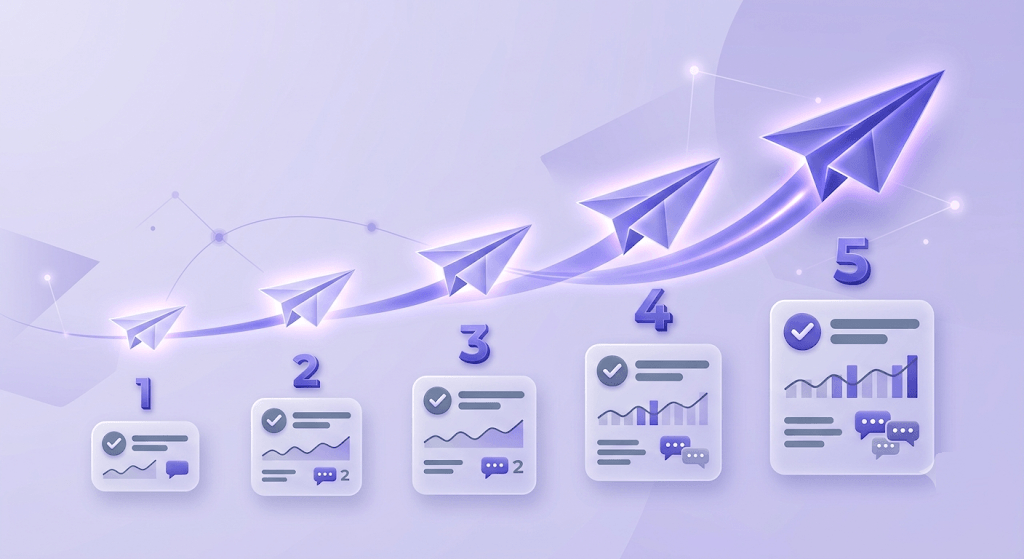
For cold outreach sequences, a proven cadence is: initial email on day 1, first follow-up on day 3–4, second follow-up on day 7–8, final follow-up on day 14. The diminishing returns after three attempts are steep. Research from Saleshandy and similar outreach platforms consistently shows that the first follow-up recovers the most reply rate; the second picks up a smaller slice; the third gets a fraction of that.
Sending too soon reads as impatient and signals you don't respect the recipient's schedule. Waiting too long loses the thread — they've moved on, the context has faded, and your email reads like a cold open even though it isn't.
The second follow-up after a job interview is a specific case. Send it only if the stated decision date has passed. Before that date, you're not following up — you're pressuring. After it, a single polite check-in is appropriate and expected.
Knowing when to stop is as important as knowing when to send. Three unanswered follow-ups in a cold outreach sequence is the hard ceiling for most contexts. When you reach it, the walk-away email — sometimes called the break-up email — often gets the reply the others didn't, precisely because it removes pressure and signals you're not going to keep showing up.
How to structure a follow-up email that actually gets read
Structure is where most follow-ups fall apart. Each element has a job, and when one element fails, the whole email fails.
Subject line. "Following up" is not a subject line — it's a placeholder that signals nothing. Reference the original thread topic or a specific detail from the prior conversation. Keep it to 30–50 characters. "Re: the Q3 proposal" outperforms "Following up on my email" every time, because it gives the recipient immediate context and a reason to open.
Opening line. Their name plus one sentence of context. "Hi Sarah — following our call on Tuesday about the API integration" anchors the email in a shared reality. It tells the recipient this isn't a mass send. That matters.
Body. One new piece of value. A relevant case study. A data point you didn't include the first time. A deadline that's now relevant. Not a restatement of the original email — they read it. Or they didn't, in which case a summary is available in the thread. Either way, repeating yourself is a waste of both of your time.
CTA. One ask, stated plainly. "Does Thursday at 2pm work for a 15-minute call?" beats "let me know if you'd like to connect." A direct question is easier to answer than an open-ended offer. Make it easy to say yes.
Sign-off. Full name, title, and one contact method. No ambiguity about who is writing. A phone number in the signature gives the recipient an alternative if email isn't working for them.
Templates for the five most common follow-up scenarios
These aren't fill-in-the-blank scripts — they're structural models. The words should be yours. The architecture is the part worth copying.
After a job interview (within 24 hours)
Subject: Thank you — [Role title] interview\n\nHi [Name],\n\nThank you for the time this morning. The conversation about [specific topic from interview] confirmed this is the kind of problem I want to be working on.\n\nI'm attaching [relevant portfolio piece / example] in case it's useful context. Looking forward to hearing about next steps.\n\n[Full name] | [Phone]
After a job interview (status check — only after the decision date has passed)
Subject: Re: [Role title] — checking in\n\nHi [Name],\n\nI know decisions take time. I wanted to check in briefly since [stated date] has passed. I remain very interested in the role and happy to answer any additional questions.\n\n[Full name]
After cold outreach (adding a new hook)
Subject: Re: [Original subject] — one more thing\n\nHi [Name],\n\nI sent you a note about [original topic] last week. I won't restate it — but I did come across [specific data point / case study / relevant event] that made me think the timing might actually be better now.\n\nWorth a 15-minute call this week? I can make Thursday or Friday work.\n\n[Full name] | [Title] | [Phone]
After a meeting or call (recap and next steps)
Subject: Notes from our call — next steps\n\nHi [Name],\n\nQuick recap from today:\n- We agreed on [decision 1]\n- [Name] is handling [task] by [date]\n- I'll send [deliverable] by [date]\n\nLet me know if I missed anything. Talk [next scheduled date].\n\n[Full name]
The break-up email (final follow-up, no prior response)
Subject: Closing the loop\n\nHi [Name],\n\nI've reached out a few times and haven't heard back — I'll take that as a signal the timing isn't right.\n\nI'll stop following up. If that changes, my contact details are below.\n\n[Full name] | [Phone]
The break-up email works because it does something the others don't: it removes pressure. A significant number of replies to this template start with "sorry for the slow response" — the recipient was interested but buried. Removing the expectation of a reply is often what finally produces one.
The deliverability problem nobody mentions in follow-up guides
Every guide on how to send a follow up email covers subject lines and timing. Almost none of them cover whether the email actually arrives.
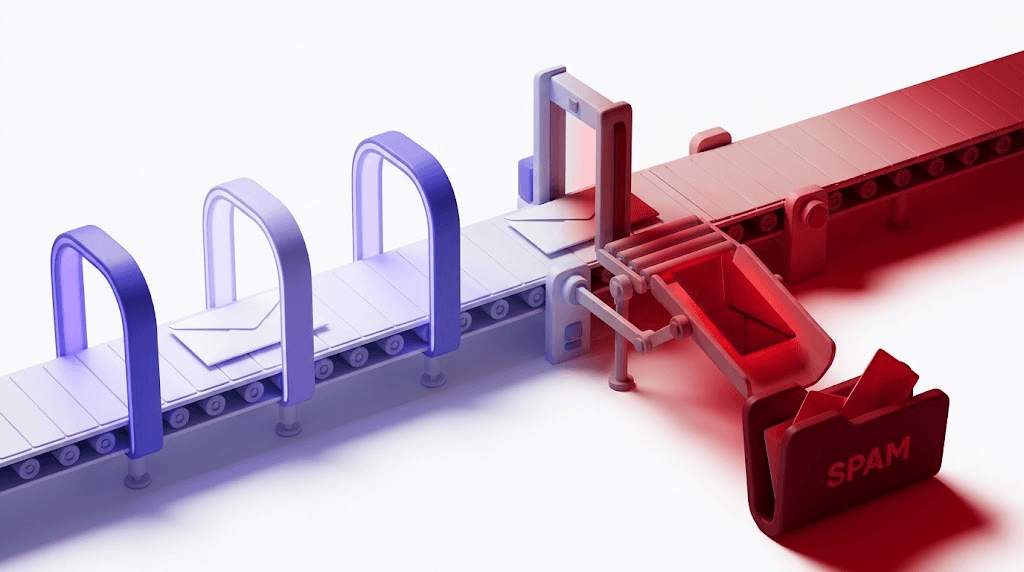
Here's the deal: sending follow-ups to unverified addresses is a compounding problem. Each bounce pushes your sender reputation lower. Bounce rates above 2% trigger filtering at Gmail and similar providers. A three-touch sequence to a list with 5% bad addresses doesn't just waste those sends — it actively damages the deliverability of every other email you send from that domain.
Catch-all domains are a specific trap. A catch-all domain accepts any email address at that domain during the SMTP handshake — xyz@companydomain.com will appear valid even if it doesn't exist. Your follow-up gets queued, delivered to the server, and silently discarded. You never get a bounce. You never get a reply. You just don't know. Our catch-all emails guide explains exactly what's happening at the protocol level.
Role addresses — info@, support@, admin@, hello@ — are shared inboxes. A follow-up to info@companydomain.com lands in a queue monitored by whoever drew inbox duty that week. It almost never reaches a decision-maker. These addresses are worth suppressing from outreach sequences entirely.
Lists degrade faster than most senders expect. An address that was valid when you built your list six months ago may now be defunct, migrated, or converted to a catch-all. The Email List Hygiene Best Practices guide puts the degradation rate at roughly 22% per year — which means a list you verified in January is already about 10% stale by July.
The authentication layer matters too. If your sending domain doesn't have SPF and DKIM configured, inbox providers have no way to verify you are who you say you are. Your follow-up gets deprioritized or filtered before a human ever sees it. Check your SPF record before you run any sequence — a missing or broken record is a silent follow-up killer. For a full audit of your sending domain's setup, an email deliverability checker will surface authentication gaps, blacklist status, and MX configuration in one pass.
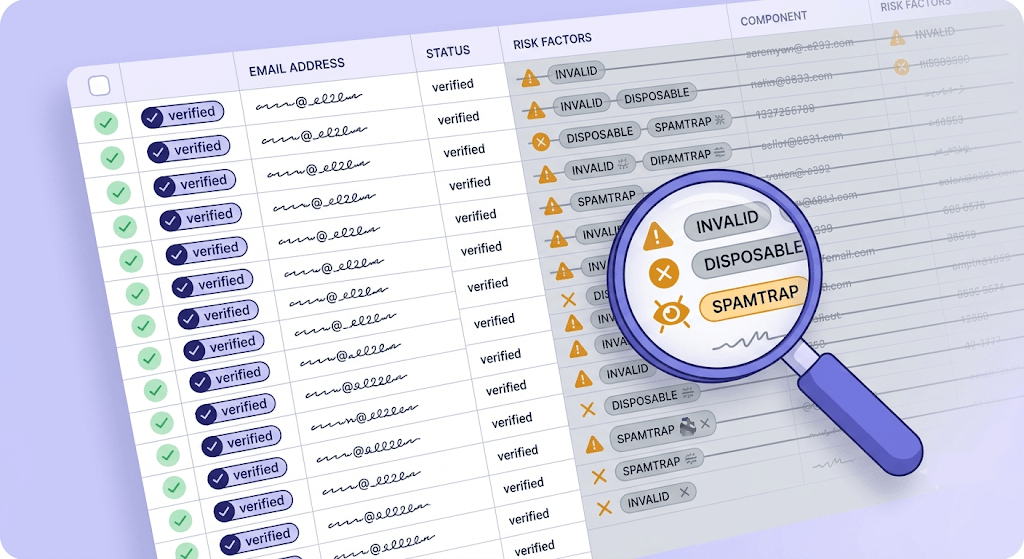
The right sequence: verify your list before the first touch, not after you've taken the reputation hit. Run your list through an email verifier and suppress anything that comes back as invalid, disposable, role, or spamtrap. If an address returns catch_all, treat it with caution — send once, watch for engagement, and don't build a multi-touch sequence around it.
Check an address before you follow up
Paste any email address and get an instant 11-stage verification result — for free.
Powered by Valid Email Checker — full SMTP handshake, disposable + role detection, no card required.
Common follow-up mistakes and how to fix them
Most follow-up problems come from the same short list of mistakes. Each one is fixable.
Opening with an apology. "Sorry for bothering you again" frames you as an inconvenience before you've made your point. You're not bothering anyone. You sent an email. Open with context, not contrition.
Making it longer than the original. A follow-up should be shorter than the email it follows. If the first email didn't convert, adding more words is not the answer. Fewer words, one clear ask, easy to act on.
Following up on the wrong channel. If email isn't working after two or three attempts, the channel may be the problem. LinkedIn, a phone call, or a referral through a mutual connection can accomplish what email can't. The cold email follow-up guide covers multi-channel escalation in more detail.
Sending from a domain with no SPF or DKIM. This isn't a writing problem — it's an authentication problem. RFC 6376 defines DKIM; RFC 7208 defines SPF. Both exist because inbox providers need a way to verify sender identity. Without them, your follow-up is competing with spam, because from the receiver's perspective, it looks like spam.
No clear next step. "Hope to hear from you" is not a CTA. It's a wish. Every follow-up should end with a specific, low-friction ask: a yes/no question, a calendar link, a single decision to make. Make it easy to say yes and almost as easy to say no — because a no is still a closed loop.
Free tool · no signup
Is your sending domain authenticated?
Check your SPF record in seconds — a missing or broken record means your follow-ups are fighting spam filters before anyone reads them.
Making your follow-up sequence repeatable
A sequence you have to rebuild from scratch every campaign isn't a sequence — it's a habit you haven't formed yet.
The simplest repeatable structure is a three-touch model: the initial email, a value-add follow-up (a new resource, data point, or relevant trigger), and a final ask or break-up email. Each touch has a defined purpose. None of them are reminders.
Personalization at scale doesn't mean writing every email from scratch. It means building templates with three to four variable fields — name, company, specific context from the prior interaction, and a relevant hook — and filling those fields deliberately. The template handles the structure; you handle the signal that makes it feel human.
Track the minimum data that tells you if the sequence is working: reply rate per touch, and bounce rate. Reply rate tells you if the writing is landing. Bounce rate tells you if the list is clean enough to send to. Both numbers should be visible before you run the sequence again.
When reply rate drops below your baseline on a template that used to perform, retire it and write a new one. Subject lines and openers have shelf lives. What worked in Q1 can be pattern-matched and filtered by Q3.
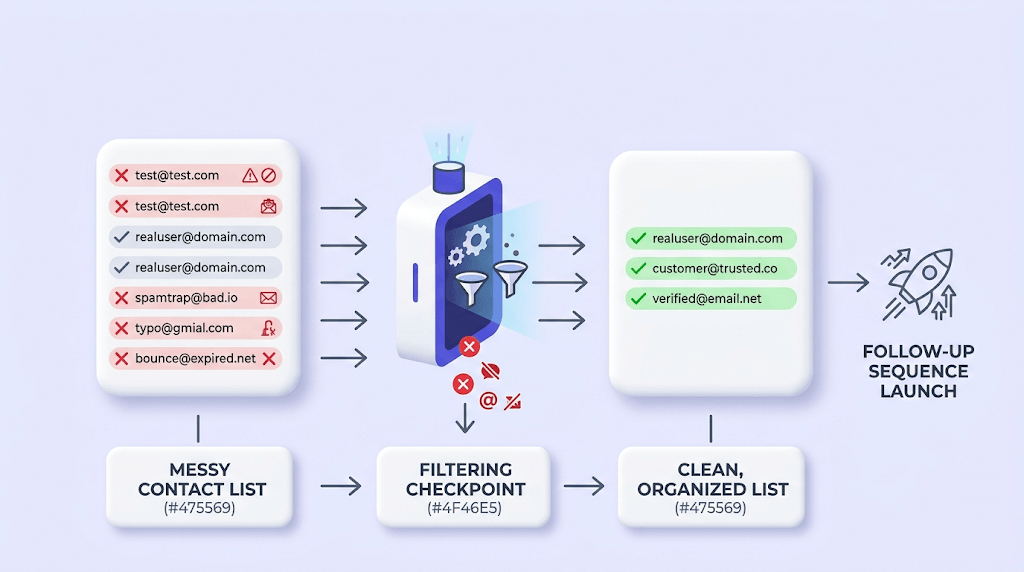
And every time you restart a sequence — whether it's a new campaign or a re-engagement of a dormant list — verify the list before the first touch. Not after. Stale data compounds across every touch: one bad address in the first send becomes three bad sends by the time the sequence completes, and the reputation damage accumulates the same way. The Email Verification: The 11 Stages guide explains what's happening at each stage of that check.
Free tool · no signup
Verify your list before the sequence starts
Upload your contact list and get safe, invalid, catch-all, role, and disposable results back — with automatic credit refunds on any Unknown result.
Frequently asked questions
How long should you wait before sending a follow-up email?
What should you say in a follow-up email if you haven't heard back?
How many follow-up emails is too many?
What is the best subject line for a follow-up email?
Is it OK to send a second follow-up email after a job interview?
Why are my follow-up emails going to spam?
How do I write a follow-up email that doesn't sound pushy?
Should I verify email addresses before sending a follow-up sequence?
A well-timed, well-written follow-up recovers a significant share of replies that would otherwise never come. But writing quality and deliverability are two separate problems — and most guides only solve one of them. Run your list through a verifier before the sequence starts, confirm your sending domain is authenticated, and the follow-ups you've put the work into will actually have a chance to land.
Try Valid Email Checker free
Verify any email in under a second
Get 150 free verifications. No credit card. Auto-refund on every Unknown result — the only verifier we know that does this.
- 150 free credits when you sign up
- Auto-refund every Unknown verification (we're the only ones that do)
- 11-stage flow catches what 1-step checkers miss
- Drop-in integrations for Mailchimp, HubSpot, SendGrid, 14 more
Written by
Priya IyerPriya writes about the human side of email — how you word it, when you send it, and how to grow a list without wrecking your deliverability. From sign-offs and subject lines to lifecycle automation and list hygiene, she's after email that respects the reader's inbox and still gets results. Her north star: more opens and replies, fewer unsubscribes and spam complaints.