Cold Email Templates: Why List Quality Matters More
 Priya IyerJune 11, 2026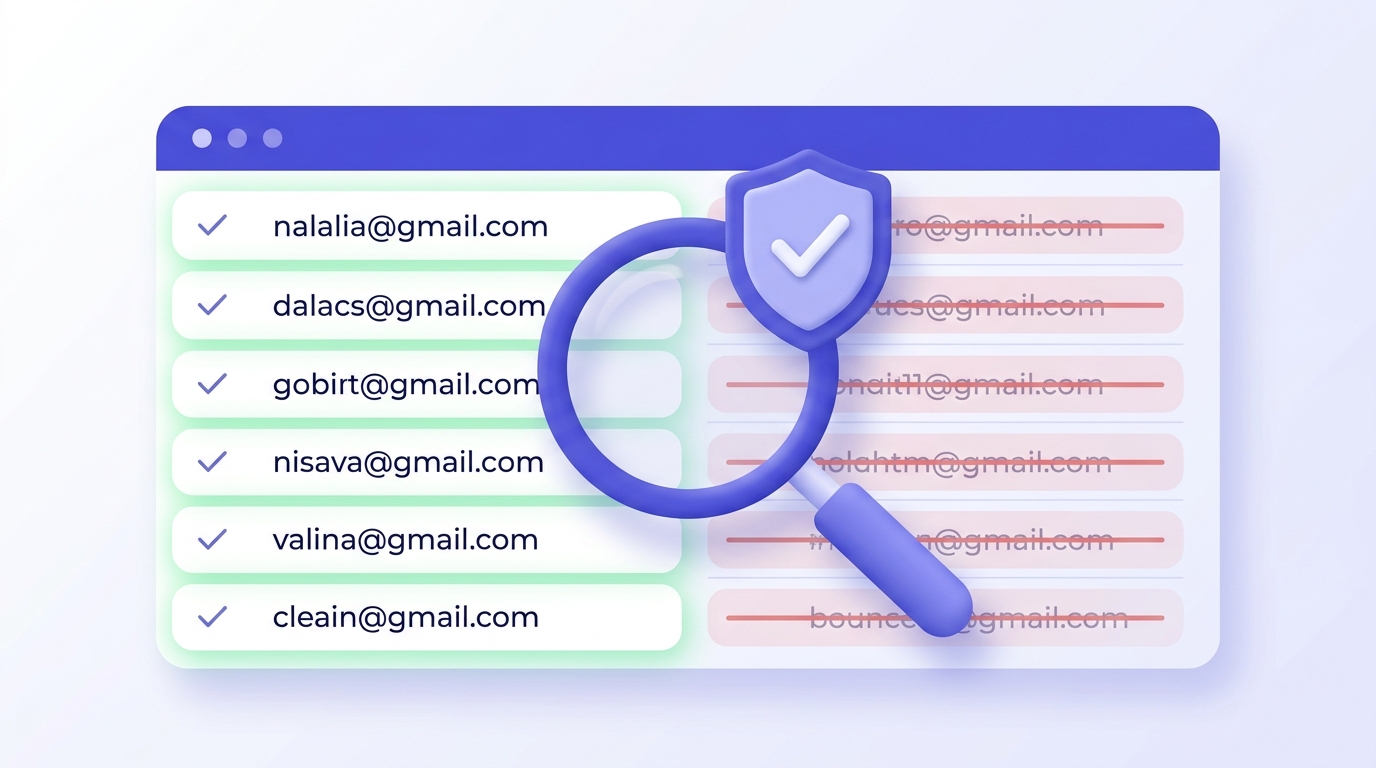
Every cold email template post on the internet has the same problem: they give you 18 templates, a subject line formula, and send you on your way. None of them mention that a beautifully written email sent to a dirty list on an unwarmed domain will underperform a mediocre one sent to verified addresses with proper DNS auth in place.
By the time you finish reading, you'll know which lever to pull first — and why it isn't the template. You'll also have 7 annotated templates you can adapt today, a framework for personalizing at scale, and a pre-send checklist that most senders skip entirely.
The one specific thing most cold email guides never tell you: your bounce rate decides whether your next campaign reaches an inbox before your subject line gets a single glance.
Why most cold email templates fail before they reach the inbox
There are three ways a cold email campaign fails. Bad copy is the one everyone obsesses over. Bad deliverability — your domain's sending reputation, DNS configuration, IP warm-up state — is the one that kills campaigns quietly. Bad list quality is the one that destroys your deliverability before you even notice.
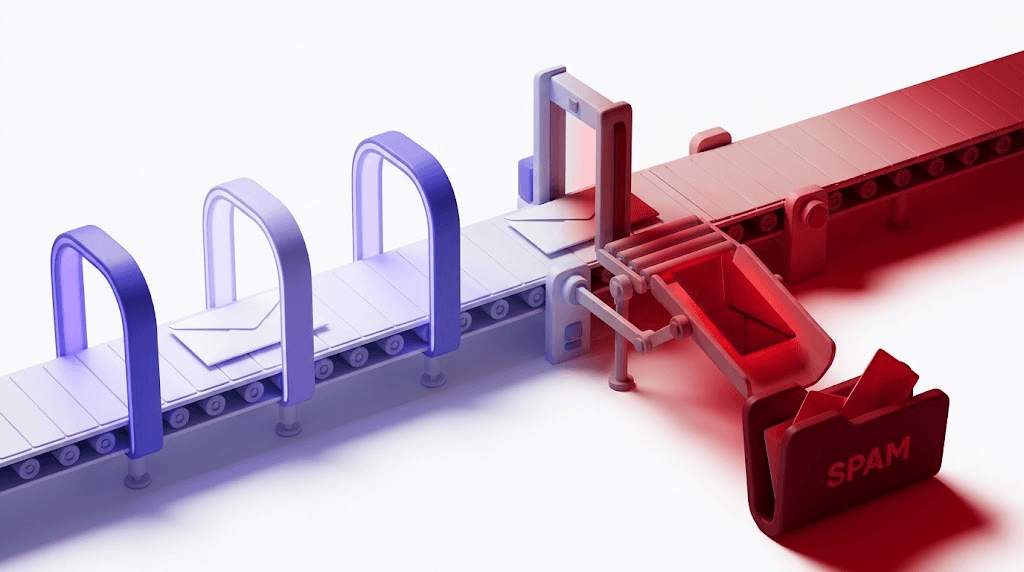
Here's the sequence that plays out constantly: a sender finds a template library (Hunter publishes 511; Mailshake has 18), picks something that looks professional, loads a purchased list of 10,000 contacts, and hits send. Within 48 hours, 2,300 of those emails bounce. Gmail and Outlook register that bounce rate. The sending domain's reputation takes a hit it will spend weeks recovering from — if it recovers at all.
The industry benchmark is unambiguous: bounce rates above 2% begin damaging sender reputation. At 23%, you're not running a cold email campaign anymore. You're training inbox providers to treat your domain as a source of junk.
None of the major template libraries address this. They treat the template as the unit of analysis. This post doesn't. Template quality is the last lever to pull, not the first.
The anatomy of a cold email that actually gets read
A cold email that gets a reply has three things working for it: the reader understands who you are in the first sentence, they can see what's in it for them by sentence three, and the ask is so clear and small that saying yes requires almost no friction.
Subject lines are where most of the obsession lands, and for good reason — they're the gating decision. Personalized subject lines consistently outperform clever ones. A line that names the recipient's company, references a specific trigger event, or asks a direct question about a problem they're already aware of will outperform a generic "Quick question" or "Saw your LinkedIn post" at almost any sample size.
The opening line should not be a compliment. "I love what you're doing at [Company]" is recognized immediately as a template opener and primes the reader to stop reading. Open with a pain point they're already feeling — something specific enough to suggest you've done real research, not a generic observation about their industry.
Body length matters more than most senders think. Reply rate studies consistently show that 50–125 words outperforms longer emails for cold outreach. You're not closing a deal in the first email. You're earning the right to a conversation.
The CTA is one ask. One link if you need one. No optionality — "Would Tuesday at 2pm or Thursday at 4pm work?" beats "Let me know if you'd like to connect sometime." Ambiguous CTAs get no response even from interested readers.
Signature: your name, your title, one social proof signal (a recognizable client name, a publication, a metric). Nothing else. A four-line signature on a 75-word email is visual noise.
7 cold email templates you can use today
Each template below is annotated with what each section is doing and where to swap in real personalization. Read the annotations — the structure matters more than the specific words.
Template 1: Problem-agitate-solve (B2B SaaS)
Subject: [Company]'s onboarding drop-off Hi [First Name], Most SaaS teams see 40–60% of trial signups never reach their first "aha moment." I checked your onboarding flow — the gap between signup and first value delivery looks like it's sitting at step three. We helped [Similar Company] close that gap in six weeks. Happy to share what we changed. Worth a 20-minute call this week? — [Your Name], [Title], [One social proof signal] Annotations: Subject line names a specific metric, not a benefit. Opening sentence states the industry problem. Second sentence signals you've done real research. Third sentence is the case study hook — the proof point. CTA is one specific ask with a time constraint.
Template 2: Mutual connection reference
Subject: [Mutual Contact] suggested I reach out Hi [First Name], [Mutual Contact] mentioned you're working through [specific challenge]. We solved something similar for [their company type] last quarter. Would a short call this week make sense? — [Your Name] Annotations: Only use this if the mutual contact actually suggested the outreach — anything else is a lie that gets remembered. The subject line borrows credibility. Keep the body short; the connection does the work.
Template 3: Competitor displacement
Subject: Switching from [Competitor]? Hi [First Name], A few [Company's industry] teams we've spoken with recently moved off [Competitor] specifically because of [specific friction point — pricing, feature gap, support lag]. Not sure if that's on your radar. If it is, I can show you how [Your Company] handles [specific pain] differently. 15 minutes? — [Your Name] Annotations: Only name a competitor you genuinely know they use — check their job posts, tech stack tools, or LinkedIn activity. The "not sure if that's on your radar" line reduces the pressure. Don't claim the competitor is bad; just reference the specific friction.
Template 4: Case study lead-in
Subject: How [Similar Company] cut [metric] by [X%] Hi [First Name], We helped [Similar Company] reduce [specific metric] from [X] to [Y] in [timeframe]. They were dealing with [one-sentence problem description] — sounds similar to what [Prospect's Company] is working through based on [specific signal]. Want me to send over the breakdown? — [Your Name] Annotations: The subject line is a specific outcome, not a vague promise. The case study company should be recognizable to the prospect — same industry, similar size. The final ask is low-commitment: you're offering information, not a meeting.
Template 5: The short ask (under 60 words)
Subject: Quick question about [specific thing] Hi [First Name], Do you have 15 minutes this week to talk about [specific problem]? We work with [relevant company type] on [one-line description of what you do]. [Mutual client or recognizable reference] is a recent example. [Calendar link or two specific time options] — [Your Name] Annotations: This template works best for warm-ish lists where the recipient already has some brand awareness. The entire email is the ask. Don't pad it.
Template 6: Re-engagement for gone-cold prospects
Subject: Still relevant? Hi [First Name], We spoke [timeframe] ago about [specific topic]. Circumstances change — wanted to check if [the original pain point] is still something you're working through. No agenda. Just a quick check-in. — [Your Name] Annotations: The subject line is disarmingly direct. Don't recap the previous conversation in detail — one line is enough. "No agenda" reduces resistance. If they ghosted you, the worst outcome is another non-reply.
Template 7: Job or internship cold email
Subject: [Specific role or team] — [Your Name] Hi [First Name], I've been following [Company]'s work on [specific project or initiative] for [timeframe]. I'm a [relevant background in one line] and I'm specifically interested in contributing to [specific team or problem area]. I've attached [specific artifact — portfolio piece, writing sample, repo link]. Would you have 15 minutes to talk about how I might fit? — [Your Name], [LinkedIn or portfolio URL] Annotations: The specific project reference separates this from every generic application. The artifact is the proof. Keep the body under 80 words — hiring managers read faster than you think.
How to personalize at scale without writing every email from scratch
There's a real paradox in cold email personalization. A 100% custom email — one you wrote specifically for one person after 20 minutes of research — gets the best reply rate. A 100% template email gets ignored at scale. The question is where the balance sits for your list size and the value of each prospect.
For most B2B outreach, three merge fields move reply rates meaningfully: first name, company name, and one specific trigger. Everything else is noise. The trigger is the variable that makes personalization real — a recent funding round, a job posting that signals a new initiative, a LinkedIn post they published last week, a press mention. That one sentence of genuine research is what separates a template from a targeted email.
Trigger-based outreach is worth building a workflow around. A company posting for a "Head of Revenue Operations" is signaling a scaling problem. A press mention about a product launch signals a new budget. A LinkedIn post about a specific challenge is an invitation to respond with a solution. These triggers are freely available — job boards, Google Alerts, LinkedIn activity feeds — and they make personalization systematic rather than artisanal.
Sequence structure: an initial email plus two follow-ups is the floor. The first follow-up should add a new piece of information — a case study, a relevant stat, a different angle on the problem — not just "following up on my previous email." The second follow-up can be the short re-engagement template above. After three touches with no response, most prospects have made a decision. Stop.
The counterintuitive finding from most sequence data: senders stop too early, not too late. A significant portion of replies come on the second or third follow-up. The senders who give up after one email leave a measurable percentage of their responses on the table.
Subject lines: the 40 characters that decide everything
Subject line performance varies by type. Questions outperform statements in most cold outreach contexts. Name drops — using the recipient's company name or a mutual contact — outperform generic benefit statements. Short subject lines (under 6 words) outperform longer ones on mobile, where the majority of email is now first opened.
Five formulas that hold up across industries:
- Curiosity gap: "The [metric] problem I noticed at [Company]" — implies specific research without revealing it
- Direct benefit: "[X outcome] in [timeframe] — worth a call?" — specificity is the key; vague benefit claims get ignored
- Social proof: "How [Recognizable Company] handled [specific problem]" — borrow credibility from a name they recognize
- Personalized reference: "Re: your post on [specific topic]" — only works if you actually read it and reference it in the body
- Short question: "Still dealing with [specific pain]?" — four words, one idea, zero jargon
Subject lines that reliably get flagged by Gmail and Outlook filters: anything with ALL CAPS words, excessive punctuation ("Get results NOW!!!!"), trigger words like "free," "guaranteed," "no obligation," or "act now," and anything that looks like a marketing broadcast rather than a one-to-one email. Cold email lives in a gray zone — your subject line has to look like something a human would type.
Treat the subject line and preview text as a single unit. The preview text is the first 40–90 characters of your email body that appear in the inbox alongside the subject. If your subject line is a question, the preview text should begin the answer — not start with "Hi [First Name], I hope this finds you..." which wastes the slot entirely.
A/B testing subject lines requires discipline. One variable at a time. Minimum 200 sends per variant before drawing conclusions. Most cold email senders test with 40-send samples and make permanent decisions from noise.
Deliverability: the infrastructure your templates depend on
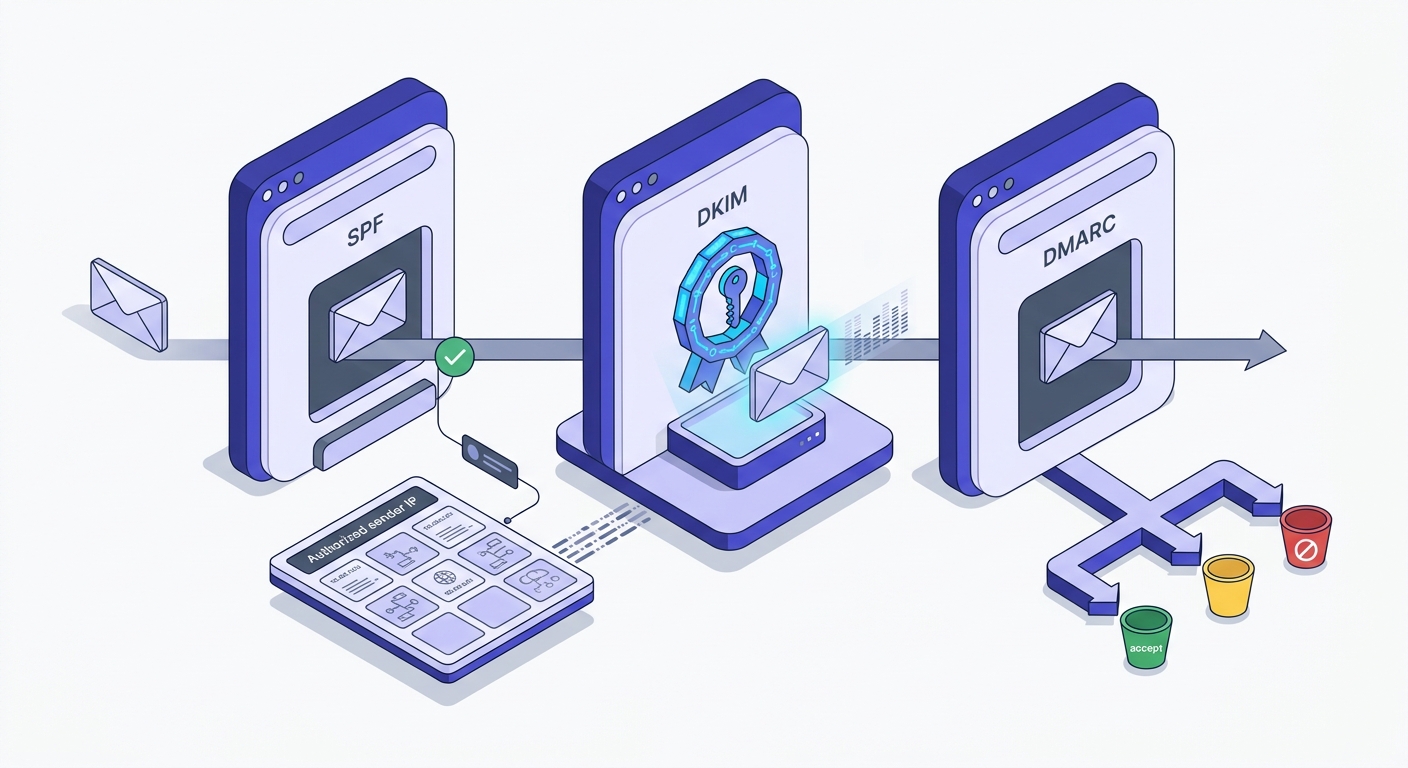
SPF, DKIM, and DMARC are not optional. They are the minimum table stakes for any domain that sends cold email. Without all three, inbox providers have no reliable way to verify that your email is actually from you — and they will route it accordingly.
SPF (Sender Policy Framework) tells receiving servers which IPs are authorized to send mail for your domain. DKIM adds a cryptographic signature to outgoing mail that receiving servers verify against your DNS. DMARC ties the two together and tells providers what to do when either check fails — nothing, quarantine, or reject. All three need to be in place before your first send. Use the SPF Record Checker and DMARC Record Checker to confirm your setup before any campaign goes out.
Domain warm-up is where most guides give bad advice. The 6-week warm-up timeline is correct for marketing senders building a broadcast list. For transactional and cold outreach senders with a clean list and proper DNS configuration, the ramp is measured in days, not weeks. The variable that actually matters is complaint rate — keep it below 0.1% and you can accelerate. Exceed 0.3% and you're in trouble regardless of how long you've been warming.
Sending volume scales with domain age and reputation. A new domain should start at 20–50 emails per day and double every few days if complaint and bounce rates stay clean. A domain with six months of clean sending history can run thousands per day. There's no universal number — the ceiling is set by your reputation, not a calendar.
Hard bounces are not neutral events. Every hard bounce tells Gmail that your list management is poor. Enough of them and your domain's reputation score starts sliding — a score that accumulates over time and is difficult to recover once it's damaged. Run a deliverability check on your sending domain before any new campaign, not after the first send reveals a problem. See also our deeper breakdown in Email Deliverability in 2026: From Rules to Enforcement.
List quality: why verifying before sending is non-negotiable
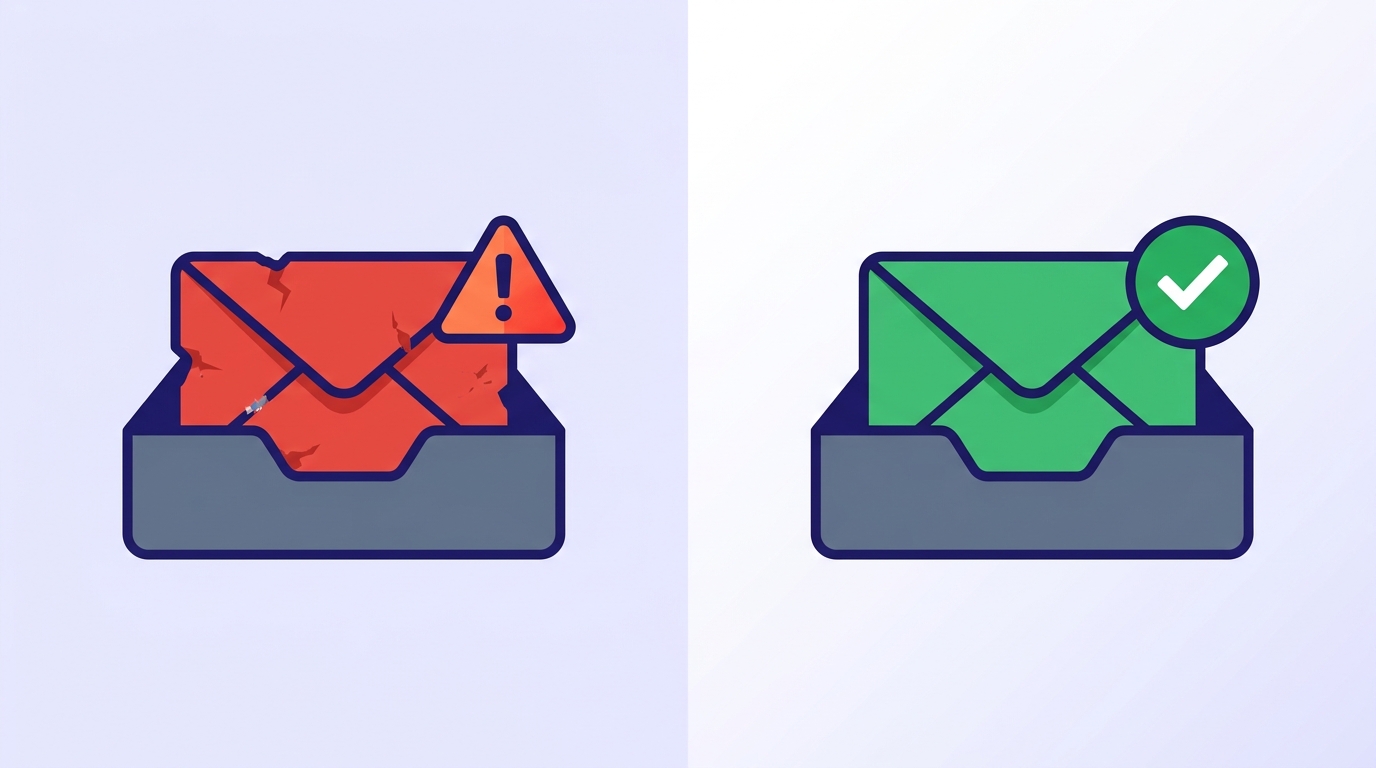
Walk through the math on a bad send. 10,000 emails. 23% bounce rate. That's 2,300 hard bounces in a single campaign. Gmail's Postmaster Tools registers the spike. Your domain's reputation drops into the "bad" tier. Every subsequent send from that domain — including to your engaged subscribers — starts landing in spam. The recovery timeline is 30–90 days of clean sending, assuming you fix the list problem first.
Role addresses deserve special attention in cold outreach. info@, admin@, support@, hello@ — these are shared inboxes, usually managed by a rotating team or an automated ticket system. They generate low engagement, high unsubscribe rates, and occasionally spam reports from whoever happened to open the email that day. They're worth filtering out of any cold list before you send.
Catch-all domains accept every email regardless of whether the specific mailbox exists. A server configured as catch-all will return a positive SMTP response to your verification probe even for addresses like zzz999@domain.com. You cannot trust a catch-all result without additional signals. The complete guide to catch-all emails covers how to handle these in practice — the short answer is to treat them as elevated-risk and segment them out of your first send.
Purchased lists are where spamtrap addresses live. Spamtraps are email addresses maintained by inbox providers and anti-spam organizations specifically to identify senders who don't practice list hygiene. Hitting one doesn't just bounce — it flags your sending domain as a potential spammer. The damage is disproportionate to the single address.
When you verify each address before it enters your sequence, you get a breakdown that tells you exactly what you're working with: safe addresses, risky ones worth sending to with caution, invalid addresses to remove, catch-alls to segment, disposables to drop, role addresses to filter, and spamtraps to eliminate entirely. Reading that breakdown before a send is the difference between a campaign that works and one that burns your domain. See every result type explained for what each status means in practice.
Check an address before it goes into your sequence
Paste any email to see its full 11-stage verification result — safe, risky, invalid, catch-all, and more.
Powered by Valid Email Checker — full SMTP handshake, disposable + role detection, no card required.
Free tool · no signup
Verify your cold list before you send
See exactly which addresses are safe, risky, or invalid — before a single bounce touches your sender reputation.
Measuring and iterating your cold email campaigns
Four metrics matter. Open rate tells you whether your subject line and sender name are working. Reply rate tells you whether your copy and offer are working. Bounce rate tells you whether your list is clean. Unsubscribe rate tells you whether you're reaching the right people. Everything else is a vanity metric.
What "good" looks like varies by industry and list source. For cold outreach to a verified, well-segmented list, a reply rate of 5–10% is achievable with strong personalization. Industry averages across cold email as a category sit closer to 1–3%. If you're below 1%, the problem is almost always list quality or personalization, not the template itself.
| Metric | Danger zone | Average | Strong |
|---|---|---|---|
| Bounce rate | > 5% | 1–2% | < 0.5% |
| Open rate | < 15% | 20–35% | > 45% |
| Reply rate | < 1% | 2–5% | > 8% |
| Unsubscribe rate | > 1% | 0.2–0.5% | < 0.1% |
A/B testing templates requires the same discipline as testing subject lines: one variable at a time, minimum 200 sends per variant, statistical significance before declaring a winner. The most common mistake is running simultaneous tests on subject line and body copy, then not knowing which variable drove the result. Change one thing. Measure it. Then change the next thing.
Bounce type data is diagnostic. Hard bounces — addresses that don't exist or have been permanently deactivated — point to a list quality problem. Soft bounces — full inboxes, temporary server errors — point to timing or deliverability issues. If your hard bounce rate is climbing, the list needs cleaning before the next send. If soft bounces are spiking, check your sending infrastructure. The bulk email verifier guide covers how to read this data at scale.
Retire a template when its reply rate drops below your baseline across three consecutive test batches with the same list segment. Don't retire it after one bad send — variance is real at small sample sizes. Build a testing backlog: two or three alternative templates waiting to run whenever an existing one starts declining. The best senders treat their template library as a living document, not a finished product.
The pre-send checklist most senders skip
Before any cold campaign goes out, work through this in order. The sequence matters — there's no point optimizing your subject line if your domain fails an SPF check.
- Confirm your SPF record is valid — one lookup too many and you'll fail silently
- Verify DKIM is signing outgoing mail — check with your ESP's sending domain settings
- Confirm DMARC is configured on your sending domain — p=none is fine to start; p=reject is the goal
- Run your list through email verification — remove invalid, disposable, spamtrap, and role addresses before upload
- Segment catch-all addresses into a separate, lower-priority send
- Run a deliverability check on your sending domain — confirm your IP isn't on a major blacklist
- Confirm your sending volume matches your domain's current reputation tier
- Set up a sequence: initial email + at minimum two follow-ups with new information in each
Cold outreach works when the infrastructure is right. The senders with clean bounce rates, strong reply rates, and domains that age well all share one habit: they treat the list and the sending environment as the primary variables, and the template as the finishing touch. Run the checklist. Then write the email.
Frequently asked questions
What should a cold email template include to get a reply?
How long should a cold email be?
Why are my cold emails bouncing even though my template looks good?
What's the difference between a hard bounce and a soft bounce in cold outreach?
How do I personalize cold email templates without writing every email manually?
What bounce rate is too high for cold email campaigns?
Should I verify my email list before sending cold outreach?
How many follow-ups should a cold email sequence have?
The template is the last thing to fix. Get the list clean, get the infrastructure right, then let the copy do its job. The fastest way to see where your current list stands is to run a sample through verification and read the breakdown — the failure mix will tell you more about your next campaign's performance than any subject line test.
Try Valid Email Checker free
Verify any email in under a second
Get 150 free verifications. No credit card. Auto-refund on every Unknown result — the only verifier we know that does this.
- 150 free credits when you sign up
- Auto-refund every Unknown verification (we're the only ones that do)
- 11-stage flow catches what 1-step checkers miss
- Drop-in integrations for Mailchimp, HubSpot, SendGrid, 14 more
Written by
Priya IyerPriya writes about the human side of email — how you word it, when you send it, and how to grow a list without wrecking your deliverability. From sign-offs and subject lines to lifecycle automation and list hygiene, she's after email that respects the reader's inbox and still gets results. Her north star: more opens and replies, fewer unsubscribes and spam complaints.