How Email Authentication Actually Works Together
 Devon ParkJune 14, 2026
Your email passed SPF. You set up DKIM. And Gmail still dumped your last send into spam. If that sounds familiar, the problem usually isn't that you skipped a step. It's that nobody explained how the steps actually fit together.
By the end of this guide you'll be able to read your own authentication setup the way a receiving server reads it: SPF first, DKIM second, DMARC tying both to the From: address your reader actually sees. You'll know why a message can pass SPF and still fail DMARC, why DKIM survives forwarding when SPF quietly breaks, and which standard to fix first when something goes wrong.
The thing most guides skip: authentication proves who sent a message. It says nothing about whether the addresses on your list are real. We'll close that gap too, because a perfectly authenticated send to a list full of dead mailboxes still tanks your reputation.
What email authentication actually is, and why SMTP never had it
Email runs on a protocol called SMTP, the Simple Mail Transfer Protocol, first specified in the early 1980s. When the people who designed it wrote the rules for how one server hands a message to another, they left out one feature that, in hindsight, turned out to be load-bearing: any way to prove the sender is who they claim to be.
That wasn't an oversight born of carelessness. The early internet was a small club of research institutions where everyone broadly trusted everyone else. The original spec, now maintained as RFC 5321, lets a sending server announce any address it likes in the MAIL FROM command and any name it likes in the From: header. Nothing checks the claim. That single design decision is the root cause of spoofing, phishing, and a large share of the spam problem we've spent forty years fighting.
Email authentication is the collection of DNS-based standards that bolt sender verification onto a protocol that never had it. SPF, DKIM, and DMARC are the three core layers, with BIMI and ARC as newer additions. Each one publishes a record in your domain's DNS that receiving servers look up to answer a single question: should I trust that this message really came from this domain?
Here's a distinction almost every guide blurs, so hold onto it. Authentication proves origin. It does not hide content. Encryption, by contrast, hides content and does nothing to prove origin. TLS on the connection between two mail servers encrypts the message in transit, but it tells the receiver nothing about whether the sender is allowed to use your domain name. The two solve different problems. When someone says "my email is secure because it's encrypted," they've answered a question nobody asked about spoofing.
For years these standards were treated as best practice: recommended, rarely enforced, frequently ignored. That era is over. Gmail and Outlook now reject or quarantine mail that fails to authenticate, and they publish the rules in plain language. Google's own sender guidelines spell out the minimum bar. Authentication stopped being a deliverability nicety and became the entry ticket to the inbox.
The 2024 Google and Yahoo mandate that made this non-optional
If you want a single date when authentication stopped being optional, it's February 2024. That's when Google and Yahoo jointly enforced a set of sender requirements that had been announced the previous October. The forcing function was simple: comply, or watch your delivery rates collapse.
The rules split senders into two groups. Everyone needs valid SPF or DKIM. But bulk senders, defined by Google as anyone sending more than 5,000 messages a day to Gmail addresses, face a stricter bar. They must have SPF and DKIM and a DMARC policy published. They must keep their spam complaint rate, measured in Google Postmaster Tools, below 0.3%. And they must support one-click unsubscribe.
- All senders: a valid SPF or DKIM record, plus a matching forward and reverse DNS (PTR) record for the sending IP.
- Bulk senders (5,000+/day to Gmail): SPF and DKIM and DMARC, with alignment, plus a published DMARC policy of at least p=none.
- Spam complaint rate held under 0.3%, ideally under 0.1%, as reported in Postmaster Tools.
- One-click unsubscribe (RFC 8058) in marketing and subscribed mail.
Yahoo published a near-identical set of requirements at the same time, and Microsoft followed with its own version for high-volume senders to Outlook and Hotmail in 2025. The practical effect: the three inbox providers that handle the overwhelming majority of consumer email now agree on the baseline. There is no longer a major mailbox where you can skip authentication and get away with it.
The 5,000-message line is a domain-level count, not a list-level one
Google counts messages across your whole sending domain, not per campaign or per list. If your marketing platform, your CRM, and your support desk all send from the same domain, their volumes stack. Plenty of teams cross the bulk-sender threshold without realizing it because the volume is spread across tools.
We wrote a deeper breakdown of where enforcement is heading in email deliverability in 2026, because the trend line is clear: requirements that started as bulk-sender rules keep ratcheting down toward every sender. Setting up authentication correctly now means you're not scrambling the next time a mailbox provider tightens the screws.
SPF: the IP allowlist in your DNS
SPF, the Sender Policy Framework, is the simplest of the three core standards to understand. An SPF record is a DNS TXT entry that lists every IP address allowed to send mail for your domain. That's the whole idea. You publish the allowlist; receiving servers check incoming mail against it.
A basic record looks like this:
v=spf1 include:_spf.google.com include:sendgrid.net ip4:198.51.100.10 -allRead it left to right. The version tag declares it as SPF. Each include pulls in the IP ranges of a service you send through, in this case Google Workspace and SendGrid. The ip4 mechanism hard-codes a specific server. The -all at the end is the policy: everything not listed above fails. The standard behavior is defined in RFC 7208, and it's worth a skim if you want to understand the edge cases.
Here's how the check works in practice. When a receiving server opens an SMTP connection, it sees the sending IP and the domain in the MAIL FROM (the envelope sender, also called the return-path). It looks up that domain's SPF record in DNS, before the message body even arrives, and asks: is this connecting IP on the list? The answer determines the SPF result.
There are more results than most people realize, and the differences matter:
- Pass — the IP is authorized. The record ends in
-allor~alland the IP matched. - Fail (hard fail) — the IP is not authorized and the record ends in
-all. The receiver is told to reject. - SoftFail — the record ends in
~all. The IP isn't listed, but the domain owner is hedging. Most receivers accept the mail and mark it suspicious. This is the result that quietly lets spam through. - Neutral — the record ends in
?all. The domain owner explicitly takes no position. Functionally useless as protection. - PermError — the record is broken, most often from exceeding the lookup limit (more on that next).
That brings us to the single most common SPF failure nobody warns you about: the 10-DNS-lookup limit. The SPF spec caps the number of DNS lookups a record can trigger at ten. Every include, every a, every mx, every redirect counts. Each ESP you add through an include can itself contain nested includes that count against your total. Add Google Workspace, a marketing platform, a transactional provider, and a help-desk tool, and you can blow past ten without a single visible warning. When you do, the result is PermError, and PermError is treated as a fail.
Free tool · no signup
Count your SPF lookups before they break
Paste your domain and see the full lookup tree, including nested includes, so you catch the 10-lookup limit before a receiver does.
The fix is SPF flattening (replacing includes with the IP ranges they resolve to) or a macro-based SPF service that keeps you under the limit dynamically. We walk through both in the SPF Record Generator guide, and our help center has a plain-language primer on what an SPF record is and why it matters.
One critical limitation closes this section. SPF checks the envelope sender, the MAIL FROM domain. It does not check the From: header your reader sees in their inbox. A spammer can pass SPF on their own throwaway domain while displaying your brand in the visible From: field. SPF alone cannot stop that. Closing that gap is DMARC's entire job, and we'll get there.
DKIM: the cryptographic signature that survives forwarding
DKIM, DomainKeys Identified Mail, takes a different approach from SPF. Instead of checking where a message came from, it checks whether the message was actually authorized by the domain and whether it was tampered with in transit. It does this with public-key cryptography, and the mechanics are described in RFC 6376.
The setup is a key pair. Your sending platform holds a private key. You publish the matching public key as a DNS TXT record at a predictable location, a "selector" subdomain like selector1._domainkey.yourdomain.com. When the platform sends a message, it computes a cryptographic signature over a set of headers and a hash of the body, then attaches that signature in a DKIM-Signature header. The receiving server fetches your public key from DNS and verifies the signature. If it checks out, two things are proven: the message really was authorized by your domain, and nothing in the signed parts changed in transit.
What the signature covers matters. DKIM signs a specified list of headers (typically From, Subject, Date, To, and a few others) plus a hash of the message body. It does not have to sign every header, and the body hash can cover the whole body or, with the l= tag, only a portion of it. Partial-body signing exists for a reason (some platforms append footers after signing), but it's a weakness: anything past the signed length can be altered without breaking the signature. As a rule, sign the full body.
Now the property that makes DKIM genuinely powerful: it survives forwarding. When a message is forwarded, the sending IP changes to the forwarding server's IP. SPF, which checks the IP, breaks immediately because the forwarder isn't on your allowlist. But the DKIM signature travels with the message. As long as the forwarder doesn't modify the signed headers or body, the signature still verifies against your public key, no matter how many hops the message takes. This is why a mailing list or a corporate forwarding rule can break SPF while DKIM sails through.
SPF checks the road the message took. DKIM checks the message itself. That's why DKIM survives forwarding and SPF doesn't.
Valid Email Checker
Deliverability team
DKIM connects to your visible identity through the d= tag in the signature, which names the signing domain. For DMARC to be satisfied, that d= domain needs to align with the domain in your From: header. We'll unpack alignment in the DMARC section. For now, know that a DKIM signature from a domain unrelated to your From: address passes DKIM but does nothing for DMARC.
Last point: rotate your keys. A single DKIM key that never changes is a liability. If it leaks, anyone holding it can sign mail as you, and a longer key lifetime means a longer window of exposure. Good senders rotate DKIM keys on a schedule, often quarterly, publishing a new selector before retiring the old one. You can confirm your public key is actually live in DNS with our DKIM Record Checker.
DMARC: the policy layer that ties SPF and DKIM to the From: header
Here's the deal with DMARC: it authenticates nothing on its own. DMARC, Domain-based Message Authentication, Reporting and Conformance, is a policy layer that sits on top of SPF and DKIM. Its job is to answer the question SPF and DKIM each leave open: does the domain that passed authentication match the domain the reader actually sees in the From: header? That matching requirement is called alignment, and it's the whole point of DMARC. The standard is RFC 7489.
Remember the gap in SPF: a spammer can pass SPF on their own domain while spoofing your brand in the visible From:. DMARC slams that door. It requires that either SPF passes and the SPF domain aligns with the From: domain, or DKIM passes and the d= domain aligns with the From: domain. If neither aligned identifier passes, DMARC fails, and your published policy tells the receiver what to do about it.
A DMARC record is another DNS TXT entry, published at _dmarc.yourdomain.com:
v=DMARC1; p=none; rua=mailto:dmarc-reports@yourdomain.com; fo=1; adkim=s; aspf=rThe p= tag is the policy, and it has three possible values that form an enforcement ladder:
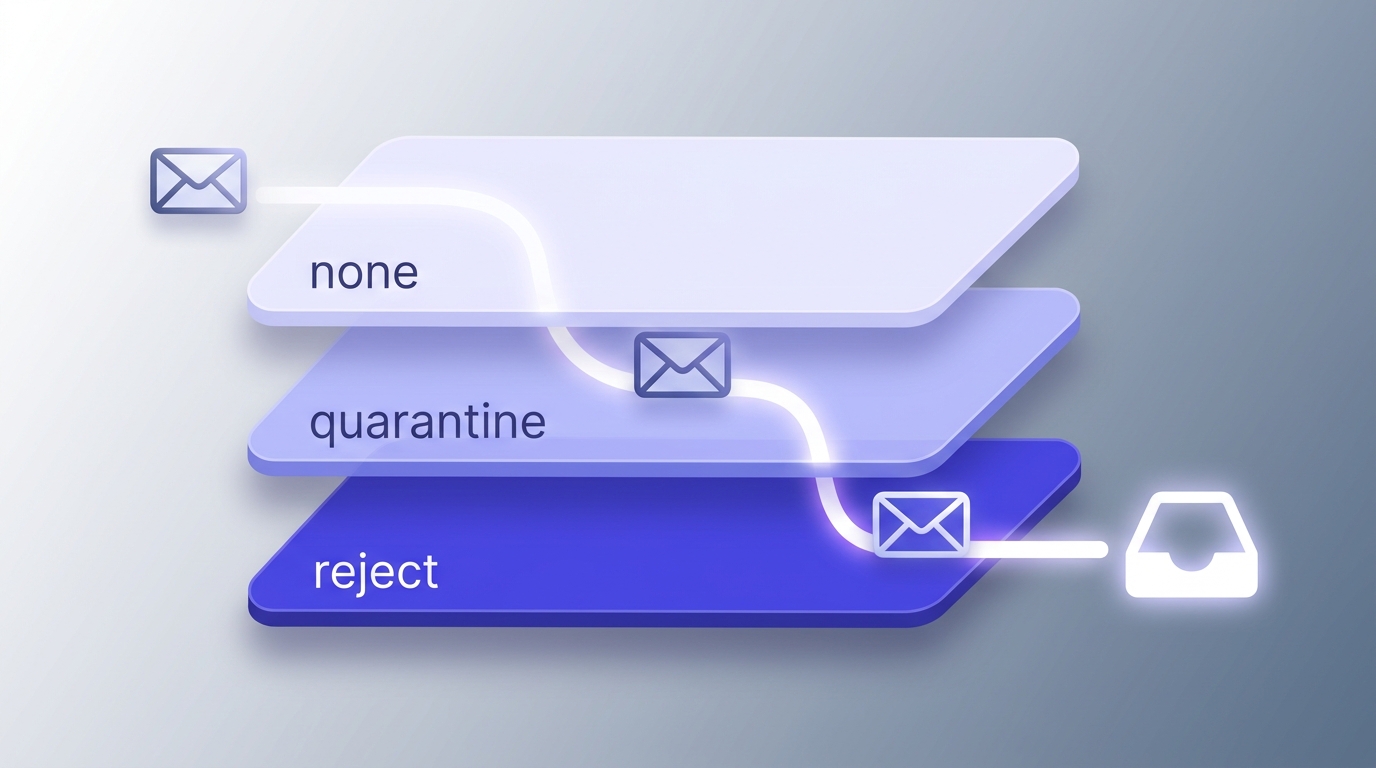
- p=none — monitor only. The receiver still delivers failing mail but sends you reports. This is where you start, and where far too many domains stop forever.
- p=quarantine — failing mail goes to the spam folder. A real consequence, but a recoverable one if you misconfigure something.
- p=reject — failing mail is blocked outright. The end goal, and the only policy that fully stops spoofing of your domain.
The honest truth about most domains: they publish p=none and never move. p=none gives you reports and a false sense of security. It provides zero protection against spoofing, because failing mail still lands. The whole value of DMARC is enforcement, and enforcement means getting to quarantine and then reject. Google and Yahoo's 2024 mandate accepts p=none for bulk senders, but only as a starting line, not a destination. p=reject is the actual finish.
DMARC also generates two kinds of reports. Aggregate reports (the rua tag) arrive as daily XML summaries showing every source that sent mail claiming to be your domain, how much passed, and how much failed. These are gold for finding shadow senders and misconfigured tools. Forensic reports (the ruf tag) are per-message failure samples; they're rarer now because of privacy concerns, and many providers don't send them. You can read aggregate reports by hand, but the XML is dense, so most teams use a parser. Our DMARC Report Analyzer turns the raw XML into a readable source list.
One more knob: alignment mode. adkim and aspf can each be strict (s) or relaxed (r). Relaxed alignment, the default, lets a subdomain count as aligned with the root domain, so mail from news.yourdomain.com aligns with yourdomain.com. Strict requires an exact match. For most senders, relaxed is correct and strict causes needless failures. Use strict only when you have a specific reason to lock alignment to the exact domain. Before you ramp policy, confirm your DMARC policy is live so you're not enforcing against a record that isn't actually published.
Free tool · no signup
See your live DMARC policy in one lookup
Check whether your record is published, what policy you're enforcing, and whether your reporting addresses are valid.
SPF vs DKIM vs DMARC at a glance
If you take one mental model away from this guide, make it this table. SPF, DKIM, and DMARC are not three competing options where you pick the best one. They are three layers that each cover what the others miss.
| Property | SPF | DKIM | DMARC |
|---|---|---|---|
| What it checks | Sending IP against an allowlist | Cryptographic signature on the message | Alignment between SPF/DKIM and the From: header |
| Lives in DNS as | TXT record | Public key TXT record at a selector | TXT record at _dmarc |
| Protects the visible From:? | No | No (on its own) | Yes |
| Survives forwarding? | No | Yes | Depends on the aligned identifier |
| Tells receivers what to do on failure? | Via -all / ~all | No | Yes (none / quarantine / reject) |
| Generates reports? | No | No | Yes (rua / ruf) |
Read down the "protects the visible From:" row and the answer to "do I need all three?" becomes obvious. SPF and DKIM each authenticate something the receiver can't connect to the From: address without DMARC. You need all three. Skipping DMARC leaves the one attack vector that matters most, brand spoofing, wide open.
BIMI and ARC: the two standards top guides under-explain
Most authentication articles mention BIMI and ARC in a sentence and move on. They deserve more, because one of them is a reward you earn and the other quietly fixes a problem that's been breaking SPF since forwarding existed.
BIMI: your logo in the inbox
BIMI, Brand Indicators for Message Identification, displays your brand logo next to your messages in supporting inboxes like Gmail, Yahoo, and Apple Mail. It's the visible payoff for doing authentication right, because BIMI has a hard prerequisite: you must already enforce DMARC at quarantine or reject. p=none doesn't qualify. In other words, BIMI is a carrot dangled specifically to push senders up the DMARC enforcement ladder.
To turn the logo on, you publish a BIMI record in DNS pointing to an SVG of your logo. Gmail and a few others additionally require a Verified Mark Certificate, a VMC, which is a certificate proving you own the trademark on the logo. VMCs are issued by a small number of certificate authorities and typically cost somewhere in the four-figures-per-year range, plus the cost and time of registering a trademark if you don't already have one. That price is why most small senders skip BIMI for now. It's a brand-recognition play with real overhead, not a deliverability fix. Get your authentication and reputation right first; treat BIMI as the trophy.
ARC: the fix for forwarding
ARC, Authenticated Received Chain, solves the exact problem we flagged in the SPF section. When a message is forwarded, especially through a mailing list that rewrites the subject or appends a footer, both SPF and DKIM can break. SPF breaks because the IP changes; DKIM breaks because the modification invalidates the signature. The forwarded message then fails DMARC at the final destination, even though the original was perfectly authenticated.
ARC fixes this by having each intermediate server record the authentication results it saw before it touched the message, then cryptographically seal that record. The final receiver can read the ARC chain, see that the message authenticated cleanly at the first hop, and choose to honor that rather than fail it. ARC matters most in three places: mailing lists, email security gateways that scan and re-inject mail, and Microsoft 365 environments where internal routing modifies messages. You don't usually configure ARC yourself; your provider supports it or doesn't. But knowing it exists explains why some forwarded mail survives DMARC that logically shouldn't.
Implementation priority order
Do them in this sequence: SPF first (fastest win), then DKIM (enables forwarding-resilient auth), then DMARC at p=none and ramp to reject (the protection that matters). BIMI comes fourth and only after you're enforcing. ARC is mostly your provider's job, not a setup task. Don't let BIMI's shiny logo tempt you into skipping the DMARC ramp it depends on.
How the four standards work together in one email's journey
Theory is easier to hold onto when you watch it happen. Let's follow a single outbound message from your server to a Gmail inbox and see where each check fires.
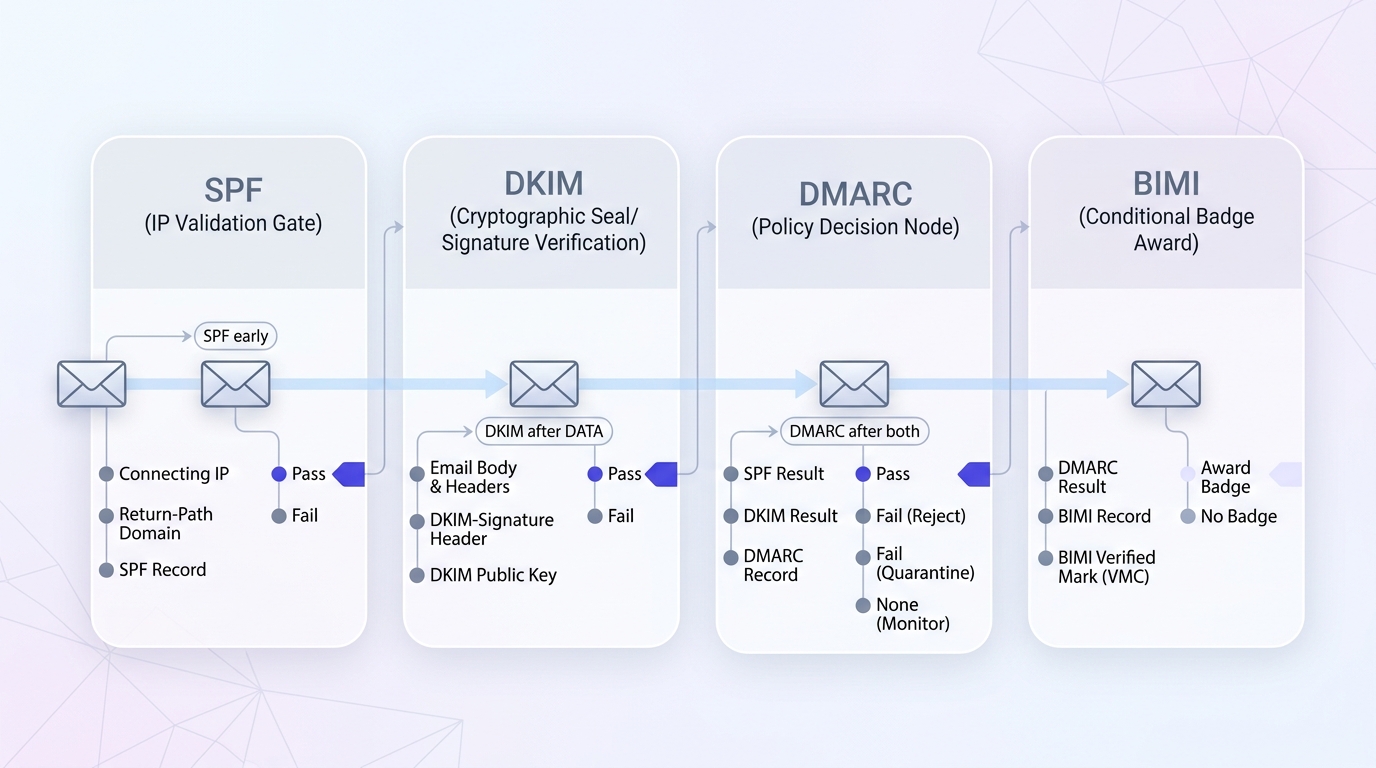
Notice the timing. SPF is checked before the message body even arrives, because it only needs the connecting IP and the envelope domain. DKIM can only run after DATA, because it needs the full message and its signature. DMARC runs after both, because it depends on their results. BIMI is dead last and conditional. The order isn't arbitrary; it follows what information is available at each stage of the SMTP conversation defined in RFC 5321.
Now the interaction that trips everyone up. What happens when SPF passes but DKIM fails, under a DMARC quarantine policy? DMARC only needs one aligned, passing identifier. If SPF passes and the SPF domain aligns with your From:, DMARC passes, full stop, even though DKIM failed. The reverse is also true: DKIM passes and aligns, SPF fails because the mail was forwarded, and DMARC still passes on the strength of DKIM alone. This is the mechanism behind DKIM surviving forwarding. DMARC fails only when neither SPF nor DKIM provides an aligned pass.
The receiving server records the whole outcome in a header called Authentication-Results, stamped onto the message as it's delivered. You can read it yourself, which we'll cover shortly. It's the single most useful artifact for diagnosing why a message did or didn't authenticate.
Why passing authentication doesn't guarantee the inbox
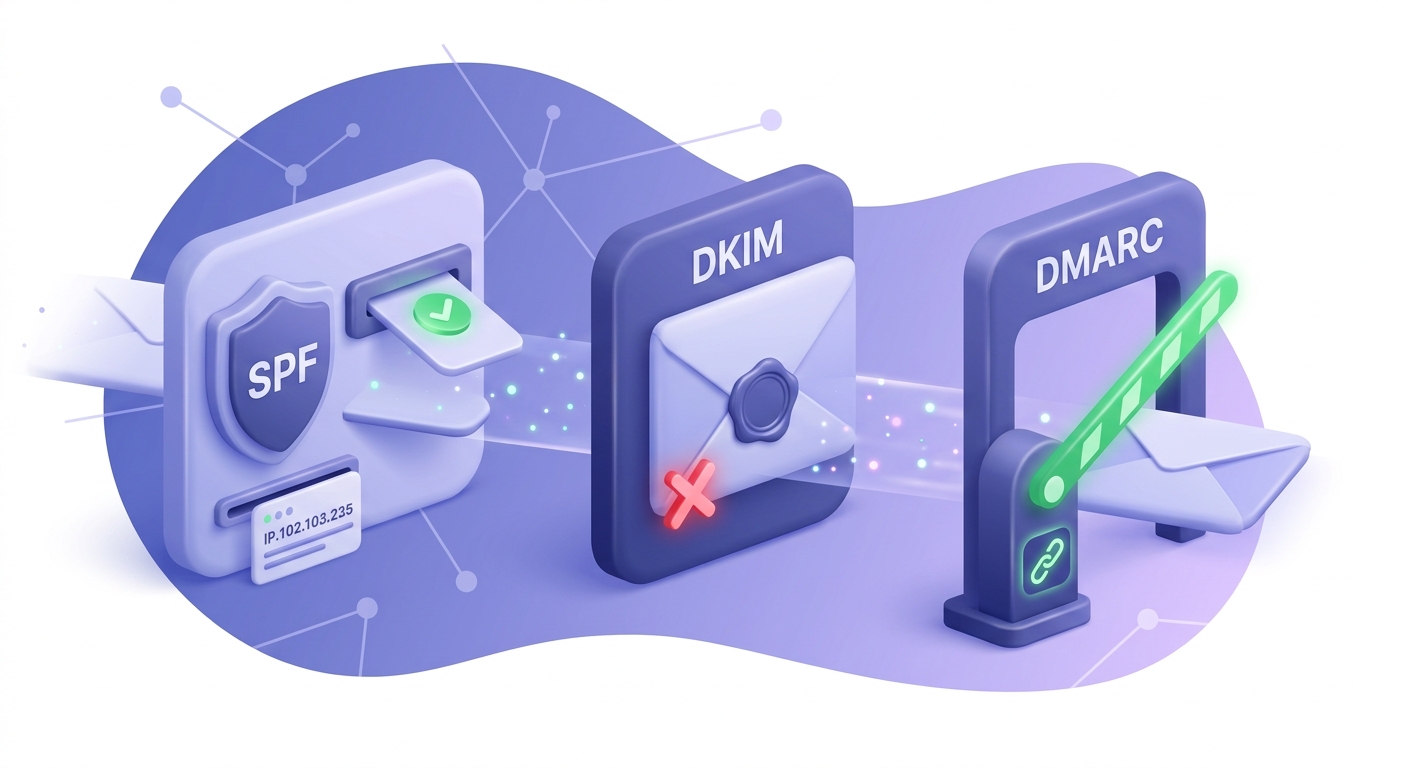
Here's the part product-forward guides bury, because it complicates their pitch. Passing SPF, DKIM, and DMARC is necessary for inbox placement. It is not sufficient. You can authenticate flawlessly and still land in spam.
Authentication answers "is this sender who they claim to be?" It does not answer "do recipients want this mail?" That second question is reputation, and reputation is built from signals authentication never touches: your spam complaint rate, how often recipients open and reply, how many of your sends hit dead addresses and bounce, whether you're hitting spam traps, and how consistent your sending volume is. Google's Postmaster Tools exposes most of these signals for your domain, and they move independently of your authentication status.
The bounce-and-spam-trap angle is where most senders quietly sabotage themselves. Send to a list full of stale, mistyped, or abandoned addresses and you generate hard bounces and trap hits. Mailbox providers read that as the behavior of a spammer who scraped a list, because that's exactly what a spammer's list looks like. Your authentication can be immaculate and it won't save you, because authentication proves you're allowed to send, not that you should have.
This is the through-line of our deliverability versus delivery pillar: a clean, authenticated list outperforms a dirty, authenticated list every single time. Authentication is the foundation. List quality is the house you build on it. Skip either and the whole thing falls over. That's why the setup checklist below ends with a step almost no authentication guide includes, verifying that the addresses on your list are actually real.
Authentication proves you're allowed to send. It says nothing about whether you should have. That second question is reputation, and reputation reads your bounce rate.
Valid Email Checker
Deliverability team
The most common authentication failures and how to diagnose them
Most authentication problems aren't exotic. They're the same handful of failures, over and over. Here are the five you'll actually hit, and how to trace each one.
SPF PermError from too many lookups
Symptom: SPF returns PermError, which receivers treat as a fail. Cause: your record triggers more than ten DNS lookups, usually because you've stacked several include mechanisms and one of them nests more includes inside. Fix: flatten the record by replacing includes with their resolved IP ranges, or move to a macro-based SPF service that stays under the limit dynamically. Diagnose it by checking your SPF record and reading the lookup count directly.
DKIM invalid after your ESP starts sending
Symptom: DKIM was fine, then you connected a new ESP and signatures started failing. Cause: the ESP signs with its own key on a subdomain, and you never added the CNAME records that delegate the signing selector to them. The public key the receiver fetches doesn't exist in your DNS. Fix: add the exact CNAME records your ESP provides, then confirm the key resolves with a DKIM Record Checker. This is the single most common DKIM mistake during an ESP migration.
DMARC alignment failure on a subdomain mismatch
Symptom: SPF and DKIM both pass, but DMARC still fails. Cause: the domain that passed authentication doesn't align with your From: domain. A classic version: your ESP sends with an envelope domain of bounces.esp.com, DKIM signs with d=esp.com, but your From: is you@yourdomain.com. Nothing aligns. Fix: configure a custom return-path and DKIM signing on a subdomain of your domain, which your ESP supports through CNAME delegation. With relaxed alignment, mail.yourdomain.com aligns with yourdomain.com and DMARC passes.
Forwarded mail failing SPF
Symptom: mail that you sent fine fails authentication after a recipient forwards it or it passes through a mailing list. This isn't a bug; it's SPF working as designed. The forwarding server isn't on your allowlist, so SPF fails. Resolution: rely on DKIM alignment, which survives forwarding, and let ARC carry the original results across hops. If your DKIM is aligned and intact, DMARC still passes on DKIM alone even though SPF broke. This is the practical reason you cannot rely on SPF by itself.
Tracing a failure end to end
Three tools together solve almost every case. The Authentication-Results header on a single failing message tells you which check failed and why. Google Postmaster Tools shows you the aggregate pattern across your Gmail traffic. And your DMARC aggregate reports name every source sending as your domain, so you can spot the shadow sender or misconfigured tool causing failures at scale. Start with one failing message, confirm the pattern in Postmaster Tools, then find the culprit in the DMARC reports. Our help center has a focused walkthrough on troubleshooting verification result issues when the problem is the addresses rather than the records.
Reading the Authentication-Results header
You don't need a tool to see how a message authenticated. Every receiving server stamps the result into the message, and you can read it in any inbox. In Gmail, open a message, click the three-dot menu, and choose "Show original." Near the top you'll find the Authentication-Results header.
Authentication-Results: mx.google.com;
       dkim=pass header.i=@yourdomain.com header.s=selector1;
       spf=pass (google.com: domain of bounce@mail.yourdomain.com
         designates 198.51.100.10 as permitted sender);
       dmarc=pass (p=REJECT sp=REJECT dis=NONE) header.from=yourdomain.com
Read it line by line. dkim=pass with header.i=@yourdomain.com tells you DKIM verified and the signing domain is yours, which means it aligns. spf=pass names the IP that was authorized. dmarc=pass is the verdict, and the (p=REJECT) confirms your published policy is enforcing at reject, not sitting at none. The header.from=yourdomain.com is the address DMARC checked alignment against.
When something fails, this header tells you exactly which layer. dkim=fail points you at the signature or a missing key. spf=softfail means the IP isn't listed and your record ends in ~all. dmarc=fail with dkim=pass and spf=pass is the giveaway for an alignment problem, because both checks passed but neither aligned with the From:. Learning to read this header is the fastest skill you can build for diagnosing authentication, and it costs nothing.
Headers don't lie, but they're per-message
The Authentication-Results header reflects one message at one receiver. It's perfect for diagnosing a specific failure but useless for spotting patterns. For the big picture across all your traffic, you need DMARC aggregate reports and Postmaster Tools. Use the header for the autopsy, the reports for the trend.
Setting up authentication: the practical checklist
Enough theory. Here's the order of operations that takes a domain from zero to enforced, plus the one step almost every other guide leaves out.
Publish an SPF record that covers every sending source
Inventory every tool that sends mail as your domain: your ESP, CRM, support desk, transactional provider, billing system, and anything else. Each one becomes an
includeorip4in a single SPF record. Watch the 10-lookup limit; if you're close, flatten or use a macro service. There can only be one SPF record per domain, so consolidate everything into it.Enable DKIM signing in your ESP and add the DNS records
Turn on DKIM in each sending platform. Most provide CNAME records that delegate a signing selector to them, which means key rotation happens on their side without you touching DNS again. Add the exact records they give you, then confirm the public key resolves. Sign the full body, not a partial length.
Publish DMARC at p=none with a reporting address you'll actually read
Start at
p=nonewith a validruaaddress. None means monitor-only, so you can't break anything. The point of this stage is to collect aggregate reports and see every source sending as your domain before you turn on enforcement. Use a parser; the raw XML is rough by hand.Read your first reports and find the unauthorized senders
Within a few days you'll have a list of every IP and service sending as you. Some will be legitimate tools you forgot about; add them to SPF and enable their DKIM. Some will be shadow IT or outright spoofing. Resolve every legitimate source until your reports show mostly passing mail. Do not skip this. Moving to enforcement with unresolved sources will send your own legitimate mail to spam.
Tighten to quarantine, then reject, over 30 to 60 days
Once your reports are quiet, move to
p=quarantineand watch for a couple of weeks. If nothing legitimate breaks, move top=reject. You can ramp gradually with thepct=tag, applying the policy to a percentage of mail at a time. p=reject is the destination; p=none is not.Verify your list before you ramp sends
Authentication fixes who can send. It does nothing about whether the addresses you're sending to are real. A flawlessly authenticated blast to a list of dead mailboxes still generates bounces and trap hits that wreck the reputation your authentication was supposed to protect. Clean the list first. This is the step the other guides skip entirely.
After each DNS change, confirm it actually published. Records propagate on their own schedule and a typo costs you days if you don't catch it early. Use the SPF Record Checker, DKIM Record Checker, and DMARC Record Checker to confirm each layer is live, then run a full deliverability audit to see all three together alongside blacklist and reputation signals. Our SPF record generator guide walks through building a clean record from scratch if you're starting cold.
Where list verification fits into authentication
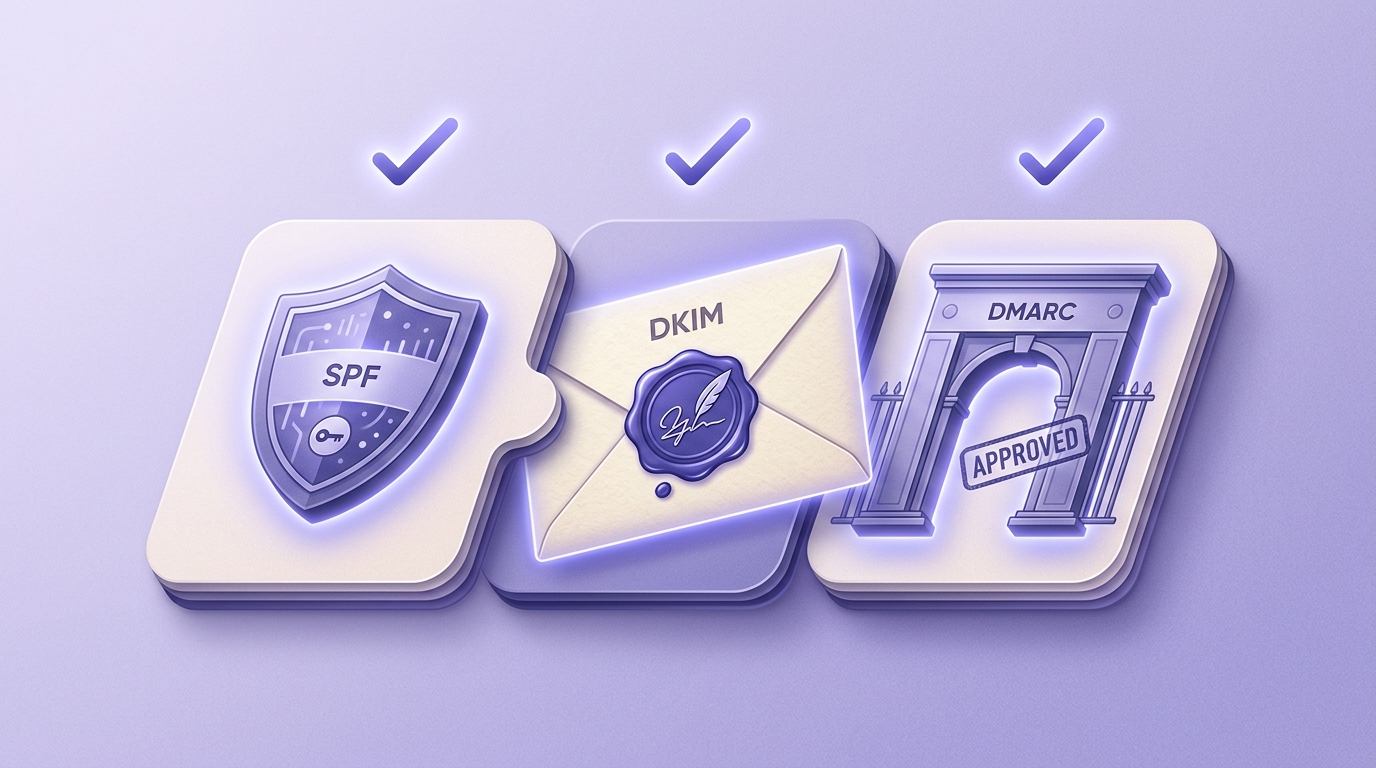
Let's close the loop the brief opened. Authentication and list verification solve adjacent problems, and you need both. Authentication tells the receiving server your domain is allowed to send. Verification tells you the addresses you're about to send to are real, reachable mailboxes. One protects your identity. The other protects your reputation.
Here's the failure mode that catches people who nail authentication and stop there. They publish a perfect SPF record, enable aligned DKIM, ramp DMARC to reject, and then send a campaign to a list they bought, scraped, or let go stale for two years. The mail authenticates beautifully. It also bounces at 20%, hits a few spam traps, and triggers complaints. Gmail watches all of that and decides your authenticated domain is sending exactly the kind of mail a spammer sends. Your reputation drops, and now even your authenticated mail starts landing in spam.
Verification breaks that cycle by catching dead addresses before they ever bounce. A real verifier runs each address through a multi-stage flow: syntax, MX records, an SMTP handshake, a mailbox-existence probe, catch-all detection, role-address detection, disposable detection, and spam-trap checks. Each address comes back classified as safe to send, risky, invalid, or unknown. You send to the safe ones and drop the invalid ones before they touch your reputation. Our help center explains why you verify emails and what happens if you skip it and walks through every result type you'll see.
If your list lives in an ESP, you don't even need to export it. Valid Email Checker connects directly to platforms like Mailchimp, Klaviyo, HubSpot, and SendGrid, so the dirty list goes in and the clean list lands back in the same audience. The integrations overview covers all seventeen connections. And because no verifier can return a definitive answer on every address, we automatically refund the credit on any result that comes back unknown, which most verifiers quietly charge you for. The free email verifier breakdown explains exactly how that works.
The mental model to keep: authentication and verification are two halves of the same job. Get your SPF, DKIM, and DMARC right so the inbox trusts your identity, and verify your list so the addresses behind that identity are real. Do both and your mail has a genuine shot at the inbox. Do only one and you've built half a bridge. For the full picture on how list quality drives placement, the deliverability versus delivery pillar is the place to go deep.
Frequently asked questions
Frequently asked questions
What is email authentication and why does it matter?
What is the difference between SPF, DKIM, and DMARC?
Do I need all three, SPF, DKIM, and DMARC, or will one do?
Why is my email failing authentication even though I set up SPF?
What happens to my email if I don't set up DMARC?
Does email authentication guarantee inbox placement?
How do I check whether my domain's email authentication is working?
Authentication earns the inbox's trust in your identity. A clean, verified list earns its trust in your sending. You need both, and the second is the half most senders skip right after they finish the first. The fastest way to see where your list stands is to run a sample through a verifier and read the failure mix, so you fix the dead addresses before they undo the authentication work you just did.
Try Valid Email Checker free
Verify any email in under a second
Get 150 free verifications. No credit card. Auto-refund on every Unknown result — the only verifier we know that does this.
- 150 free credits when you sign up
- Auto-refund every Unknown verification (we're the only ones that do)
- 11-stage flow catches what 1-step checkers miss
- Drop-in integrations for Mailchimp, HubSpot, SendGrid, 14 more
Written by
Devon ParkDevon writes about the parts of email nobody puts on a landing page: SPF, DKIM, DMARC, MX records, and the DNS quirks that quietly decide whether your mail lands or bounces. His aim is to turn specs that read like legalese into something you can implement today — usually with the exact record to copy and a way to confirm it worked. When other guides hand-wave past setting up authentication, Devon stops and shows you how.