LinkedIn Email Finder Tools: Find, Then Verify
 Emmanuel KwartengJune 10, 2026
LinkedIn has 1 billion members and hides almost every email address behind a wall of connection requests and premium paywalls. That gap — between a profile you can see and a contact you can actually reach — is exactly what LinkedIn email finder tools were built to close.
By the end of this post you'll know which tools are worth using, how each method actually works under the hood, and — the part every other guide skips — why the email a finder returns still needs a verification pass before it goes anywhere near your sending queue.
The specific thing most posts won't tell you: a 97% accuracy claim from a finder tool and a 97% deliverable rate on your cold campaign are not the same number. The gap between them is where bounce rates live.
Why LinkedIn hides email addresses (and what that means for you)
In 2018, LinkedIn stripped public email visibility from profile pages. Today, only 1st-degree connections who have explicitly chosen to share their contact info can see an email natively inside the platform. Everyone else gets a blank field and a nudge toward LinkedIn's own InMail product.
That decision created the email finder market. Three distinct categories of tools now occupy that gap:
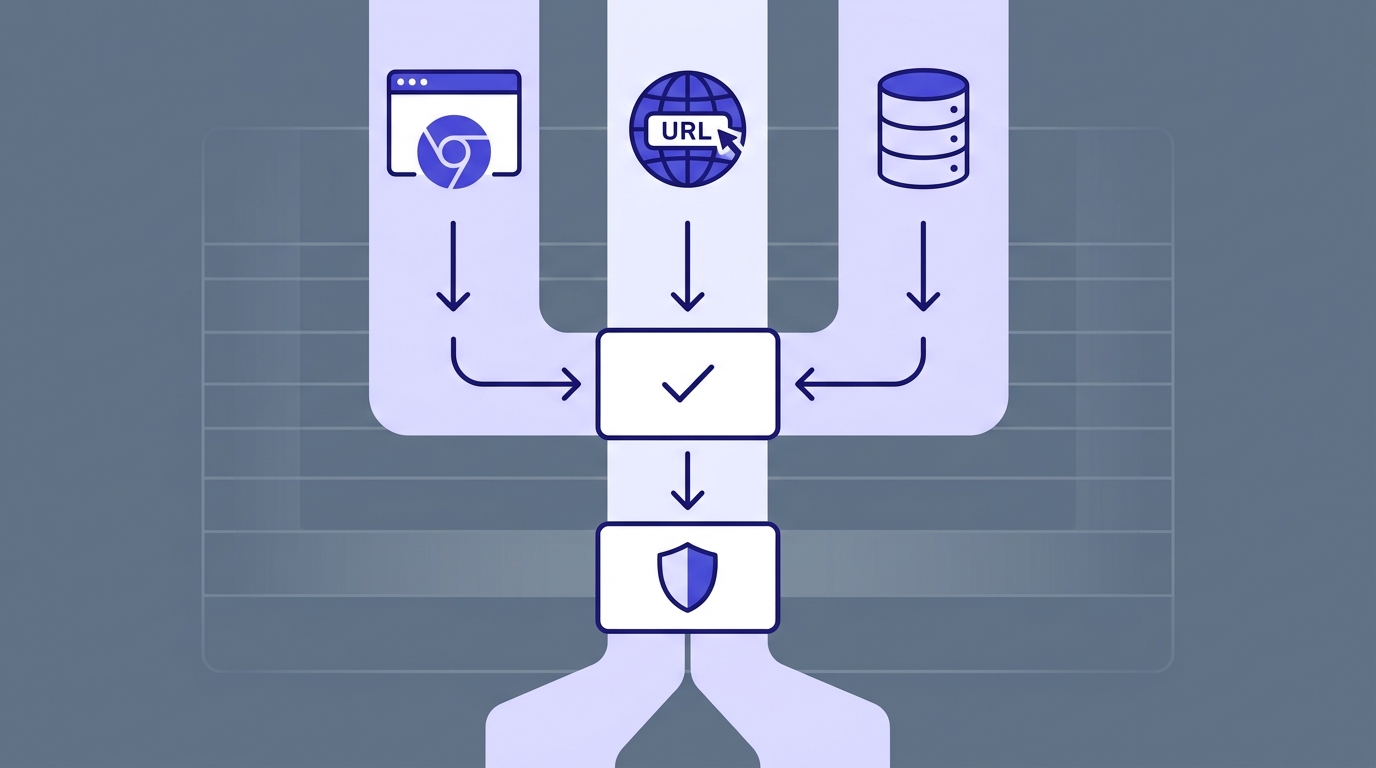
- Chrome extensions that sit on top of a LinkedIn profile page and query a proprietary database in the background while you browse.
- URL-based lookup tools that accept a LinkedIn profile URL, resolve it to a name and company domain, and pattern-match against known email formats — no extension install required.
- B2B database enrichment tools that already have the email stored from prior crawls, user contributions, and past verifications — the query is just a lookup against their existing index.
The core tradeoff across all three: convenience versus accuracy versus cost. Chrome extensions are the most frictionless for individual lookups. URL-based tools need no install but depend on pattern inference. B2B databases have the broadest coverage but can serve stale records from contacts who changed jobs six months ago.
Scraping LinkedIn directly violates their ToS
Tools that hook into live LinkedIn page DOM data and extract contact information are operating in a legal grey zone that LinkedIn actively enforces. Compliant tools use their own enriched databases — they are not pulling data live from LinkedIn's servers. If a tool's marketing copy implies it reads directly from LinkedIn in real time, that is a red flag.
How LinkedIn email finders actually work
All three methods share a common endpoint: they produce an email address. What varies is how confident you should be in the result.
Chrome extensions hook into the profile page while you're viewing it, extract the person's name and employer, then query the tool's own database using that name-plus-domain combination. The extension surfaces the best match. If the database has a stored, previously-verified record, the result is solid. If it's pattern-inferring from a common format like first.last@company.com, you're getting an educated guess.
URL-based tools work similarly but without the extension layer. You paste a LinkedIn profile URL, the tool resolves it to a person and company, then runs the same pattern-match or database lookup. Marginally more friction, but no browser extension permissions to worry about.
B2B database tools skip the LinkedIn step entirely. The email was indexed months or years ago from prior crawls, form submissions, or user-contributed data. Query speed is fast because it's a pure lookup — but the timestamp on that record matters more than most tools admit.
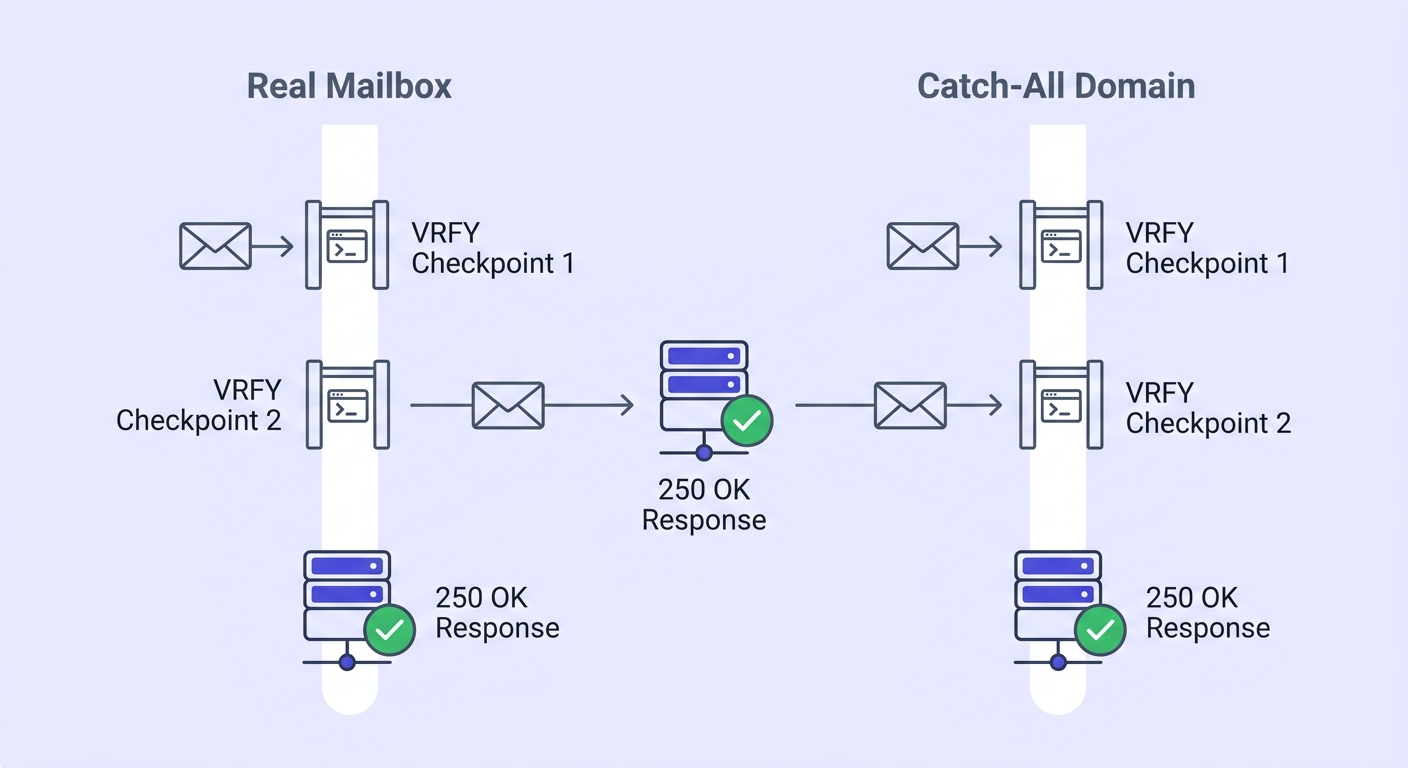
Where the methods diverge is in what happens after the address is returned. The best tools run an SMTP verification step: they open a connection to the recipient mail server, run through the handshake up to the point of asking whether the mailbox exists, then close the connection without sending anything. If the server confirms the mailbox, the result is marked verified.
Here's the problem: catch-all domains. A catch-all server accepts every SMTP probe regardless of whether the mailbox actually exists. It says yes to real.person@company.com and equally yes to xyzabcd1234@company.com. SMTP verification is useless on these domains, and they are common — especially at SMBs running Google Workspace or Microsoft 365 with a catch-all rule enabled. Read more about this in Valid Email Checker's catch-all emails complete guide.
The tools the SERP recommends — and what each actually delivers
Five tools dominate the first page of results for LinkedIn email finder queries. Here's what each one actually offers, stripped of the marketing copy.
| Tool | Method | Free tier | Accuracy claim | Bulk capable | API |
|---|---|---|---|---|---|
| Skrapp | Chrome extension + database | 50 emails/month | 97% | Yes — Sales Navigator | Yes |
| GetProspect | Chrome extension + 200M+ database | 50 emails/month | Not published | Yes — Sales Navigator | Yes |
| Mailmeteor | URL-based | Single lookups, no sign-up | Not published | Limited | No |
| Tomba | URL-based + database | 25 searches/month | Not published | Limited | Yes |
| Linkfinder AI | Database + pattern match | 25 URLs/batch (free) | 95% | Yes — CSV upload | Yes |
Skrapp is the most established Chrome extension option. It works inside LinkedIn Sales Navigator and Recruiter, not just standard profiles, and its bulk mode can process up to 1,000 profiles per minute from a Sales Navigator export. The 97% accuracy claim is plausible on enterprise domains — it falls apart on SMB catch-all domains.
GetProspect backs its extension with a database of 200M+ contacts and sits at 4.8/5 on the Chrome Web Store across more than 1,300 reviews. The free tier covers 50 emails per month, which is enough for light prospecting but not for any real campaign.
Mailmeteor is the lowest-friction option: URL in, email out, no extension, no account for single lookups. If you need one email right now and don't want to install anything, this is the tool. It doesn't scale.
Tomba occupies a similar space to Mailmeteor — URL-based, no LinkedIn login required — and claims 150,000+ sales teams as users. Its free tier is tighter at 25 searches per month.
Linkfinder AI leads with a 95% accuracy claim and 25,000+ emails found daily. The REST API makes it useful for developer workflows. The free tier caps at 25 URLs per batch, which limits its usefulness for high-volume prospecting without a paid plan.
What none of these tools address: the accuracy claims (95–97%) are measured at the point of lookup, on the domains their verification can actually test. Real-world bounce rates on cold lists built from LinkedIn finders — without a re-verification step before sending — typically run between 5% and 15%. That range comes from the catch-all problem, job churn, and the age of the underlying database records.
The accuracy problem nobody talks about
A tool can return a "verified" email that bounces the day after you received it. Mailboxes change. People leave companies. A senior engineer who was at Acme Corp when the database indexed them in March may have moved to a competitor in April. Their old address now hard-bounces, and no finder tool updates that record automatically.
The Data & Marketing Association estimates B2B email churn at roughly 22% per year. On a list of 1,000 emails, that's 220 addresses that become invalid over 12 months — about 18 per month. If your finder's database was last crawled six months ago, you're starting with a meaningful deficit before you've sent a single message.
Beyond churn, four specific categories inflate database hit rates without delivering real contacts:
- Catch-all domains — SMTP says yes to everything; the verifier can't distinguish real from non-existent mailboxes.
- Role addresses —
info@,hello@,support@,admin@appear in B2B databases constantly. They're usually shared inboxes with low engagement and high unsubscribe rates. - Disposable domains — burner providers and short-lived company domains that were active when indexed and are now defunct.
- Disabled accounts — the mailbox existed, the SMTP probe confirmed it, but the account was suspended or deprovisioned after the lookup.
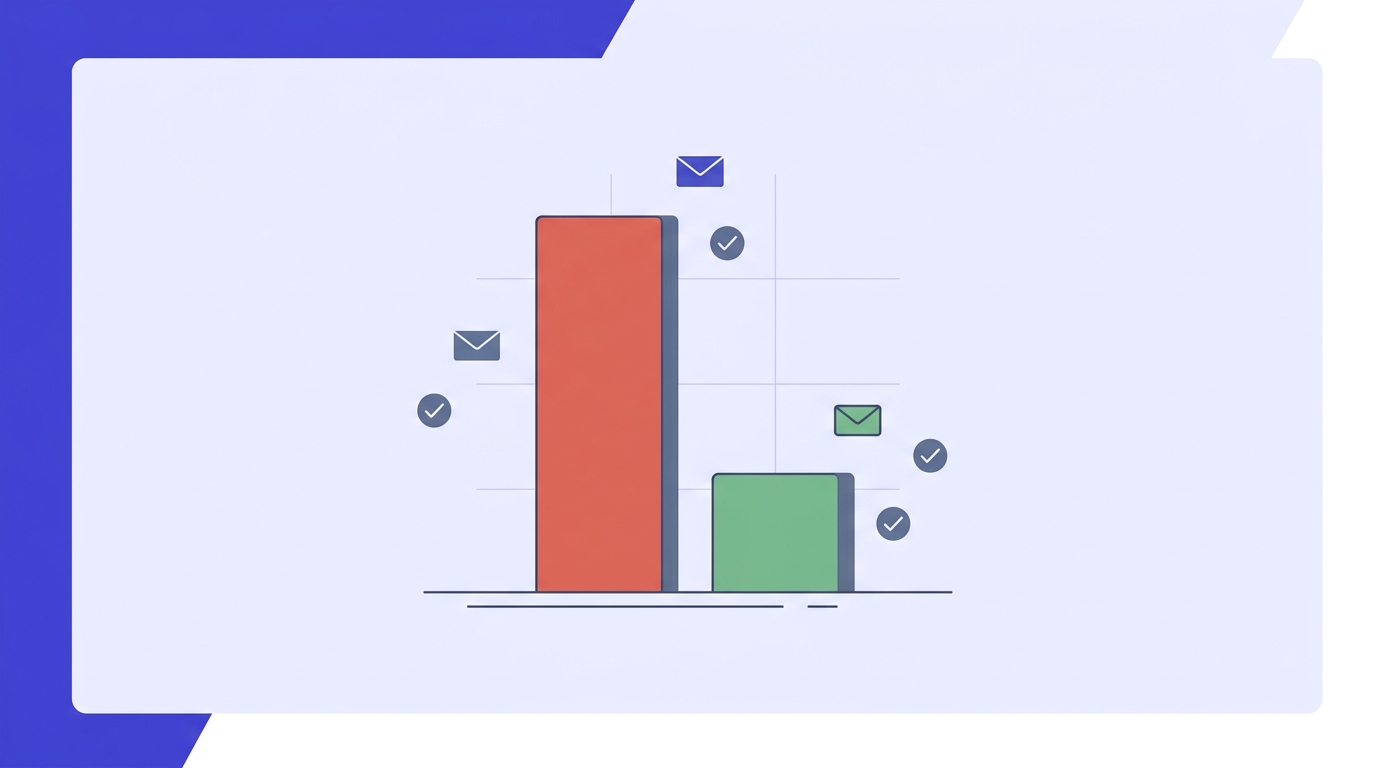
Bounce rates above 2% start hurting sender reputation. Above 5%, major ESPs — SendGrid, Mailgun, Mailchimp — begin throttling or blocking sends. The math is unforgiving: a 1,000-email campaign with a 10% bounce rate is 100 hard bounces, which is enough to get a shared IP pool flagged and a dedicated IP put on probation.
The only reliable quality signal is a re-verification run immediately before the send — not the timestamp on the original lookup, and not the finder tool's own "verified" badge. For more on why this matters, see why verify emails? in our help center.
How to verify emails you find on LinkedIn before you send
This is the step every finder tool leaves out. Here's the exact workflow.
Export your found emails to CSV
Every tool on this list supports CSV export. Do this before importing anywhere — you want a clean snapshot of the raw finder output to run through verification independently.
Run the list through a dedicated email verifier
A proper verifier checks syntax, MX records, SMTP handshake, catch-all status, role detection, and disposable detection in sequence. Valid Email Checker's bulk email verifier runs an 11-stage flow across all of these. Read how verification works if you want to understand what each stage catches.
Act on each result category
Remove
invalidanddisposableresults immediately — these will hard-bounce or damage your reputation. Flagcatch_allandroleresults for manual review before including them in any send.saferesults are ready to use.Treat Unknown results as unverified
When a verification engine can't return a definitive result — both SMTP probes come back inconclusive — the status is
unknown. Don't send to these without a second pass. Valid Email Checker automatically refunds credits for Unknown results — most verifiers charge you for them anyway.Re-verify any list older than 90 days before reuse
B2B email churn runs roughly 22% per year. A list that was clean in January needs another pass before you use it in April. Build this into your campaign checklist, not your post-mortem.
Spot-check a LinkedIn email before it goes on your list
Paste any address you found on LinkedIn. Valid Email Checker runs 11 stages — syntax, MX, SMTP, catch-all, role, disposable — and tells you exactly what you're dealing with.
Powered by Valid Email Checker — full SMTP handshake, disposable + role detection, no card required.
For single-address checks — say, a key prospect you want to be certain about before reaching out — you can verify a single email before you send directly from the homepage. For lists coming out of a finder tool, the bulk email verifier handles CSV uploads and returns a cleaned file with status labels on every row.
Bulk LinkedIn email finding: what changes at scale
Single-profile lookup tools break down fast. At 500+ contacts, you need either a bulk CSV upload feature or a direct Sales Navigator integration. The tools diverge significantly here.
Skrapp and GetProspect both process Sales Navigator search exports in bulk — you run your filtered search in Sales Navigator, export the results, and feed the file to the finder. Linkfinder AI accepts CSV uploads with up to 25 URLs per batch on the free tier, which means you'll be splitting large lists across multiple uploads unless you're on a paid plan.
Chrome extensions that query live LinkedIn profile pages carry a different risk at scale: LinkedIn rate-limits profile views and has historically flagged accounts that trigger unusual browse patterns. An extension processing 200 profiles in an hour looks nothing like human behavior. The safer pattern:
- Run your filtered search in Sales Navigator and export to CSV.
- Upload the CSV to a URL-based or database-backed finder (not a live-scraping extension).
- Verify the output through a dedicated verifier before importing to your CRM.
- Import only the
saferesults. Flagcatch_allfor a separate, lower-priority sequence.
For API-driven workflows — enriching inbound form submissions in real time, for instance — Linkfinder AI and Skrapp both expose REST endpoints. Valid Email Checker's own single verification endpoint is built for exactly this pattern: a form submission comes in, you ping the API, you get a status back before the lead hits your CRM. Sub-second for individual addresses. See the API overview for the full reference.
Free tool · no signup
Verify your LinkedIn export before it touches your CRM
Upload a CSV, get back a clean file with status on every row. Unknown results are refunded automatically.
LinkedIn email finding for recruiters vs. sales teams
The tools are the same. The acceptable risk profile is not.
Recruiters are reaching passive candidates — people who haven't applied, who may be perfectly happy where they are, and who will form an opinion of your company based on that first cold email. A bounced outreach to a senior engineer is a burned bridge. Accuracy matters more than volume. URL-based tools with high single-lookup precision are a better fit than bulk database scrapers.
Sales teams are optimizing for pipeline volume. A 1.5% bounce rate on a verified list of 2,000 prospects is acceptable. A 12% bounce rate on an unverified list of 2,000 is a deliverability incident. The tolerance for catch-all risk is slightly higher in sales — you might include flagged catch-all results in a separate, lower-cadence sequence — but the verification step before any send is non-negotiable in both use cases.
GDPR applies regardless of which tool you use
Collecting and storing professional email addresses of EU residents for outreach requires a legitimate interest assessment under GDPR Article 6(1)(f). The fact that a LinkedIn profile is public doesn't automatically satisfy this. If your prospecting targets EU residents, document your legitimate interest basis before sending. This applies whether you're using Skrapp, GetProspect, or any other finder.
Choosing the right tool for your workflow
The honest answer is that most teams need two tools: a finder and a verifier. The finder gets you the email. The verifier tells you whether it's worth sending to.
For the finder side, the choice is mostly about volume:
- Fewer than 50 lookups per month: Mailmeteor or Tomba — no extension, no account required for single lookups, free tier covers this range.
- 50–500 per month: GetProspect or Skrapp Chrome extension — free tiers cover light prospecting, paid tiers are reasonable for regular use.
- 500+ per month: Skrapp bulk, GetProspect's B2B database, or Linkfinder AI with API access — you need either Sales Navigator integration or CSV bulk upload at this scale.
- Developer / CRM enrichment: Linkfinder AI REST API or Skrapp API for real-time enrichment; Valid Email Checker's single verification endpoint for the mandatory quality gate on the back end.
After any finder, the workflow is the same: run the output through a verifier with catch-all detection, role detection, and automatic unknown refund before the first send. The post on bulk email verifier unknown results goes deeper on why unknown statuses are the most expensive result type most senders ignore.
One opinion worth stating plainly: the finder tool you choose matters less than whether you verify the output. A 95% accurate finder whose output you re-verify will outperform a 99% accurate finder whose output you send cold. The verification step is the variable that actually controls your deliverability outcomes. The finder just saves you time. For context on what's changed in deliverability enforcement in 2026, the email deliverability enforcement post is worth reading before your next campaign.
Free tool · no signup
Spot-check any address you find on LinkedIn
Free, instant, 11-stage verification. No account required for single checks.
The bottom line on LinkedIn email finders
LinkedIn email finders solve a real problem — the gap between a profile you can see and a contact you can reach. Chrome extensions, URL-based tools, and B2B databases each close that gap in a slightly different way, at slightly different accuracy levels, with slightly different risks. None of them solve the problem that comes after the email is found: confirming it's still deliverable, that it belongs to a real person and not a shared inbox, and that it won't bounce and damage the sender reputation you've spent months building.
The two-step workflow — find, then verify — is the one the SERP doesn't cover. It's also the only one that keeps your bounce rate under 2% and your sender reputation intact. Run your LinkedIn export through a verifier before it touches your sending queue. The first 200 verifications are free.
Frequently asked questions
Can you find someone's email address from their LinkedIn profile for free?
How accurate are LinkedIn email finder tools really?
Do LinkedIn email finders violate LinkedIn's terms of service?
What's the difference between a Chrome extension email finder and a URL-based one?
Why do emails found on LinkedIn still bounce even after the tool says they're verified?
How do I find emails from LinkedIn in bulk without getting my account flagged?
Should I verify emails found on LinkedIn before sending cold outreach?
Is it legal to use LinkedIn email finders for cold email in the EU?
The finder gets you the email. What you do with it next is what determines whether the campaign works. A re-verification pass before any send — catching catch-alls, roles, invalids, and unknowns before they touch your sending queue — is the step that separates a clean campaign from a deliverability incident. Run your LinkedIn export through the verifier below and see exactly what you're working with before you hit send.
Try Valid Email Checker free
Verify any email in under a second
Get 150 free verifications. No credit card. Auto-refund on every Unknown result — the only verifier we know that does this.
- 150 free credits when you sign up
- Auto-refund every Unknown verification (we're the only ones that do)
- 11-stage flow catches what 1-step checkers miss
- Drop-in integrations for Mailchimp, HubSpot, SendGrid, 14 more
Written by
Emmanuel KwartengEmmanuel is the founder of Valid Email Checker. He spends most of his time in bounce logs, verification data, and the gap between what email vendors promise and what actually happens when you hit send. He started the company because too much deliverability advice is guesswork dressed up as best practice, and he writes here to cut through it with the numbers behind each claim.