Cold Email Subject Lines: Why Your List Matters More
 Priya IyerJune 12, 2026
Most cold email advice starts in the wrong place. You've read the listicles: 25 subject lines that crush open rates, the one word that triples replies, the emoji that beats plain text. All of it assumes the subject line is the lever that matters most.
It isn't. A great subject line on a dirty list is a well-dressed email sitting in a spam folder nobody opens. The subject line is the last variable in the chain — not the first.
This post reorders the priorities. You'll walk away knowing exactly which subject line patterns work in 2025, which ones trigger filters, and — more importantly — why none of that matters until your list is clean, your domain is authenticated, and your sender reputation isn't already on fire. The concrete first step is something most cold outreach guides skip entirely.
The uncomfortable truth about cold email subject lines
Obama's 2012 campaign tested hundreds of fundraising email subject lines. Their single highest-performing one was "Hey." One word. No personalization token, no curiosity gap, no power verb. Just "Hey."
That result gets misread constantly. People take it as proof that subject lines don't matter and that short always wins. The actual lesson is narrower: in that context, with that list, that sender had enough trust and inbox placement that a casual subject line could outperform polished ones. The infrastructure was already working.
Katie Thies, who has run copy for 150+ B2B email campaigns, has argued publicly that subject lines are largely overrated — and she's partly right. What she's really describing is the ceiling effect: once a subject line clears a basic bar (doesn't look like spam, doesn't mislead, isn't embarrassing), additional optimization returns diminishing results. The real open-rate variable is whether the email reaches the primary inbox at all.
The job of a subject line isn't to impress. It's to not disqualify. Filters evaluate it for spam signals. Recipients evaluate it for relevance and trust. If either check fails, the open never happens.
What actually drives opens, in rough order of impact: primary inbox placement, sender reputation, the from-name and domain the recipient recognizes, and then — finally — the subject line. Getting the order right changes how you spend your time.
Why your subject line can't save a dirty sender reputation
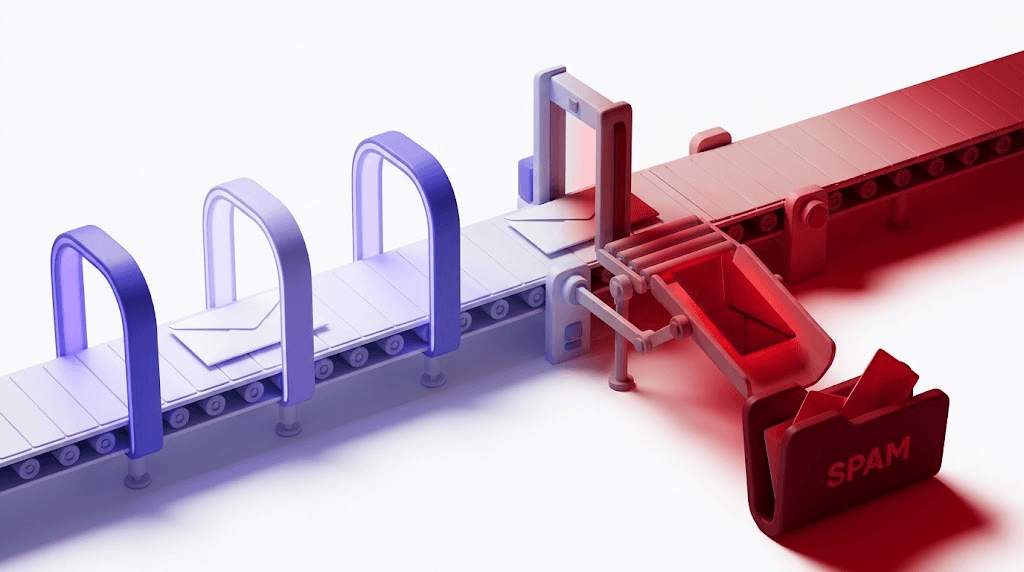
Spam filters don't read your subject line first. They evaluate the envelope: your sending IP, your domain's authentication records, your historical bounce rate, whether your domain has appeared on blacklists, and whether previous recipients marked your mail as spam. All of that fires before a filter ever parses the words in your subject.
If your SPF record is misconfigured, your DKIM signature is missing, or your DMARC policy is absent, Gmail and Microsoft 365 are already skeptical before they read a single character of your subject line. Google's email sender guidelines now require SPF, DKIM, and DMARC alignment for bulk senders — and enforcement has tightened meaningfully since early 2024, as covered in our post on email deliverability in 2026.
Bounce rate is the other silent killer. Above 2% and your IP reputation starts degrading with every campaign you send. At 5%, you're actively training inbox providers to route you to spam. A single bad send to a spamtrap — one of those dormant addresses inbox providers seed into lists to catch scrapers — can poison the well for every subsequent campaign from that domain.
The 2% ceiling
Industry consensus puts the acceptable hard-bounce ceiling at 2%. Above that, ISPs begin throttling and filtering your sends. Most senders don't know their bounce rate until after it has already damaged their domain's reputation.
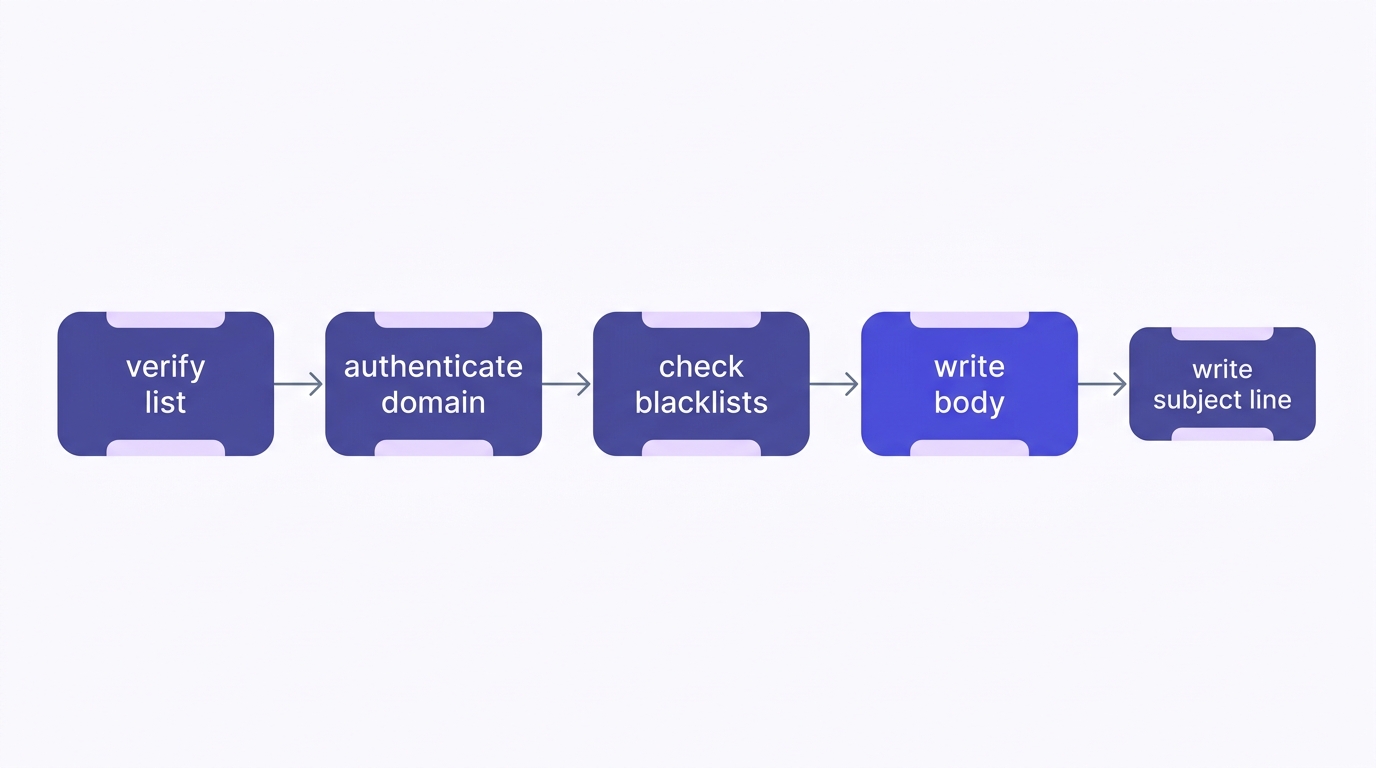
The sequence that actually matters: clean list → authenticated domain → subject line. Writing the subject line first is like choosing the paint color before you've checked whether the walls are structurally sound.
This is why "verify before you write" should be the first rule of cold outreach, not a footnote. If you're curious what happens when senders skip this step, our help center article on why verify emails (and what happens if you skip it) walks through the compounding costs in detail.
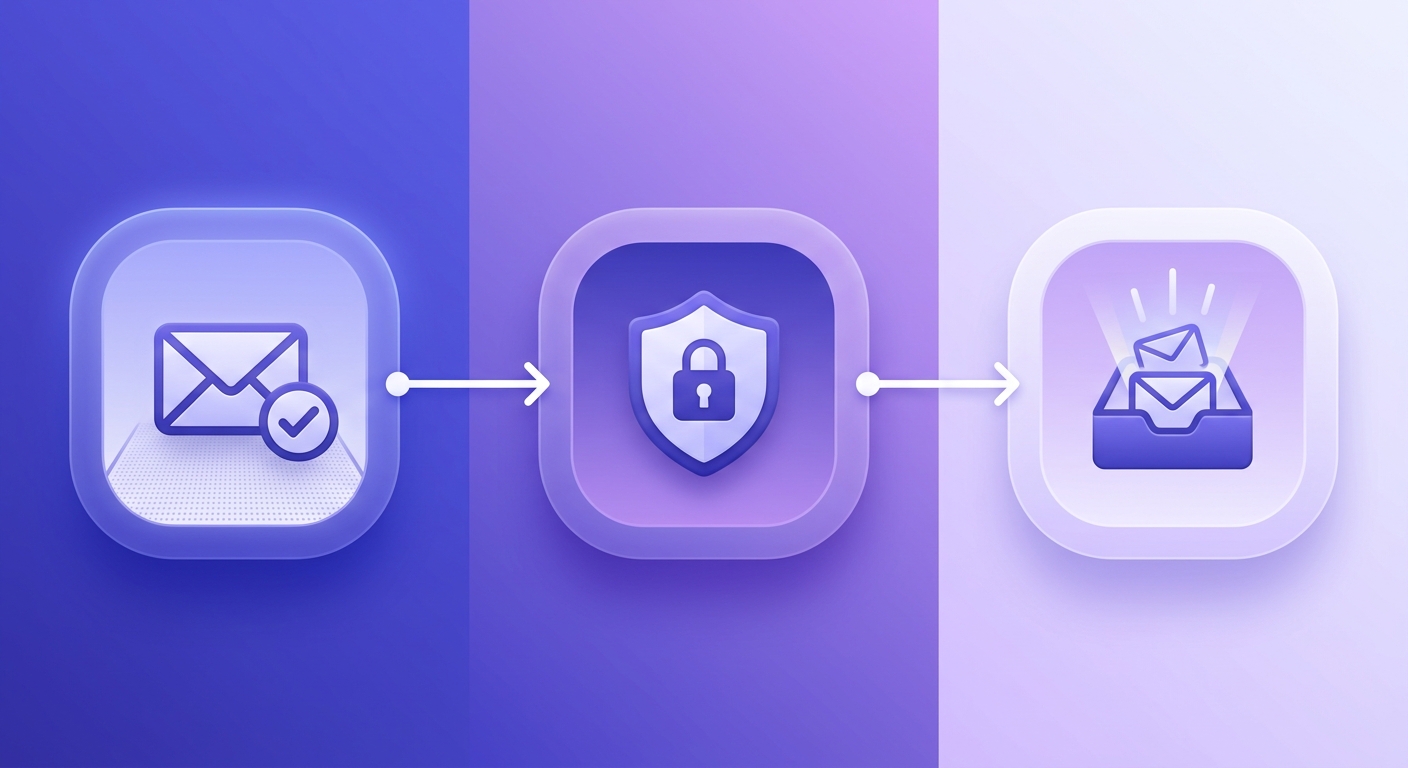
Check an address before it goes on your list
Paste any email to run it through an 11-stage verification. Invalid, disposable, and spamtrap addresses are flagged instantly.
Powered by Valid Email Checker — full SMTP handshake, disposable + role detection, no card required.
What makes a cold email subject line work in 2025
Assuming your infrastructure is clean, here's what actually moves open rates.
The internal-email test. Before you finalize a subject line, ask: would a coworker send this exact line in an internal Slack-to-email? If the answer is no — if it sounds like a campaign rather than a conversation — it will read that way to your recipient too. "Quick question about your onboarding flow" passes. "Unlock 3x revenue with our proven framework" does not.
Short wins on mobile. Subject lines over 50 characters get truncated on most phone clients, which means the most important words need to sit in the first 40. The average iPhone mail client shows roughly 35–40 characters before cutting off. Write for the cut.
Personalization has a hierarchy. First name in the subject line is table stakes — every spam tool does it now, which means it no longer signals human. Company name is stronger because it requires more research. Trigger-based references are strongest: "saw you just posted about hiring a RevOps lead" or "noticed you changed your pricing page last week" signal that you actually looked. Generic personalization tokens ({first_name}) visible in the subject line because a merge failed are an instant delete.
Specificity beats cleverness every time. "Question about your onboarding flow" outperforms "11 ways to boost conversions" because it implies a specific reason for the email rather than a broadcast. Curiosity gaps work when they're genuine — "one thing missing from your SPF record" — and fail when they're vague clickbait.
Excessive punctuation and emoji are reliable open-rate killers, not because recipients hate them but because spam filters score them. Three exclamation marks in a subject line will push your spam score up. An emoji in a cold B2B subject line signals mass-send to both filters and recipients.
Subject line formulas that consistently get replies
These aren't magic templates. They're patterns that survive because they pass the internal-email test and don't trigger filters. Use them as starting points, not copy-paste solutions.
The "quick question" family works because it implies brevity and specificity. "Quick question about [Company]'s pricing page" or "Quick question, [Name]" — these read like something a human typed in 4 seconds. Generic sometimes beats clever precisely because cleverness signals effort, and effort signals campaign.
- First-name only: "Hey Sarah" or just "Sarah" — works in high-familiarity contexts (warm intros, event follow-ups) but feels presumptuous in pure cold outreach unless the body earns it fast
- Referral angle: "[Mutual contact] suggested I reach out" — the highest-trust cold subject line that exists, but only works if the referral is real
- Trigger-based: "Congrats on the Series B" / "Saw the job posting for a Head of Growth" / "Noticed your piece on X" — requires actual research, which is exactly why it works
- Compliment with a hook: "Your onboarding flow is better than most — one thing I'd add" — names something specific, implies value, doesn't oversell
- The genuine question: "How are you handling [specific problem]?" — works when the problem is real and the question isn't rhetorical
- The observation: "[Company] does X differently" — specific, non-promotional, curiosity-inducing without being clickbait
- The soft ask: "Would it make sense to talk?" — disarmingly direct, low-pressure, reads like a human being
- Context from their content: "Re: your LinkedIn post on cold outreach" — 'Re:' used this way is legitimate; 'Re:' implying a prior email thread you never had is not (more on that below)
Here are 20 real examples organized by use case:
| Use case | Subject line | Why it works |
|---|---|---|
| Pure cold, no research | Quick question | Passes internal-email test; implies brevity |
| Pure cold, no research | Hey [First Name] | Casual; reads human; no spam signals |
| Has a referral | [Name] suggested I reach out | Borrowed trust; highest open rate in cold |
| Has a referral | [Name] thought we should talk | Same mechanic, slightly warmer tone |
| Trigger: funding round | Congrats on the raise | Timely; shows you pay attention |
| Trigger: funding round | What's next for [Company] post-Series B? | Specific + curious; not promotional |
| Trigger: job posting | Your Head of Growth search | References real context; implies relevance |
| Trigger: content published | Your post on [topic] | Shows you read; natural opening |
| Trigger: pricing change | Noticed you updated your pricing | Specific; implies observation not surveillance |
| Compliment + hook | Your onboarding is solid — one gap I spotted | Specific praise + implied value |
| Compliment + hook | [Company]'s approach to X is different | Flattery grounded in specificity |
| Specific problem | How are you handling [known pain point]? | Problem-aware; doesn't oversell |
| Specific problem | Question about your [specific workflow] | Narrow enough to feel researched |
| Soft ask | Would it make sense to connect? | Low pressure; reads like a human |
| Soft ask | Worth a 15-minute call? | Direct; respects their time |
| Curiosity gap (honest) | One thing missing from your SPF setup | Specific; implies useful answer inside |
| Curiosity gap (honest) | Something I noticed on [Company]'s site | Vague but not clickbait; body must deliver |
| Re: legitimate | Re: your post on cold email | References real content; not deceptive |
| Follow-up | Still worth connecting? | Gentle; acknowledges prior silence |
| Follow-up | Closing the loop | Finalizes without pestering; often gets replies out of guilt |
Subject lines that kill deliverability (and what to replace them with)
Spam filters score subject lines against known trigger patterns. Some phrases have been in spam-filter training data for so long that using them is nearly guaranteed to hurt your placement — regardless of how good the rest of the email is.
The obvious offenders: "boost your ROI," "transform your business," "free," "guaranteed," "limited time offer," "act now." These read like broadcast marketing, not human correspondence. Replace "boost your ROI" with the specific thing you're offering to help with. Replace "free" with what it actually is — "no-cost audit" or "trial" is usually more accurate anyway.
ALL CAPS in a subject line is a reliable filter trigger and a reliable recipient turn-off simultaneously. Even one capitalized word that isn't a proper noun scores negatively. Excessive exclamation marks — more than one — do the same. Filters are trained on millions of spam emails, most of which use these patterns heavily.
The "Re:" and "Fwd:" trick deserves its own burial. Using "Re: [topic]" or "Fwd: our conversation" when there was no prior conversation is deceptive. It worked in 2018 when recipients were less trained. Today, it destroys trust the moment the email opens, generates spam complaints, and in some jurisdictions runs into CAN-SPAM's prohibition on misleading header information. Don't.
Before you send, test your deliverability before the campaign. A deliverability check against a seed list will show you whether your subject line and overall email are triggering filter scores before real recipients see them. It takes 10 minutes and can save a domain's reputation.
The filter test you're probably skipping
Paste your full email — subject line included — into a mail testing tool before sending to cold contacts. You'll see your spam score, which specific phrases are triggering it, and whether your authentication is passing. Fix the score first, then send.
Timing, sending infrastructure, and everything that outweighs the subject line
Tuesday through Thursday, 9–11 am in the recipient's timezone: this window has held up across multiple large-scale send analyses as the highest-open-rate slot for B2B cold email. The reasoning is straightforward — Monday morning is triage, Friday afternoon is checked-out, and weekends are obvious. The Tuesday–Thursday mid-morning window catches people who are settled into their day but not yet deep in heads-down work.
That said, timing is a multiplier, not a foundation. Sending at 10 am Tuesday with a dirty list still gets you to spam. Sending at 8 pm Friday with a clean list and strong authentication can still get replies if the targeting is right.
Sending volume ramp matters enormously for cold domains. A brand-new domain that sends 500 emails on day one gets flagged regardless of subject line quality. Warmup exists for a reason — inbox providers use sending velocity as a signal. The standard ramp: start at 20–30 emails per day, double every 3–4 days, reach full volume over 4–6 weeks. Transactional senders can ramp faster; cold outreach domains cannot.
List quality is the variable that multiplies everything else. A clean list makes every other optimization meaningful. A dirty list cancels it out. This is the part most subject-line guides skip entirely — and it's why cold email templates and list quality are inseparable topics, not separate ones.
How to A/B test subject lines without burning your domain
50 sends per variant is the floor for a statistically meaningful split. Below that, you're reading noise as signal. Most cold email sequences don't have the volume to run clean tests, which is one reason "what subject line won" is often meaningless data — the sample was too small to trust.
What to measure: open rate tells you the subject line worked. Reply rate tells you the body worked. Positive reply rate tells you the targeting worked. These are three different problems, and confusing them leads to wrong fixes — rewriting subject lines when the actual problem is that you're emailing the wrong people.
Test one variable at a time. Changing the subject line length and the personalization in the same test tells you nothing actionable. Change the subject line length. See what happens. Then test personalization. The results compound; the confusion doesn't.
Reading failure: a low open rate points at the subject line or the sender reputation. A low reply rate (from a reasonable open rate) points at the body or the offer. A low positive-reply rate with a decent reply rate means people are replying to say no — which usually means targeting or timing, not copy.
One practical constraint: A/B testing burns through your list faster. If you're testing 4 variants at 50 contacts each, that's 200 contacts per test. On a cold list of 1,000, you have 5 meaningful tests before you've exhausted the audience. Prioritize tests on the variable you know least about first.
The pre-send checklist: subject line is the last thing you write
Here's the sequence that actually protects your domain and gives any subject line a fair shot.
Verify your list
Remove invalid addresses, disposables, role addresses (info@, support@, admin@), and any spamtraps before a single send goes out. An invalid address hard-bounces and damages your sender reputation. A spamtrap hit is worse — it signals to inbox providers that you're sending to scraped or purchased lists. Run your cold list through a verifier and pull out everything that comes back
invalid,disposable,spamtrap, orrole. If a result comes backunknown, Valid Email Checker refunds that credit automatically — no ticket required, as explained in our guarantee and refund policy.Authenticate your domain
SPF, DKIM, and DMARC all need to pass before you send a single cold email. SPF tells receiving servers your IP is authorized to send for your domain (RFC 7208). DKIM adds a cryptographic signature to each message (RFC 6376). DMARC ties them together and tells inbox providers what to do when they fail (RFC 7489). Confirm your SPF record is valid before you send — a misconfigured SPF record is one of the most common reasons cold email lands in spam.
Check your sending IP and domain against blacklists
A single previous campaign with high complaints or bounce rates may have already landed your IP or domain on a blocklist. Check your sending IP against major blacklists before the campaign goes out. If you're listed, no subject line gets you to the inbox — fix the listing first, then send.
Write the body first
The email body determines what the subject line should be. Write the body — the offer, the specific reason you're reaching out, the ask — and the right subject line usually becomes obvious. A body that opens with a specific observation about the recipient's business suggests a subject line that references that observation. A body that asks a single direct question suggests a subject line that hints at the question. Reverse-engineering the subject from the body produces better copy than writing the subject line first and building backward.
Run a deliverability test before the real send
Send a version of the email to a seed list — a set of test addresses across Gmail, Outlook, and Yahoo — and check whether your domain is inbox-ready before the campaign goes live. This catches authentication failures, spam score issues, and rendering problems before they hit real prospects. It takes 10 minutes. It's worth it every time.
The subject line only matters if the first four steps are already clean. That's not a knock on subject line craft — it's an accurate description of how inbox placement actually works. Get the infrastructure right, and a decent subject line performs. Skip the infrastructure, and even the best subject line sits in a spam folder nobody opens.
If you're sourcing addresses from tools like Apollo or LinkedIn, the same logic applies — find the address, then verify it before it goes on a send list. Our posts on Apollo email finder: verify before you send and LinkedIn email finder tools cover the specific workflow for each.
Free tool · no signup
Verify your cold list before you write a single subject line
11-stage verification catches invalids, disposables, spamtraps, and role addresses. Unknown results are refunded automatically.
Cold outreach lives or dies on whether your emails reach the inbox. The subject line is the finishing touch on a campaign that's either structurally sound or isn't. Verify your list before you send, authenticate your domain, and check your blacklist status — then write the subject line. In that order, a "hey" can outperform a masterpiece.
Frequently asked questions
What makes a cold email subject line actually get opened?
How long should a cold email subject line be?
Do personalized subject lines really improve open rates?
What words and phrases should I avoid in cold email subject lines?
Does the subject line matter if my emails are going to spam anyway?
What is the best time to send cold emails for higher open rates?
How do I A/B test cold email subject lines without hurting deliverability?
Should I use the recipient's first name in the subject line?
Try Valid Email Checker free
Verify any email in under a second
Get 150 free verifications. No credit card. Auto-refund on every Unknown result — the only verifier we know that does this.
- 150 free credits when you sign up
- Auto-refund every Unknown verification (we're the only ones that do)
- 11-stage flow catches what 1-step checkers miss
- Drop-in integrations for Mailchimp, HubSpot, SendGrid, 14 more
Written by
Priya IyerPriya writes about the human side of email — how you word it, when you send it, and how to grow a list without wrecking your deliverability. From sign-offs and subject lines to lifecycle automation and list hygiene, she's after email that respects the reader's inbox and still gets results. Her north star: more opens and replies, fewer unsubscribes and spam complaints.