Cold email list verification: the technical foundation
 Emmanuel KwartengJune 12, 2026
The average cold email campaign gets a 3.43% reply rate. The best senders consistently hit 5–10%. The difference between those two numbers is almost never the subject line.
After this post, you'll know how to build the technical foundation that actually determines whether your emails land in inboxes, understand what each verification result means for your campaign risk, and write messages that earn replies rather than spam complaints.
The thing most guides skip: list quality and authentication records decide the outcome before your copy gets a chance. We'll start there.
What cold email actually is (and what it isn't)
A cold email is an unsolicited, personalized message sent to someone you've never contacted before. That's it. The word "cold" just means you don't have a prior relationship — not that the message is generic, unwanted, or illegal.
The spam distinction matters legally and practically. Spam is untargeted, sent in bulk to purchased lists, usually with no genuine offer and no easy opt-out. Cold email is the opposite: one real person writing to one other real person about a specific, relevant problem. The intent is to open a conversation, not blast an audience.
Warm email is outreach to someone who already knows you — a conference connection, a past customer, a referral. Transactional email is system-triggered: receipts, password resets, notifications. Cold email sits in its own category: genuine first contact with a targeted prospect.
On the legal question: cold email is permitted under CAN-SPAM in the US provided you include a physical address, an opt-out mechanism, and accurate headers. Under GDPR, the "legitimate interests" basis can apply to B2B cold outreach when there's a genuine, relevant reason to contact the recipient and you respect opt-outs. Neither law requires prior consent for B2B cold email — they require honesty and a clear exit.
What cold email is not: a broadcast channel. Every message should read like it was written for one person, because it was.
Why cold email works — and where most senders go wrong
A 3.43% industry average reply rate sounds low until you run the math. A 200-email-per-week cadence at that rate is roughly seven conversations a week from a channel that costs almost nothing to operate. High-performing senders — those hitting 5–10% — aren't writing better subject lines. They're running cleaner infrastructure.
The biggest cold email failures are technical. Not copywriting failures. Volume spikes on new domains, skipping warmup, sending from unauthenticated inboxes — these kill campaigns before the first reply has a chance to arrive. Most guides spend 80% of their word count on subject line formulas and one paragraph on "make sure your deliverability is set up." That's backwards.
Here's the deal: a bounce rate above 2% starts eroding your sender reputation with every send. Gmail and Outlook track this. Once your domain's reputation degrades, inbox placement drops across your entire sending volume — not just the campaign that caused the damage. Recovery takes weeks.
A dirty list is the most common cause of high bounce rates. Addresses scraped from the web, purchased from a data broker, or simply not cleaned since last year decay fast — roughly 2% of any B2B list goes stale every month from job changes alone. Send to a list you haven't verified and you're sending blind.
The copywriting matters. But it matters at step three. Steps one and two are authentication and list quality.
Technical setup: the foundation everything else rests on
Before you write a single word of copy, you need a sending infrastructure that inbox providers will trust. There are four components.
Use a dedicated sending domain — never your primary
If your company is acmecorp.com, cold email goes out from acmecorp.io or tryacme.com. A reputation hit on the sending domain doesn't contaminate your primary domain's ability to send transactional email, sales proposals, and internal messages. Domains are cheap. Reputation is not.
Configure SPF, DKIM, and DMARC before send 1
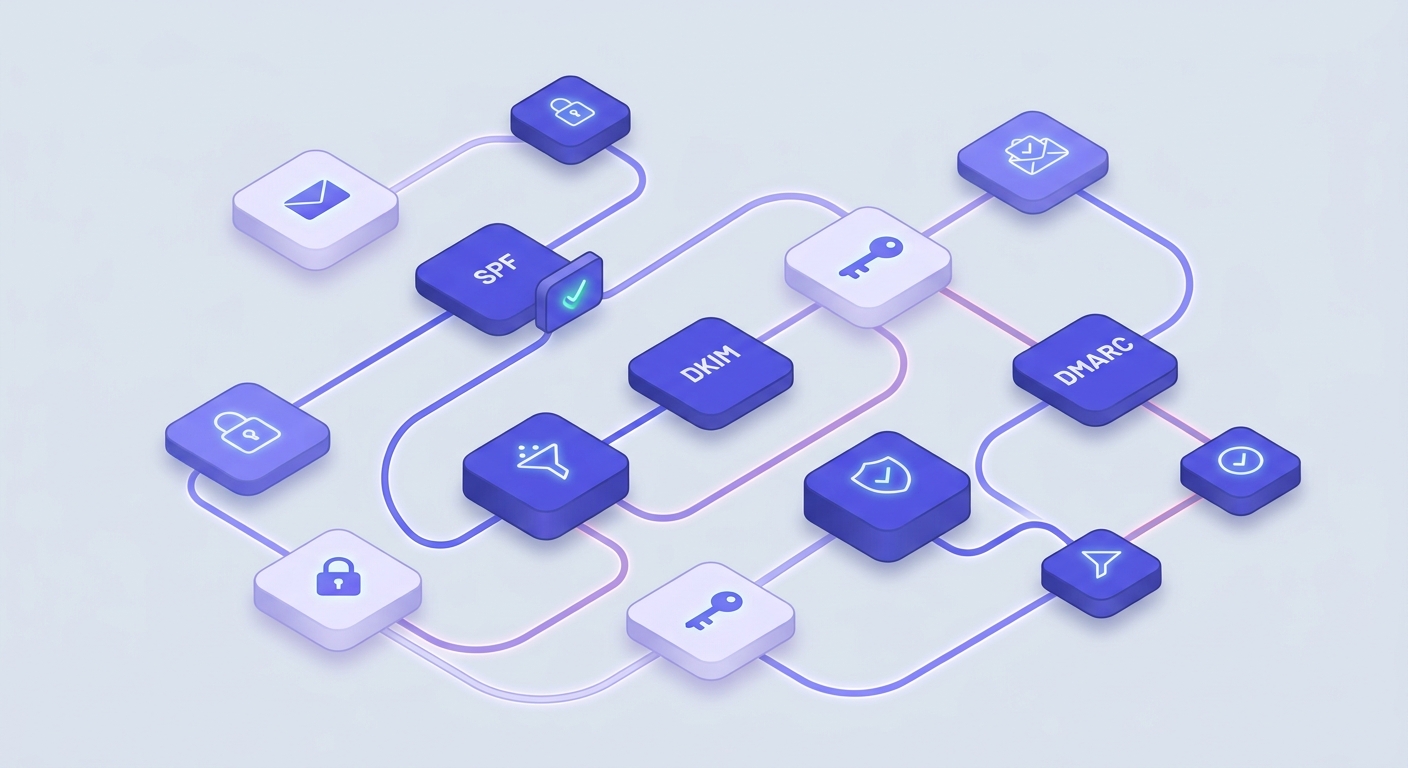
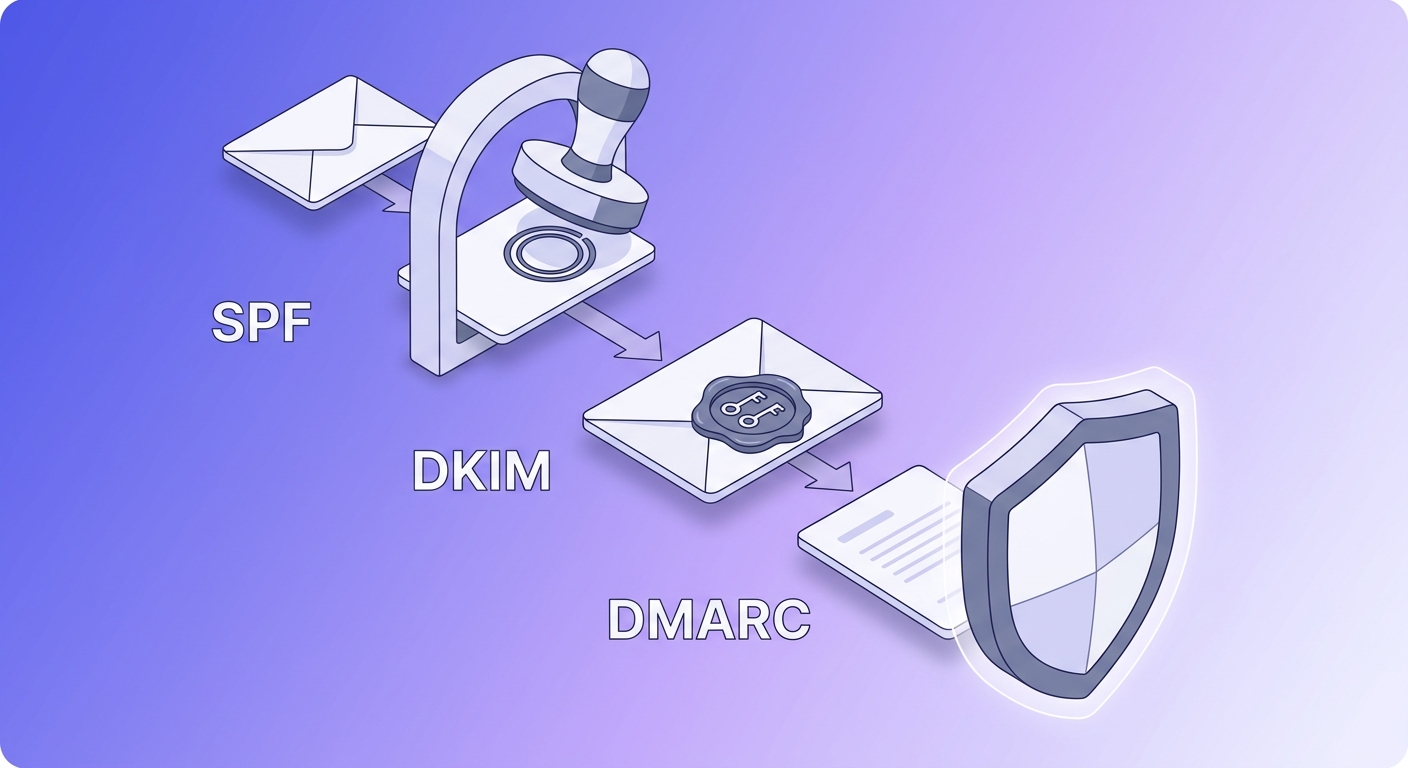
SPF (RFC 7208) authorizes the IPs allowed to send on behalf of your domain. DKIM (RFC 6376) cryptographically signs each message so receivers can confirm it wasn't tampered with in transit. DMARC (RFC 7489) ties the two together and tells inbox providers what to do when a message fails either check. All three must be in place. Any one of them missing and you're leaking authentication signals that hurt placement. Use our SPF Record Checker and DMARC Record Checker to confirm your records are valid before you start warming up.
Warm the domain for 2–4 weeks
A brand-new domain sending 500 emails on day one looks like a spam operation to every inbox provider watching. Warmup means starting at 10–20 sends per day, increasing gradually over 2–4 weeks while generating positive engagement signals (opens, replies). Transactional senders — where every email is expected and wanted — can move faster. Cold email senders cannot.
Cap volume at 30 emails per inbox per day
Thirty emails per inbox per day is the widely cited safe ceiling for cold outreach. Above that, spam signal rates climb. If you need more volume, add inboxes — not sends per inbox. Inbox rotation across multiple accounts on the same domain keeps total volume up while keeping per-inbox rates safe.
Free tool · no signup
Confirm your SPF is configured correctly
Paste your domain and see your SPF record parsed line by line — before your campaign goes live.
List building and verification: the step most guides skip
A purchased or scraped list is a deliverability liability. The addresses may have been valid two years ago. Many won't be now. Some will be spamtraps — addresses maintained by inbox providers specifically to catch senders with poor list hygiene. Hit enough of those and your domain gets flagged, possibly permanently.
Verification is the process of checking each address before it enters your campaign. A proper verification engine runs through multiple layers: syntax validation, MX record lookup, SMTP handshake, mailbox-existence probe, catch-all detection, disposable-domain detection, and spamtrap detection. Valid Email Checker runs an 11-stage verification flow that covers all of these plus role-address detection, disabled-account detection, and mailbox-full detection.
What each result status means for your campaign risk:
- Safe — real mailbox, will accept mail. Send to it.
- Risky — real mailbox but elevated bounce risk (low-engagement domain, recent migration). Use judgment; exclude from high-volume sends.
- Invalid — syntax, MX, or SMTP rejected the address. It will hard-bounce. Remove it.
- Catch-all — the domain accepts all mail regardless of whether the specific mailbox exists. You can't verify individual addresses at these domains. Treat them as uncertain and segment accordingly. See our complete guide to catch-all emails.
- Disposable — a burner address from a temporary mail provider. Remove it.
- Role — shared-inbox addresses like info@, admin@, support@. Low engagement, often filtered. Remove from cold outreach.
- Spamtrap — known trap address. Remove immediately. Sending to these damages your sender reputation regardless of everything else you do right.
- Disabled — permanently disabled by the provider. Remove it.
- Unknown — the verification engine couldn't return a definitive answer. Valid Email Checker auto-refunds credits for every Unknown result — no support ticket needed. Most verifiers charge you for this uncertainty; we don't.
That auto-refund on Unknown matters when you're evaluating verifiers. If a tool charges you for results it can't confirm, you're paying for noise. Our guarantee is that every Unknown triggers an automatic credit return — you can see these in your Credits History as "Refund: [email] returned unknown status."
Check an address before it goes on your list
Paste any email and see the full 11-stage result — safe, risky, spamtrap, or anything in between.
Powered by Valid Email Checker — full SMTP handshake, disposable + role detection, no card required.
A practical pre-send checklist for every campaign:
- Run the full list through verification. Remove all Invalid, Disposable, Role, Spamtrap, and Disabled results.
- Segment Catch-all addresses separately. Either exclude them or send with lower frequency and monitor bounce rates more closely.
- Flag Risky addresses for a separate, lower-volume sequence.
- Verify again before any major re-send. List decay runs at roughly 2% per month — a list you cleaned 90 days ago has already drifted.
If you're sourcing prospects from tools like Apollo or LinkedIn finders, verification is non-negotiable — those tools find addresses, they don't confirm deliverability.
Writing a cold email that gets a reply
Once your infrastructure is solid and your list is clean, copy matters. Here's what the data actually shows.
Emails written at a third-grade reading level outperform college-level prose by 36% in open rate, according to research from Boomerang. Short sentences. Common words. No jargon. The instinct to sound sophisticated in a cold email is the instinct that kills replies.
Watch your I/you ratio. "I" and "my" should appear at roughly half the frequency of "you" and "your." A cold email that's mostly about the sender reads as self-promotional. One that's mostly about the recipient reads as relevant.
The body structure that works: one problem, one proof point, one ask. Nothing more. A cold email is not a brochure. You're not trying to close a deal in a single message — you're trying to earn a reply. Every additional paragraph you add reduces the chance you get one.
On subject lines: specific references to the recipient's actual work beat generic curiosity hooks. "Saw your recent post on enterprise churn" outperforms "Quick question" every time, because it signals the email was written for them, not mass-produced.
The CTA rule: ask for a small next step on the first touch. "Would it make sense to chat for 15 minutes?" is a smaller ask than "Book a 30-minute demo" — and smaller asks get more yeses.
Templates are starting points. Customization doesn't mean swapping {{first_name}} — it means referencing something specific about the person's company, role, or recent work that you couldn't have written for anyone else on your list. That specificity is what separates cold email from spam, and it's what gets replies. See also our deeper look at why list quality matters more than templates.
Follow-up sequences: how many, how often, what to say
Most replies come on follow-up 2 or 3, not the first email. This is consistent across virtually every cold email study published in the last five years. If you send one email and move on, you're leaving the majority of your potential responses on the table.
A reasonable default spacing: 3–5 business days between touches. Shorter than that reads as pressure. Longer than that and you lose the thread.
The mistake most senders make on follow-ups: they just bump the thread. "Just following up" adds nothing. Each follow-up should add a new angle — a different proof point, a relevant case study, a specific question the prospect might care about. If you have nothing new to say, wait until you do.
When to stop: 3–4 touches over 2–3 weeks is a common ceiling for cold outreach. After that, continued contact without a response crosses from persistence into harassment. Mark the contact as closed for now and revisit in 6 months if the account still makes sense.
On metrics: track reply rate and positive reply rate, not open rate. Open tracking is increasingly unreliable — Apple Mail Privacy Protection, corporate email proxies, and bot-triggered opens all inflate the number. A 60% open rate with a 1% reply rate means your subject line is working and your body copy isn't. Reply rate is the metric that predicts pipeline.
Deliverability monitoring: how to know your emails are landing
Delivery and deliverability are different things. Delivery means the receiving server accepted the message — you got a 250 OK response. Deliverability means the message reached the inbox, not the spam folder. A campaign can have 100% delivery and 40% inbox placement. The gap between those two numbers is where reputation damage lives.
Bounces split into two categories. Hard bounces are permanent failures — the address doesn't exist, the domain doesn't exist, or the server explicitly rejected the message. Soft bounces are temporary: the mailbox is full, the server was unavailable. Hard bounces above 2% of your send volume are the threshold that damages sender reputation. Soft bounces are noise unless they persist across multiple sends to the same address.
When emails land in spam despite authentication being correct, the answer is usually in the email header. The X-Spam-Status, Authentication-Results, and Received-SPF fields tell you exactly what the receiving server decided and why. Our Email Header Analyzer parses these for you — paste the raw header and it shows you each field's verdict.
DMARC reports are the other underused diagnostic tool. Every major inbox provider sends aggregate reports back to your rua address showing pass/fail rates for SPF and DKIM alignment across all mail claiming to be from your domain. Most senders set up DMARC and never look at the reports. That's leaving a free diagnostic signal completely unused.
Google Postmaster Tools (postmaster.google.com) gives you domain reputation, IP reputation, and spam rate as Gmail sees it — broken down by day. If your spam rate is climbing, you'll see it here before your reply rates drop. Set it up for every sending domain.
Free tool · no signup
See where your emails actually land
Test inbox placement across Gmail, Outlook, and major providers before your next campaign send.
Scaling cold email without burning your domains
The domain rotation strategy is straightforward: instead of sending all volume from one domain, you spread it across several. If one domain's reputation takes a hit, the others continue operating. The campaign doesn't die — it absorbs the damage in one lane and keeps moving in the others.
Inbox rotation works the same way at the account level. Three inboxes on the same domain, each sending 30 emails per day, gives you 90 sends per day from that domain without any single inbox exceeding the safe ceiling.
Re-verify before every major send. This point bears repeating: list decay runs at roughly 2% per month. A list of 5,000 addresses you verified at the start of the quarter has roughly 300 stale addresses by the end of it. Those addresses don't disappear quietly — they bounce, and bounces cost you reputation. Bulk email verification before each major send is cheap insurance.
When a domain's reputation is damaged beyond recovery, retire it. Don't try to rehabilitate a domain that's been flagged — the cost in time and degraded placement isn't worth it. Archive the campaign data, spin up a new domain, warm it properly, and start clean. The history lives in your CRM, not in the sending domain.
On software economics: flat-fee tools make more sense at scale than per-seat pricing, because your cost doesn't grow linearly with inbox count. If you're running 10 inboxes across three domains, per-seat pricing compounds fast. Run the numbers before you commit to a platform — the math changes significantly above five sending accounts.
The full picture of cold email at scale is covered in our post on email deliverability enforcement in 2026 — the rules have tightened considerably and the monitoring has too.
The pre-send checklist
Before any cold email campaign goes live, run through this list. Every item is a potential campaign-killer if skipped.
- Dedicated sending domain set up and aged (not your primary domain)
- SPF, DKIM, and DMARC configured and validated — use SPF Record Checker and DMARC Record Checker
- Domain warmed up for at least 2 weeks with positive engagement signals
- Full list verified — Invalid, Disposable, Role, Spamtrap, and Disabled removed
- Catch-all addresses segmented into a separate, lower-frequency sequence
- Per-inbox send volume capped at 30/day
- Google Postmaster Tools configured for every sending domain
- Reply tracking enabled; open tracking treated as a secondary signal only
- Follow-up sequence planned with distinct value adds at each touch
Clean list, authenticated domain, conservative volume. Everything after that — subject lines, copy, CTAs — is optimization. These three are the floor.
Frequently asked questions
What is the difference between cold email and spam?
What reply rate should I expect from a cold email campaign?
How do I set up SPF, DKIM, and DMARC for a cold email domain?
Why are my cold emails going to spam even though I have authentication set up?
How many cold emails can I send per day without hurting my sender reputation?
Do I need to verify my email list before a cold outreach campaign?
How long should I warm up a new sending domain before cold emailing?
What happens if my bounce rate is too high on a cold email campaign?
The senders who run cold email sustainably share one habit: they treat the list as infrastructure, not an afterthought. Verify before every campaign, monitor your bounce rate after every send, and the copy has a chance to do its job. Run the first 200 verifications free below — pull a sample from your next campaign and see exactly what you're working with.
Try Valid Email Checker free
Verify any email in under a second
Get 150 free verifications. No credit card. Auto-refund on every Unknown result — the only verifier we know that does this.
- 150 free credits when you sign up
- Auto-refund every Unknown verification (we're the only ones that do)
- 11-stage flow catches what 1-step checkers miss
- Drop-in integrations for Mailchimp, HubSpot, SendGrid, 14 more
Written by
Emmanuel KwartengEmmanuel is the founder of Valid Email Checker. He spends most of his time in bounce logs, verification data, and the gap between what email vendors promise and what actually happens when you hit send. He started the company because too much deliverability advice is guesswork dressed up as best practice, and he writes here to cut through it with the numbers behind each claim.