Email Verification: The 11 Stages & Every Status Explained
 Emmanuel KwartengJune 15, 2026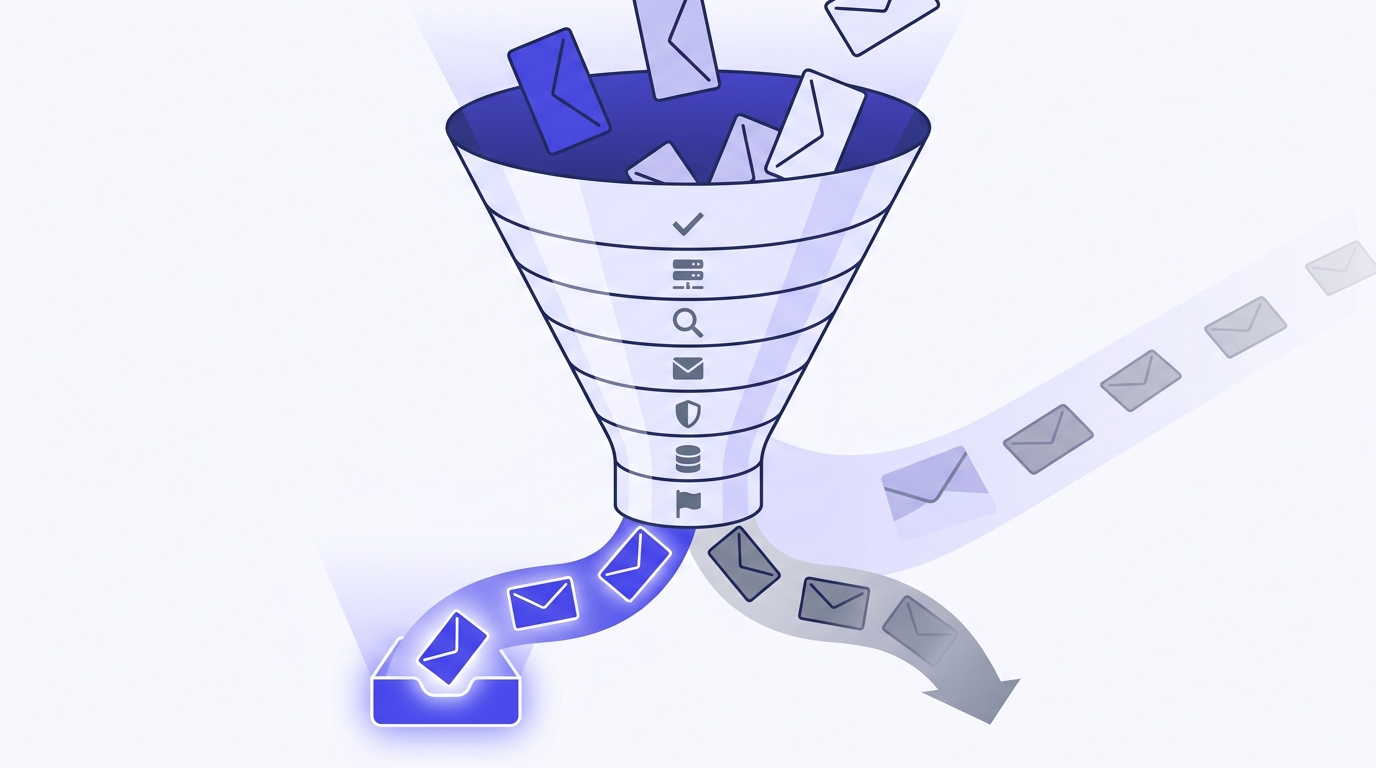
You sent a campaign last week. A chunk of it bounced, your open rate looked off, and now you're wondering whether your sender reputation took a hit you can't see yet.
By the end of this guide you'll be able to read any verification result, know exactly which addresses to suppress, and build a hygiene routine that keeps your bounce rate under the line that gets accounts throttled. No theory for theory's sake. Every status maps to a decision you make in your ESP.
The part most guides skip: what happens when a result comes back as Unknown, and why you should never pay for one.
What email verification actually does
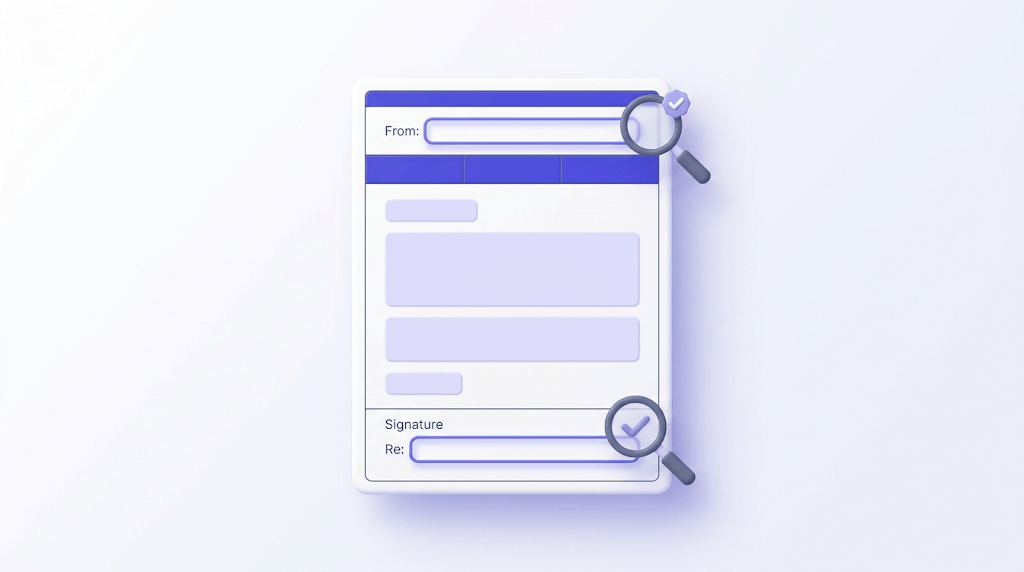
Email verification is the process of confirming that an address can actually receive mail before you send to it. That sounds simple. The gap between a syntax check and a real mailbox confirmation is where most senders get burned.
Here's the distinction that matters. Validation usually means checking the format: does the address have a local part, an @ sign, and a domain that looks plausible? That's a regex test against the RFC 5321 address rules. It catches typos like john@@gmail.com, but it tells you nothing about whether john@gmail.com is a live inbox or a deleted account.
Verification goes further. It looks up the domain's mail servers, opens a conversation with the receiving server, and probes whether the specific mailbox exists. The format check is one stage of that. The mailbox confirmation is the part that actually saves you from bounces.
The mailbox probe rides on the SMTP handshake. Your verifier connects to the receiving server, issues a MAIL FROM command, then a RCPT TO with the address you're checking. A healthy server answers with a 250 if the mailbox accepts mail, or a 550 if it doesn't exist. That single exchange is the difference between a guess and a confirmation.
Bounces split into two modes, and they aren't the same problem. A hard bounce is permanent: the address is invalid, the domain has no mail server, or the account is gone. A soft bounce is temporary: the mailbox is full, the account is disabled but recoverable, or the server is briefly unavailable. Verification maps these to distinct statuses so you can suppress the permanent failures and re-check the temporary ones later.
Now the honest part. Verification reduces bounce risk, it does not erase it. The clearest example is a catch-all domain, which accepts mail for every possible address whether the mailbox exists or not. On those domains, no verifier on earth can confirm a specific inbox from the outside. The right expectation is a sharp reduction in bounces, not a guarantee of zero. Anyone promising 100% is selling you the dataset they tested on, not the inbox you're sending to.
The one-line version
Validation asks 'is this shaped like an email?' Verification asks 'will this mailbox accept my message?' You want the second answer.
The 11 checks that happen when you verify an email
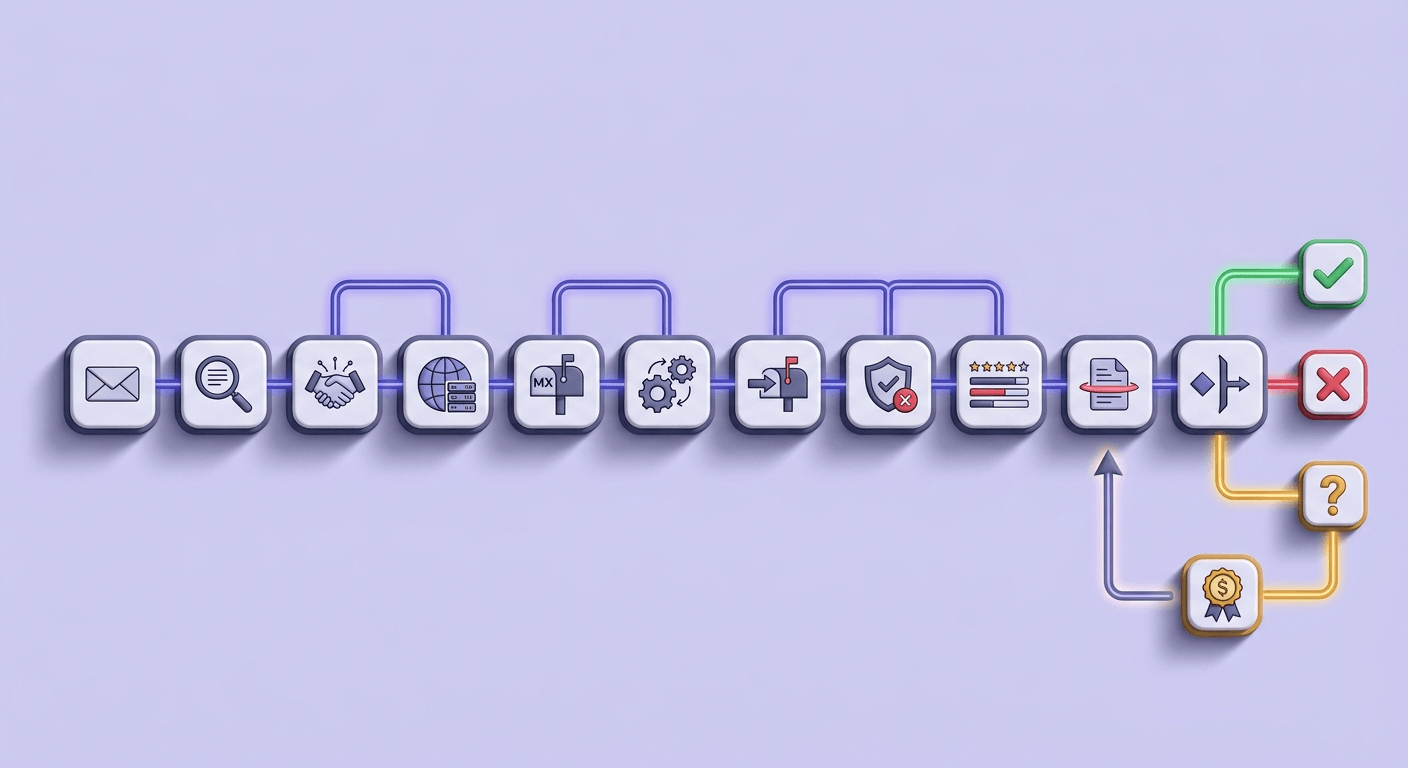
Most free tools run four to seven checks and call it done. Valid Email Checker runs an 11-stage verification flow across two providers in failover. Here's what each stage is actually testing, in plain language.
Stage 1, syntax. The address gets parsed against the format rules in RFC 5321 and the message-format rules in RFC 5322. A malformed local part, a double dot, an illegal character, or a missing domain fails here. Cheap to run, and it catches a surprising share of typos in any list pulled from a web form.
Stage 2, MX record lookup. The verifier queries the domain's DNS for its mail exchanger records. If a domain has no MX record, it cannot receive mail, full stop. This is also where domains that look real but were never configured for email get caught. You can run the same lookup yourself with an MX record checker when you want to see a domain's mail routing directly.
Stage 3, SMTP handshake. This is the core probe. The verifier connects to the highest-priority mail server and walks through the SMTP conversation up to the RCPT TO step, reading the server's response code to infer whether the mailbox exists. Done carefully, it confirms the mailbox without ever delivering a message.
Stage 4, catch-all detection. Before trusting a 250 OK, the flow tests whether the domain accepts mail for a random, almost-certainly-nonexistent address. If the server says yes to that too, the domain is catch-all, and the original 250 proves nothing about the real mailbox. This single test separates a serious verifier from a naive one.
Stages 5 through 8, the risk filters. Role detection flags shared addresses like info@ or support@. Disposable detection matches the domain against a list of burner providers, currently 111,102 domains refreshed weekly. Spamtrap detection screens for addresses known to be recycled into traps. Mailbox-full detection reads the over-quota response that marks a temporarily unreachable inbox.
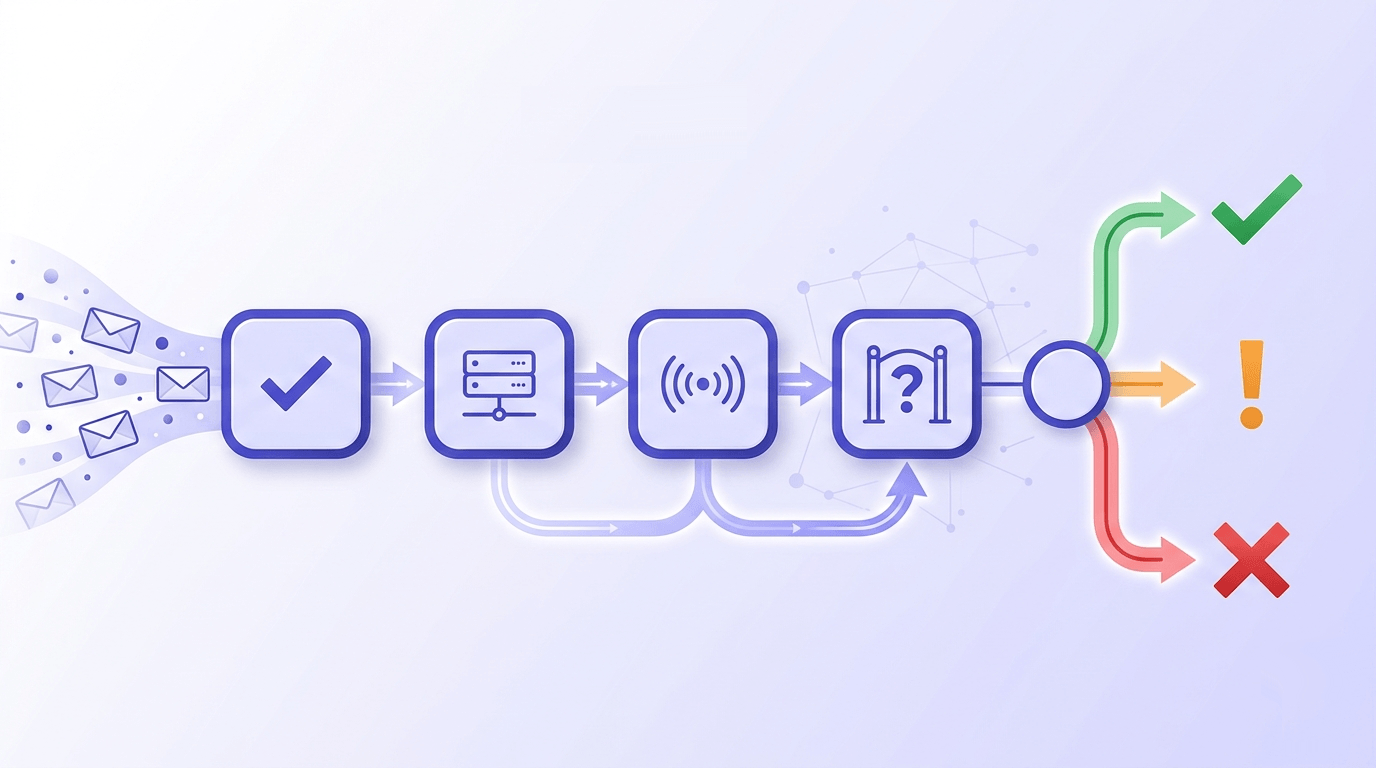
Stages 9 through 11, the closers. Disabled-account detection catches mailboxes a provider has permanently switched off. Provider failover re-runs the inconclusive checks through a second upstream when the first returns a non-definitive answer. Final classification maps everything collected into one of ten statuses.
That last stage is where Unknown lives. When both providers return a non-definitive answer, the address can't be honestly classified as safe or invalid. Most verifiers bill you for that result anyway. We refund the credit automatically, because charging for an answer we couldn't give you is the kind of thing we'd be annoyed by as customers. More on that below.
The 10 verification statuses and what to do with each one
A status you can't act on is trivia. Here's every result Valid Email Checker can return, paired with the send decision it should drive. The full reference also lives in our result types explained article.
Safe. A real mailbox confirmed by the SMTP probe. Send freely. These are the addresses your whole deliverability strategy is built to protect.
Risky. A real mailbox, but with elevated bounce probability: a low-engagement domain, a recent migration, or signals that the inbox may be neglected. Don't suppress outright. Move these into a lower-frequency stream and watch how they behave before you trust them at full volume.
Invalid. The address will hard-bounce. Syntax, MX, or SMTP rejected it. Suppress immediately and never send. Every Invalid you mail is a direct deposit into reputation damage.
Catch-all. The domain accepts all mail, so the specific mailbox can't be confirmed. Segment these separately rather than blasting them. Some are real and engaged; some are dead. Our complete guide to catch-all emails covers how to handle them without nuking deliverability.
Disposable. A burner or ten-minute-mail address. Suppress. There's no engagement value in a mailbox designed to evaporate, and these correlate with fraud signups.
Role. A shared address like admin@, sales@, or hello@. These route to multiple people, open at low rates, and carry higher spam-complaint risk. Suppress for cold sending, or segment for transactional contexts where a role address is the correct recipient.
Spamtrap. A known trap address. Suppress with urgency. Hitting a spamtrap is one of the fastest ways to land on a blocklist, and the damage outlasts the single send by weeks.
Disabled. The account is permanently switched off by the provider. Suppress. Unlike inbox-full, this one isn't coming back.
Inbox_full. The mailbox is over quota and temporarily can't receive mail. Don't suppress permanently. Re-verify after 30 days; many of these recover and become Safe.
Unknown. Neither provider could give a definitive answer. Do not pay for this. If your current verifier charges you for Unknown results, that alone is a reason to switch. We refund the credit automatically and log it in your credits history.

| Status | What it means | Your move |
|---|---|---|
| Safe | Confirmed live mailbox | Send freely |
| Risky | Live but elevated bounce risk | Lower-frequency stream |
| Invalid | Will hard-bounce | Suppress now |
| Catch-all | Domain accepts all mail | Segment separately |
| Disposable | Burner address | Suppress |
| Role | Shared inbox | Suppress or segment |
| Spamtrap | Known trap | Suppress urgently |
| Disabled | Permanently off | Suppress |
| Inbox_full | Over quota, temporary | Re-verify in 30 days |
| Unknown | No definitive answer | Don't pay for it |
See a real verification result
Paste any address and watch the 11-stage flow return a live status.
Powered by Valid Email Checker — full SMTP handshake, disposable + role detection, no card required.
Validation vs. verification: clearing up the confusion
These two words get used interchangeably, and the conflation costs people money. Let me separate them cleanly, because the difference decides whether you actually prevent bounces or just feel like you did.
Validation is a format and existence-of-domain check. It runs entirely on logic and DNS, never touches the receiving mail server, and returns in milliseconds. It's perfect for a signup form where you want to reject obvious garbage before it hits your database. An email syntax checker does exactly this job.
Verification adds the live mailbox probe. It costs more to run because it opens a real connection to the receiving server, and it returns the statuses we just walked through. This is what you want before a campaign, because it answers the only question that matters at send time: will this address accept mail?
A practical way to think about it: validation is the bouncer checking your ID at the door, verification is the bouncer calling the venue to confirm your name is on the list. The first stops the obviously fake. The second confirms the real thing. Use validation at the point of capture and verification before the send, and you've covered both ends of the list.
If you only do one, do verification before sending. A clean-looking address that bounces hurts your reputation; a malformed one your form rejected never entered the picture. You can run a fast check on a single address with our email checker or a deeper probe with the email verifier.
Validation asks if an address is shaped right. Verification asks if anyone's home. Senders who confuse the two ship to ghosts.
Valid Email Checker
editorial
Why bounce rate is the metric that actually matters
Open rates are noisy and increasingly unreliable thanks to privacy proxies that pre-fetch images. Click rates measure content, not list health. Bounce rate is the one number that tells inbox providers, in real time, whether you know who you're sending to.
Here's the threshold that should govern your behavior. Most ESPs start throttling or reviewing accounts when hard bounces climb past 2%, and some act sooner. Cross it consistently and you risk suspension, not just a warning. The math is unforgiving: 10,000 sends with 250 hard bounces puts you at 2.5%, already in the danger zone.
Every bounce is a data point. Inbox providers like Gmail watch the ratio of attempted sends to failed deliveries from your sending IP and domain. A spike tells them you're either buying lists or not cleaning them, and both correlate with spam. That signal feeds directly into where your next campaign lands. Google spells this relationship out in its sender guidelines, which now treat low complaint and bounce rates as baseline requirements rather than nice-to-haves.
The effect compounds. A dirty list today doesn't just bounce today; it lowers your reputation score, which lowers inbox placement next week, which lowers engagement, which lowers reputation further. The hole gets deeper the longer you ignore it. This is the core argument of our pillar on email deliverability vs. delivery, and it's worth reading alongside this guide.
To calculate your current rate: divide hard bounces by total sends for a recent campaign, then multiply by 100. Under 1% is healthy. Between 1 and 2% is a warning. Above 2% means stop and clean before your next send. If you don't know your number, that's the first thing to fix this week.
The cost comparison settles the argument. Suppressing one bad address before a send costs a single verification credit. One deliverability penalty costs you reach across your entire list for the weeks it takes reputation to recover. Cleaning is always cheaper than rebuilding. You can gut-check where you stand with our email deliverability checker before you commit to a campaign.

The 2% line
Treat 2% hard bounces as a hard ceiling, not a target. Most senders who get throttled saw it coming in their bounce report and shipped anyway.
Single, bulk, and API verification: when to use each
There are three ways to verify, and using the wrong one for the job either wastes your time or breaks at scale. Match the mode to the moment.
Single verification is for spot checks. A sales rep about to email a prospect, a one-off CRM lookup, a quick confidence check before a high-value send. You paste one address and get a result in under a second. It's the fastest way to avoid an embarrassing bounce on an email that matters. Reach for the email verifier or the single-email verification flow in your dashboard.
Bulk verification is for lists. Cleaning before a campaign, vetting a list you inherited, scrubbing a database that's been growing for years. You upload a CSV, the system processes it asynchronously, and you read a status breakdown before downloading the cleaned file. Lists over 50,000 rows split into chunks the system tracks for you. The full process lives in our bulk verification walkthrough.
API verification is for pipelines. Real-time signup-form checks, CRM enrichment, outbound automation that needs a verdict at the moment of capture. A single check returns sub-second; bulk submissions run queue-and-poll because you don't hold an HTTP connection open while a million addresses process. The API overview and the single verification endpoint docs cover the details.
On that last point: don't expect a synchronous response for a bulk job. The right architecture submits the list, gets a task ID, and polls for results. Trying to verify 50,000 addresses in one blocking request is a design mistake that will time out. The async model exists precisely because mailbox probes take real time when you run them honestly.
const res = await fetch(
  'https://api.validemailchecker.com/functions/v1/api-verify-single',
  {
    method: 'POST',
    headers: {
      'Authorization': `Bearer ${process.env.VEC_API_KEY}`,
      'Content-Type': 'application/json'
    },
    body: JSON.stringify({ email: 'name@company.com' })
  }
);
const { status } = await res.json();
console.log(status); // 'safe' | 'risky' | 'invalid' | ...
How to verify your email list before a campaign
This is the workflow that prevents the bad-Monday-morning bounce report. Five steps, start to finish, and you only need to learn it once.
Export your list as CSV
Pull the list from your ESP with at least the email column. Keep the name and any segment columns too, so you can re-import without losing structure. A clean export with one address per row is all the verifier needs.
Upload and read the breakdown first
Upload the CSV and look at the status breakdown before you download anything. The mix of Safe, Risky, Invalid, and Catch-all tells you how bad the problem is and how aggressively to act. If 15% comes back Invalid, you just learned why your last campaign underperformed.
Suppress the permanent failures
Remove every Invalid, Disposable, Spamtrap, and Disabled address immediately. These will never deliver value and every one of them hurts your reputation. This is the non-negotiable step.
Segment, don't delete, the gray zone
Move Catch-all and Risky addresses into a lower-frequency stream rather than suppressing them entirely. Send to them less often, watch engagement, and promote the ones that respond. You preserve reach without betting your reputation on unconfirmed mailboxes.
Re-import and measure
Push the cleaned list back into your ESP and record the before-and-after bounce rate on your next send. Documenting the delta is how you prove the routine pays for itself, and it's the evidence you'll want if you ever file a blocklist removal request.
If your list lives in a platform we integrate with, you can skip the manual export entirely. Connect Mailchimp, Klaviyo, HubSpot, or any of our 17 supported platforms, and the list goes in dirty and the clean version lands back in the same audience. The integrations overview walks through the connection flow.
Free tool · no signup
Verify a list before your next send
Upload a CSV, read the status breakdown, and download a cleaned list. The first 200 verifications are free.
Why some addresses come back Unknown (and why you shouldn't pay)
Unknown is the most misunderstood result in verification, and it's where the industry quietly takes your money. Here's what's actually happening.
An Unknown means both upstream providers tried the mailbox probe and neither got a definitive answer. The receiving server might be temporarily refusing connections, deliberately greylisting unknown senders, rate-limiting probes, or returning an ambiguous response that can't be safely read as either accept or reject. The address might be perfectly fine; the verifier simply couldn't confirm it in that window.
Some servers are designed to frustrate probing on purpose. Greylisting, for instance, deliberately defers the first contact from an unknown sender, which is great for blocking spam and terrible for getting a clean verification result on the first pass. A good verifier retries through a second provider, which is exactly what stage 10 of our flow does. When even that fails, the honest answer is Unknown.
Now the part that matters for your wallet. Most verifiers charge you for an Unknown, because to them it's a completed lookup. We disagree. If we can't tell you whether an address is good, billing you for the non-answer is indefensible. So we refund the credit automatically whenever the final status is Unknown, with no support ticket and no fine print. The refund posts to your credits history with the address attached.
This is the single feature we'd tell you to demand from any verifier. It's the topic of our deep dives on the free email verifier and the Unknown refund and on why Unknown results cost you more with bulk tools. The principle is simple: a verifier that profits from its own uncertainty has no incentive to reduce it.
Our baseline, not our premium tier
Auto-refund on Unknown is standard on every plan, including the 200 free credits you get at signup. We don't gate it behind an upgrade. See the mechanics in our refunds and credit returns guide.
What 'catch-all' really means
Catch-all is the status that confuses people most, because it sits in the gap between confirmed and rejected. Understanding it changes how you treat a meaningful chunk of any B2B list.
A catch-all domain is configured to accept mail for every conceivable address rather than rejecting unknown recipients. Mail to realperson@company.com and asdfghjkl@company.com both get a 250 OK, because the server accepts first and sorts later. Many corporate domains run this way deliberately, so a typo'd address still reaches a human instead of bouncing.
The consequence for verification is unavoidable: on a catch-all domain, an external probe cannot distinguish a real mailbox from a fake one. The server says yes to everything. This isn't a limitation of one tool; it's a property of how the domain is configured, and no verifier can engineer around it from the outside.
So what do you do? Don't treat Catch-all as Invalid, and don't treat it as Safe. Segment it. Some catch-all addresses are your best customers at well-run companies. Others are dead. Send to the segment at a lower frequency, watch which addresses engage, and let behavior sort them over a few sends. Promote the responders, quietly retire the silent ones.
Our catch-all guide goes deeper on segmentation tactics. The short version: catch-all is a 'proceed carefully' signal, not a 'stop' or a 'go,' and senders who blanket-suppress it throw away real reach while senders who blanket-send to it inflate their bounce risk.
How email verification and deliverability connect
Verification and authentication solve different halves of the same problem, and you need both. Skip either one and your mail still ends up in spam.
Authentication answers 'who are you?' SPF lists the IPs allowed to send for your domain, defined in RFC 7208. DKIM signs your mail so the receiver can confirm it wasn't tampered with. DMARC, defined in RFC 7489, ties the two together and tells receivers what to do with mail that fails. Together they prove you're a legitimate sender, not a spoofer.
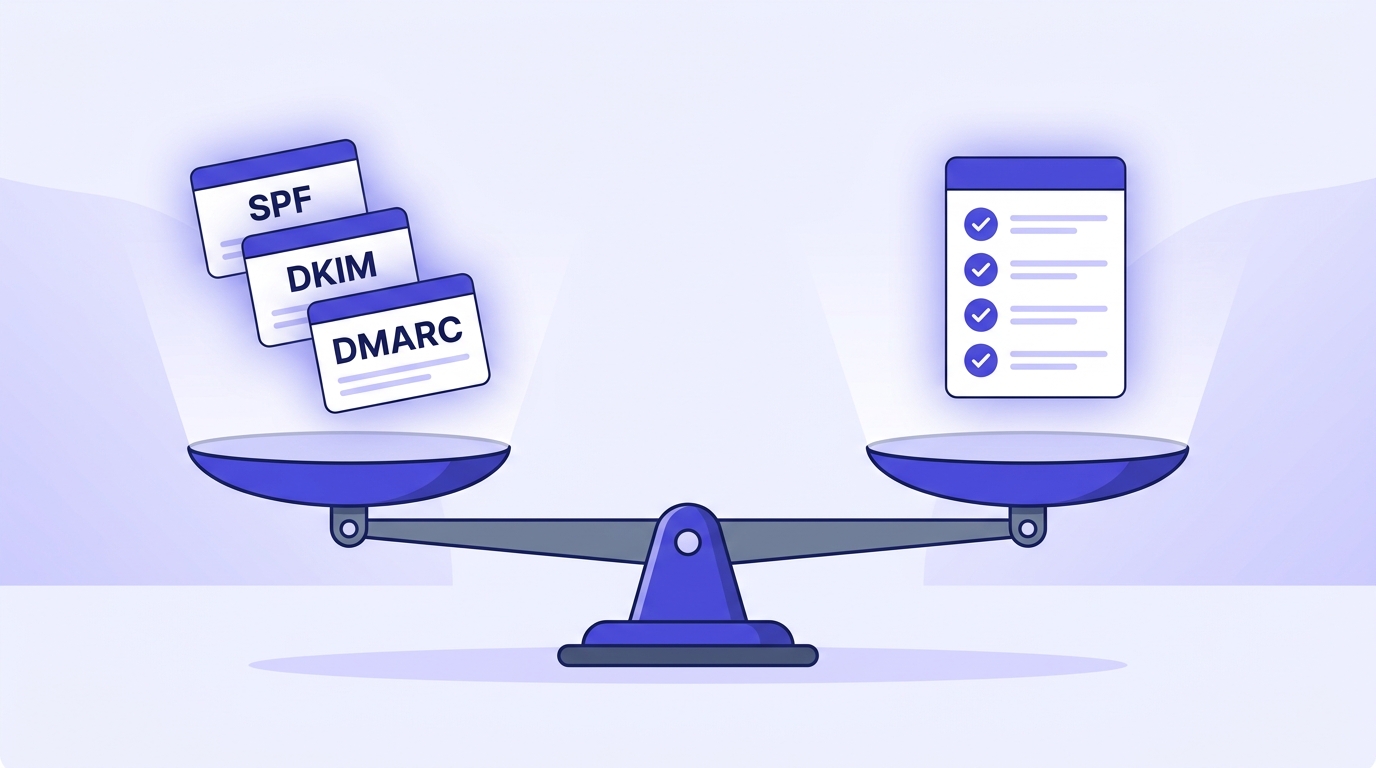
Verification answers a different question: 'is your list worth delivering to?' A perfectly authenticated domain sending to a list full of Invalids and spamtraps still craters, because inbox providers weight your bounce and complaint history alongside your authentication. Clean credentials, dirty list, spam folder. That's the trap most senders fall into after they finish their SPF setup and think they're done.
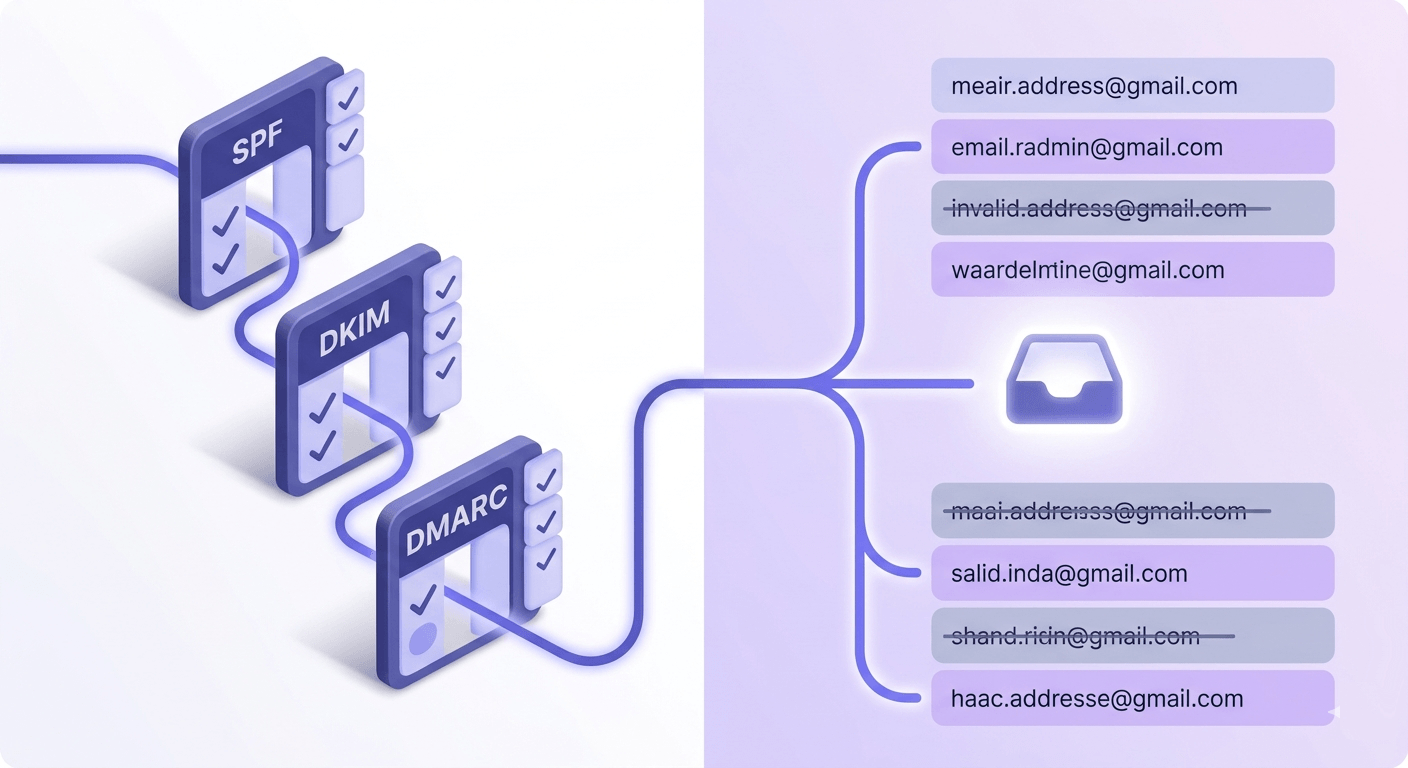
The two-sided fix: get your authentication right and verify your list on a schedule. For the authentication half, our SPF record generator guide covers the common ten-lookup trap, and you can audit your setup with the DMARC record checker or by reading your DMARC report for signs of trouble.
A DMARC aggregate report is also an underused diagnostic for list problems. Spikes in failed sources, unexpected sending IPs, and high failure ratios can flag reputation damage that traces back to a dirty list. Google's Postmaster Tools shows the same story from the receiver's side. Read both together and you'll spot trouble before a campaign tanks.
What to look for in a verifier (and the feature most skip)
If you're choosing a verification tool, here's the checklist that separates a serious engine from a syntax checker with good marketing.
- Multi-stage SMTP probing with provider failover. Single-provider tools miss more, because when one upstream gets greylisted or rate-limited, there's no second attempt. Failover is the difference between a confident Safe and a lazy Unknown.
- Real catch-all detection. Not just a flag, but an actual probe of a random address to confirm the domain's behavior. Without it, every catch-all gets mislabeled Safe and your bounce rate pays the bill.
- A transparent status taxonomy. You need to know why an address failed, not just that it did. Ten distinct statuses beat a binary good/bad, because each one maps to a different send decision.
- Auto-refund on Unknown. The industry standard is to charge anyway. This is the one feature most tools skip, and the one we'd refuse to live without.
- ESP integration. Clean results should land back in the right audience automatically, not sit in a CSV you have to re-import by hand.
Notice that accuracy claims aren't on the list. Any tool can claim 99.5% against a curated test set of obvious addresses. The real test is how a verifier handles the hard cases: catch-all domains, greylisting servers, and the ambiguous responses that produce Unknowns. A tool that's honest about Unknown and refunds it is telling you something a headline accuracy number never will.
Our own commitments are documented in our guarantee, which covers accuracy, the automatic Unknown refund, and how your data is handled. We're a small team and we wrote that page to be the thing we'd want to read before trusting a vendor with a list.
How often you should verify your list
Verification isn't a one-time event. Email lists decay, and the decay rate is faster than most people assume. People change jobs, abandon inboxes, and let mailboxes fill up. An address that was Safe in January can be Disabled by June.
A reasonable baseline: verify before every major campaign, and run a full-list hygiene pass at least quarterly. High-velocity senders mailing daily should verify new acquisitions in real time at the point of capture and re-verify the active list monthly. The faster you send, the faster a dead address compounds into a reputation problem.
Build a rolling schedule rather than one annual purge. Verify new signups via API as they arrive, re-verify any segment before you reactivate it after a quiet period, and re-check Inbox_full and Risky addresses on a 30-day cycle so recovered mailboxes can rejoin the Safe pool. The goal is that no address goes stale long enough to bounce.
To make this painless, auto-refill keeps credits topped up so a hygiene pass never stalls mid-campaign for lack of balance. Pair that with a calendar reminder and the routine runs itself. The cold-email crowd, who live and die on bounce rate, should read our take on cold email list verification for the high-frequency version of this schedule.
Common verification mistakes that quietly cost you
A few patterns show up again and again, and each one undoes the value of verifying in the first place.
Verifying once and never again. A list cleaned a year ago is a dirty list today. Decay is continuous; your hygiene has to be too.
Treating Catch-all as Invalid. Blanket-suppressing catch-all domains throws away real, engaged contacts at well-run companies. Segment instead.
Paying for Unknown results. If your tool bills you for non-answers, you're funding its lack of incentive to improve. Demand the refund.
Skipping verification because authentication is set up. SPF, DKIM, and DMARC prove who you are. They do nothing about a list full of dead addresses. Both halves or neither works.
Ignoring the status breakdown. The mix of statuses is a free diagnosis of your acquisition sources. A high Disposable share points to a fraud or incentive problem at signup; a high Invalid share points to a bad data source. Read the breakdown, don't just download the clean file.
If you hit a snag during a bulk run, the troubleshooting bulk upload guide and the verification results troubleshooting article cover the usual culprits, from CSV formatting to unexpected status mixes.
Frequently asked questions
What is email verification and how does it work?
What is the difference between email validation and email verification?
What does 'catch-all' mean in email verification?
Why do some addresses come back as Unknown, and should I pay for those?
How often should I verify my email list?
What bounce rate is considered dangerous for sender reputation?
Can email verification guarantee 100% deliverability?
What is the difference between single, bulk, and API verification?
Inbox placement is the metric that pays, and bounce rate is the early warning that it's slipping. You now know what every verification status means and exactly what to do with each one. The fastest way to see where your own list stands is to run a sample through the verifier below and read the failure mix, and if any address comes back Unknown, that credit comes straight back to you.
Try Valid Email Checker free
Verify any email in under a second
Get 150 free verifications. No credit card. Auto-refund on every Unknown result — the only verifier we know that does this.
- 150 free credits when you sign up
- Auto-refund every Unknown verification (we're the only ones that do)
- 11-stage flow catches what 1-step checkers miss
- Drop-in integrations for Mailchimp, HubSpot, SendGrid, 14 more
Written by
Emmanuel KwartengEmmanuel is the founder of Valid Email Checker. He spends most of his time in bounce logs, verification data, and the gap between what email vendors promise and what actually happens when you hit send. He started the company because too much deliverability advice is guesswork dressed up as best practice, and he writes here to cut through it with the numbers behind each claim.