Why Your Emails Go to Spam (and How to Fix It)
 Mara ChenJune 18, 2026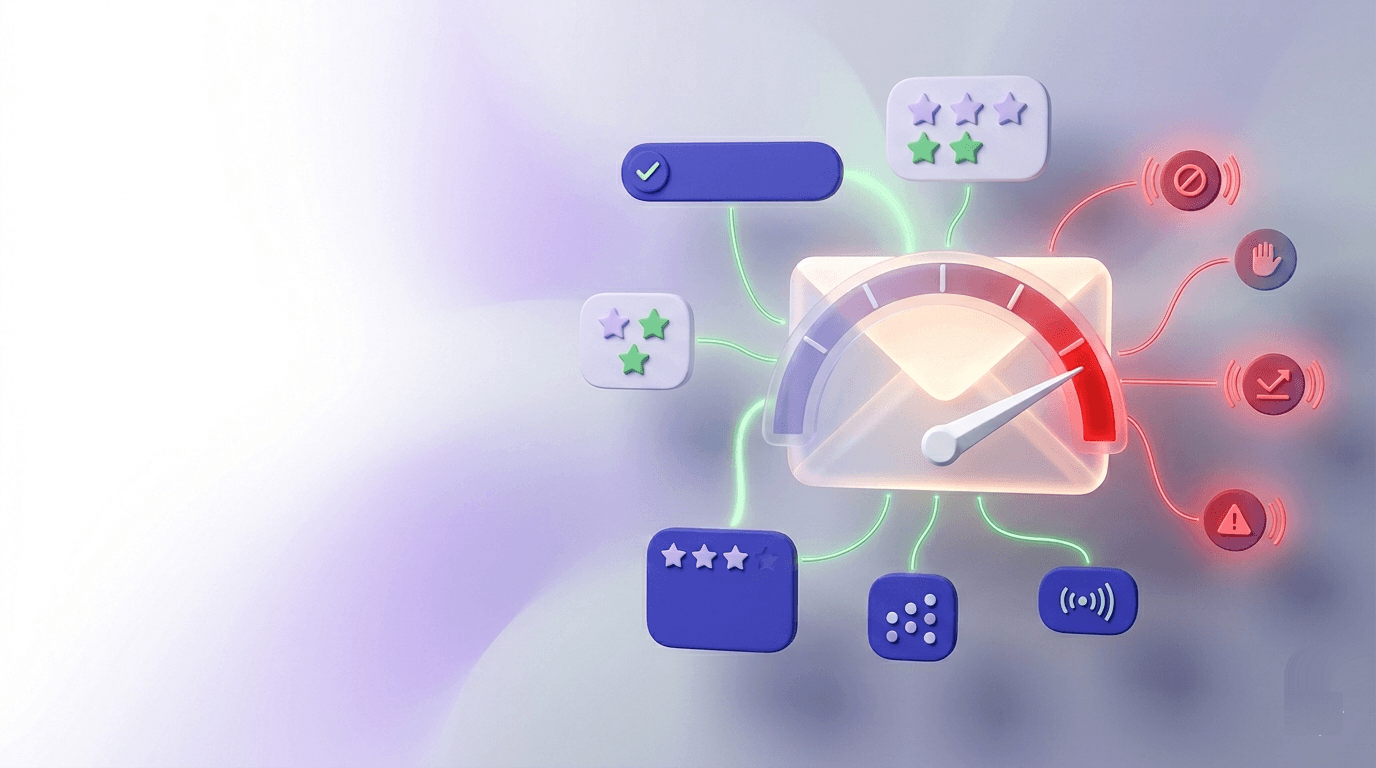
You set up SPF. You have DKIM. Your content doesn't scream "FREE MONEY." And your emails still land in spam. That's not bad luck — it's a scoring problem, and the score is built from a dozen signals you may not have checked yet.
By the time you finish this post, you'll know exactly which signal is most likely dragging your messages into the spam folder — and which one to fix first. Most guides hand you a checklist and call it done. This one gives you a diagnostic sequence, because fixing your content while your authentication is broken is like mopping the floor while the pipe is still leaking.
The specific thresholds matter here: Gmail's published complaint-rate limit is 0.1%, and a bounce rate above 2% puts your sender reputation under active scrutiny. We'll connect every fix to the number it protects.
The short answer: spam filters score everything
Spam filters don't flip a single binary switch. They run a scoring model across dozens of signals simultaneously — authentication status, sender reputation, list quality, content patterns, engagement history — and your message lands in spam when the cumulative score crosses a threshold.
No two filters are identical. Gmail's model differs from Outlook's, which differs from Yahoo's. A message can pass Gmail's filter and fail Outlook's on the same send. That's not a bug — it reflects the fact that each provider trains its model on its own corpus of user behavior.
The three main mechanisms most filters use:
- Rule-based scoring — explicit penalties for known spam patterns (all-caps subject lines, certain phrases, broken HTML).
- Fingerprinting — matching message structure or content against known spam campaigns.
- Machine learning — pattern recognition trained on billions of user actions: what gets marked as spam, what gets moved to inbox, what gets replied to.
The goal isn't to "beat" the filter. It's to remove enough negative signals that your score stays well below the threshold — on every major provider, on every send.
Authentication failures are the fastest path to spam
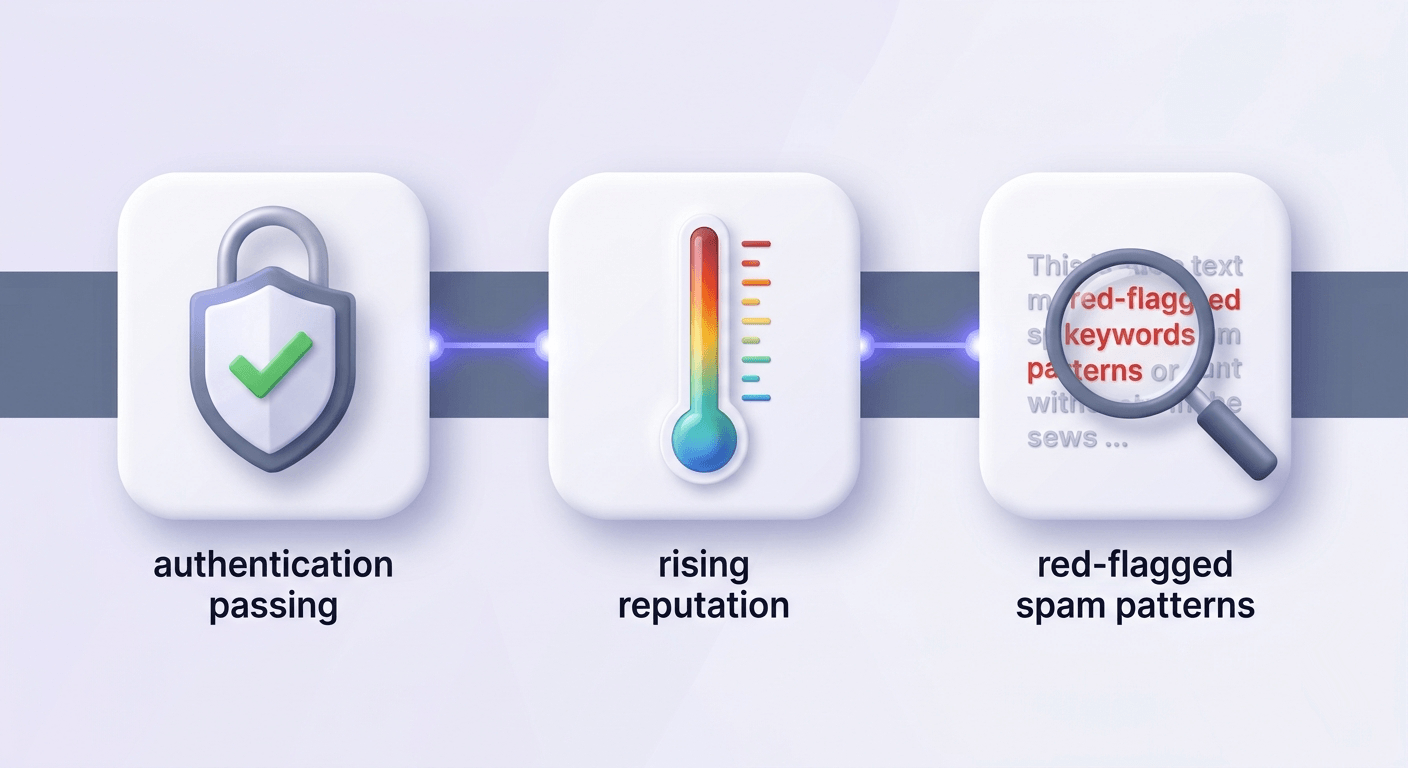
SPF, DKIM, and DMARC are no longer optional. In February 2024, Google and Yahoo made authentication enforcement mandatory for bulk senders — anyone sending more than 5,000 messages per day to Gmail addresses must have all three configured correctly. Smaller senders still benefit from the same protections; the difference is enforcement timing.
Here's what each failure actually means to a receiving server:
- Missing or broken SPF — the receiver can't confirm your sending IP is authorized for your domain. The message is a stranger with no ID.
- Failed DKIM signature — the receiver concludes the message was either altered in transit or was never signed by your domain. Both interpretations are bad.
- DMARC at p=none — you get aggregate reports, but the policy offers zero protection. Unauthenticated mail still flows through; you're just watching it happen.
The most common misconfiguration we see isn't a missing record — it's an SPF record that exceeds 10 DNS lookups. RFC 7208 sets a hard limit of 10 recursive lookups. Go over and the record returns a permerror, which most receivers treat as a fail. Every include: directive counts toward that limit, and stacking ESPs (SendGrid + Mailgun + HubSpot + Google Workspace) gets you there fast. Read more about the lookup trap in the SPF Record Generator guide.
Check all three in under two minutes: check your SPF record, verify your DMARC policy with the DMARC Record Checker, and run your DKIM selector through the DKIM Record Checker. Look for hard failures first — a permerror or none result on any of them is your immediate fix. For a deeper walkthrough of how the three records work together, the email authentication guide covers the mechanics in full.
Free tool · no signup
Check your SPF record now
Spot lookup-limit errors, missing includes, and misconfigurations in seconds.
Sender reputation: the score you can't see but can't ignore
Every inbox provider maintains per-domain and per-IP reputation scores. They don't publish them. You infer them from delivery data, and by the time the data is obvious, the damage is already done.
Two published thresholds matter more than any other:
- Bounce rate above 2% — hard bounces signal that your list contains addresses that don't exist. Receivers interpret high bounce rates as evidence you're sending to purchased or scraped lists.
- Spam complaint rate above 0.1% — that's 1 complaint per 1,000 sends. Gmail will begin suppressing your mail before you hit 0.3%. The email deliverability 2026 enforcement post has the current enforcement timeline.
Shared IP vs. dedicated IP is a real consideration once you're sending at volume. On a shared IP pool, another sender's behavior affects your reputation. You have no visibility into what they're doing. If your own authentication and list quality are clean and you're still seeing unexplained spam placement, a shared IP is worth investigating.
New IP addresses start with zero reputation. Sending 50,000 emails on day one from a fresh IP is one of the fastest ways to get that IP flagged before it builds any trust. Ramp gradually — start with a few hundred sends per day to your most engaged subscribers and increase over two to three weeks.
The closest thing to a visible reputation score: Google Postmaster Tools shows domain reputation, IP reputation, spam rate, and authentication pass rates for your Gmail traffic. Microsoft SNDS provides equivalent data for Outlook. Set both up before you need them — they're free and the data takes a few days to populate after you verify domain ownership.
A dirty list is a reputation tax you pay on every send
This is the part most guides mention in passing. It deserves more weight: a dirty list doesn't cause one bad campaign. It continuously degrades your reputation with every send, compounding over time.
The five address types that do the most damage:
- Invalid addresses — hard-bounce immediately. Each one registers as a data point against you. See how to reduce email bounce rate below 2% for the full recovery path.
- Spamtrap addresses — look like real emails but are owned by blocklist operators. Hitting one is serious: it signals either that you're not verifying, or that you're mailing addresses that were never opted in.
- Catch-all domains — accept every address at the SMTP level, masking invalid mailboxes until delivery time. A 20% catch-all rate in your list means 20% of your "valid" addresses are unverified. The catch-all emails guide explains what you can actually do about them.
- Role addresses (info@, admin@, support@) — typically shared inboxes with low individual engagement. They also generate disproportionate spam complaints because whoever monitors them didn't personally subscribe.
- Disposable addresses — inflate your list count but produce zero engagement. A list with high disposable density tells the filter that your acquisition source has a problem. The disposable email detection guide covers suppression strategies.
Lists decay at roughly 22% per year — people change jobs, abandon addresses, get acquired. An address that was valid at import may be a hard bounce or a spamtrap 18 months later. Verifying once at import isn't enough. Verify before every significant send.
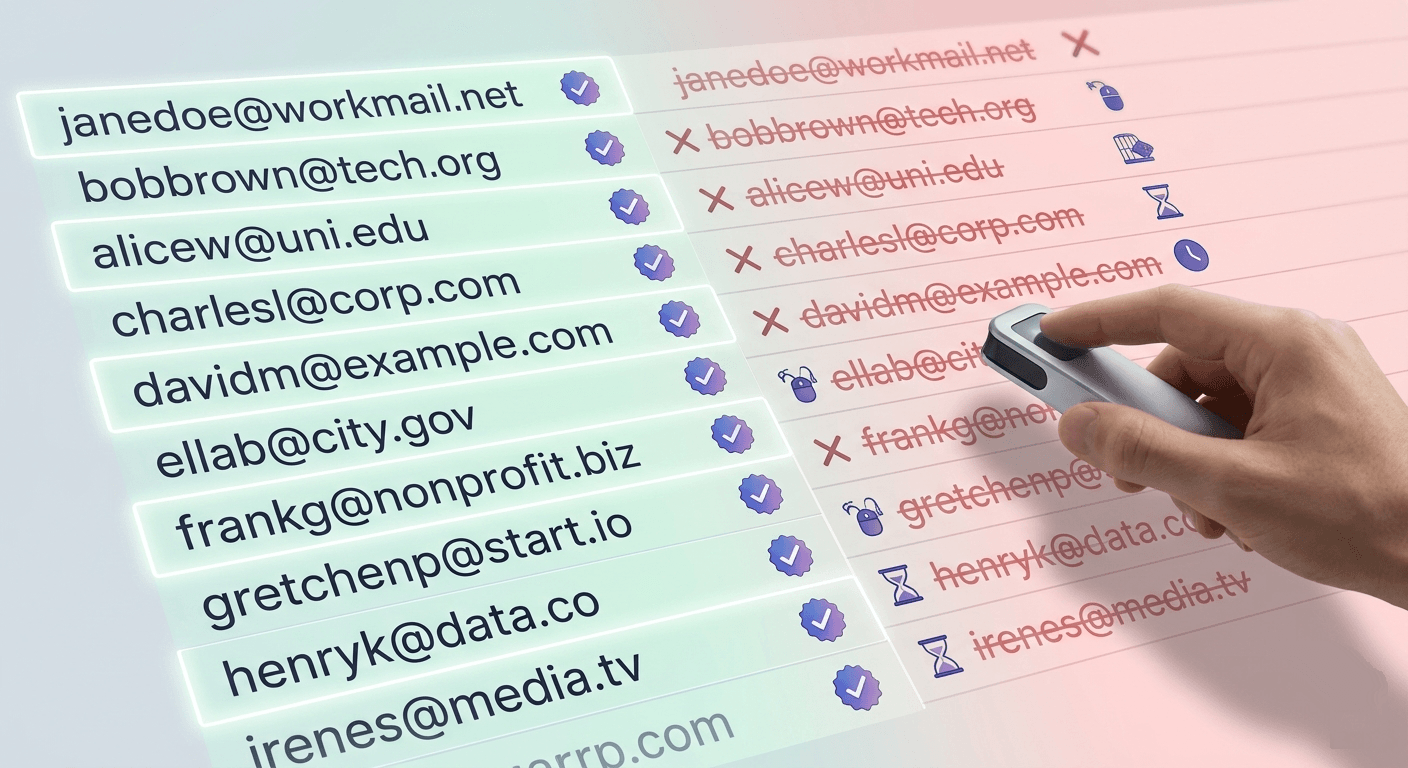
Check an address before it hits your list
Paste any email address and see the 11-stage verification result in seconds.
Powered by Valid Email Checker — full SMTP handshake, disposable + role detection, no card required.
Valid Email Checker runs an 11-stage verification flow — covering syntax, MX records, SMTP handshake, mailbox existence, catch-all detection, role detection, disposable detection, spamtrap detection, and more. If a result can't be definitively classified, the credit is automatically refunded. No support ticket. Most verifiers charge you for those unknowns; we don't. The full explanation of every result status covers what each outcome means for your list.
Content and formatting signals that trigger filters
Authentication and list quality are the structural problems. Content is where senders usually look first, because it's the most visible. In practice, content rarely causes spam placement on its own — but it's a meaningful contributor when your score is already borderline.
The signals filters still weight consistently:
- Spam-associated phrases — "free," "urgent," "click here," "you've been selected," "act now." These don't auto-reject a message, but they add score. The more of them you stack, the more likely you tip over the threshold.
- All-caps subject lines and excessive punctuation — "HUGE SALE TODAY!!!" reads as a spam signal across most rule-based filters.
- Poor text-to-image ratio — image-heavy emails with minimal text are a classic spam pattern. If your template is mostly a single large image, add enough plain text that the filter has something to evaluate.
- Excessive or low-reputation hyperlinks — every link you include is checked. Links to domains with poor reputation elevate your score. Shorten URLs carefully — some URL shorteners are on blocklists.
- HTML/plain-text mismatch — if your HTML version and plain-text version say significantly different things, some filters interpret that as deceptive intent.
The fix: test your spam score before sending, not after you see the spam rate climb. A mail tester sends your actual message through a scoring engine and returns the breakdown — you can see exactly which rule fired and by how much. Run this on every campaign before you hit send.
Engagement is a deliverability signal, not just a marketing metric
Gmail and Yahoo use engagement as a positive reputation signal. Opens, clicks, replies, and — most powerfully — moves from spam to inbox all tell the filter that recipients want your mail. The inverse is equally true: a segment that never opens is actively hurting your deliverability, not just wasting sends.
Practical implications:
- Sunset policies matter. Suppress subscribers who haven't engaged in 90–180 days before their inactivity degrades your domain's reputation score. Re-engagement campaigns are fine, but send them to a small segment first and watch the complaint rate before expanding.
- Unexpected content drives complaints. If a subscriber signed up for a product update newsletter and you start sending promotional offers, complaint rates rise — not because the content is objectively bad, but because it doesn't match the implicit contract at signup.
- Double opt-in reduces complaints. Confirming intent at the point of signup means the subscriber is less likely to mark you as spam later. It also keeps disposable and role addresses off your list by default, since most burner-address users won't complete a two-step confirmation.
- Segment for IP/domain warmup. When warming a new IP or a new sending domain, start with your highest-engagement segment. Positive signals early in the warmup period establish a positive baseline reputation faster.
How to diagnose which problem is actually yours
Here's the sequence. Work through it in order — don't skip to step 4 because content is the most comfortable thing to audit.
Check your authentication records
Run your SPF, DKIM, and DMARC records and look for hard failures. A
permerroron SPF or anoneresult on DKIM means inbox providers have already flagged your domain. Fix these before anything else — they're the foundation. Use the SPF Record Checker and DMARC Record Checker to get a read in under two minutes.Read your bounce report
Pull the most recent campaign's bounce data and categorize it: hard bounces (invalid address, domain doesn't exist), soft bounces (mailbox full, temporary server issue), and complaints. Hard bounce rate above 2% is your immediate list-quality signal.
Check your IP and domain against blocklists
Run your sending IP through the IP Blacklist Checker to see if you're listed on Spamhaus, Barracuda, Spamcop, or other major blocklists. A listing explains sudden, severe deliverability drops — and the checker tells you which list you're on so you can start the removal process.
Send a test through a mail tester
Use the Mail Tester to send your actual campaign content and get a spam score breakdown. The report shows you exactly which rules fired — content patterns, authentication status, blacklist status — in one place.
Pull Google Postmaster Tools data
Check domain reputation, IP reputation, and spam rate for your Gmail traffic. If your domain reputation shows as "Low" or "Bad," that's the root cause — and the fix is a combination of list cleaning, engagement improvement, and reduced volume while you rebuild.
If all of the above are clean, the problem is your list
Clean authentication, low blocklist score, and clean mail-tester results with persistent spam placement almost always points to list quality. Run a full verification pass before the next send. Prioritize removing
invalid,spamtrap, anddisposableresults. The email list hygiene framework covers the full decision process.
The fix sequence that actually moves the needle
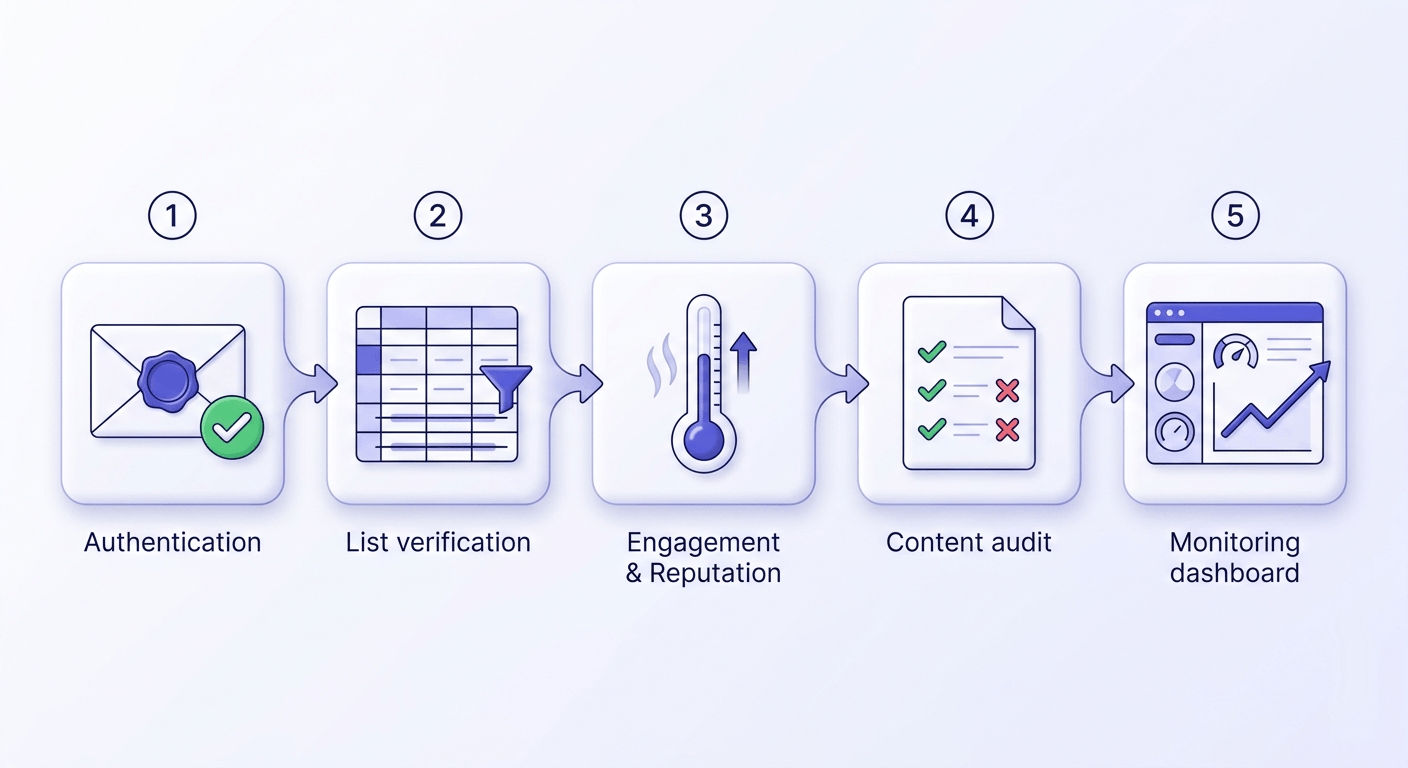
Most deliverability guides present fixes as a parallel checklist — do all of these things. The problem is that some fixes are noise until the foundational ones are done. Here's the right order:
- Fix authentication first. A broken SPF record or a missing DKIM signature makes every other fix irrelevant. Receivers won't trust your domain regardless of how clean your list is. Confirm all three records pass with zero errors before moving on.
- Verify your list before the next send. Remove invalids, spamtraps, and disposables. For Mailchimp, Klaviyo, SendGrid, HubSpot, and 13 other ESPs, Valid Email Checker connects directly — your list goes in dirty and the clean version lands back in the same audience.
- Reduce send volume and focus on engagement. Pull back to your highest-engagement segment for two to four weeks. Positive engagement signals rebuild reputation faster than any technical fix.
- Audit your content. Run the mail tester. Fix the specific rules that fired — don't guess at phrase substitutions. Improve your text-to-image ratio if it's flagged.
- Set up monitoring. Google Postmaster Tools, weekly. Your bounce and complaint rates after every campaign. You should know your domain reputation score the same week it changes, not three months later when a major campaign fails.
- Consider a dedicated IP if you're on shared infrastructure, your own metrics are clean, and you're sending more than 50,000 emails per month. Shared IP exposure is a real risk at that volume.
The M3AAWG best-practice documents cover sender reputation management in depth if you want the industry-standard reference behind these recommendations. The DMARC.org overview is the cleaner starting point for policy configuration specifically.
Free tool · no signup
Test your spam score before the next send
See exactly which signals are dragging your message into spam — authentication, content, and blacklist status in one report.
Spam placement is a diagnostic problem, not a mystery. Work through authentication, then list quality, then content — in that order — and you'll find the signal that's costing you. The fastest way to rule out list quality as a cause is to run a sample of your next campaign through a verifier and read the failure mix before the send goes out.
Frequently asked questions
Why are my emails going to spam even though I have SPF and DKIM set up?
permerror on your SPF record (usually caused by exceeding 10 DNS lookups), confirm your DKIM selector matches what your ESP is actually signing with, and verify that your DMARC policy aligns with both. Beyond authentication, a high bounce rate or spam complaint rate can override clean auth records — pull your Google Postmaster Tools data to see your current domain reputation.How do I stop my emails from going to spam in Gmail specifically?
What bounce rate causes emails to go to spam?
How do I check if my domain is on a spam blacklist?
Why do my emails go to spam for some recipients but not others?
How long does it take to fix a spam folder problem after cleaning my list?
Do spamtrap hits affect my entire domain or just one campaign?
What is a safe spam complaint rate to stay out of the spam folder?
Try Valid Email Checker free
Verify any email in under a second
Get 150 free verifications. No credit card. Auto-refund on every Unknown result — the only verifier we know that does this.
- 150 free credits when you sign up
- Auto-refund every Unknown verification (we're the only ones that do)
- 11-stage flow catches what 1-step checkers miss
- Drop-in integrations for Mailchimp, HubSpot, SendGrid, 14 more
Written by
Mara ChenMara covers deliverability from the receiving end — the filters, reputation signals, and quiet rejections that decide whether you reach the inbox or the spam folder. She cares less about clever subject lines than the unglamorous fundamentals that actually move placement: clean lists, consistent sending, and a sender reputation you don't have to rebuild every quarter. Expect practical, no-hype advice grounded in how mailbox providers really behave.