The 10 Email Verification Statuses Explained
 Emmanuel KwartengJune 14, 2026
You cleaned your list six months ago. It was spotless. So why did 1,800 of your last 10,000 sends bounce, and why is your open rate suddenly sitting at half of what it was in spring?
By the end of this guide you'll know exactly what email verification checks, what every possible result means, and what to actually do with each one. Not the textbook definition. The send-or-suppress decision.
The part most guides skip: the one status that no verifier can honestly classify, and why getting charged for it is the clearest sign you're using the wrong tool.
What email verification actually does
Email verification is a multi-stage technical process that answers one question with as much confidence as the receiving server will allow: will mail sent to this address land in a real, active mailbox?
That is not the same as a syntax check. Plenty of tools call themselves verifiers when all they do is confirm an address has an @ sign, a domain, and no illegal characters. That step matters, but it's the cheapest, weakest signal in the whole stack. jeff@thisdomaindoesnotexist.io passes a syntax check and bounces every single time.
Real verification goes further. It looks up the domain's mail servers, opens a conversation with the receiving server using the same protocol your campaign would use, and probes whether the specific mailbox exists. It screens the address against known disposable providers and spamtrap databases. Then it maps everything it learned into a single status you can act on.
Here is the part that trips up most people: an address can look perfectly deliverable and still bounce. A domain might be a catch-all that accepts mail for every conceivable address, real or not. The mailbox might exist but be disabled. It might be over quota. The account might have been abandoned two years ago and quietly switched off. None of those show up in a syntax check, and some of them can't be detected with certainty by anyone.
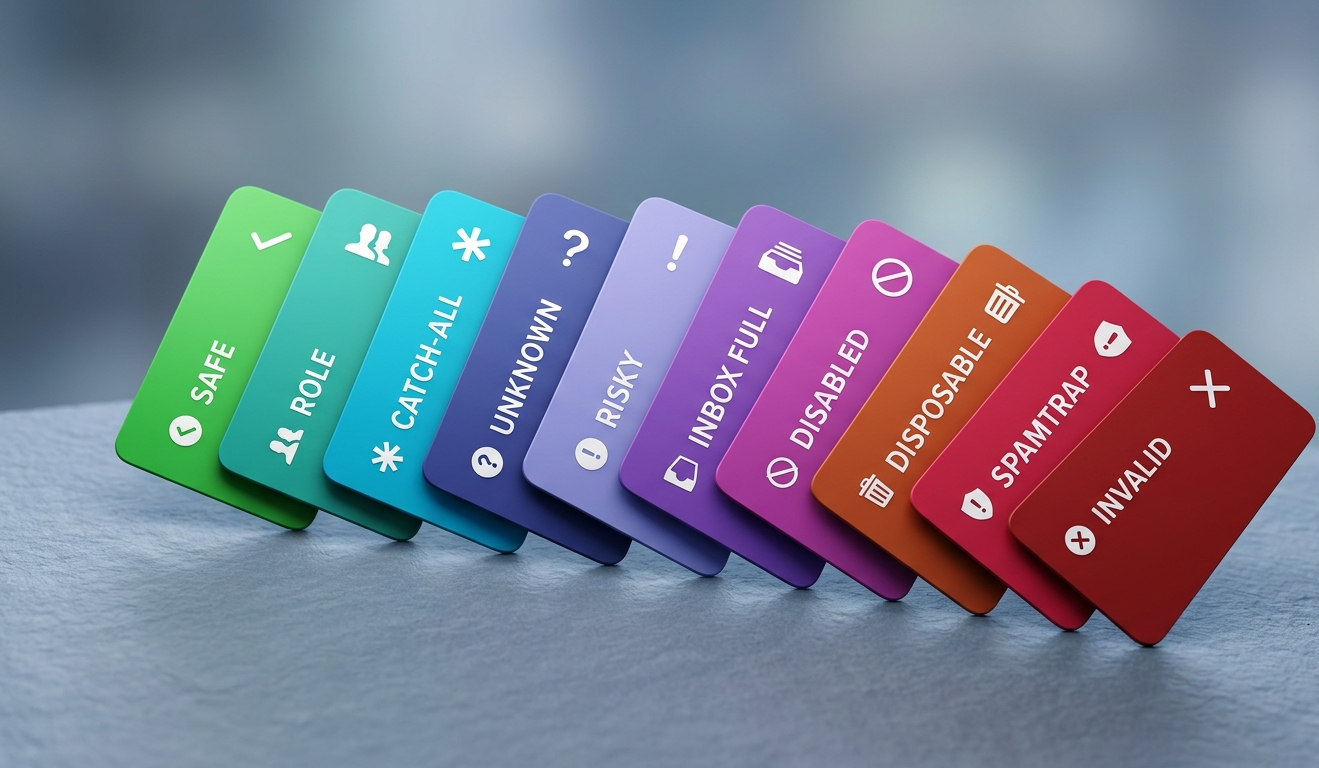
That uncertainty is why honest verification returns a spectrum of outcomes, not a binary. At Valid Email Checker the 11-step verification engine sorts every address into one of ten statuses: safe, risky, invalid, catch-all, disposable, role, spamtrap, disabled, inbox_full, and unknown. The rest of this guide walks through what each one means and what you should do when you see it.
Verification vs. validation: why the words matter
People use "validation" and "verification" interchangeably. They shouldn't, and the difference is exactly where most bounce surprises come from.
Validation is the format check. Does the string look like an email address? Is the domain a real registered domain with a valid structure? Validation runs in milliseconds, needs no network connection to the receiving server, and tells you nothing about whether a human will ever read your message. Our email syntax checker does this layer well, and it's genuinely useful as a first filter on a signup form.
Verification is the deliverability check. It connects to the receiving infrastructure and asks whether this specific mailbox will accept mail. Validation tells you the address is well-formed. Verification tells you the address is alive.
The trap is that a well-formed address feels trustworthy. sarah.mitchell@gmail.com validates cleanly. But if Sarah closed that account in 2022, every send bounces, and a string of hard bounces to Gmail is one of the fastest ways to wreck your sender reputation. Validation alone gave you false confidence. Verification would have caught it.
If you only have time for one, do verification, because it includes validation as its first stage. The reverse is not true. A validator that never opens an SMTP connection cannot tell you whether the mailbox exists, no matter how confident its marketing sounds.

How the verification process works, stage by stage
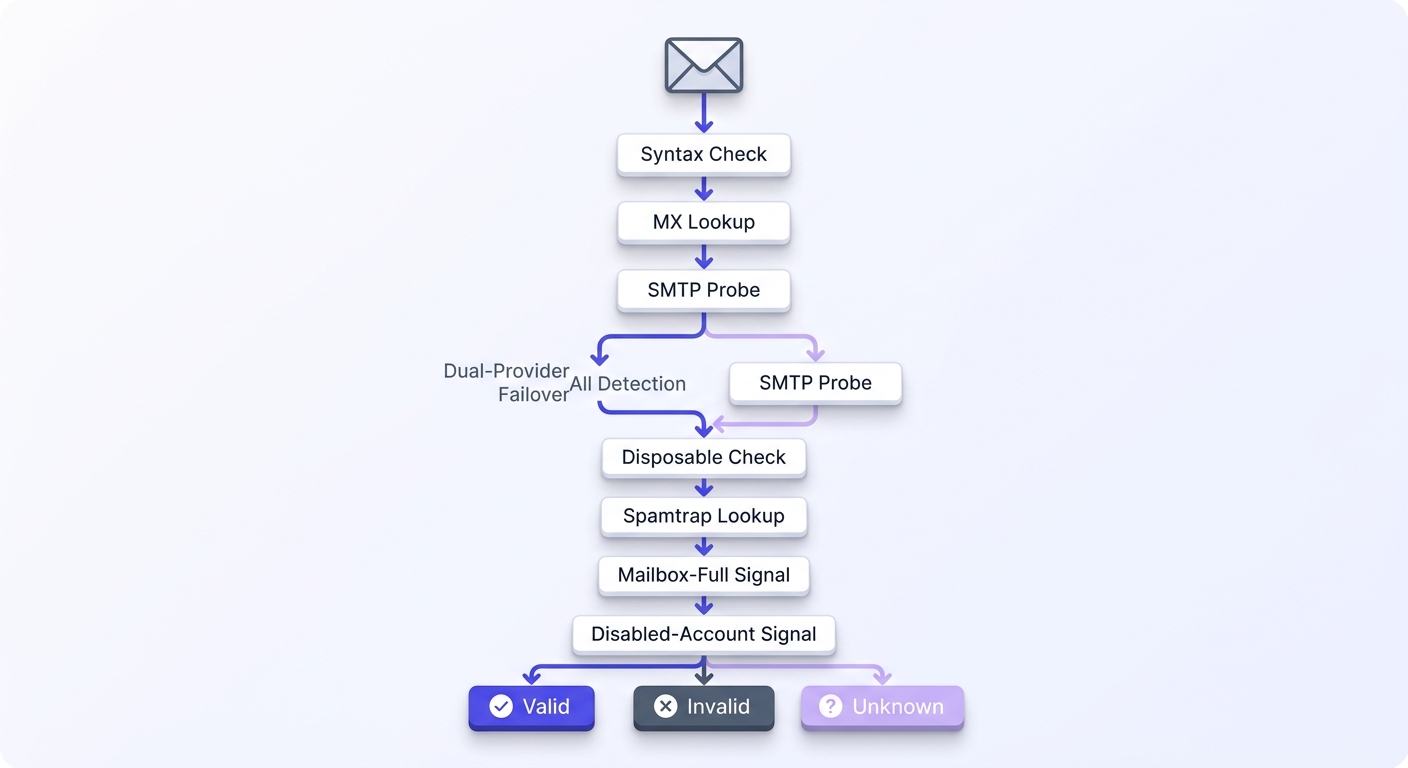
Valid Email Checker runs an 11-stage flow across two independent providers in failover. Here's what happens to a single address from the moment it enters the engine.
Stage one is the syntax check. The address has to obey the format rules defined in RFC 5321, the standard that governs how mail is addressed and transported. Missing domain, double dots, illegal characters, an empty local part: instant reject. This is the cheapest filter and it catches a surprising amount of garbage, especially from web forms with no client-side checking.
Stage two is the MX record lookup. Every domain that can receive mail publishes mail exchange records in DNS pointing at its inbound servers. No MX record (and no fallback A record) means no mail server, which means nothing you send can be delivered. You can run this check by hand with our MX record checker on any single domain you're curious about.
Stage three is the SMTP handshake. The engine connects to the receiving server on the standard mail port and begins the same conversation a real sending server would: it identifies itself, declares a sender, and names the recipient. The server's responses to that recipient command reveal whether the mailbox is recognized. This is the heart of verification, and it's the stage that cheap tools skip because it's slow and the receiving side often pushes back.
Stage four is catch-all detection. Some domains are configured to accept mail for every address at the domain, real or not, and sort it out later (or never). If the server says yes to a deliberately fake address, the domain is a catch-all, and a yes for your real address no longer proves the mailbox exists. Detecting this honestly is harder than it looks, and it's where verifiers separate themselves.
Stages five through eleven layer on the signals that turn a raw deliverability answer into something you can act on:
- Role detection flags shared-inbox addresses like info@, admin@, support@, and hello@ that tend to have low engagement and high complaint rates.
- Disposable screening matches the domain against a database of burner and ten-minute-mail providers, refreshed weekly from a list of over 111,000 known disposable domains.
- Spamtrap lookup checks the address against known trap signatures, because hitting one of these does direct damage to your reputation.
- Mailbox-full signal catches accounts that exist but are temporarily over quota.
- Disabled-account signal catches mailboxes the provider has permanently switched off.
- Dual-provider failover re-runs ambiguous results through a second independent provider before giving up.
- Final classification maps everything above into one of the ten statuses.
That failover stage is the quiet hero. A single-provider tool that gets a timeout or an ambiguous response has nowhere to turn, so it shrugs and returns Unknown. A two-provider setup gives the address a second, independent attempt before settling on Unknown. Fewer addresses land in the murky bucket, and the ones that do are genuinely undecidable rather than just unlucky on the first try.
The 10 verification statuses and what to do with each one
Most tools hand you valid, invalid, catch-all, unknown and walk away. That's the technical answer. It isn't the useful one, because it doesn't tell you what to do next. Here's the send-or-suppress decision for all ten statuses.
Safe — send without hesitation
A real mailbox that will accept mail. This is the green light. The bulk of a healthy list should land here. Send away.
Risky — send cautiously, then re-check
A real mailbox with elevated bounce risk. Maybe it sits on a low-engagement domain, maybe the domain recently migrated providers. The address probably works, but it isn't a sure thing. Send to these in your warm, engaged segments, keep them out of high-stakes sends, and flag them for re-verification after 90 days.
Invalid — suppress immediately
Syntax, MX, or the SMTP server rejected the address outright. This will hard-bounce. Never send to it. Move it to your suppression list and don't look back.
Catch-all — treat as risky unless you have proof
The domain accepts everything, so the engine can't confirm the specific mailbox. A catch-all isn't automatically bad; plenty of legitimate corporate domains run this way. But you're sending partly blind. If you have engagement history (this person opened or clicked in the last few months), treat it as safe. With no history, treat it as risky and watch the bounce data closely. Our catch-all guide goes deeper on the judgment calls here.
Disposable — suppress
A burner address from a ten-minute-mail provider. These are almost always throwaway signups or abuse, and they will not engage. Suppress them, and consider blocking disposable domains at your signup form so they never enter the list in the first place.
Role — suppress from cold outreach, keep for transactional
Shared inboxes like info@, sales@, and support@. These tend to be low-engagement and high-complaint, which is poison for cold outreach. But if someone gave you support@ as their billing contact, that address still needs to receive transactional mail. Segment by purpose: out of marketing blasts, fine for receipts and account notices.
Spamtrap — suppress and investigate
A known trap address used by blocklist operators to catch senders with poor list hygiene. Suppress it immediately, then ask how it got onto your list. A spamtrap usually means you bought a list, scraped one, or let an old address rot long enough to be recycled into a trap. Fix the source, not just the symptom.
Disabled and inbox_full — suppress for now, re-check in 30 days
Disabled means the provider permanently switched the account off; inbox_full means the mailbox exists but is temporarily over quota. Both will bounce today. The difference is hope: a full inbox might clear in a month, a disabled account almost certainly won't. Suppress both from the current send and re-verify in 30 days before deciding.
Unknown — the only honest non-answer
Both providers returned a non-definitive result. The receiving server was slow, greylisting, or deliberately opaque about whether the mailbox exists. No verifier on earth can classify this address with confidence, and any tool that pretends otherwise is guessing on your behalf. The right move is to leave it out of your next send and not pay for the privilege. More on that below, because it's the whole ballgame.
If you want the full reference with every dashboard column explained, our help center has a dedicated breakdown of every result type.
See a real verification result
Paste any address and watch the 11-stage engine return one of the ten statuses live.
Powered by Valid Email Checker — full SMTP handshake, disposable + role detection, no card required.
Why bounce rate is the metric that starts fires
Verification exists to protect one number: your bounce rate. Get it wrong and everything downstream catches fire.
Most email service providers will throttle or suspend your sending if your hard bounce rate climbs above 2%. That's the old line in the sand. The newer one is stricter. Google and Yahoo's 2024 sender requirements set a spam-complaint ceiling of 0.30%, and they explicitly tell bulk senders to keep it well below 0.10%. The Google sender guidelines spell this out: cross those thresholds consistently and your mail starts going to spam, or stops being accepted at all.
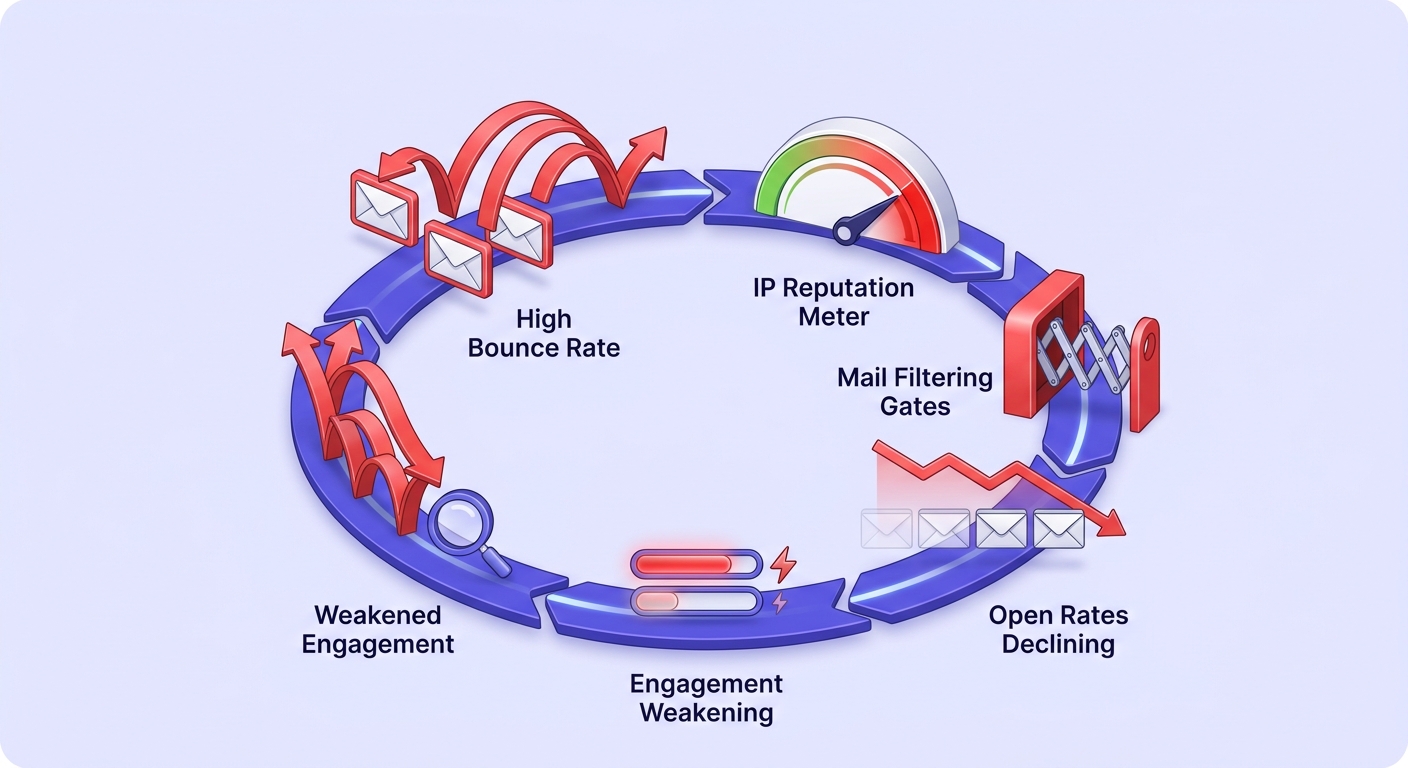
Bounces and complaints feed the same machine: your sender reputation. And reputation compounds in the wrong direction fast.
There's a sharper failure mode too. A single send to a spamtrap can trigger a blocklist listing on its own. You don't get a warning shot. One trap hit and your sending IP or domain can land on a public blocklist that other receivers consult, and now your deliverability problem isn't with one mailbox provider, it's with all of them at once.
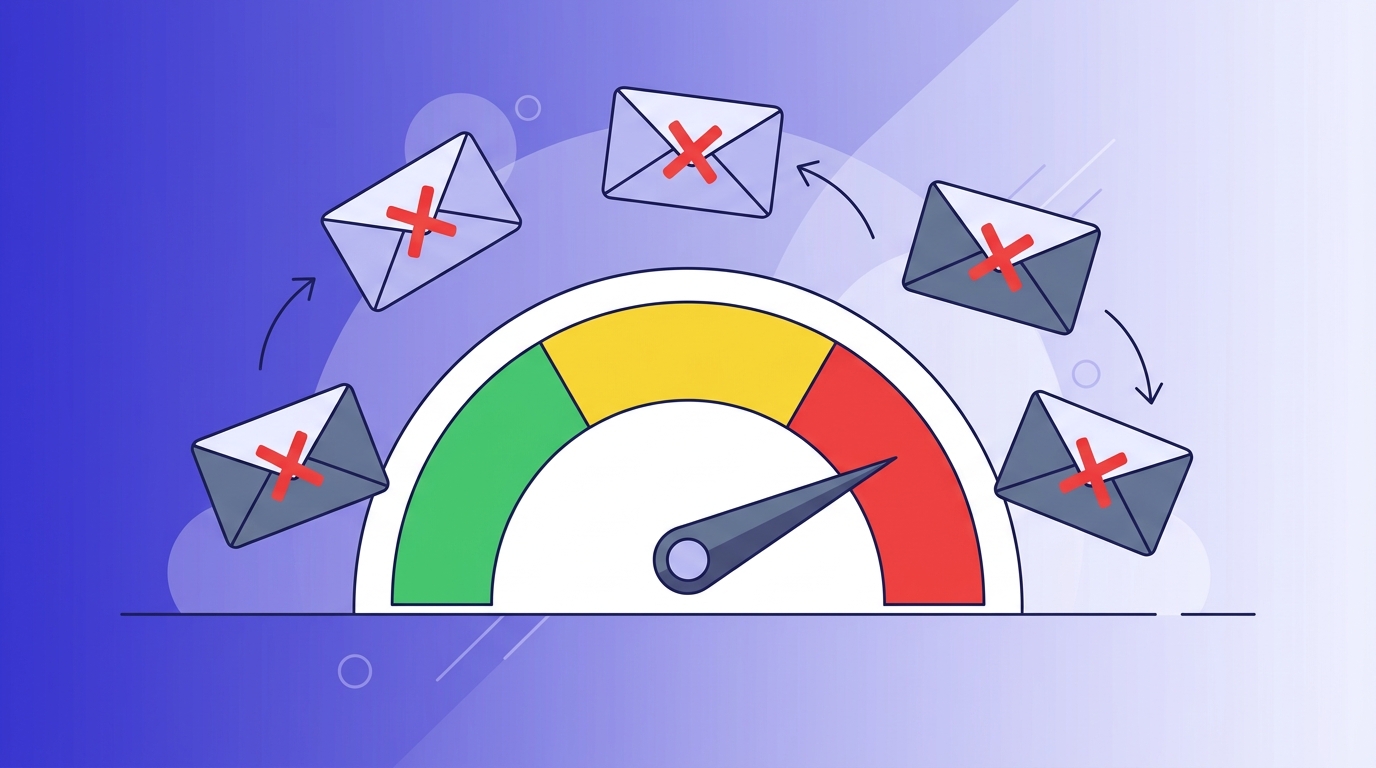
Now the money. Say you send 10,000 emails at a fraction of a cent each to a list that's 20% invalid. The wasted send cost is almost rounding-error small. The real bill is reputation: 2,000 bounces in one campaign can knock your inbox placement down for weeks, and during those weeks even your good mail to your best customers lands in spam. The cost isn't the wasted sends. It's the revenue from the engaged contacts who never saw the message.
The cost of a bad send was never the postage. It's the weeks of degraded deliverability that follow, paid for by your best customers who suddenly stop seeing your mail.
Valid Email Checker
editorial team
This is why verifying before every campaign beats a one-time list clean. A list you scrubbed in January is decaying at roughly 22% a year, so by midsummer a meaningful slice has gone stale. If you want the full argument for why hygiene comes before everything else, our pillar on email deliverability vs. delivery makes the case in detail.
Single, bulk, or API: picking the right verification mode
Verification comes in three shapes, and using the wrong one for the job is a common, avoidable waste of time.
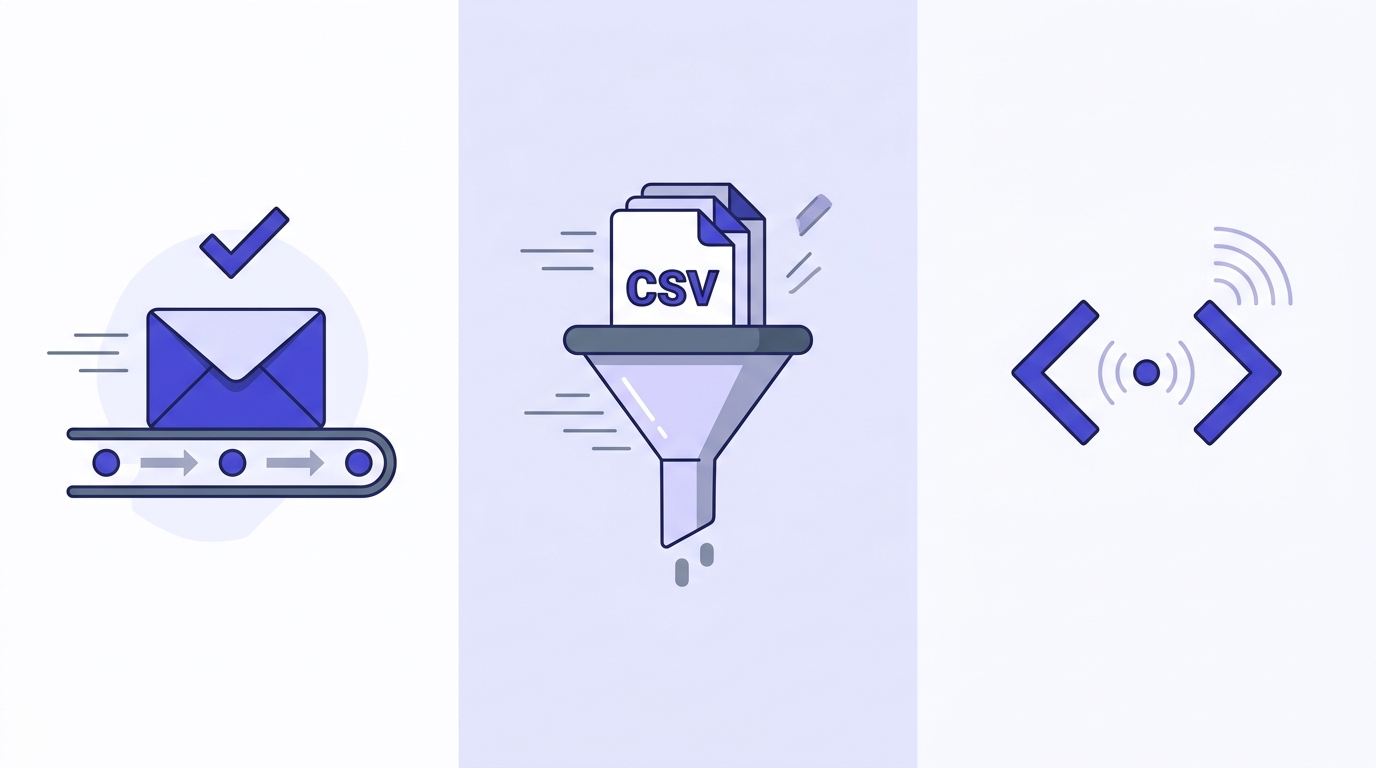
Single verification: instant, sub-second
One address, an answer in under a second. This is what you want when a salesperson is about to email a prospect and wants to confirm the address first, or when you're spot-checking a contact you found through research. Our single email verifier handles this from the dashboard, and the free email checker is the no-login version for a quick one-off look.
Bulk verification: upload, queue, poll
Upload a CSV or XLSX, the engine processes it asynchronously, and you download the scored list when it's done. This is the right tool for cleaning an existing list before a campaign. Jobs over 50,000 rows split into chunks behind the scenes, so plan for processing time on very large lists rather than expecting an instant turnaround. The full process is documented in our bulk verification walkthrough.
API verification: at the point of capture
Embed verification directly in your signup form or CRM so bad addresses get caught before they ever enter your database. Single checks return sub-second; bulk submissions are queue-and-poll. This is the only mode that prevents the problem rather than cleaning up after it. Developers can start with the API overview.
| Mode | Speed | Best for | Volume |
|---|---|---|---|
| Single | Sub-second | Real-time spot checks, prospect research | One at a time |
| Bulk | Async queue-and-poll | Cleaning a list before a campaign | Up to millions, chunked at 50K |
| API | Sub-second single / async bulk | Point-of-capture defense on forms and CRMs | Continuous, real-time |
curl -X POST https://api.validemailchecker.com/functions/v1/api-verify-single \
  -H "Authorization: Bearer YOUR_API_KEY" \
  -H "Content-Type: application/json" \
  -d '{"email": "name@company.com"}'
The decision tree is simple. Cold outreach: bulk before send. SaaS signup forms: API at the point of entry. One-off prospect research: single. Many teams end up using all three, and that's the right answer, not overkill.
What to look for in a verifier, and the one feature most tools skip
Every verifier's marketing page claims high accuracy. Accuracy claims are nearly impossible to compare because nobody publishes their test dataset, and a tool measured against a known-easy list will always look perfect. So judge on mechanics instead.
- SMTP coverage. Does it actually open an SMTP connection and probe the mailbox, or does it stop at the MX lookup and call it a day? Many cheap tools do the latter.
- Catch-all handling. Does it resolve catch-all domains as far as it can, or does it slap a catch-all label on everything and walk away?
- Spamtrap freshness. A static spamtrap database is a stale database. Weekly refreshes catch the traps that matter.
- Disposable coverage. A list of a few thousand disposable domains is a toy. A maintained list in the hundreds of thousands actually protects you.
- Unknown handling. When the tool genuinely can't decide, does it charge you anyway?
That last point is the one almost every competitor skips, and it's the one that separates an honest verifier from one that's quietly billing you for its own uncertainty.
When verification can't return a definitive status, Valid Email Checker automatically refunds the credit. No support ticket, no fine print, no "contact us to request a review." The refund posts straight to your credits history. Most verifiers charge for Unknown results exactly the same as a clean Safe result, which means you're paying for the answer "we don't know."
Why the Unknown refund is the honest signal
A verifier that profits from Unknown results has a quiet incentive to return more of them. A verifier that refunds them is betting on its own engine being decisive. The refund policy is the clearest tell of how confident a tool actually is in its own results. We break down the full guarantee in our help center.
We dug into this comparison in depth in our post on the free email verifier and the Unknown refund, and for high-volume senders the same math is in why Unknown results cost you more on bulk jobs. The short version: when you pay for Unknowns, your effective per-valid-result cost is higher than the sticker price suggests, and the gap widens on lists with lots of opaque corporate domains.
Free tool · no signup
Run a real verification and watch the status come back
Single checks are sub-second. Unknown results are refunded automatically.
How often you should verify your list
Email lists decay at roughly 22% per year. People change jobs, abandon accounts, switch providers, and let mailboxes fill up. The clean list you built in January is materially dirtier by July, even if you did nothing wrong.
The baseline rule: verify any list you haven't mailed in 90 or more days before you send to it. The longer mail has sat untouched, the more addresses have gone stale, and the higher the chance an abandoned address has been recycled into a spamtrap.
Some verticals decay faster and need verification at the point of capture, not just before send. SaaS free trials, event registrations, and lead-magnet downloads pull in a high share of typo'd, throwaway, and low-intent addresses. Catch those at the form with the API and they never pollute your list.
For ongoing cadence, a reasonable rhythm looks like this:
- Cold outreach lists: verify before every send, no exceptions. These are your highest-risk sends and the ones most likely to hit traps.
- Warm and newsletter lists: re-verify semi-annually, or sooner if metrics slip.
- Active transactional flows: rely on point-of-capture API verification so the list stays clean continuously.
Watch for the signals that mean verify now, regardless of schedule: a bounce rate creeping above 1%, a sudden unexplained drop in open rate, or a spike in feedback-loop complaints from your mailbox providers. Any of those means decay has outrun your cadence and you're sending to a list that's quietly turned on you.
If you want a single number to act on rather than a feeling, run a sample through our email deliverability checker and read the failure mix. A list that comes back 95% safe needs nothing; a list at 80% safe with a long invalid tail needs a full clean before your next campaign.
Connecting your ESP and keeping your list clean automatically
The biggest reason lists stay dirty isn't ignorance. It's friction. Verifying means exporting a CSV from your email platform, uploading it to a verifier, downloading the results, filtering out the bad addresses, and re-importing the clean list. Under deadline pressure, that loop is the first thing teams skip.
One-click integrations kill the loop. Valid Email Checker connects directly to 17 email platforms, including Mailchimp, HubSpot, Klaviyo, SendGrid, ActiveCampaign, ConvertKit, Brevo, and MailerLite, among others.
Connect your platform
Authorize the integration with OAuth or an API key, depending on the platform. Our integrations overview walks through each one.
Select the audience
Pick the list, segment, or audience you want to verify. Profile data and tags stay intact on the way through.
Run verification
The engine scores every address through the same 11 stages. Large audiences chunk automatically, so a list of any size processes without a manual export.
Suppress automatically
Invalid, disposable, and spamtrap results flow back so you can suppress them in the same audience. The clean list lands back where it started, ready to send.

The strongest setup combines two layers. Real-time API verification at signup prevents bad addresses from entering the list at all. Pre-send bulk verification catches the addresses that decayed after they joined. Run both and your bounce rate stays comfortably below 1% without anyone having to remember to clean anything. That two-layer approach is the same discipline cold senders use, covered in our guide to the technical foundation of cold email list verification.
Catch-all domains: the most misunderstood result
Catch-all is the status that generates the most confused support questions, so it's worth slowing down on. A catch-all domain is configured to accept mail addressed to anything at that domain. realperson@company.com and asdfghjkl@company.com both get a 250 OK at the SMTP layer, because the server accepts first and sorts later.
This breaks the normal verification logic. The whole point of the SMTP probe is that the server's acceptance of your recipient command proves the mailbox exists. On a catch-all, the server accepts everything, so acceptance proves nothing. The engine can't honestly tell you whether realperson@company.com is a real mailbox, because the domain would say yes either way.
Catch-all is not the same as bad. Plenty of legitimate businesses run catch-all domains on purpose, often to avoid losing mail sent to slightly-misspelled addresses. So a catch-all result is a known-unknown, not a rejection.
The right handling depends on what else you know. If the contact has engaged recently, opened or clicked in the last few months, treat the catch-all as safe; the engagement is stronger evidence than the SMTP probe could ever be. With no engagement history, treat it as risky: include it cautiously, in smaller batches, and watch the bounce data. Don't blanket-suppress every catch-all, because you'll throw away a lot of real, deliverable addresses at large companies. Our complete catch-all guide covers the edge cases in more depth.
Spamtraps: what they are and what happens if you hit one
A spamtrap is an email address that exists for one reason: to catch senders with poor list hygiene. Blocklist operators and mailbox providers seed and recycle these addresses, then watch who sends to them. Mail to a spamtrap is, by definition, mail that wasn't requested, because no human ever signed up with that address.
There are two main flavors. Pristine traps are addresses that were never valid and only ever existed as bait, so mail to them almost always means you scraped or bought a list. Recycled traps are real addresses that were abandoned, left to bounce for months, and then quietly reactivated as traps. Recycled traps are the dangerous ones for legitimate senders, because they catch the difference between cleaning your list and letting it rot.
What happens when you hit one? Best case, a hidden ding to your sender reputation. Worst case, an immediate blocklist listing that hammers your deliverability across every mailbox provider that consults that list. You don't get a warning, and removal can take days of paperwork proving you've cleaned house. You can check whether a domain or IP is already listed with our domain blacklist checker, but prevention beats cure by a wide margin.
Verification is the prevention. The spamtrap stage screens addresses against known trap signatures before you send, and the disabled/inbox_full signals catch the abandoned-but-not-yet-recycled addresses that turn into recycled traps. If a spamtrap shows up in your results, suppress it and treat it as a smoke alarm: it means an old or acquired chunk of your list needs scrutiny, not just that one address.
The Unknown status, the auto-refund, and why it's the whole point
I'll be blunt about the opinion underneath this entire guide: charging customers for Unknown results is the email industry's quietest bad habit, and almost nobody calls it out.
Here's the mechanic. Sometimes a receiving server won't give a straight answer. It greylists the connection, times out, or deliberately accepts every probe to hide which mailboxes exist. After a second independent provider tries and also comes back ambiguous, the only honest classification left is Unknown. Both providers tried; neither could decide.
Unknown is not a failure of the tool. It's the tool refusing to guess on your behalf, which is exactly what you want. A verifier that converts every Unknown into a confident-looking "valid" or "catch-all" is lying to you to keep its accuracy number shiny. The honest answer is "we couldn't determine this," and you should never pay for it.
So Valid Email Checker refunds it automatically. Every Unknown result triggers a credit refund through an atomic transaction, posts to your credits history with the address that returned Unknown, and requires nothing from you. No ticket, no review, no fine print. The details are in our guide to refunds and credit returns.
What to do with an Unknown result
Leave it out of your next send. An Unknown isn't proof the address is bad, just that nobody could confirm it's good. Re-verify it on a future run, when the receiving server may be more cooperative, and either way you won't have paid for the indecision.
When you compare verifiers, run the same sample list through each and look at two things: the Unknown rate, and the billing for those Unknowns. A tool with a low Unknown rate that still charges for them is fine. A tool with a high Unknown rate that charges for them is quietly inflating your bill. A tool that refunds them tells you it's confident enough in its engine to bet money on it.
Putting it together: a verification workflow that holds
Theory is easy. Here's the operational version, the workflow that keeps a real sending program clean without anyone having to be a hero about it.
Start at capture. Put API verification on every form where addresses enter your world: signup, lead magnet, event registration, checkout. Reject hard invalids at the form and flag disposables before they're ever stored. This is the cheapest place to win, because the address you never accept costs you nothing later.
Verify before every campaign. Connect your email platform, run the audience through bulk verification, and let the suppression flow back automatically. For cold outreach this is non-negotiable; for warm lists it's your safety net against decay. Pair it with a quick read of your sender authentication, because verification and authentication are two halves of the same job, the SPF, DKIM, and DMARC records that tell receivers who you are while verification tells them your list is worth delivering to.
Set a re-verification cadence and stick to it: quarterly for cold lists, semi-annually for warm ones, and immediate whenever your bounce rate crosses 1% or your open rate falls off a cliff. Treat those metrics as the gauges they are, and verify the moment a needle moves.
Finally, read your results instead of just filtering them. A list that's 80% safe with a fat invalid tail tells a different story than one that's 80% safe with a pile of catch-alls and Unknowns. The first means stale data; the second means you're mailing a lot of opaque corporate domains and should lean on engagement history. The understanding your results guide explains every column so the failure mix actually means something.
Do all of that and the compounding works for you instead of against you. Clean sends build reputation, good reputation means better inbox placement, better placement means stronger engagement, and stronger engagement reinforces reputation. The same loop that spirals down when you skip verification spirals up when you don't.
Frequently asked questions
What is email verification and how does it work?
What's the difference between email verification and email validation?
What does 'catch-all' mean in email verification results?
Why do some email addresses come back as 'unknown' and should I be charged for them?
How often should I verify my email list?
What bounce rate will get my sending account suspended?
Is it better to verify emails in bulk or via API?
What happens if I send to a spamtrap address?
Inbox placement is the metric that pays, and bounce rate is the metric that warns you it's slipping. The fastest way to find out where your list actually stands is to run a sample through the engine and read the failure mix. If any address comes back Unknown, we refund that credit automatically, so the test costs you nothing but the time it takes to read the results.
Try Valid Email Checker free
Verify any email in under a second
Get 150 free verifications. No credit card. Auto-refund on every Unknown result — the only verifier we know that does this.
- 150 free credits when you sign up
- Auto-refund every Unknown verification (we're the only ones that do)
- 11-stage flow catches what 1-step checkers miss
- Drop-in integrations for Mailchimp, HubSpot, SendGrid, 14 more
Written by
Emmanuel KwartengEmmanuel is the founder of Valid Email Checker. He spends most of his time in bounce logs, verification data, and the gap between what email vendors promise and what actually happens when you hit send. He started the company because too much deliverability advice is guesswork dressed up as best practice, and he writes here to cut through it with the numbers behind each claim.