Clean Email: Inbox Management vs. List Cleaning
 Mara ChenJuly 11, 2026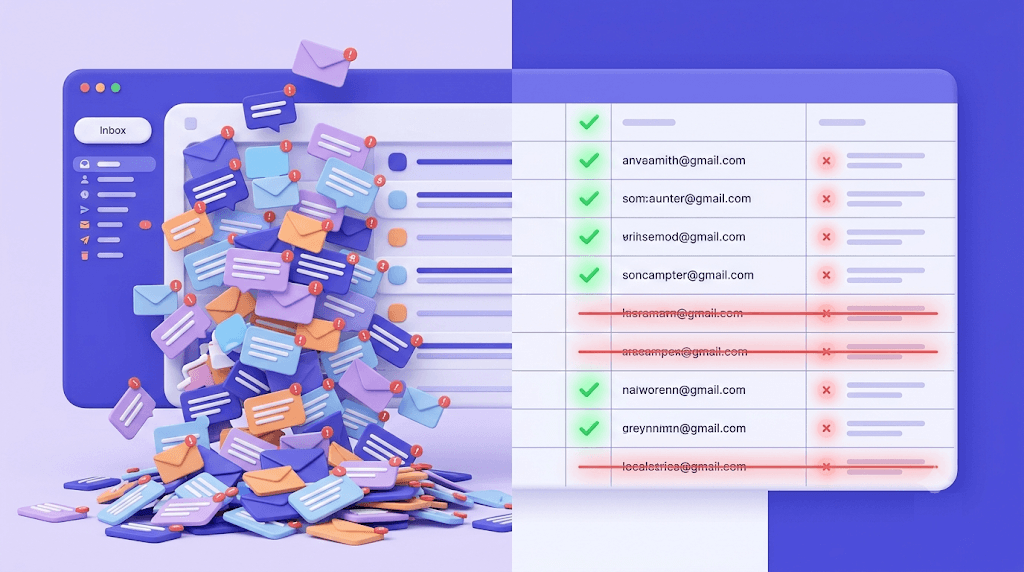
"Clean email" is doing double duty as a search term, and depending on who you are, it means completely different things. If your Gmail inbox looks like a landfill, you want an app that bulk-deletes and unsubscribes. If your marketing campaigns are bouncing at 8% and your sending IP just got flagged, you need something else entirely.
After reading this, you'll know exactly which problem you have — and what to actually do about it. Most guides pick one interpretation and ignore the other. This one covers both, then goes deep on the one that can actually damage your business if you get it wrong.
The concrete thing you'll walk away with: a six-step process for cleaning a sender list before your next campaign, plus a direct comparison of the two tool categories so you stop reaching for the wrong one.
What 'clean email' actually means (and the two very different problems it solves)
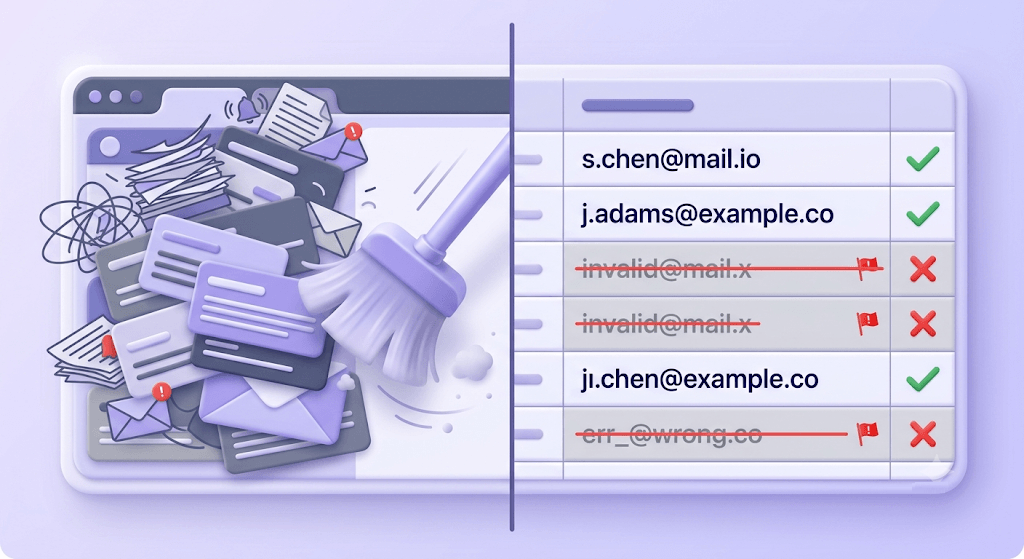
Search "clean email" and you get two completely different worlds sharing the same two words. The first is personal productivity: apps like Clean Email, Cleanfox, and Mailstrom that help individuals tame an overflowing inbox. The second is B2B deliverability: the practice of scrubbing a sender list to remove addresses that will bounce, damage your domain reputation, or trigger spam filters.
Both audiences are real. Both have urgent problems. The confusion between them is also real — and it has consequences.
Here's the quick litmus test: Are you a receiver trying to manage what arrives in your inbox, or a sender trying to control what you're mailing out? The answer changes every tool, every metric, and every next step.
Receivers need an inbox cleaner. Senders need a list verifier. These tools do not overlap. An inbox cleaner does nothing for your sender reputation. A list verifier does nothing for your personal inbox clutter. The marketers who get burned are the ones who clean their own inbox, feel productive, and then send a campaign to a list full of invalid addresses — because they confused the two.
Cleaning your inbox: what the apps actually do
Inbox cleaner apps work by requesting OAuth access to your email account. Once connected, they read your message metadata — sender addresses, subject lines, timestamps — and surface bulk actions: delete all from a sender, unsubscribe from a mailing list, bundle promotional emails into a digest, or archive anything older than 30 days.
What they do well: they're genuinely useful for the personal inbox problem. If you've accumulated 40,000 unread emails from newsletters you subscribed to in 2019, an app like Clean Email or Mailstrom can clear that backlog in minutes instead of hours. The unsubscribe automation is particularly useful — it sends unsubscribe requests on your behalf rather than making you click through each one.
What they cannot do: anything on the sender side. They don't validate the addresses you're mailing. They don't improve your domain reputation. They don't tell you whether your campaign will land in the inbox or the spam folder. These tools exist entirely in the receiver's world.
The OAuth trade-off
Every inbox cleaner app requires full read access to your email account to function. That means a third-party server is reading your message metadata — and in some cases, message content. Before granting access, check the app's privacy policy: does it sell aggregated data? Does it retain access after you cancel? For personal accounts, this is a judgment call. For a business email account with client correspondence, the risk calculus is different.
When is an inbox cleaner the right tool? When your problem is clutter, distraction, or an inbox so full it's affecting your ability to find real messages. When your problem is bounce rates, blacklisting, or deliverability — it's a distraction from the actual fix.
Cleaning your email list: the problem senders actually need to solve
List hygiene is the practice of removing addresses from your sender list that will cause damage when you mail them. The damage is real and cumulative: hard bounces push your bounce rate up, ISPs notice, and your domain reputation drops. Drop it far enough and your emails stop reaching anyone's inbox — including the people who genuinely want to hear from you.
A spotless personal Gmail inbox has zero bearing on this. Your sender reputation is attached to your sending domain and IP, not to how organized your own inbox is.
The addresses that hurt you fall into distinct categories. The 10 verification statuses that a proper verifier returns are:
- Safe — real mailbox, will accept mail
- Risky — real mailbox, but elevated bounce risk (low-engagement domain, recent migration)
- Invalid — syntax, MX, or SMTP rejected it — a guaranteed hard bounce
- Unknown — both verification passes returned non-definitive answers
- Catch-all — domain accepts all addresses at the SMTP layer; specific mailbox existence can't be confirmed
- Disposable — burner address from a temporary-mail provider
- Role — shared inbox address (info@, admin@, support@, hello@) — usually low engagement
- Spamtrap — a known trap address; hitting one damages sender reputation immediately
- Disabled — account permanently disabled by the provider
- Inbox full — mailbox over quota, temporarily can't receive mail
Hard bounces — from Invalid and Disabled addresses — are the fastest way to tank a domain. A soft bounce (Inbox Full) is temporary and usually recoverable. But a hard bounce tells the receiving server that you're mailing addresses you haven't verified, which is the profile of a spammer.
The industry benchmark most ISPs use: bounce rates above 2% trigger throttling. Above 5% and you're looking at blacklisting on most major providers. If you check your deliverability score after a high-bounce campaign, the drop is usually visible within 24 hours.
How email list verification works under the hood
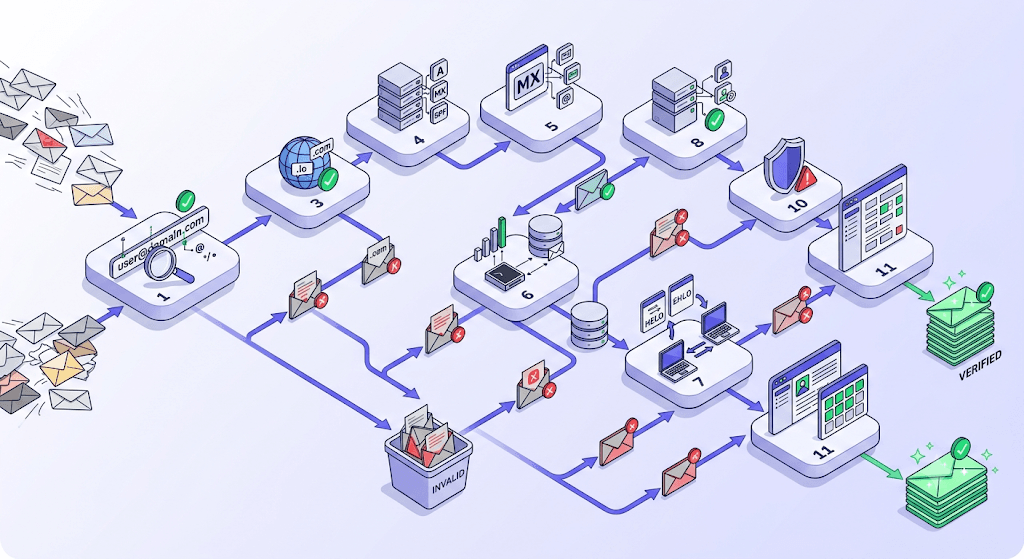
Most people think email verification is a syntax check — does the address have an @ sign and a valid domain? That's step one of eleven. The full 11-stage verification flow goes considerably deeper.
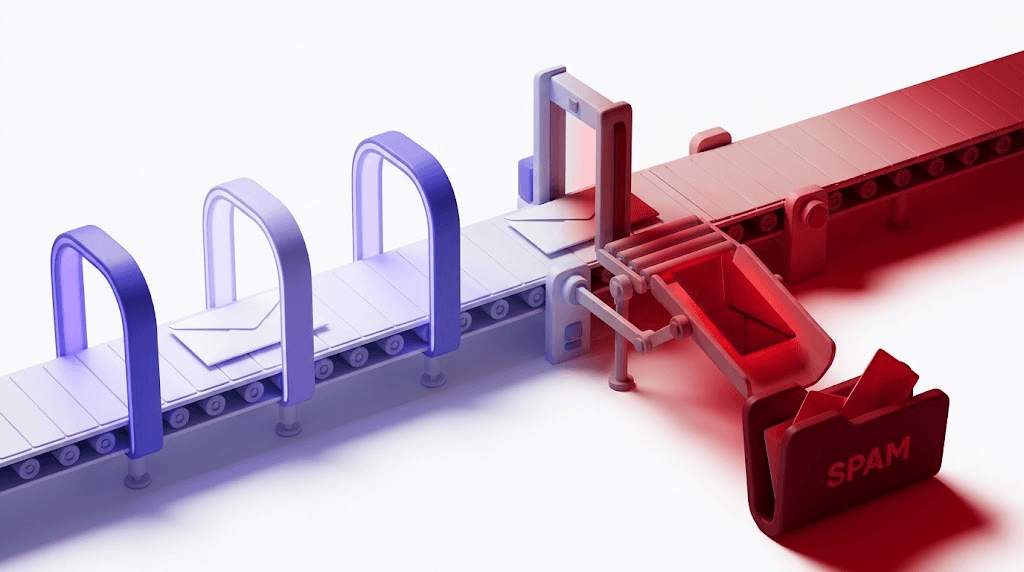
The stages, in order: syntax validation → MX record lookup → SMTP handshake → mailbox-existence probe → catch-all detection → role address detection → disposable domain check → spamtrap database check → mailbox-full detection → disabled-account detection → final classification. Each stage can terminate the flow early with a definitive result. If an address makes it through all eleven stages without a clear answer, it comes back as Unknown.
Why does MX lookup alone miss so much? Because catch-all domains. A catch-all domain is configured to accept any incoming address at the SMTP layer — so anything@example.com, gibberish@example.com, and definitely-not-real@example.com all return a 250 OK during the SMTP handshake. Without a dedicated catch-all detection stage, every address at that domain looks valid. It isn't. For a deeper look at how this works, the catch-all emails guide covers the mechanics in full.
Spamtrap addresses deserve a specific mention. A spamtrap looks like a normal email address — it has a valid domain, it passes syntax checks, and it may even accept mail at the SMTP layer. What makes it a trap is that no real person uses it. Spamtraps are seeded by ISPs and anti-spam organizations into the wild to identify senders who are mailing lists they didn't build with consent. If you're scraping addresses, buying lists, or mailing to very old data, spamtraps are almost certainly on your list. Hitting one doesn't just cause a bounce — it's a direct signal to the ISP that you're a problem sender.
The Unknown status problem is worth calling out separately, because it affects your cost directly. When a verifier can't return a definitive result — both verification passes are inconclusive — most verifiers still charge you the credit. You paid for uncertainty. Valid Email Checker handles this differently: every Unknown result triggers an automatic credit refund, no support ticket required. The refund posts to your Credits History immediately. Here's how the auto-refund works in detail.
Role addresses — info@, support@, admin@, hello@ — are technically deliverable in most cases. The problem is engagement. These addresses route to shared inboxes managed by multiple people, which means open rates are near zero and complaints are higher than average. Keeping them in your main send segment drags down your engagement metrics, which inbox providers use as a signal of list quality.
Test an address before your next send
Paste any email address to see its full 11-stage verification result. Unknown results are refunded automatically.
Powered by Valid Email Checker — full SMTP handshake, disposable + role detection, no card required.
When to clean your list (and how often)
The timing of a list clean matters almost as much as doing it at all. Here are the five moments that actually require verification — not as a best practice formality, but because skipping them has measurable consequences.
Before cold outreach. Cold email is the highest-risk send type because you have no prior engagement signal and no permission history. A 3% bounce rate on a warm newsletter is recoverable. A 3% bounce rate on a cold campaign looks identical to spam behavior to the receiving ISP. Cold email list verification needs to happen before every campaign, not once at list build.
Before an ESP migration. When you move from one email service provider to another, you're typically warming up a new IP or shared pool. Importing a dirty list at this stage is particularly damaging — the warm-up period is when inbox providers are forming their opinion of your sending behavior. A list with 8% invalid addresses during warm-up can permanently compromise the new IP's reputation. The Mailchimp alternatives migration checklist covers this in the context of switching platforms.
After 6 months of list inactivity. Email addresses decay at roughly 2–3% per month across most B2B industries. A list that was 95% clean when you built it 12 months ago may now have 20–30% bad addresses. The math is unpleasant but predictable.
After a high-bounce campaign. If a campaign comes back with a bounce rate above your normal baseline, don't just suppress the bounced addresses and move on. Re-verify the entire segment. Bounces cluster — if one part of the list has gone stale, the rest of it probably has too.
Ongoing, at the form level. The most effective list hygiene is real-time verification at the signup form. An invalid address that never enters your list can't cause a bounce six months later. This is the email deliverability vs. delivery distinction in practice: delivery is about getting mail through; deliverability is about building the conditions where it keeps getting through.
Inbox cleaner apps vs. email verifiers: a direct comparison
| Inbox cleaner apps | Email list verifiers | |
|---|---|---|
| Purpose | Manage what arrives in your personal mailbox | Validate who you're sending to |
| Primary user | Individual email user (personal or work inbox) | Marketer, developer, sales team |
| Output | Fewer emails, unsubscribed senders, archived clutter | Segmented list: safe / risky / invalid / catch-all / spamtrap / etc. |
| Cost model | Subscription (~$10–15/month for apps like Clean Email) | Credit-based per address verified, or monthly subscription |
| Affects sender reputation? | No — zero impact on deliverability | Yes — directly, by removing addresses that cause bounces |
| Affects inbox clutter? | Yes — that's the entire point | No — has no effect on your personal inbox |
| Examples | Clean Email, Cleanfox, Mailstrom | Valid Email Checker (11-stage, auto-refunds Unknown results) |
How to clean an email list step by step
The process isn't complicated, but the order matters. Skipping step 6 is how senders end up re-cleaning the same list every six months.
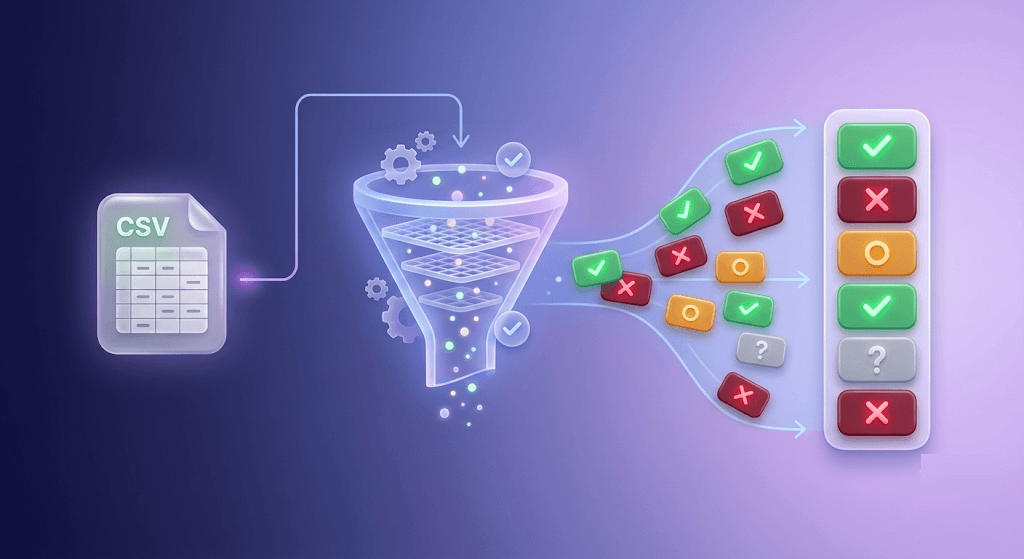
Export your list from your ESP as a CSV
Go into Mailchimp, Klaviyo, HubSpot, or whichever platform holds your contacts and export the full audience as a CSV. Include all fields — you'll need the original data for re-import. If your ESP has a direct integration with Valid Email Checker, you can skip the CSV step entirely and sync the audience directly.
Upload to a verifier and let the 11-stage flow run
Use the bulk email verifier to upload your CSV. Bulk verification is async — the job runs in the background and you'll get a notification when results are ready. For a full walkthrough of the bulk upload process, the bulk verification guide covers every field and filter. Don't close the tab thinking something went wrong — large lists can take a few minutes.
Read the result mix
When results come back, look at the distribution across statuses before you do anything. If more than 5% of addresses are Invalid, the list has been neglected long enough that a single clean won't solve the underlying problem — you'll also need to look at your signup form and your data sources. A result mix with more than 1% Spamtrap is a serious warning sign.
Suppress invalid, spamtrap, and disposable addresses immediately
These three categories should never receive another email from you. Add them to your ESP's global suppression list — not just a segment exclusion, a hard suppression. Catch-all and role addresses go into a separate low-priority segment, not the main send. If you need to mail catch-all addresses at all, do it at lower frequency and watch the engagement metrics closely.
Re-import the clean segment and update your suppression list
Download the verified-clean segment from the results page and re-import it into your ESP. Update your suppression list with everything you removed. Most ESPs have a dedicated suppression upload — use it, don't rely on tags or exclusion segments alone, which can be accidentally removed.
Set up real-time verification at the form level
This is the step most senders skip, and it's the one that matters most for the long term. Real-time verification at the signup form catches invalid and disposable addresses before they enter your list. The single verification endpoint handles this with sub-second response times for individual addresses — drop it into your form's submit handler and reject bad addresses at the point of entry.
Common mistakes that undo a list-cleaning effort
Cleaning a list once is better than never cleaning it. But several specific mistakes mean the work you did in month one stops protecting you by month three.
Verifying once and treating it as permanent. At 2–3% monthly decay, a list that was clean 12 months ago has statistically shed most of its freshness. Build re-verification into your campaign calendar — at minimum before any large send to a list older than six months. The email list hygiene best practices framework has a useful decision tree for how often different list types need re-verification.
Keeping catch-all addresses in the main send segment. Catch-all domains accept mail at the SMTP layer regardless of whether the specific mailbox exists. Mailing them inflates your apparent list size while dragging down engagement rates — because a meaningful portion of those sends are going nowhere. Treat catch-all as a separate low-priority segment, mail it at lower frequency, and watch the bounce and engagement data before scaling it up.
Ignoring role addresses. info@ and support@ often route to shared inboxes monitored by a team or a ticketing system. Open rates at role addresses are close to zero in most B2B verticals, and complaint rates run higher than personal addresses. Keeping a large block of role addresses in your main segment consistently signals low engagement to inbox providers — which affects everyone else on your list too.
Using a verifier that charges for Unknown results. If a verifier can't classify an address, you still lose a credit. You paid for uncertainty. That's the opposite of what verification is for. Valid Email Checker automatically refunds credits for every Unknown result — the refund posts immediately, no ticket required. The refund policy details explain exactly how this works.
Cleaning the list but not fixing the signup form. A form that accepts any address string will refill your list with bad addresses within weeks of a clean. The verification work you did on this month's list is erased by next quarter's bad signups. Real-time verification at the form level is the fix — and it's the reason why your emails go to spam even after you've cleaned the list once.
Check your sending IP while you're at it
If you've been sending to a dirty list for a while, your IP may already be flagged. Run it through the IP blacklist checker before your next campaign — a blacklisted sending IP means even a perfectly clean list won't reach the inbox. According to Google's email sender guidelines (https://support.google.com/mail/answer/81126), maintaining a spam rate below 0.10% is required to consistently reach Gmail inboxes. A clean list is the primary lever for hitting that threshold.
One more thing worth naming: the M3AAWG published best practices for bulk senders recommend list hygiene as a baseline requirement, not an optional improvement. ISPs use M3AAWG guidance when setting their filtering thresholds. The standards that govern deliverability at scale — including RFC 5321, which defines SMTP behavior — assume senders are operating on validated lists. When you're not, the filtering infrastructure is working as intended when it throttles you.
Free tool · no signup
See how your domain looks to inbox providers
Run a deliverability check before your next campaign — catch authentication gaps, blacklist flags, and reputation issues in one place.
Frequently asked questions
Frequently asked questions
What is the difference between cleaning your inbox and cleaning your email list?
How often should I clean my email list?
What happens if I send to a spamtrap address?
Do inbox cleaner apps like Clean Email improve my email deliverability?
What is a catch-all email address and is it safe to send to?
Why does my email verifier return 'unknown' for some addresses, and do I still get charged?
What bounce rate is too high before I need to clean my list?
A verified list isn't a guarantee of inbox placement — authentication, sending reputation, and content all play a role. But it is the foundation everything else sits on. The fastest way to find out where your list actually stands is to run a sample through a verifier and read the status breakdown before your next send.
Try Valid Email Checker free
Verify any email in under a second
Get 150 free verifications. No credit card. Auto-refund on every Unknown result — the only verifier we know that does this.
- 150 free credits when you sign up
- Auto-refund every Unknown verification (we're the only ones that do)
- 11-stage flow catches what 1-step checkers miss
- Drop-in integrations for Mailchimp, HubSpot, SendGrid, 14 more
Written by
Mara ChenMara covers deliverability from the receiving end — the filters, reputation signals, and quiet rejections that decide whether you reach the inbox or the spam folder. She cares less about clever subject lines than the unglamorous fundamentals that actually move placement: clean lists, consistent sending, and a sender reputation you don't have to rebuild every quarter. Expect practical, no-hype advice grounded in how mailbox providers really behave.