Mailchimp alternatives: the migration checklist
 Emmanuel KwartengJune 13, 2026
Mailchimp raised prices again. Your contact count jumped because they count unsubscribed addresses against your plan. And now you're paying Intuit-era rates for a tool that hasn't materially improved in three years.
By the end of this post you'll know exactly which platform fits your use case, what a side-by-side migration actually costs, and — the step every other guide skips — why the order of operations matters if you don't want to torch your sender reputation on day one at your new ESP.
The specific thing most migration guides never mention: a dirty exported list damages your reputation faster on a new platform than it would have on the one you just left.
Why people are actually leaving Mailchimp
The most common complaint isn't the interface. It's the contact counting. Mailchimp counts every address across every audience — including people who unsubscribed months ago — toward your monthly plan limit. If you have the same contact in two audiences, you're billed twice. Most alternatives deduplicate at the account level. That single difference can mean the difference between a $50/month bill and a $150 one on a 10,000-contact list.
Since the Intuit acquisition closed in 2021, the free plan has tightened to 500 contacts and 1,000 sends per month with automations locked out entirely. MailerLite, Brevo, and Moosend all offer automations on their free tiers. For a solopreneur running a welcome sequence, that gap is the whole ballgame.
The EU friction is real too. Mailchimp stores data on US-based servers, which creates a compliance headache for teams subject to GDPR. Brevo (headquartered in Paris) and several others offer EU data residency out of the box. It's not a dealbreaker for most US-based senders, but for European businesses it consistently comes up as the first reason to look elsewhere.
The interface complaint is more subjective, but it's not unfair. Mailchimp's campaign builder has accumulated years of feature additions that never got a coherent redesign. Newer tools — MailerLite especially — have built cleaner UX from scratch.

How to pick the right replacement (before you look at any list)
Most people start by Googling "best Mailchimp alternatives" and end up choosing whichever tool had the nicest landing page. That's backwards. The platform decision should follow your use-case audit, not lead it.
Four questions that actually narrow the field:
- What's your primary send type? Newsletters and broadcasts have different requirements than ecommerce post-purchase flows or transactional receipts. Klaviyo is overkill for a weekly newsletter. MailerLite is underpowered for a 12-step abandoned-cart sequence.
- How many active contacts do you actually have? Export your Mailchimp audience, filter to "subscribed" only, then filter again to opened-in-90-days. That's your real active list. Most people discover it's 30–50% smaller than their billed contact count.
- Do you need a CRM layer? If your sales team needs pipeline views and contact scoring alongside email sends, Brevo or HubSpot make sense. If you just need to send email, a CRM layer adds cost and complexity you won't use.
- How complex are your automations? A welcome sequence with two or three branches is table-stakes for every tool on this list. Multi-step behavioral flows with lead scoring and conditional splits are where ActiveCampaign pulls away from the field — and where its higher price becomes defensible.
The variable nobody mentions in these audits: list quality. Any platform you migrate to will judge you by your first sends. A 20% bounce rate on day one at a new ESP — on a shared IP pool where your reputation is starting from zero — is the fastest way to end up in spam folders before you've sent a single real campaign. We'll come back to this.
Best Mailchimp alternatives by use case
Here's the honest breakdown. These aren't ranked — they're categorized, because the "best" answer depends entirely on what you're building.
[MailerLite](/integrations/mailerlite) — best for solopreneurs and small businesses. The free plan gives you 1,000 subscribers, 12,000 sends per month, and automations included. The drag-and-drop builder is genuinely cleaner than Mailchimp's. Pricing scales on subscriber count only — no contact duplication tax. If you're currently on Mailchimp's paid plan with under 10,000 subscribers, MailerLite is the closest feature-for-feature swap at lower cost.
[Brevo](/integrations/brevo) (formerly Sendinblue) — best for B2B teams that need CRM + email. The free tier is genuinely generous: unlimited contacts, 300 emails per day. Paid plans are priced on send volume, not contact count, which means a large but infrequently-emailed list costs almost nothing to store. The built-in CRM, deal pipeline, and SMS channels make it the closest thing to an all-in-one without going to HubSpot pricing.
[ActiveCampaign](/integrations/activecampaign) — best for advanced automation. No free plan. Entry price is higher than most alternatives. Worth it if your automation complexity is genuinely high: multi-branch behavioral triggers, lead scoring, CRM integration, and predictive sending. For a basic newsletter sender, it's expensive overkill. For a SaaS onboarding sequence or a high-touch B2B nurture track, nothing on this list matches its depth at the same price point.
[Klaviyo](/integrations/klaviyo) — best for ecommerce. Klaviyo is the default for Shopify and WooCommerce stores because its revenue attribution actually works. Flows trigger on real purchase events, not just form submissions. The free tier covers 250 contacts and 500 sends. Pricing gets steep fast on large lists, but the ROI case is easier to make because you can trace revenue directly to campaigns and flows.
[Moosend](/integrations/moosend) — closest Mailchimp replacement. No free tier, but the trial is ungated. Paid plans run cheaper per-contact than Mailchimp Standard, and the platform offers a one-click Mailchimp import that preserves tags and segments — not just addresses. For teams that want Mailchimp's interface logic without Mailchimp's pricing, Moosend is the most direct substitute.
[ConvertKit (now Kit)](/integrations/convertkit) — best for creators and newsletter publishers. The subscriber-tagging model (rather than list-based segmentation) is genuinely better for content creators who publish across multiple topics. Paid subscriptions, tip jars, and creator commerce are built in. If you're a blogger, podcaster, or course creator, Kit fits better than any ESP originally designed for bulk marketing.
[Constant Contact](/integrations/constantcontact) — best for social media integration. The platform's differentiation is social post scheduling and event management alongside email. For nonprofits, event organizers, and teams that treat email and social as one channel, it's the most integrated option. Pure email marketers will find the pricing uncompetitive relative to MailerLite or Brevo.
Side-by-side comparison: pricing and free-plan limits
| Platform | Free contacts | Free sends/month | Automations on free? | Contact counting |
|---|---|---|---|---|
| Mailchimp | 500 | 1,000 | No | All contacts incl. unsubscribed |
| MailerLite | 1,000 | 12,000 | Yes | Subscribed only |
| Brevo | Unlimited | 9,000 (300/day) | Yes | Unlimited stored, priced on sends |
| Moosend | Trial only | Trial only | Yes | Active subscribers |
| ActiveCampaign | None | None | N/A | Active contacts |
| Klaviyo | 250 | 500 | Yes | Active profiles |
| Kit (ConvertKit) | 10,000 | Unlimited broadcasts | Limited | Subscribers |
The pricing trap worth calling out explicitly: Mailchimp's plan limit includes everyone who ever subscribed, even if they unsubscribed a year ago. If you exported your audience today and filtered to subscribed-only, your actual active list is almost certainly smaller than your billed contact count. That gap is pure overpayment.
Deliverability: the spec sheet nobody shows you
Every alternative on this list will tell you their deliverability is "industry-leading." Almost none of them publish the data to back it up. Mailjet and SendGrid are the exceptions — they publish deliverability benchmarks. For the rest, you're relying on third-party testing.
EmailTooltester's 2025 inbox placement tests showed Mailjet and MailerLite outperforming Mailchimp on deliverability. That result is meaningful, but it comes with a caveat: those tests used clean seed lists. Real-world deliverability depends on the shared IP pool your ESP puts you on, how your neighbors on that pool behave, and — most importantly — the quality of your own list.
Here's what the deliverability guides usually gloss over: shared IP reputation is collective. If you're on a shared pool at a new ESP and another sender on that pool gets flagged for spam, your deliverability takes a hit too. Dedicated IPs are available on higher-tier plans at most ESPs, but they come with their own warmup requirement.
The one lever you fully control — and the one that matters most when you're starting fresh at a new platform — is list hygiene. A clean list on a mediocre ESP consistently outperforms a dirty list on the best ESP in the market. This is the part of the migration checklist that most guides treat as optional. It isn't. See our deeper breakdown in Email Deliverability in 2026: From Rules to Enforcement.

How to migrate without torching your sender reputation
The mechanics of migration are straightforward. The sequencing is where most people go wrong.
Export from Mailchimp with engagement data
Go to Audience > Export Audience > CSV. The export includes engagement columns — open rate, last open date, last click date. Keep these. They're the segmentation data you need for step 3 and they won't survive a raw address import to a new platform.
Verify the list before you import anything
This is the step every guide skips. Hard bounces on a new ESP damage your standing faster than on an established one because your reputation there starts at zero. Run your Mailchimp export through a verifier before touching the import button. More on exactly what to look for in the next section.
Segment by engagement first
Import your actives — subscribers who opened in the last 90 days — before your cold list. Most platforms let you import in batches. Start with the warm segment, send to it, and let the engagement signals build your reputation on the new platform before you introduce the riskier cold addresses.
Warm up send volume even on a clean list
A new sending domain or IP needs a warmup period regardless of list quality. Google's sender guidelines are explicit about this. Start at 20–30% of your normal volume and ramp over two to three weeks. Most ESPs have warmup documentation; follow it.
Use the native importer for tags and segments
MailerLite, Moosend, and Brevo all offer one-click Mailchimp importers that pull over tags and segments — not just email addresses. Use them. Recreating segmentation from scratch in a raw CSV import wastes hours and loses the behavioral context that makes your lists useful.
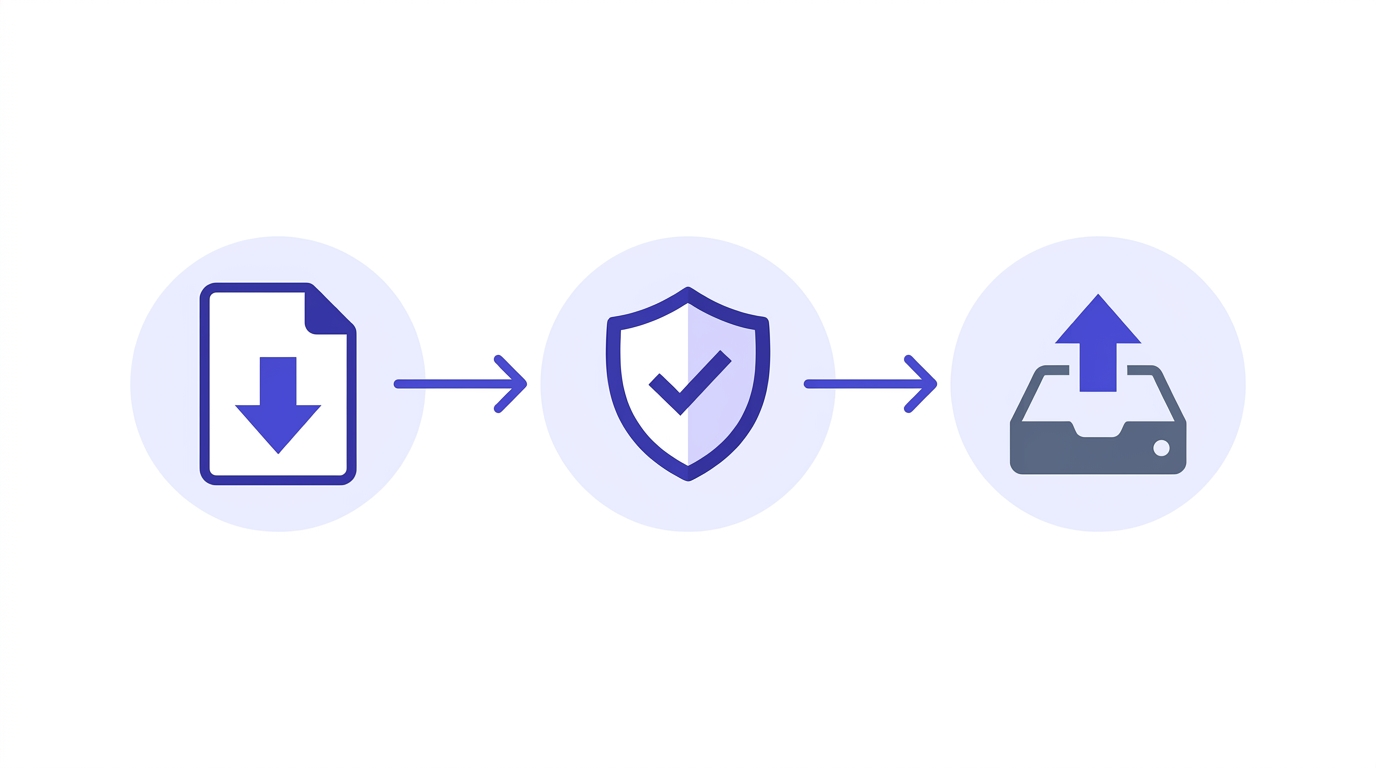
The one step most migration guides skip
A Mailchimp audience that's been active for 12 months or more typically contains 8–15% undeliverable addresses. Some are hard invalids — syntax errors, dead domains, closed accounts. Others are catch-alls: domains that accept every incoming message at the SMTP level regardless of whether the mailbox exists, so Mailchimp never logged a bounce.
When you import that list to a new ESP and send your first campaign, the invalids bounce immediately. The catch-alls accept the message and then silently drop it. Your bounce rate spikes. Your new ESP's compliance team notices. You spend the next two weeks explaining yourself to a deliverability support desk.
Here's the deal: the problem isn't the new ESP. The problem is that Mailchimp's bounce handling only catches what bounced on Mailchimp's infrastructure. Addresses that went stale, got recycled into spamtraps, or sit behind catch-all domains never triggered a bounce. They just accumulated.
Running your export through an 11-stage verification engine before importing catches all of these. Valid Email Checker's verification returns a status for every address: safe, risky, invalid, catch_all, disposable, role, disabled, or inbox_full. Each status tells you something different about what to do with that address. The full breakdown of what each result means is worth reading before your first bulk run.
What to do with each segment:
- Safe — import and send normally.
- Risky — import to a suppressed segment; re-engage with a low-volume test before including in main sends.
- Invalid — do not import. These will hard-bounce.
- Catch-all — quarantine, do not import in the first wave. The mailbox might exist, but you can't confirm it. See our catch-all guide for how to handle these.
- Disposable / Role / Disabled — exclude entirely. Role addresses (info@, support@, hello@) have near-zero engagement and drag your metrics down even when they technically accept mail.
- Unknown — Valid Email Checker auto-refunds credits for Unknown results, so you're not paying to verify addresses the engine couldn't confirm. Set these aside and decide later.
Check an address before you commit to the migration
Paste any email from your Mailchimp export and see the 11-stage result in seconds.
Powered by Valid Email Checker — full SMTP handshake, disposable + role detection, no card required.
Most verifiers charge you for Unknown results — addresses where the verification engine couldn't reach a definitive answer. Valid Email Checker refunds those credits automatically. No support ticket, no fine print. If you're verifying a large export and 5% of it comes back Unknown, that 5% costs you nothing. The credit posts back to your account as: "Refund: address returned unknown status." It's the only verifier guarantee of its kind we're aware of — and it's the reason it makes sense to run your full export rather than a sample.
Start with 200 free credits
New accounts get 200 verifications free — no card required. That's enough to check a representative sample from your Mailchimp export and see the status breakdown before you commit to a full list clean. The quick start guide walks through your first verification in under five minutes.
Quick-reference: which alternative for which situation
If you've read this far and still want a one-line answer, here it is:
- Tight budget, small list: MailerLite free tier (automations included) or Brevo free tier (unlimited contacts, priced on sends).
- Ecommerce with Shopify or WooCommerce: Klaviyo — the revenue attribution alone justifies the cost.
- Advanced automation without ActiveCampaign pricing: Moosend or GetResponse.
- Creator or newsletter with paid subscriptions: Kit (ConvertKit) — subscriber tagging beats list-based models for content businesses.
- All-in-one with CRM and sales pipeline: Brevo at the lower end, HubSpot if you need deeper sales tooling.
- High-volume transactional + marketing: SendGrid or Mailjet — both publish deliverability benchmarks and have the infrastructure for serious volume.
Free tool · no signup
Test your sender setup on the new platform
Before your first campaign send, confirm your SPF, DKIM, and DMARC are configured correctly on the new ESP.
Whichever platform you land on, the migration succeeds or fails in the first two weeks of sending. A verified list going in, a warm-up schedule coming out, and a working authentication setup on the new domain — those three things determine whether your deliverability improves or whether you spend the next month troubleshooting spam folder placement. The platform choice matters less than the preparation.
Frequently asked questions
What is the cheapest Mailchimp alternative with automations on the free plan?
Which Mailchimp alternative is best for ecommerce?
How do I migrate from Mailchimp without losing my subscriber data?
Does switching email platforms affect my deliverability?
Which Mailchimp alternatives count contacts without duplicating across lists?
Should I clean my email list before migrating away from Mailchimp?
What happens to my bounce rate when I move to a new ESP?
Is MailerLite actually better than Mailchimp for small businesses?
The platform you pick is the easy part of this decision. The hard part — the part that determines whether your deliverability improves or stalls — is what you do with your Mailchimp export before you touch the import button. Run it through a verifier, segment by status, and import the clean half first. That's the migration checklist every other guide leaves out.
Try Valid Email Checker free
Verify any email in under a second
Get 150 free verifications. No credit card. Auto-refund on every Unknown result — the only verifier we know that does this.
- 150 free credits when you sign up
- Auto-refund every Unknown verification (we're the only ones that do)
- 11-stage flow catches what 1-step checkers miss
- Drop-in integrations for Mailchimp, HubSpot, SendGrid, 14 more
Written by
Emmanuel KwartengEmmanuel is the founder of Valid Email Checker. He spends most of his time in bounce logs, verification data, and the gap between what email vendors promise and what actually happens when you hit send. He started the company because too much deliverability advice is guesswork dressed up as best practice, and he writes here to cut through it with the numbers behind each claim.