Cold email meaning: definition and deliverability reality
 Emmanuel KwartengJuly 10, 2026
Most senders who ask "what is cold email?" already know the rough answer. What they don't know is why their cold emails keep vanishing before they reach the inbox — and that gap is where campaigns die.
By the end of this post you'll be able to define cold email precisely, explain where the legal lines sit across three jurisdictions, and know exactly which infrastructure decisions determine whether your message lands or disappears.
The piece most glossary posts skip entirely: list quality is the variable that sits between good copy and inbox placement. We'll cover that too.
What cold email actually means
A cold email is an unsolicited, personalized message sent to someone you have never previously contacted, with a specific and legitimate business purpose. Three parts of that sentence matter: unsolicited (no prior relationship), personalized (written for a real person, not a mailing list), and legitimate business purpose (not deceptive, not a blast).
The cold-calling analogy holds in one important way: you are interrupting someone who did not ask to hear from you. It breaks down in one important way: cold email leaves a written record, passes through automated filtering systems, and carries domain-level reputation consequences that a phone call never does.
The one-line version you can repeat to a colleague: a cold email is a researched, one-to-one message sent to a specific person who hasn't opted in, for a specific reason you could explain to their face.
That definition rules out a lot of what senders call "cold email" in practice. If the same message could go to 10,000 people unchanged, it's a broadcast. If the recipient's name was scraped from a purchased list, it's probably spam. The distinction isn't semantic — inbox providers make it algorithmically, every time your message hits their servers.
Cold email vs. spam vs. warm email — the three-way split
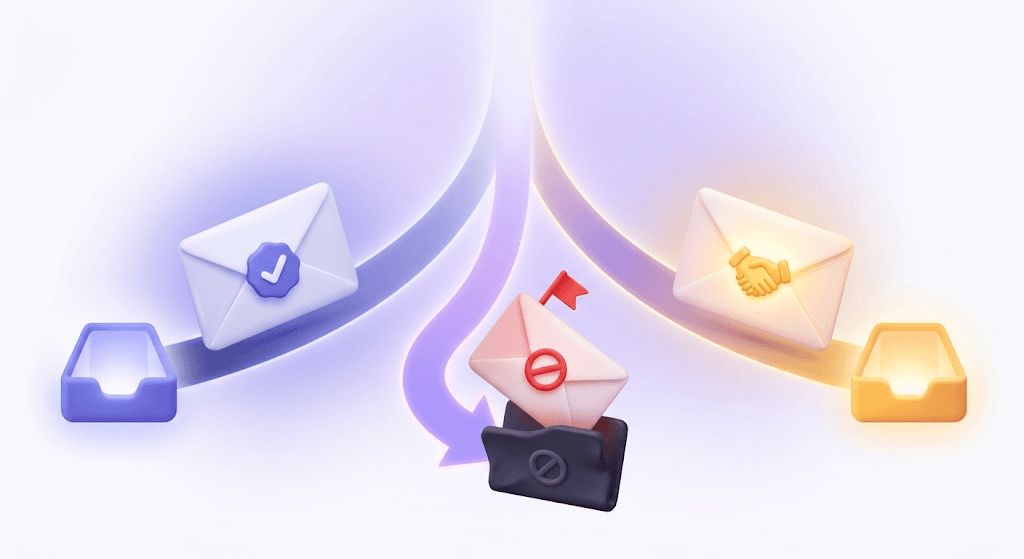
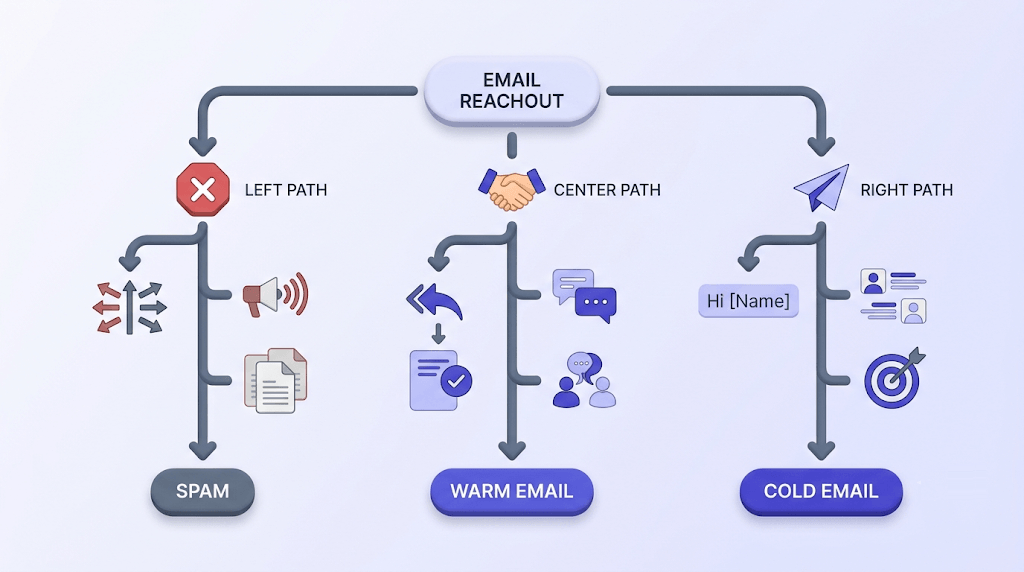
These three categories are often conflated, but they have completely different deliverability profiles.
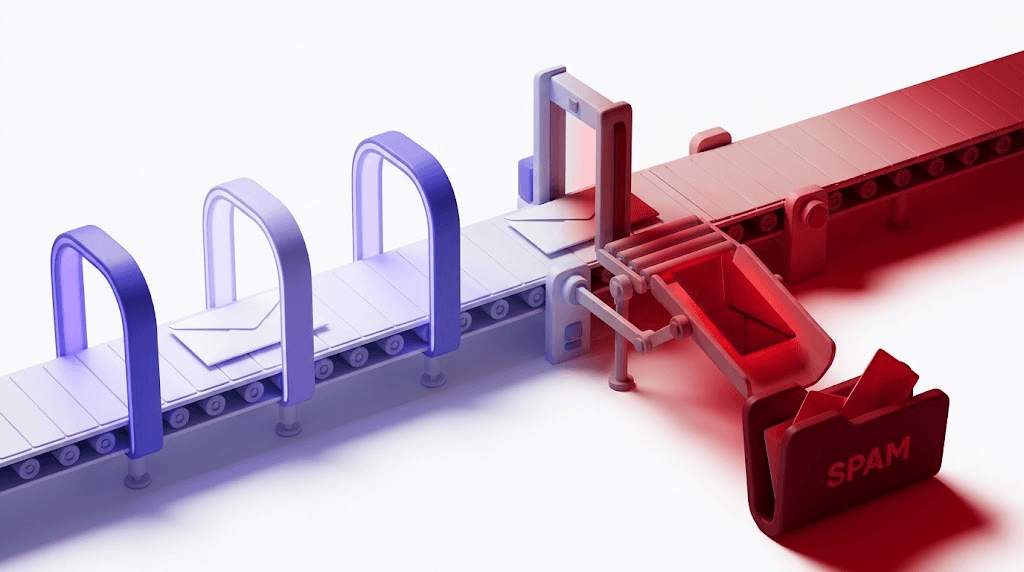
Spam is mass-blast sending to a purchased or harvested list, typically with deceptive subject lines, no real sender identity, and no functioning opt-out path. The recipient never agreed to receive it and has no plausible reason to expect it.
Cold email is researched, targeted, sent from a real identity, and includes a working unsubscribe mechanism. The recipient didn't opt in, but there's a coherent reason this specific person is receiving this specific message.
Warm email is sent to someone who has a prior relationship with you — they opted in, replied before, or are an existing customer. Deliverability is structurally different here because engagement history signals to inbox providers that the recipient wants your mail.
The practical test for whether something is cold email or spam: could this exact message go to 1,000 people unchanged? If yes, it's a broadcast. If the answer is no — if swapping out the recipient would require rewriting the opening line — you're closer to cold email territory.
At the SMTP level, inbox providers don't read your copy. They look at domain reputation, IP history, authentication records, engagement rates, and bounce signals. A well-written cold email from a domain with no SPF record and a 5% bounce rate will be treated worse than a mediocre warm email from a domain with ten years of clean sending history.
Is cold email legal?
The honest answer: it depends on where your recipient is located, not where you are.
CAN-SPAM (US) is the most permissive of the three major frameworks. It does not require prior consent — you can email someone cold as long as you use honest subject lines, include a physical mailing address, and provide a working opt-out mechanism that you honor within 10 business days. Cold B2B outreach to US recipients is generally CAN-SPAM compliant if you follow those rules.
CASL (Canada) is stricter. It requires express or implied consent before you send a commercial electronic message. Implied consent exists in narrow circumstances — an existing business relationship, a published business address in a directory, or a publicly visible role at a company where the email is relevant to that role. Sending cold email to Canadian recipients without implied consent is a CASL violation.
GDPR (EU) is the strictest. The "legitimate interest" basis for processing personal data does technically exist, but regulators have interpreted it narrowly for unsolicited marketing. B2C cold email to EU recipients is almost never compliant. B2B cold email sits in a grey zone — you need a genuine legitimate interest, the processing must be necessary, and the individual's interests cannot override yours. In practice, this means tight ICP targeting and immediate opt-out compliance.
Legal compliance is not a deliverability shield
Being CAN-SPAM compliant doesn't prevent Gmail from filtering your message. Spam filters and blacklists operate independently of legal frameworks. A message can be perfectly legal and still never reach an inbox if your domain reputation is damaged or your list is dirty.
The practical safe harbor that works across all three frameworks: B2B outreach to business email addresses, where there's a clear and articulable reason this specific person is relevant to your offer, with an easy one-click opt-out. That combination satisfies CAN-SPAM, covers most CASL implied-consent scenarios, and is defensible under GDPR's legitimate interest basis.
Why cold email still works in 2026 — and when it doesn't
Here's the uncomfortable baseline: according to Backlinko and Pitchbox's outreach data, 91.5% of cold outreach emails are ignored. That number hasn't improved meaningfully in years.
The senders who survive that math share three things: a tight ICP (they know exactly who they're writing to and why), short copy (under 150 words, one ask), and a personalization signal that isn't just a first-name merge tag. Those campaigns routinely see reply rates of 5–15%. The average campaign sees 1–2%.
Where cold email consistently fails: purchased lists, generic value propositions that could apply to any company in a vertical, and the assumption that volume compensates for relevance. More sends to a bad list doesn't improve your reply rate — it accelerates reputation damage. Every hard bounce, every spam complaint, and every unread message from an unengaged domain pushes your sender score lower.
There's also a deliverability ceiling that copy quality can't break through. A message from a domain with a 4% bounce rate and no DMARC record will be throttled or junked by Gmail regardless of how well-written it is. The infrastructure has to be right before the copy matters. We cover the specific requirements in the Email Deliverability: Why List Quality Matters More Than Authentication guide if you want the full picture.
For a comprehensive look at what changed in the past two years specifically — Google and Yahoo's 2024 sender requirements, DMARC enforcement timelines, and what's shifted in 2025 and 2026 — see Cold email news: what changed in 2024–2026.
The anatomy of a cold email that gets a reply
Subject line: specific over clever
Name the actual reason for reaching out. "Question about your outbound stack" outperforms "Grow your revenue 3x" because it's honest about what the email contains. Deceptive or misleading subject lines are also a CAN-SPAM violation — the legal and performance incentives align here.
Opening line: reference something real
Not "I came across your profile and was impressed." Reference a specific piece of work, a recent hire, a published article, or a product launch. The opening line signals that the email was written for this person — which is the thing spam filters can't fake and readers notice immediately.
Value proposition: one concrete, verifiable claim
"We help companies like yours grow revenue" is not a value proposition — it's a category description. "We reduced onboarding time by 40% for three companies in your sector" is a claim a recipient can evaluate. One claim, sourced or sourceable, beats three vague promises every time.
Call to action: a single low-friction ask
A 15-minute call or a yes/no question. Not a demo request, not a proposal, not a form. The ask should be so small that saying yes requires almost no commitment. If the recipient has to think about whether they have time for your CTA, the answer is no.
Signature: real name, real company, real contact info
A complete signature signals legitimacy to both the human reader and spam filters. It's also a CAN-SPAM requirement. Include a physical address. Skip the seven-line marketing footer — that belongs in newsletters, not cold outreach.
On length: under 150 words is a target, not a rule. Every sentence beyond the minimum needs to carry its weight. A cold email is not a proposal — it's a request for permission to have a conversation.
Cold email deliverability: the infrastructure layer most senders skip
Your domain reputation is a separate asset from your copy quality. A new domain sending 5,000 emails on day one will be flagged — not because the copy is bad, but because inbox providers have no engagement history to evaluate. Domain warm-up exists for this reason: you build a track record of sent mail, opens, and replies before ramping volume.
Three authentication records are required before sending at any meaningful volume. SPF (Sender Policy Framework, defined in RFC 7208) tells receiving servers which IPs are allowed to send mail for your domain. DKIM signs each message cryptographically so receivers can verify it wasn't tampered with in transit. DMARC ties the two together and tells inbox providers what to do when a message fails — quarantine it, reject it, or report it.
You can check your SPF record in under 30 seconds to confirm it's set correctly before your next send. Missing or misconfigured authentication is the most common reason a technically clean campaign ends up in spam — see How Email Authentication Actually Works Together for the full explanation of how SPF, DKIM, and DMARC interact.
Bounce rate is the early warning signal. Hard bounces above 2% trigger throttling from Gmail and Yahoo — and recovery takes weeks, not days. Google and Yahoo's 2024 sender requirements set 0.1% as the spam complaint threshold before throttling begins. Both numbers are lower than most senders assume.
If you're concerned your sending IP or domain is already flagged, check whether your IP is blacklisted before your next campaign. A blacklist entry explains sudden deliverability drops that authentication changes alone won't fix.
The single biggest variable in deliverability is list quality. Scraped and purchased lists degrade fast — by the time you use them, 20–40% of addresses are typically invalid. That's where the next section comes in.
How to verify a cold email list before you send
Scraped and purchased lists have a structural problem: addresses that were valid when collected go stale at roughly 2–3% per month. A list scraped six months ago may have 15–20% invalid addresses before you've sent a single message. Purchased lists are often worse — they're compiled from multiple sources with no freshness guarantee.
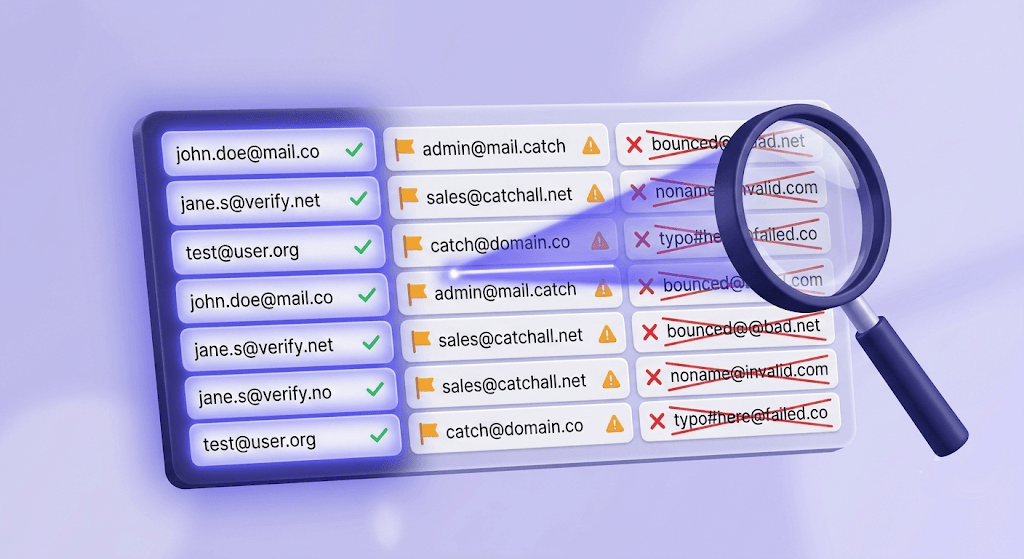
An email verifier runs each address through several checks in sequence: syntax validation, MX record lookup (does the domain have mail servers?), SMTP handshake (do those servers respond?), and mailbox-existence probe (does this specific address accept mail?). The 11-stage verification engine Valid Email Checker runs covers all of these plus catch-all detection, role address detection, disposable address detection, spamtrap detection, and disabled-account detection.
Two categories deserve specific attention for cold outreach:
Catch-all domains accept all incoming mail at the server level regardless of whether the individual mailbox exists. Standard verification can detect catch-all behavior but can't confirm whether firstname.lastname@catch-all-domain.com is a real inbox. These addresses carry silent bounce risk — they look deliverable and then hard-bounce anyway. For a full breakdown of how to handle them, see our catch-all emails complete guide.
Role addresses (info@, admin@, support@, hello@) are shared inboxes. Engagement rates are structurally low because no individual owns the address. Sending cold outreach to role addresses also increases spam complaint risk — whoever checks that inbox didn't agree to receive your specific pitch. Filter them before you send.
There's one more issue the industry mostly ignores: the Unknown result. When a verifier can't get a definitive answer — the server is rate-limiting, the mailbox probe times out, the provider is uncooperative — most verifiers return an Unknown status and charge you for it anyway. Valid Email Checker auto-refunds those credits. Every address that comes back Unknown gets its credit returned to your account automatically, no support ticket required. Most competitors don't do this. You can read exactly how it works in our refunds and credit returns guide.
Free tool · no signup
Verify your cold email list before you send
Check addresses for bounces, catch-alls, role inboxes, and spamtraps. Unknown results are refunded automatically.
Cold email metrics worth tracking
Not all cold email metrics are equally useful. Here's how to read each one honestly.
Open rate is useful for subject line A/B testing and almost nothing else. Since Apple's Mail Privacy Protection pre-loads tracking pixels in 2021, open rates for any list with Apple Mail users are inflated to the point of unreliability as a deliverability signal. Use it to compare subject lines within a campaign. Don't use it to infer inbox placement.
Reply rate is the only metric that directly measures whether the message landed — in the inbox, in front of the right person, with enough relevance to prompt action. A 3–5% reply rate on a tightly targeted cold campaign is solid. Above 8% is exceptional. Below 1% is a signal to revisit ICP, copy, or list quality — probably all three.
Bounce rate is your infrastructure health signal. Hard bounces should stay under 2% per campaign. One campaign above that threshold can take weeks to recover from because Gmail and Yahoo's throttling is domain-level, not campaign-level. The how to reduce email bounce rate below 2% guide covers the specific recovery steps.
Spam complaint rate — Google's sender guidelines set 0.1% as the threshold before throttling begins, and 0.3% before more severe action. One spam complaint per 1,000 sends keeps you under the limit. Two complaints per 1,000 is already in the danger zone.
Click-through rate is relevant only when your CTA is a link. For most cold email, the CTA should be a reply — a yes/no question or a meeting request. A link CTA adds friction and increases the chance of triggering link-scanning spam filters. Reserve link CTAs for sequences where trust has already been established.
| Metric | What it measures | Threshold to watch | Post-MPP reliable? |
|---|---|---|---|
| Open rate | Subject line performance | N/A as deliverability signal | No |
| Reply rate | Message relevance + list quality | Below 1% = revisit everything | Yes |
| Bounce rate | List quality + infrastructure health | Above 2% = throttling risk | Yes |
| Spam complaint rate | Recipient sentiment | Above 0.1% = Google throttling | Yes |
| Click-through rate | CTA engagement (link CTAs only) | Varies by offer | Yes |
Test an address from your list
See the 11-stage verification result in real time. Unknown results are automatically refunded.
Powered by Valid Email Checker — full SMTP handshake, disposable + role detection, no card required.
Putting it together: the cold email checklist before you hit send
The definition of cold email is simple. The execution is a stack of dependencies, and most senders only optimize the top layer — the copy — while ignoring the layers underneath.
- Authentication first. SPF, DKIM, and DMARC must be configured correctly before you send at volume. Check your SPF record, verify your DKIM selector, and confirm your DMARC policy is at least
p=nonewith reporting enabled. - Warm up new domains. Start at 20–50 emails per day and ramp over 4–6 weeks. Sending thousands on day one from a new domain is a reputation fire you won't recover from quickly.
- Verify the list before every send. Not once at list acquisition — before every campaign. Addresses go stale. A list that was 95% valid three months ago may be 85% valid today.
- Filter role addresses and catch-alls. Role addresses get low engagement and high complaint rates. Catch-alls carry silent bounce risk. Both categories need separate handling.
- Set bounce rate alerts. If a campaign hits 2% hard bounces, stop sending and diagnose before continuing. The damage compounds with every additional send.
- Monitor spam complaint rate. One complaint per 1,000 sends is your ceiling. If you're above it, the list — not the copy — is usually the cause.
- Check your sending IP. A blacklisted IP explains sudden deliverability drops that no amount of copy or authentication fixes will resolve.
For a deeper look at the relationship between list quality and inbox placement — including the data on why authentication alone isn't enough — the Email Deliverability vs. Delivery: Why List Hygiene Comes First guide is the right next read.
Clean lists, correct authentication, and a realistic reply-rate target are what separate cold email campaigns that work from ones that quietly damage the domain they're sent from. The fastest way to find out where your list stands is to verify a cold email list before the next send — not after the bounce reports come in.
Frequently asked questions
What is the difference between cold email and spam?
Is it legal to send cold emails?
Why do most cold emails get ignored?
What is a good reply rate for cold email?
What bounce rate will get my domain blacklisted?
How do I verify a cold email list before sending?
What is a catch-all domain and why does it matter for cold outreach?
What does a good cold email look like?
Cold email works when the infrastructure underneath the copy is solid: authenticated domain, warmed sending history, and a verified list with bounce risk identified before the campaign runs. The fastest way to close the gap between a well-written message and an inbox placement is to check your list before you send — not after the bounce reports tell you it was already too late.
Try Valid Email Checker free
Verify any email in under a second
Get 150 free verifications. No credit card. Auto-refund on every Unknown result — the only verifier we know that does this.
- 150 free credits when you sign up
- Auto-refund every Unknown verification (we're the only ones that do)
- 11-stage flow catches what 1-step checkers miss
- Drop-in integrations for Mailchimp, HubSpot, SendGrid, 14 more
Written by
Emmanuel KwartengEmmanuel is the founder of Valid Email Checker. He spends most of his time in bounce logs, verification data, and the gap between what email vendors promise and what actually happens when you hit send. He started the company because too much deliverability advice is guesswork dressed up as best practice, and he writes here to cut through it with the numbers behind each claim.