Cold Email Outreach: The List Quality Lever
 Emmanuel KwartengJune 26, 2026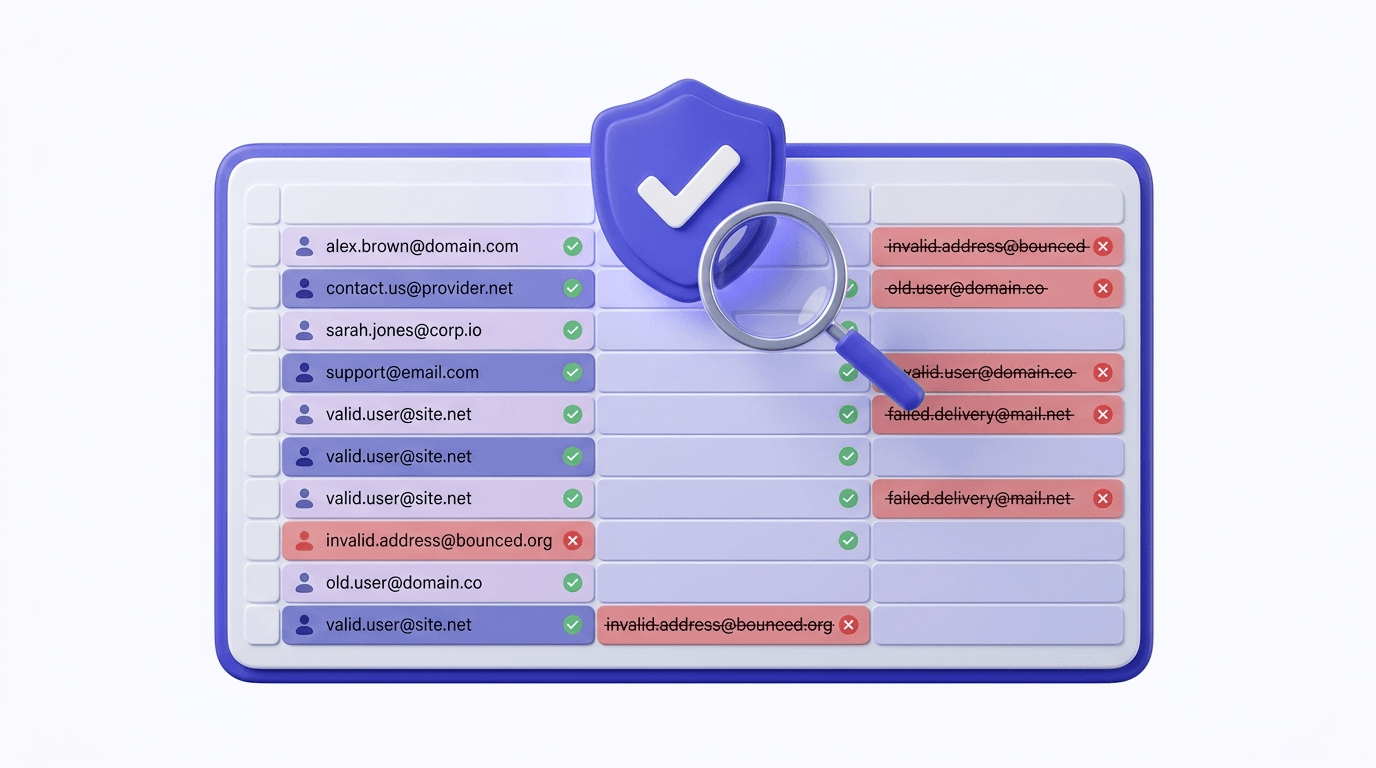
Cold email gets a bad reputation because most people do it badly. They scrape a list, load it into a sequencer, and wonder why their reply rate is 0.2% and their domain is flagged by Gmail within 60 days.
The channel itself works fine. Open rates above 40% are achievable. Reply rates of 3–8% are realistic for well-targeted campaigns. Meetings-booked-per-hundred-contacts is the metric that actually pays the bills — and senders who optimize for it consistently trace their wins back to one variable above all others: list quality.
This guide covers cold email outreach end-to-end — from the math that determines whether a campaign is viable before the first send, to the infrastructure, copy, and sequencing decisions that convert a clean list into pipeline. The most important section is the one most outreach guides bury in a footnote: what happens to your sender reputation when you skip verification.
Why cold email still works in 2026
Social platforms throttle organic reach. LinkedIn connection request limits change quarterly. Ad costs compound. Cold email is one of the few outreach channels where you control the distribution entirely: who sees your message, when it lands, how you scale it, and how much you spend.
There is no algorithm deciding whether your message is worth showing. No moderator ban for sending too many messages to people in your industry. No feed dependency. You send, the message either arrives or it doesn't, and if it arrives, it's the only thing in that inbox slot at that moment.
The version of cold email that is dying is spray-and-pray: 50,000 addresses harvested from a data broker, a generic pitch, no personalization, and a hope that the 0.1% who reply will cover the cost. That version was always a reputation gamble. What's changed is that Gmail, Outlook, and Yahoo now enforce bulk sender guidelines with real consequences — authentication requirements, complaint-rate thresholds, and unsubscribe mandates that apply to anyone sending at volume. Google's sender guidelines set the floor, and the floor has risen.
What 'working' means in 2026: a reply rate between 3–8% on a well-targeted list, a meeting rate of 1–3%, and a pipeline that justifies the cost of the sending infrastructure. Open rate is a secondary signal — Apple's Mail Privacy Protection (MPP) inflates it artificially, so a 60% open rate with a 0.3% reply rate tells you almost nothing useful.
The metric that matters
Track reply rate and meeting rate. Open rate post-MPP is unreliable. Bounce rate is the warning signal — watch it on every send.
The math behind a cold email campaign
Before you write a single subject line, run the math. A campaign's viability is determined upstream of copy.
Industry baseline for cold email reply rates is 1–5%. The variables that move that number: list specificity (a 500-person ICP list outperforms a 10,000-person broad list almost every time), personalization quality, offer relevance, and — critically — whether the addresses you're sending to are real.
Here's the bounce rate math most guides skip. Anything above 2% hard bounce rate starts damaging your sending IP's reputation with major inbox providers. At 5%, you're on a trajectory toward blacklisting. At 10%+, you are actively teaching Gmail and Outlook that your domain sends to addresses that don't exist — and they will act on that signal.
Run the numbers on a real scenario: 10,000 emails sent, 23% hard bounce rate. That's 2,300 SMTP rejections in a single campaign. From Gmail's perspective, your domain just proved it has no idea whether the addresses it sends to are valid. Every subsequent send from that domain — including legitimate transactional mail — now carries that reputation tax. The compounding effect is what kills senders. One bad campaign doesn't just hurt that campaign. It degrades deliverability on every send that follows.
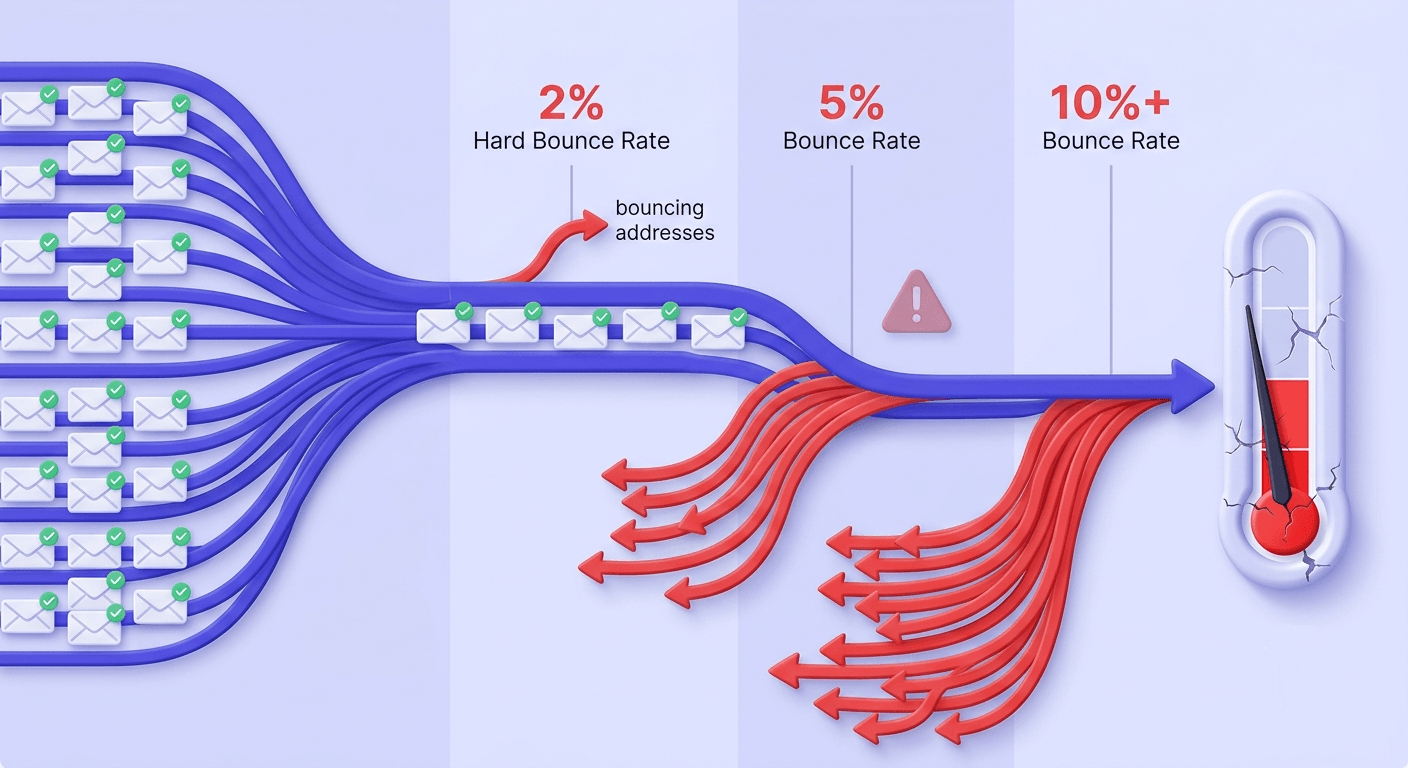
List quality is a multiplier on every other variable in the funnel. The best subject line in the world does nothing for a list with 30% invalid addresses. Verification isn't an optional cleanup step — it's the precondition that makes everything else work. For a deeper look at how list quality connects to deliverability outcomes, the pillar post covers it in full.
List building: where most campaigns die before the first send
Three ways to build a cold email list: scrape it, buy it, or build it through intent-based prospecting. Each has a different freshness profile and a different risk level.
Scraped lists age fast. A contact's email address changes when they switch jobs, get promoted, or when their company migrates to a new domain. B2B email lists decay at roughly 22% per year — meaning a list you built 12 months ago has roughly one-in-five addresses that no longer work. Purchased lists from data brokers are often worse, because you don't know when they were last validated or how they were collected.
Intent-based prospecting — building your list from people who've shown a signal (visited your pricing page, downloaded a lead magnet, engaged with a competitor's content) — produces smaller lists with higher accuracy. Smaller is fine. Verified and targeted outperforms large and stale every time.
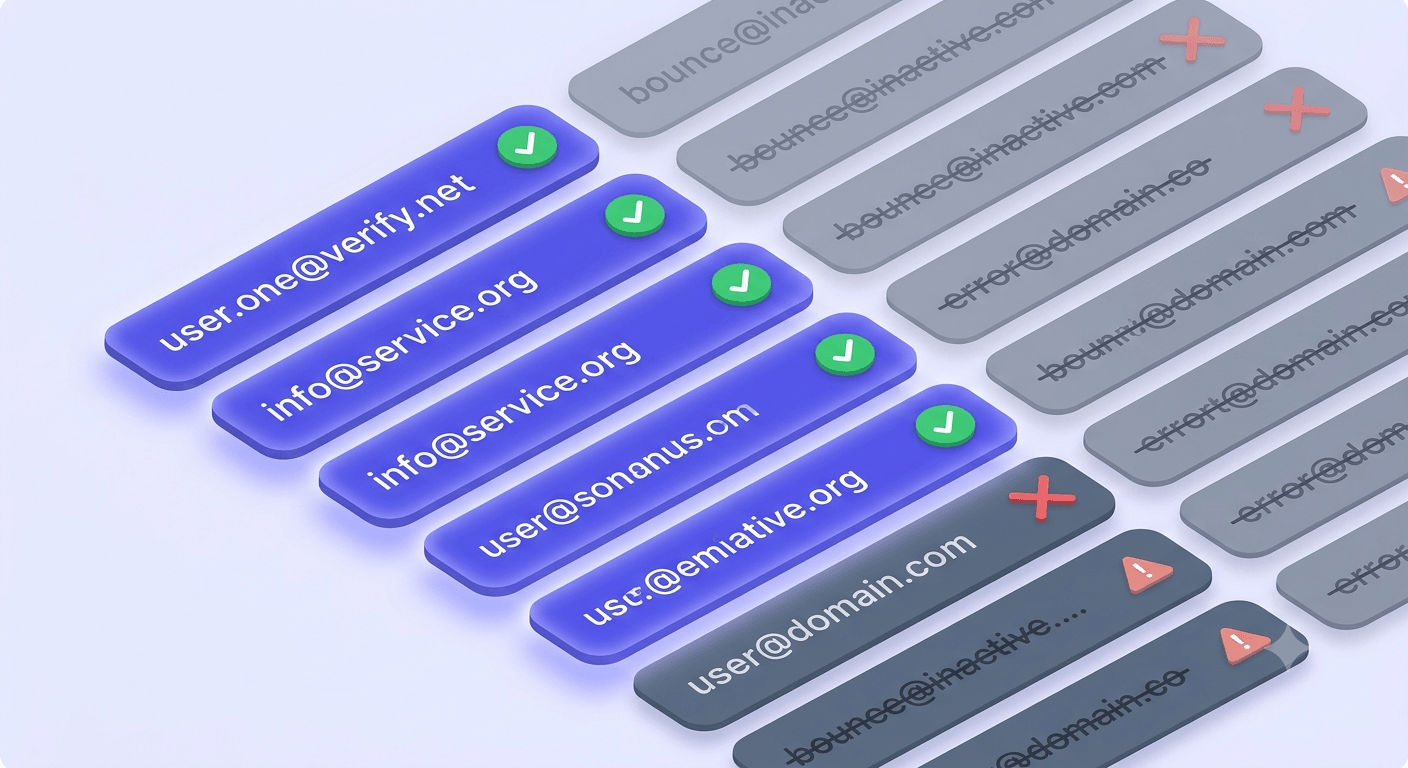
Role-based addresses — info@, support@, hello@, admin@ — are a specific problem for cold outreach. They route to shared inboxes monitored by multiple people, generate low individual engagement, and often trigger spam complaints from whoever happens to be checking the inbox that day. Most sequencing tools can't detect them. A verifier that flags role addresses lets you suppress them before they drag down your campaign metrics.
Catch-all domains accept all incoming mail at the SMTP level regardless of whether the specific mailbox exists. From a verifier's perspective, you can't confirm the individual address — only that the domain won't reject it at the door. Catch-all addresses feel safe because they don't hard-bounce immediately, but they silently deliver to nowhere and some eventually generate spam complaints. They're not safe — they're just quiet failures. The complete guide to catch-all emails explains how to handle them in your send/suppress decision.
Disposable and temporary addresses find their way into B2B lists more often than you'd expect. When someone signs up for a trial with a 10-minute mail address and that email gets exported into a CRM, it ends up in your outreach list. Our disposable-domain database covers over 111,000 known providers — if you're curious how detection works at scale, the post on disposable email detection and suppression covers the mechanics.
Email verification before you hit send
Verification is not a binary pass/fail check on whether the @ symbol is in the right place. A proper verification flow runs 11 distinct stages before it classifies an address.
Syntax check
Confirms the address is formatted correctly per RFC 5322. Catches obvious typos and malformed strings before anything else runs.
MX record lookup
Checks whether the domain has valid mail exchange records. No MX records means no mail server — the address will hard-bounce regardless of what the local part says.
SMTP handshake
Opens a connection to the receiving mail server and initiates a delivery conversation without actually sending a message. This is where most verification depth happens.
Mailbox existence probe
The SMTP session asks the server whether the specific mailbox exists. Many servers confirm or deny at this stage — others require deeper probing.
Catch-all detection
Tests whether the domain accepts mail for any address, not just valid ones. If it does, the individual mailbox can't be confirmed — the result is classified
catch_all.Role, disposable, and spamtrap detection
Cross-references the address against role-address patterns, known disposable-domain lists, and spamtrap registries. Each of these is a distinct suppress signal.
Inbox-full and disabled-account checks
Distinguishes between a mailbox that's temporarily over quota (
inbox_full) and one that's been permanently disabled (disabled). Both should be suppressed, but for different reasons.
The result of this flow is one of 10 possible statuses. For cold outreach, the three that drive your send/suppress decision are: safe (send), invalid (suppress), and risky (your call — suppress if you're protecting a fresh domain). The full breakdown of every verification status is worth reading before you set your suppression rules.
Here's the deal: most verifiers charge you for every address they process — including the ones they can't actually confirm. If both verification passes return a non-definitive result, the address gets classified unknown, and you've paid a credit for information that tells you nothing. Valid Email Checker auto-refunds those credits automatically. No support ticket, no fine print. The refund posts to your credits history the moment the result comes back unknown. It's the only verifier that does this.
Test an address before you send
Paste any email address and see the 11-stage result in under a second. Unknown results are automatically refunded.
Powered by Valid Email Checker — full SMTP handshake, disposable + role detection, no card required.
Spamtraps deserve special attention. A spamtrap is an address maintained by an inbox provider, blacklist operator, or anti-spam organization specifically to catch senders who are using harvested or stale lists. There are two types: pristine traps (addresses that have never been used by a real person — if you hit one, you scraped it) and recycled traps (addresses that belonged to real users, were abandoned, and then repurposed). Hitting a spamtrap is a reputation event. One or two might generate a warning. A pattern of spamtrap hits can get your sending IP or domain added to a major blocklist within days.
Free tool · no signup
Bulk-verify your outreach list before you send
Upload a CSV, get back a clean/suppress breakdown. Unknown results are refunded automatically.
Domain and sender infrastructure
Never cold-email from your root domain. This is not a suggestion — it's the one infrastructure rule that, if you violate it, makes everything else irrelevant. If your cold outreach damages the reputation of yourcompany.com, your transactional mail (receipts, password resets, onboarding sequences) starts landing in spam too. Use a dedicated sending domain: something like mail.yourcompany.com or outreach.yourcompany.com.
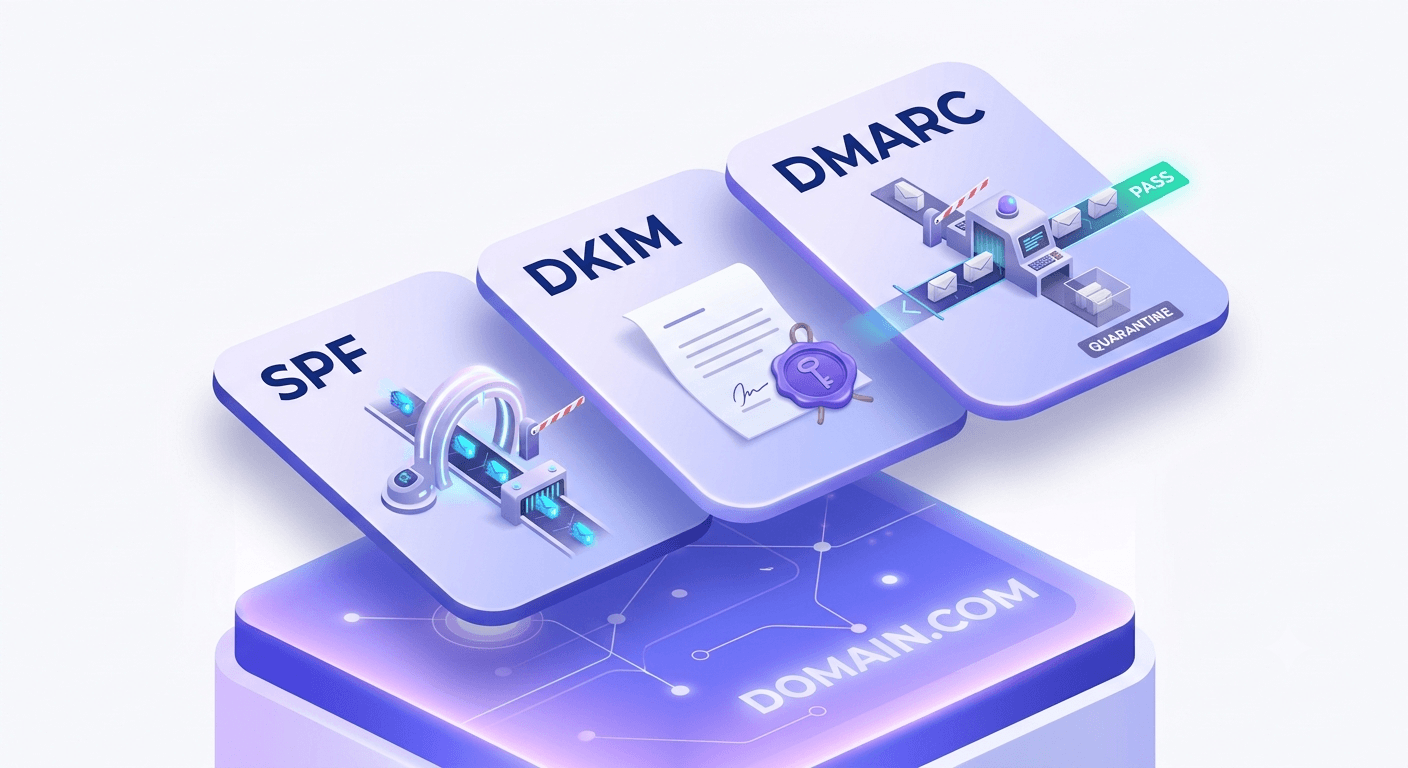
Before any cold send, your sending domain needs three authentication records in place: SPF, DKIM, and DMARC. SPF tells receiving servers which IPs are authorized to send on behalf of your domain. DKIM signs each message with a cryptographic key the receiver can verify. DMARC tells receivers what to do when those checks fail — and it gives you a reporting feed to monitor what's happening to your mail in transit.
These aren't optional extras. Google's bulk sender requirements mandate SPF and DKIM for anyone sending more than 5,000 messages per day to Gmail addresses, and DMARC is required for the same threshold. Getting all three right is the authentication baseline — the full picture of how SPF, DKIM, and DMARC work together is worth a read if you're setting them up for the first time. You can check your SPF record before your first send to confirm it's configured correctly.
Domain warming for cold outreach is faster than most guides suggest. The 6-week ramp you'll see in newsletter deliverability advice is built for high-volume marketing mail. For cold outreach, you're typically sending at lower volume to a more targeted list. A 2-week ramp starting at 20-30 emails per day and doubling every 3-4 days is realistic for a properly verified list. The key constraint isn't time — it's keeping your bounce rate and complaint rate low throughout the ramp.
Inbox placement and delivery rate are not the same metric. Delivery rate measures whether the message was accepted by the receiving server. Inbox placement measures whether it landed in the inbox rather than the spam folder. A 99% delivery rate with 40% going to spam is not a success. Monitor both, and use Google Postmaster Tools to track your domain reputation with Gmail directly.
Keep an eye on your sending IP against blacklists. A single bad send can get your IP flagged on Spamhaus or Barracuda within hours. You can check whether your sending IP is blacklisted before any major campaign — it takes 30 seconds and can save you from sending into a reputational hole you didn't know existed.
Writing the email: what actually gets replies
Subject lines: specificity outperforms cleverness, consistently. 'Quick question about your onboarding flow' outperforms 'Grow your revenue 10x' — not because it sounds humble but because it signals that the email is actually about something specific. The reader can evaluate it in half a second. Vague subject lines require trust the sender hasn't earned yet.
Length: the 'short novel' problem is real. Five well-chosen sentences outperform 500 words in cold email, almost without exception. The reader doesn't know you. They're not going to invest 3 minutes reading a case study from a stranger. Your job in the first email is to earn 30 seconds of attention and get one small yes.
Personalization that scales is not mail-merge first-name insertion. It's one genuine signal per email — a recent company announcement, a specific job posting that signals a pain point, a piece of content they published. One signal, used once, in the first or second sentence. That's enough to distinguish your email from the 40 other cold emails in the same inbox.
The value proposition belongs in sentence two, not paragraph four. Most cold emails bury the reason the reader should care behind three sentences of context-setting. By the time they get to the point, they've already decided to delete it. State the value early, be specific about who it's for, and let the reader self-select.
Call to action: one ask, low friction, specific. 'Would you be open to a 15-minute call next Tuesday or Wednesday?' is better than 'Let me know if you're interested in learning more.' The first is answerable in one word. The second requires the reader to figure out what 'interested' means and what happens next.
Copy that converts starts with a clean list
The best subject line in the world lands in a spam folder if your domain reputation is damaged. Verify first, write second. The cold email subject lines guide covers this in detail.
Follow-up sequences and timing
The data-backed answer on follow-up count: 3-5 total touches, including the initial email. Most replies in cold outreach come from follow-up 2 or 3, not the first message. Beyond 5 touches with no engagement signal, you're more likely generating spam complaints than pipeline.
Spacing matters more than most senders realize. A follow-up on day 2 reads as pushy — the first email is still at the top of their inbox. Day 4-5 for the first follow-up, day 7-10 for the second, and 14+ days for any subsequent touches gives the prospect enough time to have genuinely missed the first message.
Evergreen sequences — built around a value proposition that doesn't expire — are more durable than campaign-specific sequences tied to a particular event or offer. If you write a sequence that works this quarter, it should still be worth running next quarter with minor updates.
Unsubscribe handling is both a legal requirement (CAN-SPAM, GDPR, and similar frameworks all apply to commercial email including cold outreach) and a reputation signal. A functioning unsubscribe mechanism that processes requests within 10 days is the minimum. Inbox providers track complaint rates — every 'mark as spam' click that could have been an unsubscribe is a reputation cost.
Track reply rate by sequence step. If you're getting 4% reply rate on the initial email and 0.1% on follow-up 3, the third follow-up is hurting more than it's helping. The step-level data tells you where to cut and where to invest.
Choosing an outreach tool
The tool handles sequencing, tracking, and inbox rotation. You handle list quality, copy, and offer. Don't confuse the two.
Free tiers worth testing: Apollo offers 100 credits per month on its free plan — useful for small-scale prospecting and single-address lookups. Gmass is Gmail-native and works well for low-volume senders who want to stay inside their existing inbox. Neither replaces a proper sequencing platform at scale, but both are legitimate starting points.
When a tool's built-in email finder is a liability: most outreach tools that include a contact database are pulling from a static snapshot that was last verified months or years ago. The freshness problem is real — an address that was valid when the database was built may have bounced three job changes ago. If you're using Apollo's contact finder, for example, treat the output as a starting point and run it through verification before loading it into your sequence. The Apollo email finder guide covers this workflow in detail.
The strongest argument for separating list-building, verification, and sequencing into distinct tools: each step has a different quality bar and a different failure mode. A tool that tries to do all three usually does each one adequately rather than well. Your list is too important to the downstream campaign to be an afterthought in a sequencer's feature set.
| Criterion | Built-in finder/verifier | Separate verification layer |
|---|---|---|
| Data freshness | Static snapshot — often months old | Verified at send time |
| Unknown result handling | Charged regardless | Auto-refunded by Valid Email Checker |
| Spamtrap detection | Rarely included | Dedicated detection stage |
| Role/disposable flagging | Inconsistent | Dedicated detection stages |
| Cost per verified contact | Hidden in tool pricing | Transparent per-credit pricing |
Measuring and iterating
Four metrics that matter: bounce rate (the health signal), reply rate (the conversion signal), meeting rate (the pipeline signal), and open rate (a directional signal only — post-Apple MPP, treat it as a rough proxy, not a reliable number).
Open rate is the least reliable signal in the stack. Apple's Mail Privacy Protection pre-fetches tracking pixels on behalf of users, inflating open rates for any Apple Mail user on your list. A 65% open rate on a list with significant Apple Mail usage tells you almost nothing about actual engagement. Reply rate is the signal to optimize for.
A/B test one variable at a time. Subject line vs. subject line first — it's the highest-leverage test because it affects whether the email gets opened at all. Once you have a winning subject line, test the opener sentence. Then the CTA. Changing multiple variables simultaneously makes it impossible to know what moved the needle.
When to kill a sequence vs. rewrite it: if reply rate is below 1% after 200+ sends to a targeted list, the sequence is broken. If it's between 1–2%, the problem is likely one specific step — use your step-level data to find it. If it's above 2%, iterate rather than rebuild.
B2B email lists decay at roughly 22% per year — that's about 1.8% per month. A list you verified before a campaign in January needs re-verification before you send again in July. Monthly re-verification for active sequences is worth the cost. How to reduce your email bounce rate below 2% covers the operational side of list maintenance in more detail.
Bottom line? The senders who run cold email as a sustainable channel share one habit: they treat verification as a pre-send requirement, not an optional cleanup. Every other variable — copy, sequencing, infrastructure — performs better when the list is clean.
Frequently asked questions
What is cold email outreach and is it still legal?
What bounce rate will get my domain blacklisted?
How do I verify emails before a cold outreach campaign?
What's the difference between a safe, risky, and catch-all email address?
How long should a cold email be?
How many follow-up emails should I send before giving up?
Do I need SPF, DKIM, and DMARC set up before cold emailing?
How often do B2B email lists go stale?
Cold email outreach works when the list underneath it is clean. Every variable — subject line, personalization, domain warmup, follow-up cadence — performs better when you're not sending into a 20% bounce rate. Run your list through verification before the first send. If any results come back unknown, those credits are automatically refunded. It's the lowest-cost way to find out exactly what your list is worth before you commit your sender reputation to it.
Try Valid Email Checker free
Verify any email in under a second
Get 150 free verifications. No credit card. Auto-refund on every Unknown result — the only verifier we know that does this.
- 150 free credits when you sign up
- Auto-refund every Unknown verification (we're the only ones that do)
- 11-stage flow catches what 1-step checkers miss
- Drop-in integrations for Mailchimp, HubSpot, SendGrid, 14 more
Written by
Emmanuel KwartengEmmanuel is the founder of Valid Email Checker. He spends most of his time in bounce logs, verification data, and the gap between what email vendors promise and what actually happens when you hit send. He started the company because too much deliverability advice is guesswork dressed up as best practice, and he writes here to cut through it with the numbers behind each claim.