ChatGPT Email Generator: Prompts & The Step Everyone Skips
 Emmanuel KwartengJuly 5, 2026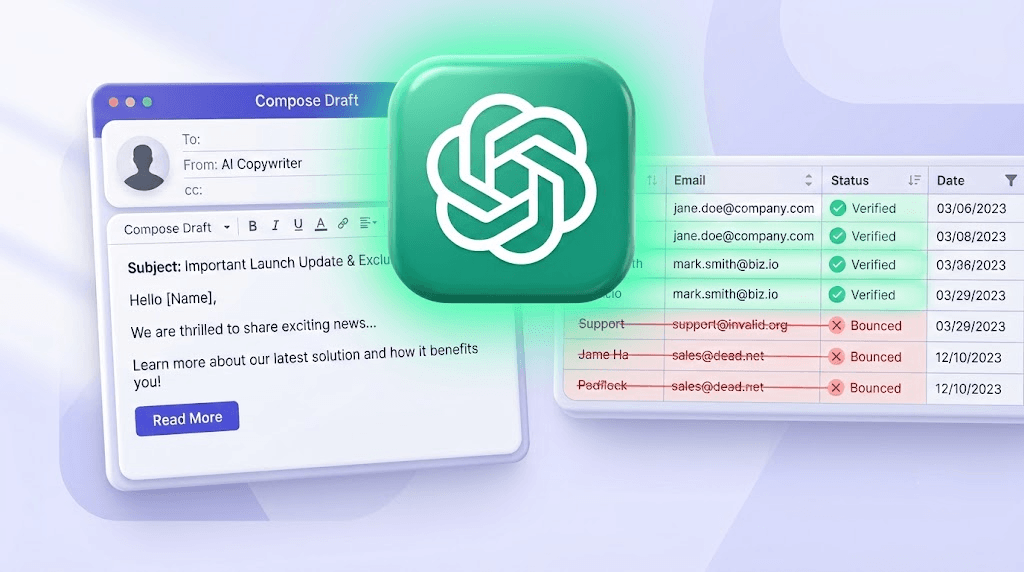
ChatGPT can write a cold outreach email in about 11 seconds. That part is solved. The part nobody writes about is what happens when 500 of those emails land against an unverified list and your bounce rate hits 14% before lunch.
By the end of this post you'll have four copy-paste prompt templates that produce usable output — cold outreach, follow-ups, transactional, subject lines — and a clear picture of the one step every AI email generator article skips: verifying the list before you send.
The prompts take an afternoon to learn. The deliverability problem takes months to repair if you skip it.
What people actually mean when they search for a ChatGPT email generator
Two completely different use cases hide under this one keyword. The first is a writer's problem: you need a draft and a blank page is staring back at you. The second is a volume problem: you need 500 personalized cold emails by Thursday and typing each one manually isn't an option.
ChatGPT handles the first case extremely well. It handles the second case partially — it can generate the copy, but it has no idea whether the addresses you're sending to are real, active, or worth the risk to your sender reputation.
The distinction between general-purpose ChatGPT and purpose-built email generator tools matters less than the SERP suggests. Most "AI email generators" — GPT Workspace, ChatGPT for Gmail, Mailmeteor's AI layer — are wrapping the same underlying model in a Gmail-native interface. The AI is not meaningfully different. The workflow integration is different. Whether that's worth paying for depends on how you work, not on the quality of the output.
According to Salesforce's 2024 State of Marketing report, 49% of B2B marketers already use generative AI for email. Most of them are using it for drafting. Far fewer are thinking about what happens after they hit send — and that's where the real cost lives.
Here's the honest breakdown of where ChatGPT genuinely helps and where it runs out of road:
- Excels at: One-off drafts, tone matching against a sample, reply polishing, subject line variants, internal updates
- Struggles with: Scale (free-tier message caps), personalization at the row level, anything requiring live data about the recipient
- Blind to entirely: Whether the address exists, whether the domain accepts mail, whether the mailbox is a spamtrap or a catch-all
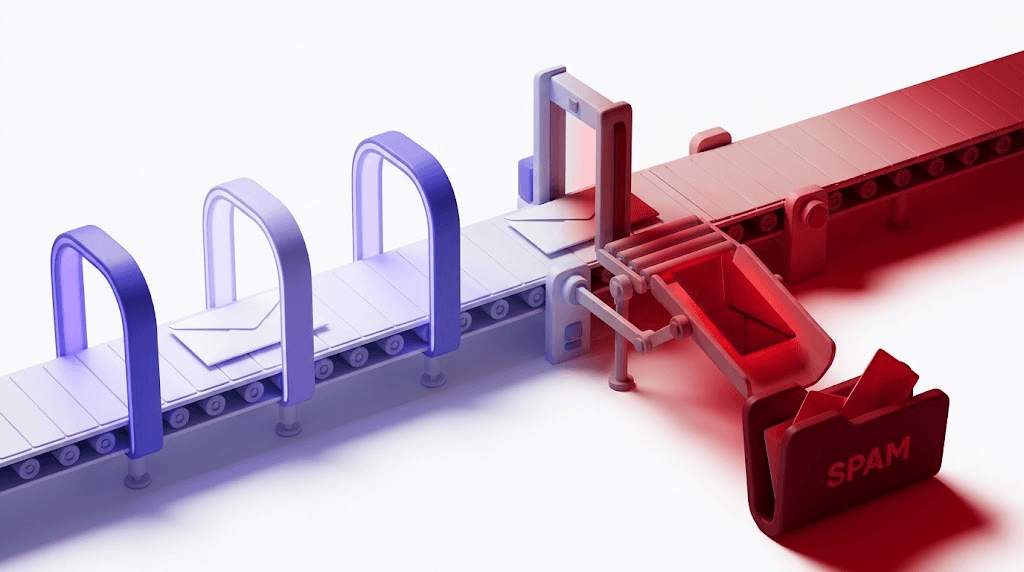
That last category is the one that burns senders. Generating good copy and sending it to a bad list doesn't produce good results — it produces a damaged sender reputation and a deliverability hole that takes weeks to dig out of. The sequence that actually works is: verify the list first, generate the copy second, send third.
How to use ChatGPT as an email generator (the right way)
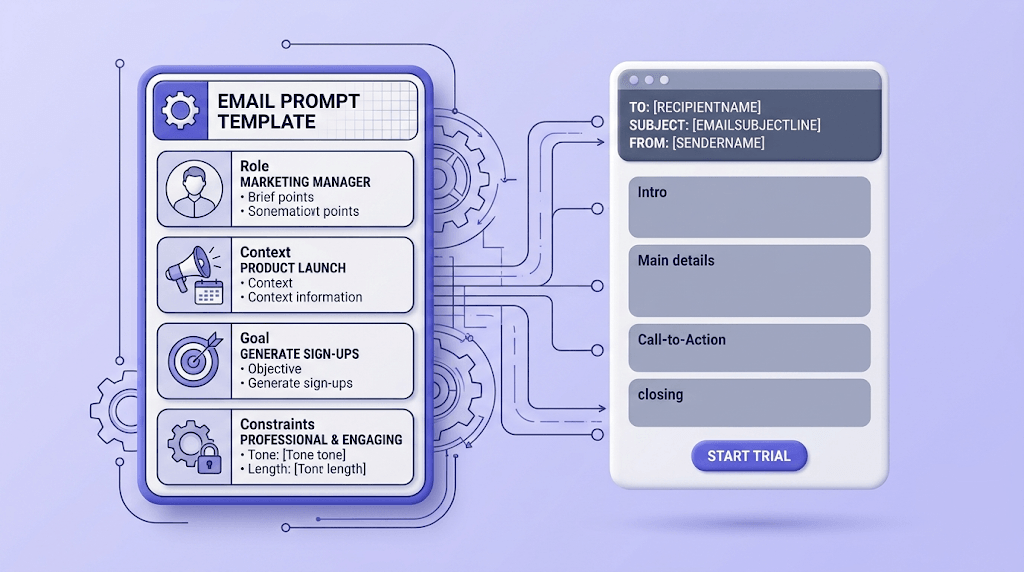
Vague prompts produce vague emails. The single biggest improvement most people can make is switching from "write me a cold email to a marketing director" to a structured four-part prompt.
Role
Tell ChatGPT who is writing the email. Not just your job title — your relationship to the recipient, your company's size and focus, and any relevant credibility signal. Example: "You are a founder of a 12-person B2B SaaS that does email list verification. You're writing to a head of growth at a mid-market e-commerce brand."
Context
Give it the situation. What does the recipient care about? What problem are you solving? Any prior contact? The more specific the context, the less generic the output. Vague context is why AI emails sound like AI emails.
Goal
State exactly what action you want the reader to take. One action. Not "learn about us and maybe book a call" — either one or the other. A prompt with two goals produces an email that commits to neither.
Constraints
Word count ceiling (150 words maximum for cold outreach), tone (direct, no filler phrases, no exclamation marks), and any phrases to avoid. Adding "do not use the phrase 'I hope this finds you well'" is worth doing every single time.
On the free tier, ChatGPT's message cap is real but manageable for daily drafting work. If you're running bulk generation — prompting row-by-row against a list of 500 prospects — you'll hit the cap fast. That's when the API (or a paid plan) becomes necessary, not optional.
The 80/20 rule for AI drafts: treat the output as a first draft that's 80% there, not a finished email. The 20% you add manually — a specific reference to something the prospect published, a precise pain point, an actual reason you're reaching out today — is what makes the difference between a reply and a delete.
Prompt templates that work for common email types
These are the templates we use. Paste them in, fill the bracketed fields, and run a humanizer pass before you send.
COLD OUTREACH PROMPT
---
You are [your role] at [company], a [one-line company description].
Write a cold outreach email to [recipient title] at [recipient company type].

Context: [Their specific pain point or trigger — e.g., "They recently ran a public campaign that likely had deliverability issues based on their LinkedIn post about low open rates."]

Goal: Get them to agree to a 20-minute call this week.

Constraints:
- Maximum 120 words
- Direct tone, no filler openers
- Do not use "I hope this finds you well", "touching base", or "synergy"
- End with a single yes/no question, not an open-ended ask
- Write in plain text, no bullet pointsFOLLOW-UP PROMPT
---
You are following up on a cold email sent [X days] ago to [recipient title].
They did not reply.
Reference: [One sentence summarizing what the first email said — e.g., "The first email mentioned that their bounce rate was likely hurting their sender reputation."]
New value to add: [One specific thing you can offer that wasn't in the first email — a relevant case study, a free tool, a stat.]
Constraints:
- Under 80 words
- Acknowledge the lack of reply without being apologetic
- Do not say "just following up" or "circling back"
- Single CTA: same call ask as the first emailTRANSACTIONAL / INTERNAL UPDATE PROMPT
---
Write a brief internal update email for [audience — e.g., the sales team].
Facts to include:
- [Fact 1]
- [Fact 2]
- [Fact 3]
Required action: [Exactly what you need recipients to do, by when.]
Constraints:
- Put the action item in the first two sentences
- No filler context-setting — assume the audience knows the background
- Under 100 words
- Plain text, no bullet points in the final outputSUBJECT LINE GENERATION PROMPT
---
Generate 5 subject line options for this email:
[Paste the email body here]
Constraints:
- Under 50 characters each
- No clickbait, no ALL CAPS, no exclamation marks
- At least two options should be questions
- At least one should reference a specific number or outcome
- Do not use "Quick question" as an openerAfter you have a draft you're happy with, run one more prompt: "Read this email and rewrite any phrases that sound like they were written by an AI. Keep the same meaning and word count. Flag any sentence that uses words like 'delve', 'crucial', 'leverage', 'foster', or 'showcase' and replace them." That pass alone removes the most obvious AI tells.
The deliverability problem AI email generators don't talk about
Generating 500 cold emails in an afternoon is genuinely easy now. Getting them delivered is not — and that gap is where most AI-assisted outreach campaigns fall apart.
A bounce rate above 2% starts damaging your sender reputation, regardless of how good the copy is. Gmail, Outlook, and Yahoo all monitor the signal. Once your domain's reputation score drops, inbox placement drops with it — and it affects every send you make, not just the campaign that caused the problem. The Google email sender guidelines make this explicit: sustained high bounce rates lead to delivery throttling and eventual blocking.
The three list problems AI can't detect:
- Role addresses (info@, admin@, support@) — shared inboxes with low engagement signals. Sending to them isn't necessarily harmful, but it suppresses your open rates and can trigger spam filters at high volume.
- Disposable addresses — 10-minute mail services and burner domains that accept mail temporarily. They look valid at send time and bounce or ghost afterward.
- Catch-all domains — the domain accepts all mail regardless of whether the specific mailbox exists. Your email lands somewhere; whether it's ever read is another question entirely.
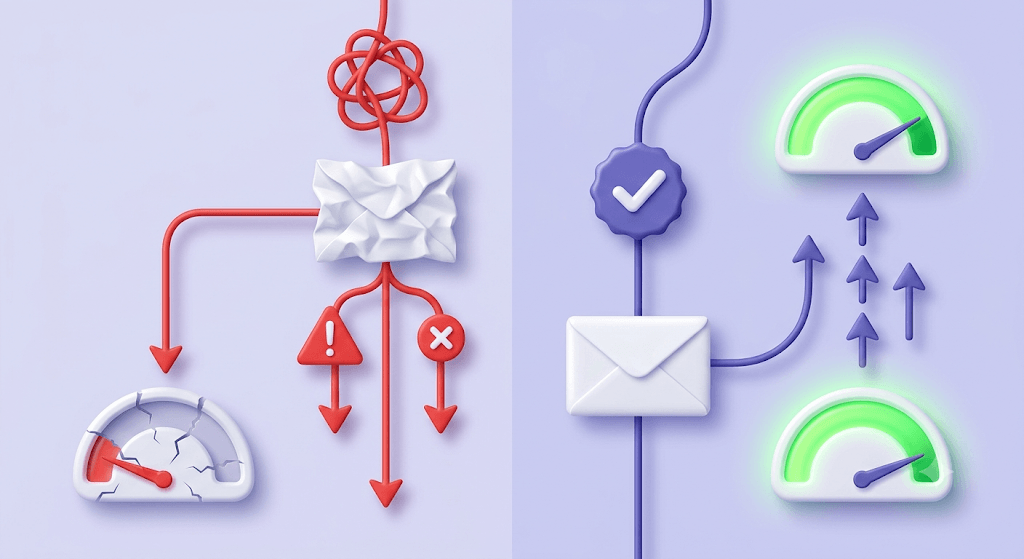
Sending AI-generated emails to an unverified list accelerates reputation damage specifically because AI makes it easier to send at volume. If you were typing every email manually, you'd naturally send fewer. The friction was protective. Remove the friction without adding a verification step and you're sending faster into a worse outcome.
The sequence that actually works: verify first, generate second, send third. Not the other way around. This is covered in more depth in the cold email list verification technical guide, but the principle is simple — know your list is clean before you spend time crafting copy for it.
Check an address before it goes into your outreach list
Paste any email and see the full 11-stage verification result in seconds.
Powered by Valid Email Checker — full SMTP handshake, disposable + role detection, no card required.
Dedicated AI email generator tools vs. ChatGPT: what the SERP gets wrong
Most articles comparing "AI email generators" treat the AI as the variable. It isn't. Tools like Mailmeteor's AI layer, GPT Workspace, and ChatGPT for Gmail are all wrapping the same underlying model — GPT-4 or a close variant — in a Gmail-native interface. The model quality is not the differentiator.
What actually varies is workflow integration. If you live in Gmail and want to generate replies without switching tabs, a Gmail add-on is genuinely useful. If you're running campaigns through SendGrid or ActiveCampaign and building sequences programmatically, raw ChatGPT with API access is more flexible and cheaper.
| Factor | Raw ChatGPT | Gmail add-ons (GPT Workspace etc.) | Purpose-built outreach tools |
|---|---|---|---|
| Underlying model | GPT-4o / GPT-4 | GPT-4 (same) | GPT-4 or Claude (same tier) |
| Free tier available | Yes — limited messages/day | Usually freemium | Rarely |
| Gmail-native workflow | No | Yes | Varies |
| API access for bulk | Yes (paid) | No | Sometimes |
| Prompt control | Full | Limited | Limited |
| List verification built in | No | No | No |
| Cost for 500 emails/day | ~$0 free / $20/mo Plus | $8–$15/mo | $49–$200/mo |
Notice the last row in the table. None of these tools include pre-send list verification. That's not an oversight — it's outside their product scope. They're writing tools. Verification is a separate category, and skipping it is the most expensive mistake AI-assisted senders make.
When a standalone tool makes sense: you're generating high volumes of similar emails (sales sequences, event invitations) and the Gmail-native interface saves meaningful time. When raw ChatGPT is enough: anything under 50 emails a day, any situation requiring precise prompt control, any workflow where you're already exporting to a CSV before importing into your ESP.
Scaling AI-generated email: what breaks at volume
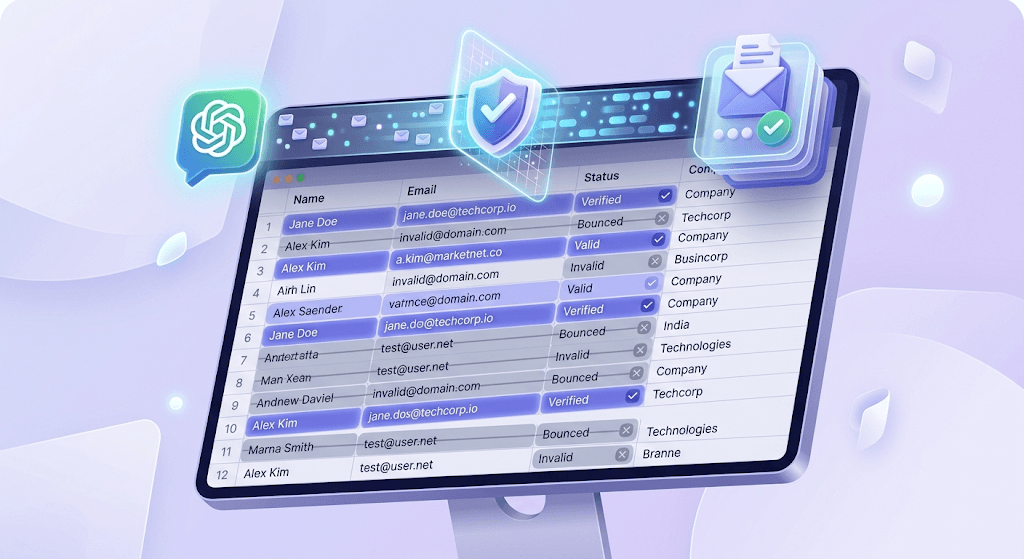
ChatGPT's free tier has a message cap that resets daily. For one-off drafts, it's fine. For a prompt-per-row workflow against a 500-contact list, you'll exhaust it before you're halfway through. The practical options at volume are ChatGPT Plus ($20/month, higher cap) or the OpenAI API billed per token — the API approach is cheaper if you're running structured generation at scale.
The API approach for bulk campaigns works like this: you build a prompt template with placeholders (company name, pain point, trigger), iterate over your contact list row by row, and call the API for each row. The output lands in a column next to the contact data. You review, filter, and export. It's not magic — it's a mail merge with a language model in the middle.
What AI can't fill in for you at scale: the personalization variables that actually drive replies. ChatGPT doesn't know that your prospect just published a LinkedIn post about their Q3 pipeline problems. You have to supply that. If your "personalization" is just the first name and company name, your open rates will reflect it — recipients can tell.
Warming requirements don't change because your copy is AI-generated. A new sending domain needs a gradual ramp — starting at 20-50 emails per day and increasing over 4-6 weeks — before it can safely handle volume sends without triggering spam filters. Good copy on a cold domain doesn't protect you. The cold email news covering 2024-2026 changes is worth reading before you set up a new sending infrastructure.
And before any bulk send — AI-generated or otherwise — the verification step is mandatory. It's not optional hygiene. It's the difference between a campaign that performs and one that ends your domain's sending reputation.
Before you send: verifying the list your AI generator just targeted
A bounce-heavy send damages your sender score fast. Gmail and Outlook don't give you a warning — they just quietly start routing your mail to spam, then to promotions, then start throttling delivery entirely. By the time you notice the open rate drop, the damage is already done. Recovering takes weeks of low-volume, high-engagement sends to rebuild trust.
Valid Email Checker runs an 11-stage verification flow against every address: syntax check, MX record lookup, SMTP handshake, mailbox-existence probe, catch-all detection, role detection, disposable detection, spamtrap detection, mailbox-full detection, disabled-account detection, and final classification. Each stage catches a different failure mode that the previous one misses.
The result comes back as one of ten statuses. For cold outreach, the ones that matter most:
invalid— Will hard-bounce. Remove immediately.disposable— Burner address. Remove from any serious outreach list.catch_all— Domain accepts all mail; the specific mailbox can't be confirmed. Treat as risky for cold sends.role— Shared inbox. Low engagement, possible spam-filter sensitivity. Suppress or segment separately.spamtrap— Sending to this damages your reputation directly. Remove and investigate how it got on your list.safe— Real, active mailbox. Send with confidence.
One thing that separates Valid Email Checker from most verifiers: if verification can't return a definitive result — the address comes back `unknown` — we automatically refund that credit. No support ticket, no fine print. When you're testing a cold list you scraped or bought, unknown results are common, and paying for inconclusive data is the wrong model. You can see how the refund works in the refunds and credit returns guide.
The practical workflow before a bulk AI-generated send:
Pull a sample first
Before verifying the full list, run 100-200 addresses through the verifier. Read the result mix. If more than 5% come back
invalidorspamtrap, the full list has a problem worth investigating before you spend credits on the rest.Verify the full list
Upload your CSV through the bulk verification walkthrough. The engine processes in chunks and returns a result file with a status column for each address.
Segment by status
Keep
safeaddresses in your send queue. Moveriskyandcatch_alladdresses to a separate, lower-volume segment. Suppressinvalid,disposable,role, andspamtrapentirely.Read the failure mix before you send
If your
saferate is below 70%, the list source is low quality and you should investigate before sending at volume. A 90%+ safe rate on a cold list is a good signal. Anything under 60% is a list you shouldn't send to regardless of how good the copy is.
For a deeper look at what each status means and how to act on it, the 10 email verification statuses explained post covers every case. For the bounce rate mechanics specifically, how to reduce email bounce rate below 2% is the right next read.
Free tool · no signup
Verify your outreach list before you send
Upload a CSV and get a full status breakdown — safe, invalid, catch-all, disposable, and more. Unknown results are refunded automatically.
AI makes writing the email easy. The part that determines whether the campaign works or destroys your domain's reputation is the list it goes to. Verify the list, read the result mix, and send only to addresses you're confident about. The copy you spent time generating deserves a list that gives it a fair chance.
Frequently asked questions
Is ChatGPT free good enough for writing emails, or do I need a paid tool?
What prompt should I use to get ChatGPT to write a cold outreach email?
How is a dedicated AI email generator different from just using ChatGPT?
Can AI-generated emails hurt my deliverability?
What is a good bounce rate for cold email campaigns?
How do I verify an email list before sending AI-generated outreach?
Why do AI-generated emails sometimes sound robotic, and how do I fix that?
Do I need to warm up my domain before sending AI-generated bulk emails?
Try Valid Email Checker free
Verify any email in under a second
Get 150 free verifications. No credit card. Auto-refund on every Unknown result — the only verifier we know that does this.
- 150 free credits when you sign up
- Auto-refund every Unknown verification (we're the only ones that do)
- 11-stage flow catches what 1-step checkers miss
- Drop-in integrations for Mailchimp, HubSpot, SendGrid, 14 more
Written by
Emmanuel KwartengEmmanuel is the founder of Valid Email Checker. He spends most of his time in bounce logs, verification data, and the gap between what email vendors promise and what actually happens when you hit send. He started the company because too much deliverability advice is guesswork dressed up as best practice, and he writes here to cut through it with the numbers behind each claim.