Why You're Being Treated Like a Spammer (and How to Stop)
 Mara ChenOctober 2, 2026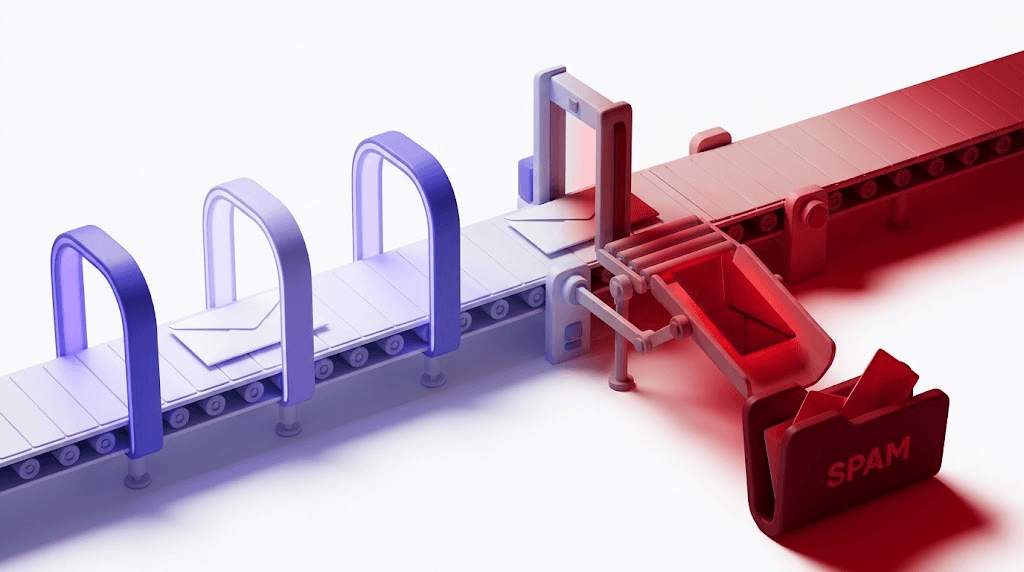
Spamming costs the global email ecosystem an estimated $20 billion a year in lost productivity, infrastructure overhead, and security damage — and most of that bill is paid by people who never sent a single spam message. The senders who actually do the damage are a small, professional, and surprisingly well-organized group. But inbox providers can't always tell them apart from a legitimate marketer with a stale list and a broken SPF record.
If your emails are landing in spam folders, your open rates are collapsing, or you just got a bounce-rate warning from your ESP, this post is for you. You'll understand exactly how spamming works, why legitimate senders get caught in the crossfire, and what the most direct operational fix looks like.
The detail most guides skip: the technical gap between a real spammer and an accidental one is thinner than you think — and inbox providers close it by treating both the same way.
What spamming actually is (and what it isn't)
The word "spam" comes from a 1970 Monty Python sketch where a café serves every dish with spam, spam, spam — overwhelming every other option with an unwanted, repetitive product. Early internet users borrowed it to describe messages that did the same thing to inboxes. The name stuck because it's accurate.
The core legal and technical definition is: unsolicited bulk messages sent without recipient consent. That definition applies across every channel — email, SMS, social media, comment sections, and robocalls all have their spam problems. But email is where it started and where it remains most damaging.
Notice what the definition doesn't say. It doesn't say "large volume." A company that emails 500,000 subscribers who all confirmed their opt-in is not spamming. A company that emails 200 people scraped off a LinkedIn search is. Volume is irrelevant. Consent is the variable that matters.
This is where legitimate senders get into trouble. You might have consent records from three years ago for a list you haven't touched since. Those subscribers have moved on — some literally (new jobs, new email addresses), some figuratively (they don't remember you, they'll hit 'Report spam' before 'Unsubscribe'). From a spam filter's perspective, the signal looks identical to a bad actor.
The economic logic that keeps spamming alive is brutal in its simplicity: the marginal cost of sending one more email is essentially zero for the sender. The cost of receiving, filtering, storing, and deleting it is borne entirely by recipients, inbox providers, and the ESPs that share infrastructure with bad actors. It's a classic negative externality, which is why it requires both technical countermeasures and legal penalties to suppress rather than eliminate.
The main types of spamming
Email spam is the dominant form — bulk sends to scraped, purchased, or otherwise unconsented address lists. It accounts for roughly 45% of all email traffic globally, a figure that has held stubbornly steady for a decade despite increasingly sophisticated filters. The filters have improved; so have the spammers.
Within email spam, there are meaningful subcategories:
- Phishing emails — spam with a specific theft objective. The message impersonates a bank, a platform, or a colleague to steal credentials or payment information. Volume is often lower and targeting more precise than generic bulk spam.
- Malspam — spam as a malware delivery vehicle. Attachments contain executables, macros, or PDFs that exploit reader software. Links point to drive-by download pages. This category causes the most direct financial damage.
- SMS and robocall spam — the same consent failure on a different channel. Legally covered by the TCPA in the US, but enforcement is inconsistent and international operators face minimal risk.
- Social media spam — repeated identical posts, fake engagement networks, DM floods, and bot-driven comment sections. Primarily used for SEO manipulation and affiliate fraud.
- Comment and forum spam — link injection into blog comments, forum threads, and review platforms to manipulate search rankings. Mostly automated, often using compromised accounts.
For the purposes of deliverability — which is where most legitimate senders have a real problem — email spam is what matters. The other types are primarily a security and platform-integrity issue.
How spammers actually operate
Understanding spammer infrastructure matters because inbox providers designed their detection systems around it. When your sending patterns accidentally mirror those techniques, you get treated accordingly.
Email address harvesting is the starting point. Spammers scrape websites, forums, and social platforms for any string matching an email pattern. They buy lists from data brokers operating in grey-market jurisdictions. They acquire credentials from data breaches and extract the email fields. The result is a list with no consent record and a high proportion of addresses that have already decayed, been recycled as spamtraps, or never existed.
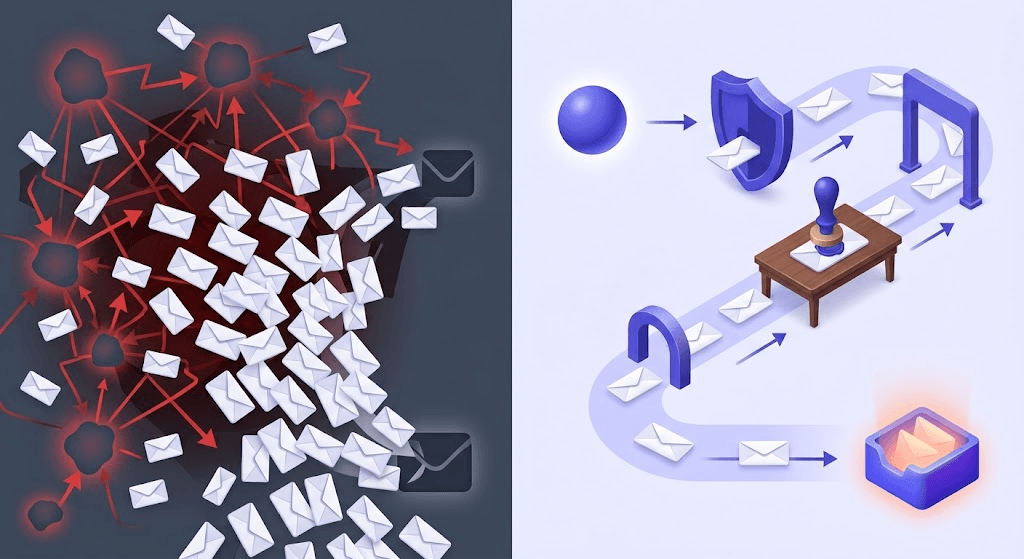
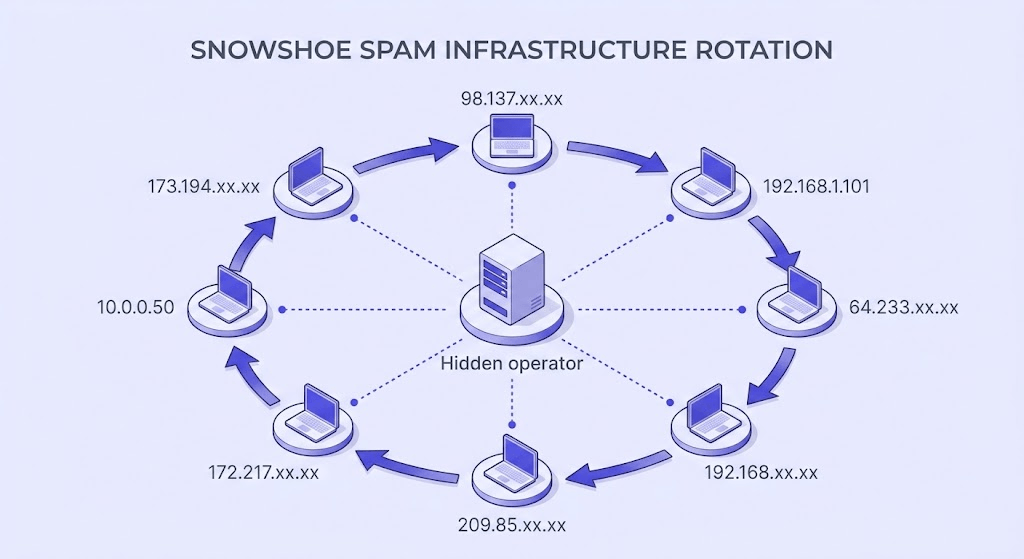
Snowshoe spamming is a technique worth understanding specifically. The name comes from the principle of distributing weight across a large surface area to avoid sinking. Spammers spread their sending volume across hundreds of IP addresses and domains — each one sending just enough volume to stay below detection thresholds. By the time a reputation signal accumulates on any single IP, they've rotated to fresh infrastructure. Traditional volume-based detection fails against it.
Botnets solve the infrastructure problem entirely. Rather than maintaining their own sending servers, professional spammers compromise consumer machines and route mail through them. The sending IP is a residential address with no prior spam history. The operator's own infrastructure stays clean. This is why IP reputation alone is an incomplete signal.
Content obfuscation rounds out the toolkit: image-based spam that puts all the text in a graphic (harder for content filters to parse), character substitution that writes "V1agra" instead of the obvious, URL shorteners that hide the final destination, and HTML tricks that insert invisible text to confuse statistical filters.
What inbox providers do when they detect spamming
The response isn't binary. Inbox providers apply a graduated set of penalties depending on how severe and persistent the signals are.
The soft penalty is spam folder routing. The message arrives but is buried. For the sender, this looks like a deliverability problem — opens collapse, clicks disappear, revenue from email drops. Most senders diagnose this wrong, blaming subject lines or send times rather than the underlying reputation issue.
IP and domain blocklisting is the harder penalty. Organizations like Spamhaus, Barracuda, and SORBS maintain real-time block lists (RBLs) that inbox providers query on every inbound connection. If your sending IP or domain appears on one of these lists, mail is rejected at the server level — it never reaches the spam folder. You can check your sending IP against block lists to see your current status before it becomes a crisis.
Sender reputation scoring is the ongoing signal underneath everything else. Gmail, Outlook, and Yahoo track complaint rates, engagement rates, and bounce rates per domain and per IP. These scores aren't published, but their effects are visible: a domain with a strong reputation sees consistent inbox placement even with imperfect authentication; a domain with a damaged reputation gets filtered even when authentication is perfect.
Google's 2024 bulk sender requirements made one threshold explicit: complaint rates must stay below 0.1% for bulk mail to avoid automatic filtering. Above 0.3%, mail faces near-certain spam folder routing. These aren't guidelines — they're enforcement rules that went into effect in February 2024. Yahoo announced parallel requirements on the same timeline.
At the far end: domain and account suspension. Repeated violations, especially after formal abuse complaints, can result in permanent blacklisting of a domain. At that point, the domain is essentially unusable for email. Building a new sending identity from scratch takes months.
Why legitimate senders accidentally look like spammers
This is the part most guides don't cover — and it's the most practically useful section for anyone reading this because their deliverability is suffering.
Inbox providers can't read your intentions. They read signals. And the signals that indicate spamming are the same signals produced by a legitimate sender who hasn't maintained their list, their authentication, or their sending practices. Here's what triggers the false positive:
- Stale, unverified lists. Email addresses decay at roughly 22% per year. A list you collected two years ago without re-verification has a meaningful proportion of addresses that have been recycled — some of them into spamtraps. Sending to a spamtrap is an immediate reputation signal with zero margin for error.
- No double opt-in. Single opt-in lists accumulate subscribers who forget they signed up. When your next send arrives, their first instinct is 'Report spam,' not 'Unsubscribe.' Each complaint nudges your complaint rate toward the 0.1% threshold.
- High bounce rates from invalid addresses. A bounce rate above 2% tells inbox providers your list wasn't acquired through a process that involves real consent. Scraped lists bounce at 15-30%. Purchased lists often bounce at 5-10%. If your bounce rate is in that range, the signal reads the same regardless of how you actually got the addresses.
- Missing or broken authentication. SPF, DKIM, and DMARC are the cryptographic handshake that proves your domain is who it claims to be. Spoofers skip this step because they can't pass it. But so do many legitimate senders who just haven't set it up. The absence of authentication doesn't prove you're a spammer — it removes the evidence that you're not. You can check your DMARC policy and verify your SPF setup in minutes.
- Sudden volume spikes. Sending 500 emails a day for a month and then blasting 50,000 in one day looks exactly like a newly compromised account or a fresh spammer domain. Inbox providers expect volume to grow gradually.
- Role address sends. Addresses like info@, admin@, support@, and hello@ typically route to shared inboxes managed by multiple people. Engagement rates are low, unsubscribe habits are inconsistent, and complaint rates are higher. Sending to role addresses without segmenting them pulls your overall engagement metrics down.
For a deeper look at why emails end up in spam folders and the full range of fixes, this guide covers the complete diagnostic process. The email deliverability pillar post connects these signals to the broader list quality picture.
The real cost of spamming — for senders and recipients
Recipients pay in time, attention, and security exposure. A phishing email that reaches an inbox costs its target nothing until it does — and then the cost can be total account compromise, financial loss, or identity theft. Even non-malicious spam trains people to distrust email as a channel, which degrades the medium for everyone using it legitimately.
Legitimate senders pay through shared infrastructure. If you're on a shared IP pool with an ESP — which most small and mid-sized senders are — another sender's spam complaints affect your deliverability. This is why reputable ESPs have abuse teams and why sending on a dedicated IP (with the volume to warm it properly) is worth the additional cost once you're above roughly 50,000 sends per month.
The legal exposure is real and often underestimated. CAN-SPAM violations in the US carry penalties of up to $51,744 per email. GDPR fines for unlawful email marketing can reach 4% of global annual revenue — a number that stops being abstract quickly for any company with meaningful revenue. The GDPR requirement isn't just consent; it's documented, specific consent with a clear record of when and where the subscriber opted in.
For ESPs, spam abuse translates directly into infrastructure overhead — abuse teams, filtering systems, blocklist negotiations, and IP remediation. That cost flows back into pricing, which means every legitimate sender subsidizes the bad actors on the same platform.
The shared IP problem
On a shared sending IP, one bad actor's complaint rate affects every other sender on the same pool. If your ESP places you on a shared IP and your open rates suddenly drop for no apparent reason, check whether you've recently been moved to a new IP — and check that IP's reputation history before you send again.
How to make sure you're not the spammer
The fix is operational, not philosophical. You already know you're not trying to spam anyone. The question is whether your practices produce the signals that distinguish you from someone who is.
Consent first, with a paper trail
Confirmed opt-in — where the subscriber clicks a confirmation link after signing up — is the gold standard. It eliminates typos, bots, and low-intent signups in one step. More importantly, it gives you a timestamped record of consent that satisfies both CAN-SPAM and GDPR requirements. If you can't answer "when did this person sign up and what did they agree to," you have a consent problem.
Verify your list before every send
Email addresses decay at roughly 22% per year. A list you haven't verified in 12 months has a meaningful proportion of invalids, disposables, and potential spamtraps. Verification checks syntax, MX records, SMTP handshake, and mailbox existence — removing the addresses that will bounce or flag before they touch your sender reputation. See how the 11-stage verification pipeline works for the technical detail.
Set up SPF, DKIM, and DMARC — and confirm they're correct
Authentication tells inbox providers your domain is who it claims to be. SPF specifies which IPs can send for your domain (RFC 7208). DKIM signs your messages cryptographically (RFC 6376). DMARC ties them together with a policy for what to do when they fail (RFC 7489). Setting them up once isn't enough — DNS changes, new sending services, and misconfigured records silently break authentication. Check your DMARC policy and verify your SPF record regularly.
Monitor engagement and suppress non-openers
A subscriber who hasn't opened in 180 days is a liability. They're not generating revenue, but they are dragging down your engagement rate — which inbox providers use as a positive signal. Suppress contacts who haven't engaged in 90–180 days before they become complaint sources. Re-engagement campaigns can recover a portion; the rest should be removed.
Keep bounce rate below 2% and unsubscribe friction at zero
A hard bounce rate above 2% signals list quality problems to inbox providers. Above 5%, you're in territory where ESPs will pause your account. Unsubscribe links must work with one click and be processed within 10 days under CAN-SPAM — that's the legal floor. The trust floor is the same: if unsubscribing is harder than reporting spam, people will choose reporting spam.
The email list hygiene best practices guide covers the full decision framework for each of these steps, including how often to re-verify based on list age and acquisition source.
List verification: the most direct fix for accidental spammer status
Authentication fixes your domain's identity. Engagement monitoring fixes your complaint trajectory. List verification fixes the root cause: addresses that should never have been sent to in the first place.
Here's what a proper verification pass actually checks, in sequence:
- Syntax — does the address conform to the RFC 5322 format? Malformed addresses fail immediately.
- MX records — does the domain have mail exchange records pointing to a real mail server? No MX record means no delivery is possible.
- SMTP handshake — does the receiving server accept the connection and respond to the MAIL FROM command?
- Mailbox existence — does the specific mailbox exist on that server? This is where the real signal lives.
- Catch-all detection — does the domain accept mail for any address, regardless of whether the mailbox exists? Catch-all domains give you no mailbox-level certainty. They belong in a separate segment with lower send priority.
- Disposable detection — is the address from a known burner email provider? These addresses are valid at the moment of signup and worthless within hours.
- Role address detection — is this an info@, admin@, support@, or similar shared inbox? Role addresses have systematically lower engagement and higher complaint rates.
- Spamtrap signals — does the address match patterns associated with known spamtrap infrastructure?
The full 11-stage verification process goes deeper on each stage, including how results map to the 10 possible verification statuses.
One specific thing to watch for when choosing a verifier: the Unknown status. When a verifier can't determine whether a mailbox exists — typically because the receiving server is non-responsive or returns ambiguous SMTP codes — most services still charge you the credit. You paid for an answer you didn't get. Valid Email Checker automatically refunds credits for every Unknown result. No support ticket, no fine print. The refund posts to your credits history automatically. Most verifiers don't do this — it's worth checking before you commit to a platform.
Check an address before it hits your sender reputation
Paste any email address to run it through the 11-stage verification pipeline — syntax, MX, SMTP, mailbox existence, spamtrap signals, and more.
Powered by Valid Email Checker — full SMTP handshake, disposable + role detection, no card required.
The practical impact on complaint rates is visible within two to three send cycles. A verified list removes the invalids that generate bounces, the disposables that were never real subscribers, the spamtraps that trigger blocklist flags, and the role addresses that drag down engagement. The complaint rate trajectory changes because you've changed the population of recipients — not because you've changed your subject lines.
For bulk list verification — especially if you're cleaning a list of tens of thousands before a campaign — the bulk verification walkthrough covers the full process, and the result types guide explains what to do with each status you get back.
Free tool · no signup
Verify your list before it damages your sender reputation
11-stage verification. Auto-refund on Unknown results. 150 free credits, no card required.
| Signal | Real spammer | Accidental spammer | Clean sender |
|---|---|---|---|
| Consent record | None — scraped or purchased | Partial — old or single opt-in | Documented — confirmed opt-in with timestamp |
| List quality | High invalids, many spamtraps | Decayed — 1-2 years without verification | Verified before every send |
| Authentication | Absent or spoofed | Often missing or misconfigured | SPF + DKIM + DMARC all passing |
| Bounce rate | 15–30% | 3–8% | Below 2% |
| Complaint rate | Above 1% | 0.1–0.3% (approaching threshold) | Below 0.05% |
| Inbox placement | Blocked or spam folder | Inconsistent — spam folder drift | Consistent inbox placement |
Frequently asked questions about spamming
Frequently asked questions
What is the difference between spam and legitimate bulk email?
How do spammers get email addresses in the first place?
What is snowshoe spamming?
Can you be blacklisted even if you didn't mean to spam?
What complaint rate triggers Gmail's spam filters?
Does SPF/DKIM/DMARC prevent your emails from being marked as spam?
What is a spamtrap and how does a legitimate sender end up hitting one?
How does email list verification reduce the risk of being flagged as a spammer?
The senders who avoid the accidental-spammer trap share one habit: they treat list hygiene as a pre-send step, not a post-problem fix. Verifying before you send is cheaper than rebuilding a sender reputation after you've been filtered. Run your next list through Valid Email Checker's 11-stage verification pipeline — the first 150 results are free, and any that come back Unknown are automatically refunded.
Try Valid Email Checker free
Verify any email in under a second
Get 150 free verifications. No credit card. Auto-refund on every Unknown result — the only verifier we know that does this.
- 150 free credits when you sign up
- Auto-refund every Unknown verification (we're the only ones that do)
- 11-stage flow catches what 1-step checkers miss
- Drop-in integrations for Mailchimp, HubSpot, SendGrid, 14 more
Written by
Mara ChenMara covers deliverability from the receiving end — the filters, reputation signals, and quiet rejections that decide whether you reach the inbox or the spam folder. She cares less about clever subject lines than the unglamorous fundamentals that actually move placement: clean lists, consistent sending, and a sender reputation you don't have to rebuild every quarter. Expect practical, no-hype advice grounded in how mailbox providers really behave.