How to Write an Email That Actually Gets Delivered
 Priya IyerOctober 3, 2026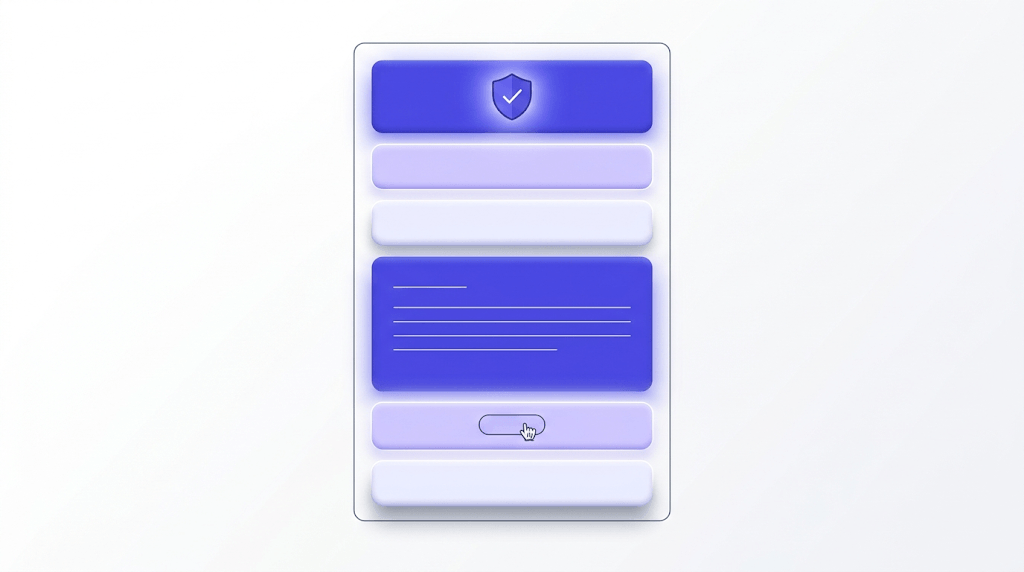
Most email advice stops at the words. Choose the right greeting, keep the body short, end with a clear ask — good advice, all of it. But it misses the layer that determines whether any of it matters.
By the end of this guide you'll be able to write a professional email that gets opened, read, and acted on — and you'll understand the one technical step most senders skip that undermines everything they wrote.
The trick is treating email writing as two problems at once: composition and deliverability. Nail both, and your emails actually land.
The anatomy of a professional email
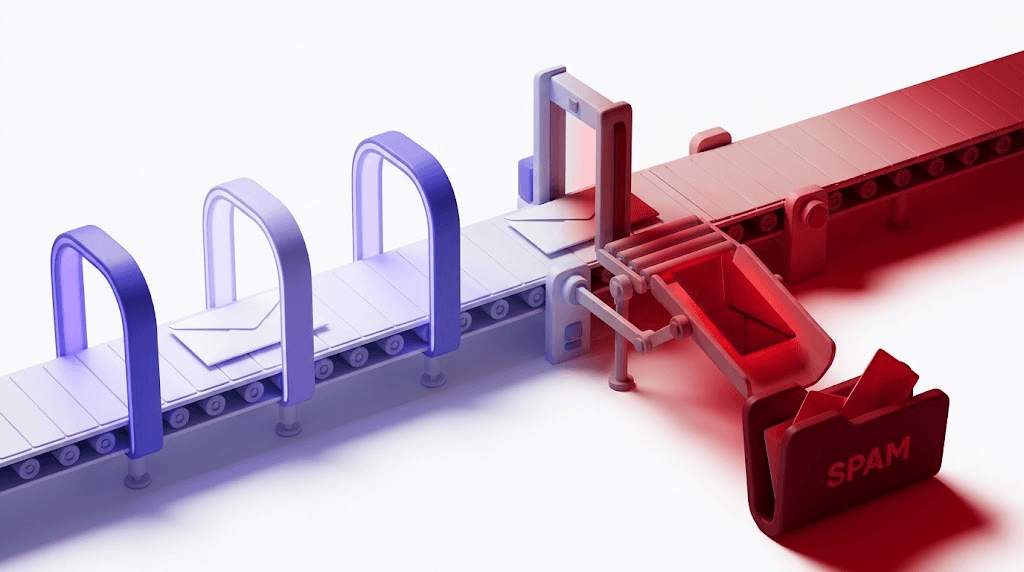
Every professional email has six components. Miss one and you create friction — sometimes for the reader, sometimes for the spam filter reading the message before the human does.
- From field — your name and sending address
- Subject line — the one sentence that decides whether the email gets opened
- Greeting — sets the tone before a single word of body copy
- Body — the information, context, and reasoning
- Call to action — the explicit next step you want
- Sign-off — closing line plus signature
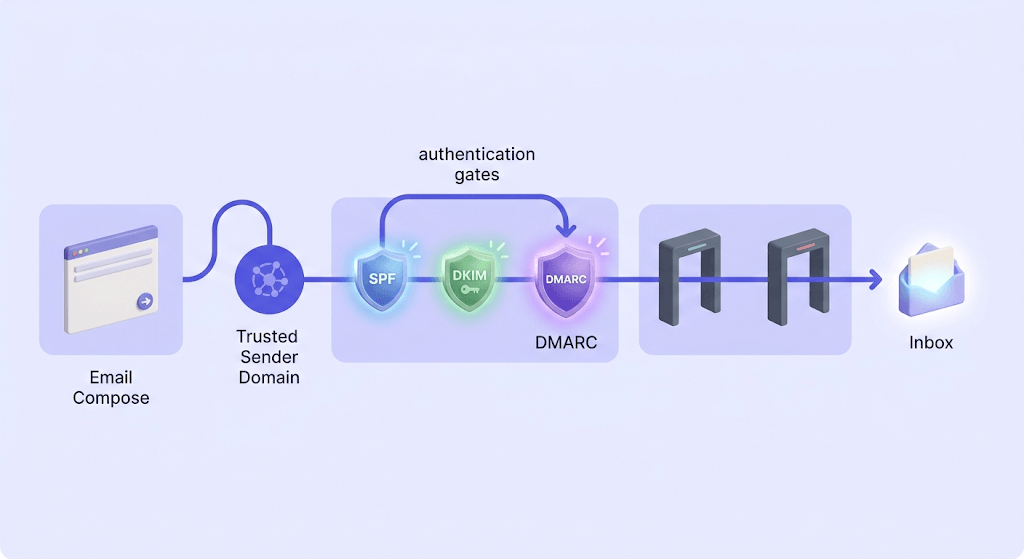
The From field is the one most people treat as a given. It shouldn't be. Inbox providers read your sending address and From name before they render a single pixel of your message. An address like noreply@outdated-domain.com or a From name that doesn't match the sending domain are signals spam filters log before your subject line gets a chance.
The From name and sending domain carry as much trust weight as the words inside. A well-written email sent from a flagged domain still lands in spam.
Two fields that trip people up constantly: CC and BCC. CC (carbon copy) is visible to everyone on the thread — use it when the other recipients genuinely need to follow the conversation. BCC (blind carbon copy) hides the recipient from everyone else. Use BCC when you're sending the same message to a group who don't know each other, or when you want to loop in a colleague without making it visible. The mistake that gets people in trouble: CC-ing a large list so every recipient can see every other recipient's address. That's a privacy problem and, at scale, a deliverability signal that reads as bulk send.
Writing a subject line that actually gets opened
The 6–10 word rule exists because of mobile. On a 375px screen, Gmail shows roughly 30–40 characters before truncating. That's about 7 words. Write a 14-word subject line and the second half is invisible to anyone reading on their phone — which is most people, most of the time.
The bigger problem isn't length. It's vagueness. "Follow-up" is a subject line that tells the recipient nothing. "Your proposal — two questions before Friday" tells them exactly what's inside, who it's for, and that there's a deadline. The second one gets opened. The first gets filed.
Using the recipient's name in the subject line is a tactic worth being careful with. In a genuine one-to-one email it reads as personal. In a campaign where 4,000 people get "[First Name], your account is waiting" it reads as what it is — a merge tag. Worse, name-in-subject is a pattern spam filters have learned to associate with phishing. Use it selectively.
Words to avoid in subject lines if you care about inbox placement: FREE, URGENT, Act Now, Limited Time, Click Here, Congratulations, You've Been Selected. These aren't arbitrary style rules. They're documented spam trigger patterns that Google's sender guidelines specifically flag as signals of unsolicited commercial email. Even a single one can push an otherwise clean message into the promotions tab.
Quick subject line test
Read your subject line out loud. If it sounds like something a TV commercial would say, rewrite it. If it sounds like something you'd actually say to the person in a hallway, send it.
If you're sending the same message to multiple people — even just five — write two subject lines and track which one gets replied to first. You don't need a formal A/B testing platform for this. You need curiosity and a spreadsheet.
Matching your tone to your recipient
Tone mismatch is the fastest way to make a well-written email land wrong. Too formal with a close colleague reads as passive-aggressive. Too casual with a client you've never met reads as presumptuous.
Think in four tiers:
- Close colleague — casual is fine. "Hey Sam, quick question on the budget doc" is a complete email.
- Internal senior — semi-formal. Use their first name, keep it concise, don't bury the ask.
- External contact you know — semi-formal to formal depending on industry. Law firms expect formality that startups find stiff.
- Cold stranger — default to formal until they signal otherwise. You get one shot at a first impression.
The concrete markers: formal emails use full sentences, avoid contractions, and open with "Dear [Name]" or "Hello [Name]". Semi-formal emails use contractions, open with "Hi [Name]", and feel conversational without being sloppy. Casual emails read like a Slack message with punctuation.
Cultural context shifts these defaults significantly. Direct communication cultures (the US, Germany, the Netherlands) expect the ask in the first two sentences. Indirect communication cultures (Japan, much of the Middle East, many parts of Latin America) expect relationship-building language before the request. Sending a direct "I need X by Friday" to someone who expects three paragraphs of context before the ask reads as rude, not efficient.
The single most useful editing trick: re-read the draft as the recipient. Not as yourself checking for errors — as the person receiving it cold, on a busy Tuesday afternoon. Does the tone feel right for that person in that moment? If there's any doubt, go one level more formal. You can always loosen up in the reply chain.
Writing a body that's easy to scan
One email, one purpose. This rule breaks down the moment you have three things to say to the same person. The temptation is to stack them. The result is an email that gets half-answered because the recipient handled the first item and forgot the other two exist.
When you genuinely need to cover multiple points, number them explicitly. "Three quick things:" followed by three numbered items is clearer than three paragraphs that blend together. The recipient can check them off.
Lead with the ask, then the context, then the detail. This is the inverted pyramid — the structure journalists use because readers stop reading at unpredictable points. If your most important sentence is the third paragraph, the person who stops at the second never sees it. Put the ask first.
Paragraph length: three sentences is a ceiling, not a target. A single-sentence paragraph is fine when it's the most important line in the email. White space is not wasted space — it signals where one thought ends and another begins.
Bullet points are useful when you're listing genuinely parallel items: three attachments, four agenda items, five options to choose from. They're a crutch when every sentence in the email becomes a bullet because the writer couldn't figure out how to connect them. If your bullets would read naturally as a sentence with commas, write the sentence.
For routine requests — scheduling a meeting, following up on a document, confirming a detail — keep the body under 200 words. Brevity is not laziness. It's a signal that you respect the recipient's time enough to have thought carefully about what actually needs to be said.
The call to action — what you actually want them to do
Every professional email needs exactly one explicit next step. Not two. Not an implied hope that the reader will figure out what you want. One clear ask.
The difference between a vague CTA and a specific one is the difference between an email that gets answered and one that gets filed. "Let me know your thoughts" requires the recipient to invent a response format. "Can you confirm whether Thursday at 2pm works, or suggest an alternative?" requires a yes or a counter-offer. The second one gets a reply.
| Vague CTA | Specific CTA |
|---|---|
| Let me know your thoughts | Can you share your feedback by Wednesday? |
| Please review when you have a chance | Could you review section 3 and reply by Friday? |
| We should connect soon | Are you free for a 20-minute call next Tuesday or Wednesday? |
| Keep me posted | Can you send me the updated figures once accounting signs off? |
Setting a deadline in the CTA is not passive-aggressive if you phrase it correctly. "By Thursday" is a deadline. "By Thursday, otherwise this will be escalated" is a threat. The first is professional. The second poisons the relationship.
Emails with no CTA don't get answered — they get filed. The recipient reads it, thinks "I'll come back to this," and never does. If you want a response, ask for one explicitly.
Professional greetings and sign-offs — the ones that work
Greetings ranked by formality, most to least:
- Dear [Name] — formal. Correct for legal correspondence, cold outreach to senior contacts, and situations where you've never met.
- Hello [Name] — semi-formal. Works in most business contexts. Warmer than Dear without being casual.
- Hi [Name] — casual to semi-formal. Fine for most internal email and any external contact you've already exchanged messages with.
- Hey [Name] — casual. Reserve for close colleagues. Wrong for anyone you haven't met or anyone senior you don't know well.
"To Whom It May Concern" is almost always the wrong choice. It signals that you didn't bother to find out who you're writing to. Five minutes on LinkedIn or a company website usually turns up a name. Use it.
Sign-offs follow the same formality gradient. "Sincerely" for formal. "Kind regards" or "Best regards" for semi-formal. "Best" or "Thanks" for most business email. "Cheers" only if you're confident the recipient uses it too.
Your email signature should contain: your full name, your title, your company, one phone number, and your website or LinkedIn. That's five elements. Cut the inspirational quote, the legal disclaimer that's four paragraphs long, and the list of every social media account you've ever created. A bloated signature looks unprofessional and — this matters more than most people realize — a signature with too many links and images can trigger spam filters. Every link in your signature is a signal. Keep it to one.
The signature also contributes to domain trust. If your sending address matches your website domain and your signature reinforces that brand identity consistently, inbox providers build a reputation signal around it. An inconsistent signature — different domains, different names, rotating contact details — erodes that signal over time.
Before you hit send: the five-point review
Check the To field first
Wrong recipient is the most irreversible email mistake you can make. A typo in the body can be corrected with a follow-up. An email sent to the wrong person — especially one containing confidential information — cannot be unsent. Read the To field before you read the subject line.
Re-read for tone
Does the email sound the way you'd want to receive it? Read it as the recipient, not as yourself. Emails that feel neutral when written often read as terse or impatient when received. If there's a sentence that could be read two ways, rewrite it so only one reading is possible.
Verify every attachment is attached
"Please see the attached" with no attachment is the most common email mistake in professional life. Before hitting send, check that the file is there, that it's the right version, and that the recipient can actually open the format you've sent.
Run a spell-check — but don't trust it
Spell-check catches typos. It does not catch homophones (their/there/they're), wrong names (autocorrect turning "Dan" into "Dan" and then into "Dan" in the wrong context), or correctly spelled words used incorrectly. Read the email once manually after running the check.
Check your sending address
If you manage multiple email accounts, confirm you're sending from the right one. A client email sent from your personal Gmail instead of your work domain looks unprofessional. A marketing campaign sent from the wrong subdomain can damage the reputation of your primary sending domain.
Why a clean sending address protects everything you write
Here's the part most email writing guides skip entirely.
You can write a perfect email — correct tone, strong subject line, clear CTA, spotless grammar — and it still won't reach the inbox if your sender reputation is damaged. ISPs don't just read your content. They track your sending behavior: bounce rates, complaint rates, engagement rates. A domain that bounces 5% of its sends is a domain that inbox providers have already started filtering.
Bounce rate is the metric that signals reputation damage before you can see it. By the time Gmail starts routing your messages to spam, the bounce rate has been climbing for weeks.
The three address types that cause the most damage:
- Invalid addresses (hard bounces) — the domain doesn't exist, the mailbox doesn't exist, or the syntax is wrong. Every one of these counts against your sender score.
- Full or disabled mailboxes (soft bounces) — the address exists but can't accept mail right now. Repeatedly mailing a full inbox eventually registers as a hard bounce.
- Catch-all addresses — the domain accepts everything, so you can't tell from the SMTP handshake whether the specific mailbox is real. You find out when engagement is zero and the bounce eventually comes.
The SMTP protocol defines exactly how this plays out at the server level: a receiving MTA issues a 5xx permanent failure for an invalid address and a 4xx temporary failure for a full inbox. Your sending platform logs both. Your reputation absorbs both.
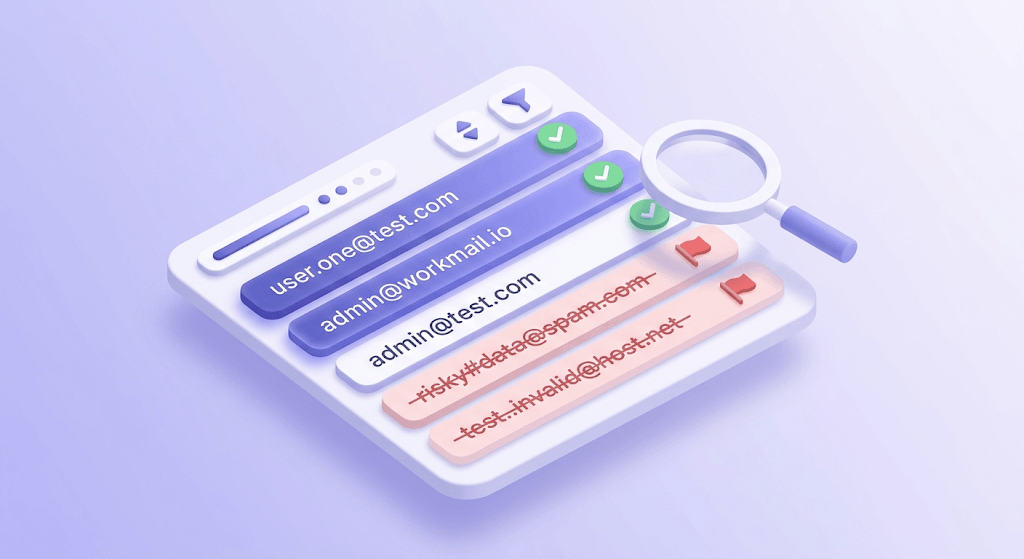
Verifying recipient addresses before you send is the structural equivalent of proofreading. You proofread to make sure the words are right. You verify to make sure the addresses are real. Skipping one and not the other is an incomplete draft. For more on how bounce rate damages deliverability — and the threshold where ISPs start acting on it — see our guide on how to reduce email bounce rate below 2%.
Check a recipient address before you send
Paste any email address and see the 11-stage verification result instantly.
Powered by Valid Email Checker — full SMTP handshake, disposable + role detection, no card required.
Valid Email Checker's 11-stage verification engine checks syntax, MX records, SMTP handshake, mailbox existence, catch-all status, role-based addresses, disposables, spamtraps, full inboxes, and disabled accounts — before a single send. The full breakdown of what each stage catches is in the 11-step verification engine guide.
The status types that matter most for senders trying to protect their domain:
invalid— will hard-bounce. Remove before sending.disposable— a burner address. No long-term engagement value.role— addresses like info@, support@, admin@. Usually a shared inbox; low engagement, high complaint risk.spamtrap— a known trap address. One hit damages sender reputation; a pattern of hits gets you blacklisted.catch_all— domain accepts everything; specific mailbox is unconfirmable. Treat with caution on cold sends.
The 10 email verification statuses guide explains each one in full, including what action to take on each result. For a broader look at why list quality affects deliverability more than authentication settings, the email deliverability pillar guide is the right next read.
Free tool · no signup
Verify a recipient address before sending
Check any email address against Valid Email Checker's 11-stage engine. 150 free credits, no card required.
Free tool · no signup
See how inbox providers score your sends
Test your domain's deliverability before your next campaign — catch reputation issues while they're still fixable.
The craft and the infrastructure are the same problem. Write the email carefully, then check your domain's deliverability to confirm the infrastructure underneath it is sound. One without the other is a half-finished job.
Frequently asked questions
What is the correct format for a professional email?
How do I write a subject line that gets opened?
What's the difference between CC and BCC?
How formal should my email tone be?
What should I include in my email signature?
How do I write a clear call to action in an email?
Why do my emails go to spam even when I write them carefully?
What should I check before sending an email?
Every element of a well-written email — the subject line, the tone, the CTA, the sign-off — only pays off if the message reaches the inbox. The fastest way to protect that is to verify your recipient list before you send and test your domain's deliverability before it becomes a problem. The tool below handles both.
Try Valid Email Checker free
Verify any email in under a second
Get 150 free verifications. No credit card. Auto-refund on every Unknown result — the only verifier we know that does this.
- 150 free credits when you sign up
- Auto-refund every Unknown verification (we're the only ones that do)
- 11-stage flow catches what 1-step checkers miss
- Drop-in integrations for Mailchimp, HubSpot, SendGrid, 14 more
Written by
Priya IyerPriya writes about the human side of email — how you word it, when you send it, and how to grow a list without wrecking your deliverability. From sign-offs and subject lines to lifecycle automation and list hygiene, she's after email that respects the reader's inbox and still gets results. Her north star: more opens and replies, fewer unsubscribes and spam complaints.