Email Verification Myths: What Actually Works
 Emmanuel KwartengJune 17, 2026
Email verification has a reputation problem — not because it doesn't work, but because a lot of people think they understand it when they don't. The myths that circulate are specific enough to sound credible and wrong enough to cost you real sender reputation.
Read this and you'll be able to separate what verification actually does from what vendors, blog posts, and bad experiences have led you to believe it does. You'll also see what a real multi-stage verification flow looks like — and why the way a tool handles one particular status tells you everything about whether it's worth trusting.
The most telling detail is what happens when a verifier genuinely can't determine if an address is valid. Most tools charge you anyway. That's the myth at the center of the industry, and it's the one nobody talks about.
Why email verification myths spread so easily
Verification is invisible infrastructure. You don't think about it until something breaks — a campaign tanks, a sender score drops, a domain lands on a blocklist. By the time the damage is visible, the list problem that caused it happened weeks ago. That gap between cause and consequence is where myths take root.
The terminology doesn't help. "Validation" and "verification" get used interchangeably in marketing copy, documentation, and casual conversation. They're not the same thing. Validation is a syntax check — does this string look like an email address? Verification goes further: does this address have a working mail server? Does that mailbox actually exist? Will it accept a message right now? Conflating the two means people think they've done the work when they've only done the first step.
One bad experience cements a myth faster than any argument. A sender verifies their list, sends the campaign, and still gets 4% bounces. The obvious conclusion: verification doesn't work. The actual explanation is usually more specific — the tool only checked MX records, not mailbox existence; or the list sat unverified for three months before the send; or catch-all domains masked addresses that were already dead. But nuance doesn't travel as well as frustration.
There's also an incentive problem. Vendors with shallow verification pipelines have a quiet interest in lowering expectations industry-wide. If "verification can never guarantee deliverability" becomes the accepted wisdom, nobody asks why their tool missed 8% of the addresses a better tool would have caught.
The core truth to hold onto: verification is hygiene, not a guarantee. A clean list is a necessary condition for good deliverability. It is not a sufficient one. Every myth below is a distortion of that relationship.
Myth 1: email verification guarantees inbox placement
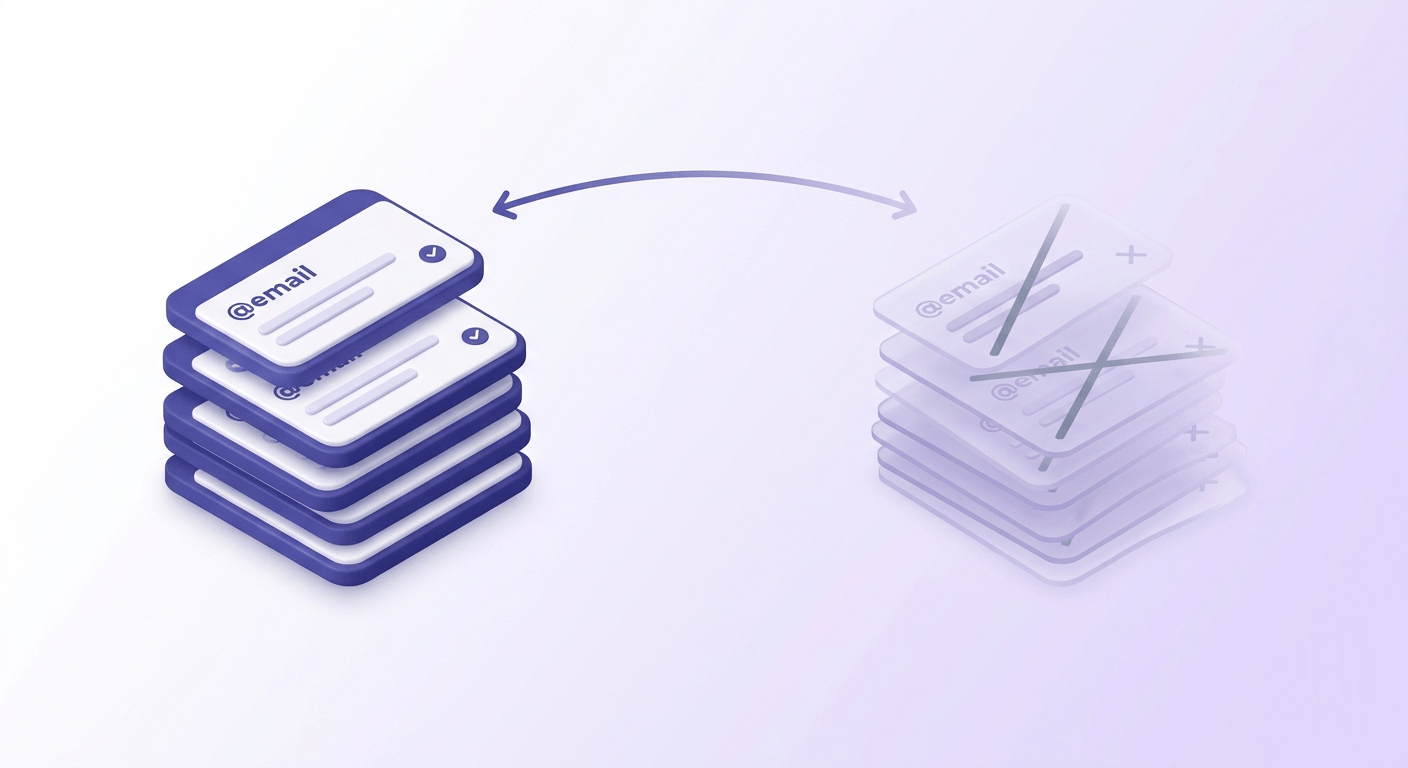
This is the most common misconception, and it does real damage because it sets up a false test. Senders verify their list, still see emails landing in spam, and conclude verification is useless. The tool worked correctly. The expectation was wrong.
What verification actually confirms: at the time of the check, this address exists, the domain has functioning mail exchange records, and the mailbox is capable of receiving mail. That's it. Verification says nothing about whether Gmail's content filters will flag your subject line, whether your sending IP has a poor reputation, or whether your engagement history signals to inbox providers that your mail isn't worth delivering.
The correct mental model is a necessary-but-not-sufficient condition. You cannot get good inbox placement without a clean list. You can absolutely have a clean list and still get poor inbox placement. Sender reputation, authentication (SPF, DKIM, DMARC — see how email authentication actually works together), content scoring, and engagement history all sit on top of list hygiene in the deliverability stack.
There's another dimension to this myth: even a verified address doesn't stay valid. Hunter.io's research found that approximately 2% of valid addresses go invalid within four weeks of verification. A list you verified in January is a different list in March. The verification confirmed a state, not a permanent condition.
What verification can realistically achieve
A well-verified list can get your bounce rate below 2% — the threshold Google and Yahoo's sender guidelines treat as the ceiling for maintained deliverability. Inbox placement is a separate fight, but you can't win it with a dirty list.
You can check your deliverability posture to see how your domain scores across the authentication and reputation dimensions that verification doesn't touch.
Myth 2: you only need to verify bought or scraped lists
The logic sounds reasonable: if someone typed their own email address into your form, it's probably real. The problem is that "real at the moment of submission" and "deliverable six months later" are two different things.
Organic lists accumulate problems from day one. Typos happen — someone types gmial.com instead of gmail.com and never notices because the confirmation email never arrived. Bots fill forms with syntactically valid but entirely fabricated addresses. Role addresses (info@, support@, hello@) get submitted by people who don't want to share their real inbox. Double opt-in catches typos and confirms intent, but it doesn't confirm that the address will still be active in 90 days.
The bigger issue is churn. People change jobs. Corporate email addresses get deactivated the day someone leaves, and those addresses represent a significant share of most B2B lists. Providers switch infrastructure. Free accounts get abandoned. A 2025 analysis of approximately one billion addresses found that 19% were invalid — and that figure held across acquisition types, not just purchased lists.
Small senders face a version of this problem that's actually worse, not better. A large sender absorbing 4% bounces across 500,000 sends still has the volume to look like a legitimate mailer. A small sender hitting the same bounce rate across 2,000 sends looks like a spammer. Inbox providers weight bounce rates proportionally to volume, which means a handful of bad addresses on a low-volume domain can tank sender reputation faster than a much larger problem at scale.
The source of the list is not the relevant variable. The age and verification status of the list is.
Myth 3: verification is a one-time task
Treating verification as a pre-campaign checkbox is like changing your car's oil once and assuming you're done. Email data decays continuously, and the rate of decay depends on your list composition.
B2B lists decay faster than B2C. Job turnover in most industries means a meaningful percentage of corporate email addresses go dead every quarter. A list that was 95% deliverable when you built it may be sitting at 88% twelve months later without a single new address added.
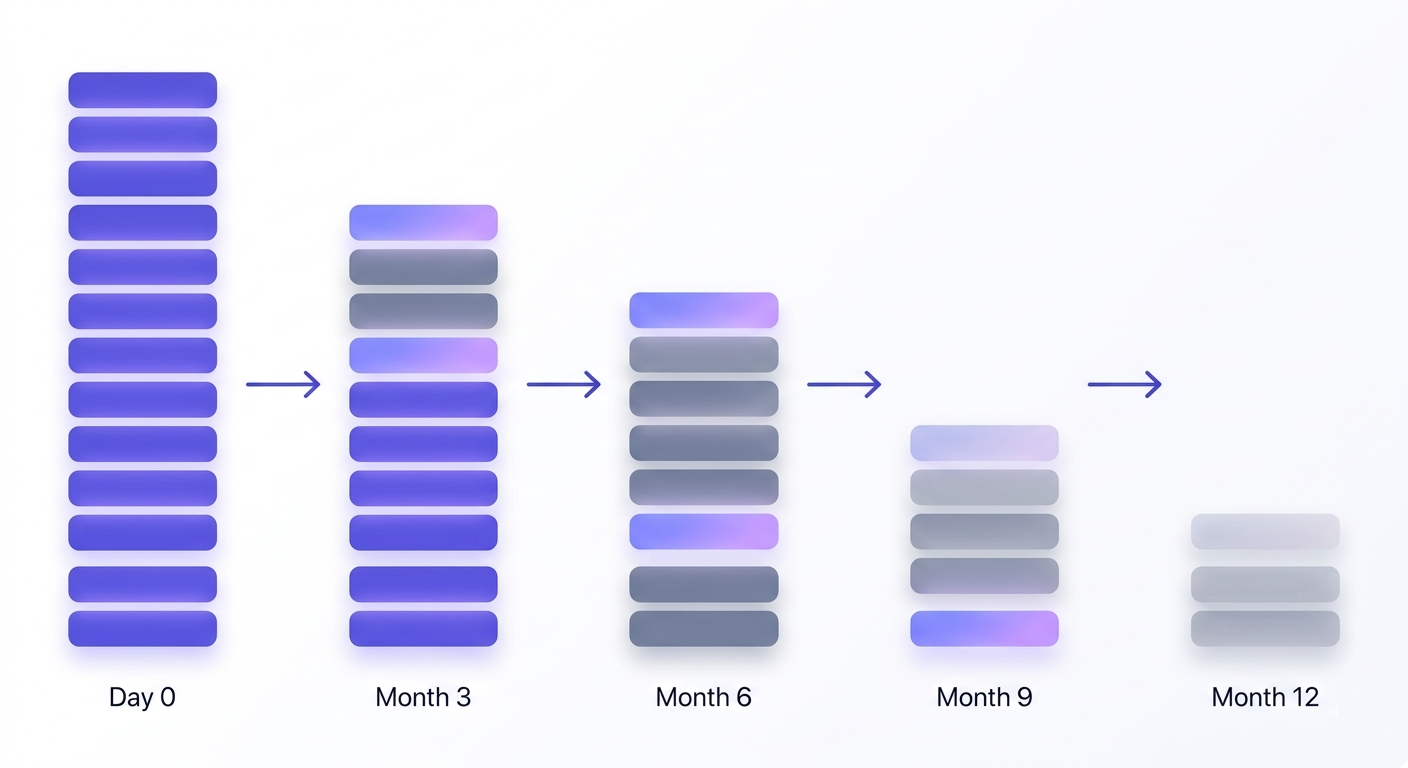
The right re-verification cadence isn't a fixed calendar date. It's tied to your send frequency and list age. If you send weekly to the same list, you need to re-verify far more often than a sender who runs one campaign per quarter. The floor is re-verifying before every major campaign. For active lists, that's not enough.
There's a signal worth watching that most senders ignore: the Unknown rate in your verification results. A rising Unknown rate on a previously stable list is an early indicator of accelerating decay. Unknown results mean the verification engine couldn't get a definitive answer from the receiving server — often because the server is behaving inconsistently, the domain is in flux, or addresses are being deactivated in batches. When that rate climbs, the list is telling you something before the bounces do.
For a deeper look at how each status behaves over time, the 10 email verification statuses explained pillar covers every classification in detail.
Myth 4: syntax checking is enough
A surprising number of tools — and a surprising number of developers who build their own validation — stop at syntax. The string matches the pattern local@domain.tld, so it's marked valid. This is roughly equivalent to checking whether a phone number has the right number of digits and calling it a working line.
A syntactically valid address can fail at every subsequent layer. The domain might have no MX record, meaning there's no mail server configured to receive anything. The domain might have MX records but no mailbox for that specific local part. The mailbox might exist but be permanently over quota. The address might belong to a disposable email provider that will expire it in 10 minutes.
Real verification is a stack of checks, not a single gate. The 11-stage verification engine works like this:
Syntax check
Confirms the address conforms to RFC 5322 formatting rules. Necessary but nowhere near sufficient.
Domain and MX record check
Verifies the domain exists and has functioning mail exchange records pointing to a mail server. An address with no MX record will hard-bounce on every send.
SMTP handshake
Connects to the receiving mail server and initiates a conversation per RFC 5321. This is where many shallow tools stop — but a server accepting a connection doesn't mean the specific mailbox exists.
Mailbox-existence probe
Sends a RCPT TO command for the specific address without delivering a message. A 550 response means the mailbox doesn't exist. A 250 means it does — unless the domain runs a catch-all.
Catch-all detection
Tests whether the domain accepts mail for any address, including ones that don't exist. Catch-all domains are the reason a 250 SMTP response isn't always trustworthy — the server says yes to everything.
Role, disposable, spamtrap, and additional signal checks
Identifies role addresses (info@, admin@, support@) that pass all prior checks but deliver to shared inboxes with low engagement. Flags disposable addresses that are syntactically perfect but will expire or damage reputation. Cross-references against known spamtrap patterns.
The catch-all problem deserves emphasis. A catch-all domain tells every SMTP probe "yes, that mailbox exists" — whether it does or not. A syntax-only tool, or even a basic MX checker, marks every address on a catch-all domain as valid. A real verification engine detects the catch-all behavior and classifies those addresses separately, so you can make an informed decision about whether to send to them.
You can validate an address instantly for a syntax and domain check, or run a single address through a full 11-stage check to see the difference between what a surface-level check finds and what a deep probe returns.
Myth 5: all verification services return the same results
This one is easy to believe because the outputs look the same on the surface — a status label next to each address. But the classification criteria, the probe depth, and especially the handling of ambiguous results vary significantly between providers.
Older verification databases have a disposable-domain problem. New burner email providers launch constantly. A tool that last refreshed its disposable-provider list six months ago will mark addresses from newer services as valid. You won't know until you send to them.
The classification of "risky" versus "safe" versus "unknown" is where the real divergence shows up. Some tools bucket everything that isn't a hard invalid into "valid," leaving you with no signal about addresses that are technically real but likely to suppress engagement or soft-bounce. Others use granular classifications — safe, risky, catch-all, role, disposable, spamtrap, disabled, inbox-full — that let you make different decisions for different segments.
Here's the deal: the most revealing difference between verification providers isn't their accuracy on easy cases. It's how they handle Unknown results — addresses where the verification engine genuinely cannot determine deliverability.
| What happens with Unknown results | Most verifiers | Valid Email Checker |
|---|---|---|
| Charge the credit | Yes — you pay for a non-answer | No — credit is automatically refunded |
| Require a support ticket | Often yes | Never — refund is automatic |
| Show Unknown as a distinct status | Sometimes hidden in 'risky' | Always shown explicitly |
| Use multi-provider failover | Rarely disclosed | Two providers cross-checked before Unknown is declared |
Valid Email Checker runs two independent providers in failover. An Unknown result is only declared after both providers return a non-definitive answer. At that point, the credit is automatically refunded — no ticket, no fine print. You can read more about how that works in our guarantee and in the bulk email verifier post that covers why Unknown results cost you more when a tool charges for them.
Test an address right now
See all 11 verification stages — including how Unknown results are handled.
Powered by Valid Email Checker — full SMTP handshake, disposable + role detection, no card required.
Myth 6: verification slows down your sending workflow
The image in people's heads is a blocking process: you can't send until the list is fully verified, and verification takes hours. That's not how modern verification works.
Single-address API verification is sub-second. At the signup or form layer — where you want to catch typos and disposable addresses before they enter your list — the latency is imperceptible to the user. You're not adding friction; you're quietly filtering.
Bulk verification is asynchronous: upload the list, the job queues, you retrieve results when it's done. There's no blocking of your send pipeline. The only workflow constraint is that you verify before you send, not simultaneously — which is exactly how it should work.
For teams using an ESP, the integration layer removes even that step. Mailchimp, Klaviyo, HubSpot, SendGrid, and 13 other platforms connect directly — your list goes into the integration, verification runs, and the cleaned list syncs back to the same audience. The integrations overview covers how each connection works.
The real time cost of skipping verification isn't the minutes saved upfront. It's the weeks spent rebuilding a sender reputation after a high-bounce campaign triggers a blocklisting. That's not a hypothetical — it's the standard trajectory described in how to reduce email bounce rate below 2%.
Myth 7: a low bounce rate means your list is clean
Bounce rate is a lagging indicator. By the time it tells you there's a problem, the problem has been accumulating for a while. More importantly, several of the worst list-quality issues produce no bounces at all.
Catch-all domains absorb sends without bouncing. The message arrives at the domain's mail server, which accepts it regardless of whether the specific mailbox exists, and the server quietly discards it (or routes it to a black hole). From your sending platform's perspective, the message was delivered. From a deliverability perspective, you've been sending to addresses that go nowhere.
Spam traps are worse. They don't bounce, and they don't engage — they report. A spamtrap hit is a silent signal to blocklist operators that your sending practices are problematic. You won't see it in your bounce metrics. You'll see it when your deliverability suddenly drops across a major inbox provider.
Role addresses (info@, support@, admin@) deliver successfully but suppress your engagement metrics. Every send to a shared inbox that nobody reads drags down your open and click rates, which inbox providers use as engagement signals. Your bounce rate looks fine. Your sender reputation is quietly eroding.
Inbox-full addresses soft-bounce today and hard-bounce on the next send. Disabled addresses behave similarly. Neither shows up as a hard bounce on the first attempt, which means a list with a significant proportion of these addresses can look healthier than it is for several campaigns before the hard-bounce rate spikes.
The Unknown category is the signal most senders miss entirely. An address that returns Unknown from verification neither delivered nor bounced in a way the engine could confirm. A rising Unknown rate in your results is a warning about list quality problems that haven't surfaced in your bounce metrics yet. For a full breakdown of what each status means for your sending decisions, read every result type, explained.
What good verification actually looks like
Every myth in this post traces back to a gap between what a particular tool does and what comprehensive verification actually requires. So it's worth being explicit about what the full picture looks like.
A real verification flow runs at minimum 11 checks: syntax, domain resolution, MX record existence, SMTP connection, mailbox-existence probe, catch-all detection, role address identification, disposable provider lookup, spamtrap pattern matching, mailbox-full detection, and disabled-account detection. MX-only tools skip steps 5 through 11. That's where the false confidence comes from.
The output of that flow should be granular. Ten distinct statuses — safe, risky, invalid, unknown, catch-all, disposable, role, spamtrap, disabled, inbox-full — give you the signal to make different decisions for different segments. A binary valid/invalid output throws away the information you need to manage catch-all domains, suppress role addresses, or flag rising decay.
The Unknown status deserves special treatment. It's the honest answer when the verification engine genuinely can't determine deliverability — the server is behaving inconsistently, the domain is in transition, or both providers in a failover setup returned non-definitive responses. Charging a credit for an Unknown result is indefensible. You paid for a determination; you received a non-answer. Valid Email Checker refunds Unknown credits automatically, every time, without a support request. Most competitors don't.
The 11-stage verification flow explained in full is the pillar reference for how each check works and what each status means for your sending decisions. If you want to understand what's actually happening under the hood, that's the place to start.
On cadence: re-verify before every major campaign as a floor. For active B2B lists, quarterly re-verification is closer to the right ceiling. Watch your Unknown rate between campaigns — when it climbs, don't wait for the scheduled re-verify date. For teams managing list hygiene at scale, the bulk email verifier handles the upload-queue-retrieve flow, and the help center walkthrough covers the complete process.
Free tool · no signup
Verify your list before the next campaign
Upload your list, get granular results across all 10 statuses, and get credits back automatically for every Unknown.
The myths in this post all share a common shape: they take a real limitation of shallow tools and generalize it into a claim about verification itself. The limitation is real. The generalization is wrong. Verification done at 11 stages, with honest Unknown handling and a re-verify cadence tied to list behavior, does exactly what it promises — it tells you, with the highest confidence the technology allows, which addresses are worth sending to.
Frequently asked questions
Does email verification guarantee my emails will land in the inbox?
How often should I re-verify my email list?
Is syntax checking the same as email verification?
Do I need to verify my list if subscribers opted in themselves?
Why did I still get bounces after verifying my list?
Are all email verification services equally accurate?
What is the difference between email validation and email verification?
What does an 'unknown' verification result mean and should I send to those addresses?
The senders who avoid deliverability crises aren't the ones with the best content or the most carefully timed campaigns — they're the ones who treat list hygiene as a continuous process, not a pre-launch checkbox. Run a sample of your current list through a full 11-stage check and look at the status breakdown. The mix of risky, catch-all, and unknown results will tell you more about your list's health than your bounce rate ever will.
Try Valid Email Checker free
Verify any email in under a second
Get 150 free verifications. No credit card. Auto-refund on every Unknown result — the only verifier we know that does this.
- 150 free credits when you sign up
- Auto-refund every Unknown verification (we're the only ones that do)
- 11-stage flow catches what 1-step checkers miss
- Drop-in integrations for Mailchimp, HubSpot, SendGrid, 14 more
Written by
Emmanuel KwartengEmmanuel is the founder of Valid Email Checker. He spends most of his time in bounce logs, verification data, and the gap between what email vendors promise and what actually happens when you hit send. He started the company because too much deliverability advice is guesswork dressed up as best practice, and he writes here to cut through it with the numbers behind each claim.