
How do I select a specific Klaviyo list to verify?
Klaviyo organizes contacts (called Profiles in Klaviyo-speak) into Lists. Valid Email Checker reads your Klaviyo lists through the Klaviyo API and surfaces them in a searchable picker. One-click OAuth setup and the exact scopes we request are in the Klaviyo integration guide.
Opening the picker
- Open Integrations in the VEC sidebar.
- Find the Klaviyo row in Connected Integrations.
- Click the three-dot menu and pick Sync Now.
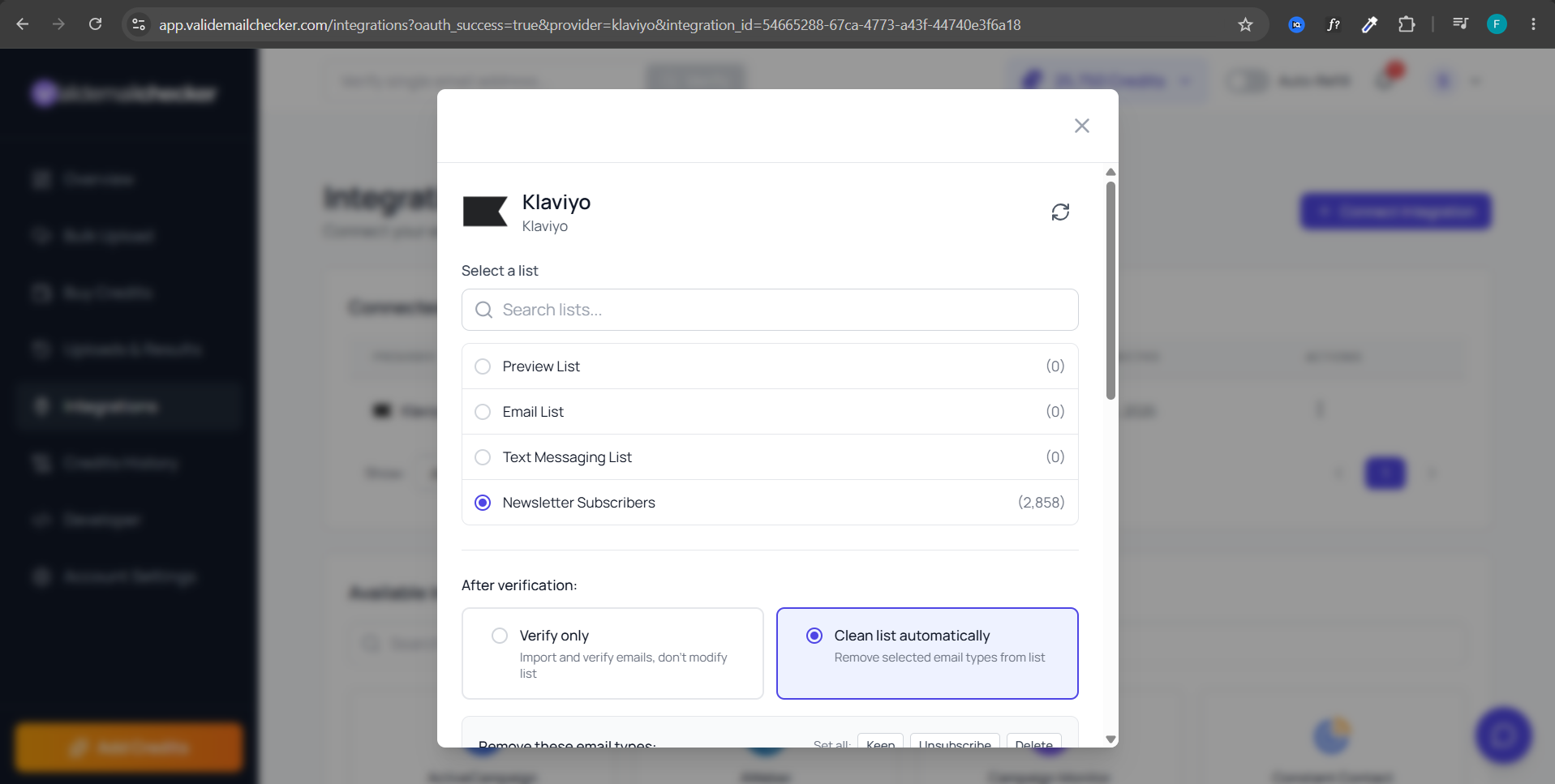
- A modal opens with the Klaviyo logo, the connection name, and the list picker.
- Pick exactly one row.
What appears in the picker
- Lists — every list in your Klaviyo account, loaded as soon as the picker opens.
- Profile count — calculated for the list you select (see below).
- Search field — filters by name in real time.
Why the count appears after you select
Klaviyo's API doesn't report how many profiles a list holds, and the only count it can give includes people who have unsubscribed or been suppressed — profiles VEC deliberately skips and never charges you for. So VEC counts the list itself, and only counts the one you actually select. You'll see counting… briefly, then the exact number of emailable profiles. This keeps the picker instant no matter how many lists you have, and means the number you see is the number you're charged for.
Sizing the cost
The credits-needed line at the bottom of the modal uses the emailable profile count for the list you selected. Duplicate removal (on by default) lowers the actual spend. Unknown-status results are refunded automatically after verification. A 100,000-profile list typically costs 90,000-95,000 credits in practice.
Refreshing list data
Click the refresh icon at the top of the modal. VEC re-queries Klaviyo for your lists. Useful after creating a new list or importing profiles.
After picking the list
Choose Verify Only (default — Klaviyo untouched) or Clean List Automatically. Verify Only is recommended for first-time runs on any new list. Hit Import List, and you are redirected to Uploads & Results to track progress.
Troubleshooting
- List missing — click the refresh icon (or Sync Now) to re-query Klaviyo. If it still doesn't appear, disconnect and reconnect — re-authorizing re-syncs all lists.
- Empty picker — the Klaviyo account has no lists yet. (Segments are not shown — see the note above.)
- Count is zero — the list has no emailable profiles: it is either empty, or every profile in it is unsubscribed or suppressed, which VEC skips and never charges for.
Related questions
Still stuck? Email support