URL Blacklist: How It Kills Email Deliverability
 Mara ChenJuly 17, 2026
Your site is clean. You haven't touched a line of code in weeks. Then a visitor screenshots a full-screen red warning from Chrome — "Deceptive site ahead" — and your organic traffic drops 60% in 48 hours.
That's a URL blacklist doing its job. The problem is it's doing it to you. In the next few minutes you'll understand exactly how blacklists work, how to confirm whether you're on one, and how to get off — in the right order, so you don't restart the clock.
Most guides stop at the web security angle. This one doesn't. A blacklisted domain doesn't just lose search traffic — it starts bouncing email too. That connection is where the real operational pain lives, and it's almost always the last thing site owners discover.
What a URL blacklist actually is
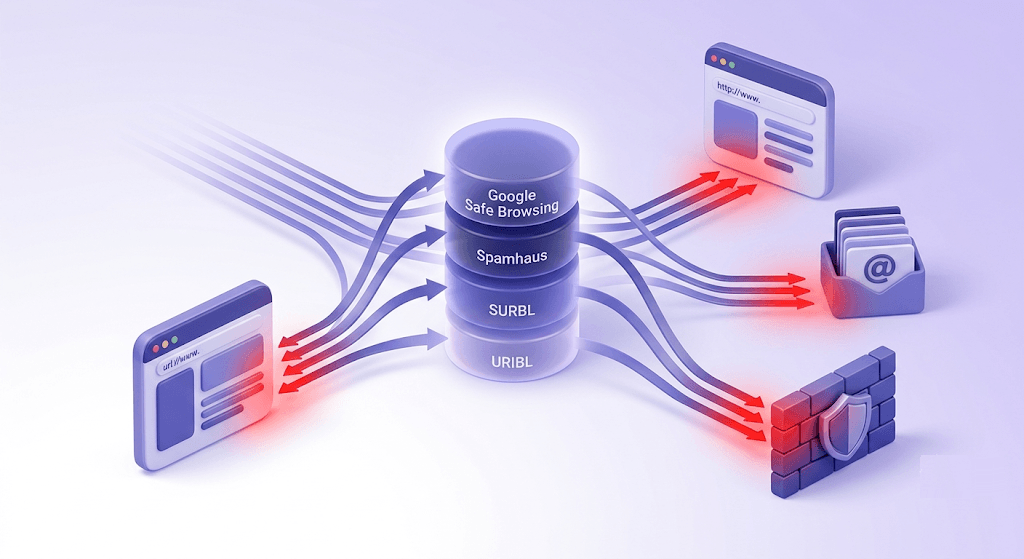
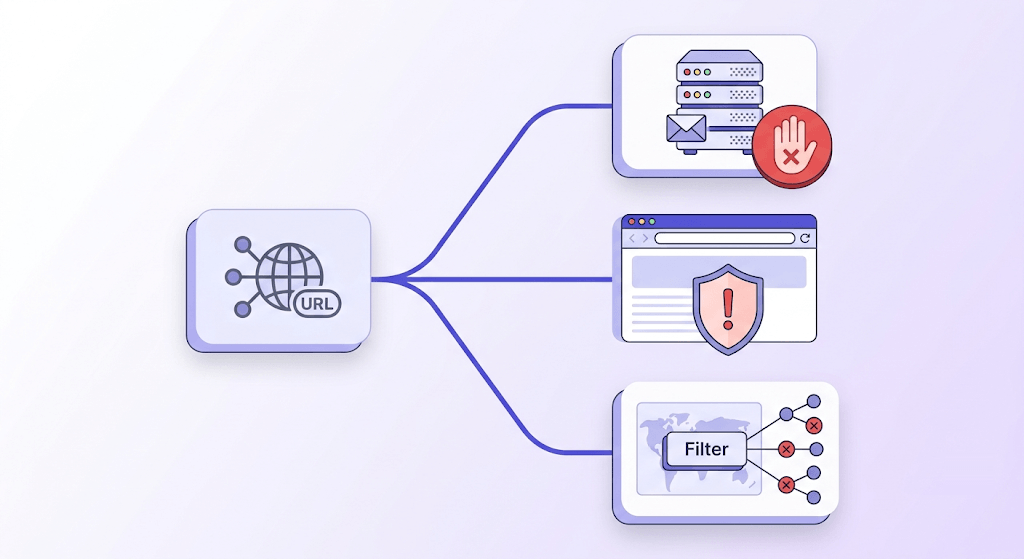
A URL blacklist is a real-time database of web addresses that security vendors, browsers, and DNS filters have flagged as unsafe. When you visit a URL, your browser queries one or more of these databases before the page loads. If the address appears, the browser blocks the request and shows a warning — no page load, no chance to dismiss it cleanly.
The distinction between URL-level and domain-level blacklisting matters more than most guides acknowledge. A URL-level flag targets a specific path — example.com/infected-page.php — while a domain-level flag covers the entire site. Google Safe Browsing typically starts at the page level and escalates to the domain if the infection is widespread or the owner doesn't respond. Spamhaus DBL and SURBL operate at the domain level by design.
The major operators running these lists:
- Google Safe Browsing — powers the warnings in Chrome, Firefox, and Safari, and feeds directly into Google Search Console's Security Issues tab.
- Spamhaus DBL (Domain Block List) — focused on spam and phishing domains; heavily used by mail servers to reject or junk inbound email.
- SURBL and URIBL — URI-based reputation lists that major mailbox providers query during SMTP delivery to check domains embedded in message bodies.
- PhishTank — community-maintained phishing URL database, integrated into several browsers and security products.
- Norton Safe Web / McAfee SiteAdvisor — consumer antivirus vendors with their own crawlers and reputation engines.
- Sucuri — web security company that maintains a blacklist database alongside its malware scanner.
All of these feed simultaneously into the tools your visitors use. Chrome pulls from Google Safe Browsing. Corporate DNS filters pull from Spamhaus. Your ESP's delivery infrastructure pulls from SURBL and URIBL. A single compromised page can trigger warnings across all of them within hours.
The part that surprises most site owners: blacklisting is fully automated. No human reviews your site before the warning appears. A crawler detects a pattern, a heuristic fires, the record is written. The review process that follows is human — but the initial flag is not.
How a URL ends up on a blacklist
Most blacklisted sites aren't run by bad actors. They're run by people who didn't patch WordPress in time.
Malware injection is the most common route. An attacker exploits a vulnerability in a CMS plugin or theme, gains write access to the server, and embeds a drive-by download script or cryptominer in a page template. The site owner sees nothing; the next visitor's browser does.
Phishing pages are the second major category. Attackers inject a login clone — a fake bank, webmail, or SaaS login page — into a legitimate site's directory structure. The site owner's homepage looks fine. The phishing page lives at /wp-content/uploads/login/ and has already harvested credentials from dozens of victims.
SEO spam is quieter but still flags. Bots exploit CMS vulnerabilities to add hidden links, keyword-stuffed content, or cloaked redirects that point to gambling or pharmaceutical sites. Google's crawlers detect the pattern and flag the domain.
Spam email infrastructure is the route most web-focused guides miss entirely. If your domain appears in the body of bulk spam campaigns — even emails you didn't send, even just a link pointing to your site — Spamhaus and SURBL can flag the domain. You don't have to be the sender. You just have to be the destination.
Deceptive downloads — fake software updaters, bundled adware, misleading browser extension pages — trigger flags from the antivirus-vendor lists like Norton and McAfee.
And then there are false positives. Mining pool URLs, VPN endpoints, and security research domains get caught by heuristic scanners that pattern-match rather than manually review. Shared hosting is another vector: if your IP block has a bad neighbor, some filters will associate your domain with that neighbor's behavior. Newly registered domains are treated as higher-risk by some filters for the first 30–90 days simply because they have no reputation history.
What happens to your site when it gets blacklisted
The visible damage is immediate. Chrome and Firefox replace your page with a full-screen red interstitial — "Deceptive site ahead" or "This site may harm your computer" — that most visitors will not click through. Safari shows a similar warning. Mobile browsers running WebKit or Blink pull from the same Google Safe Browsing feed.
Behind the scenes, the damage is broader:
- Google Search Console raises a Security Issues alert. If the flag is severe enough, Google can suppress your pages from search results entirely — not just rank them lower, but remove them.
- Google Ads campaigns are suspended immediately when a landing page domain is flagged. There's no shortcut appeal; the domain has to be clean before campaigns can resume.
- Corporate DNS filters block employee access silently. Your site appears down to anyone behind a company firewall, and you'll never see that traffic drop in your analytics because the DNS request never reaches your server.
- Email delivery starts failing. Any domain flagged on Spamhaus DBL or SURBL will have outbound email rejected or junked by most major mailbox providers — Gmail, Outlook, Yahoo. More on this in the deliverability section below.
- Organic traffic can collapse within 24–48 hours of a Google Safe Browsing flag. The warning appears in search results before the visitor even clicks.
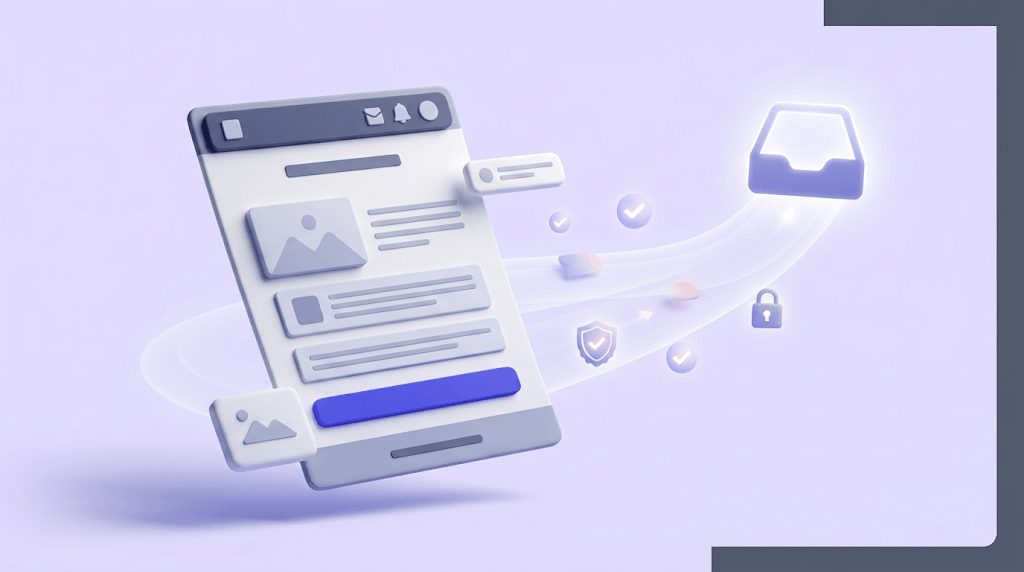
The compounding effect is what makes blacklisting genuinely dangerous for small sites: web traffic drops, ad campaigns pause, email stops working, and the site owner often learns about it from a visitor screenshot rather than from their own monitoring.
How to check if your URL is blacklisted
Don't guess. Each blacklist operator maintains its own database, and being clean on one tells you nothing about the others. Check all of the relevant sources.
- Google Safe Browsing Transparency Report — paste your URL at
transparencyreport.google.com/safe-browsing/search. This is the authoritative source for the Chrome and Firefox warning. - Google Search Console > Security Issues tab — if your site is verified in Search Console, this is where Google's flag against your property will appear first, often before the browser warning goes live.
- VirusTotal URL scanner — aggregates 70+ antivirus and URL reputation engines in a single query. Useful for understanding which specific vendors have flagged you.
- Spamhaus DBL lookup — check your domain directly against the Domain Block List at spamhaus.org. Critical for email deliverability.
- Valid Email Checker's [Domain Blacklist Checker](/domain-blacklist-checker) — a fast single-field lookup against common blocklists, useful for quick monitoring.
- [IP Blacklist Checker](/ip-blacklist-checker) — check whether your sending IP is listed separately from your domain, since IP-level flags affect SMTP delivery differently.
- [Spamhaus Checker](/spamhaus-checker) — a dedicated Spamhaus DBL lookup for domain-level spam flags.
- Sucuri SiteCheck — combines a malware scan with blacklist status across multiple databases in one pass.
Run all of them, not just one
Being clean on Google Safe Browsing doesn't mean you're clean on Spamhaus. The two lists serve different purposes — one protects browser users, the other protects mail servers. A domain can be flagged on one and not the other, or on both for different reasons.
Free tool · no signup
Check your domain against common blocklists
Paste your domain and see your blacklist status in seconds — no signup required.
How to fix a blacklisted URL — in the right order
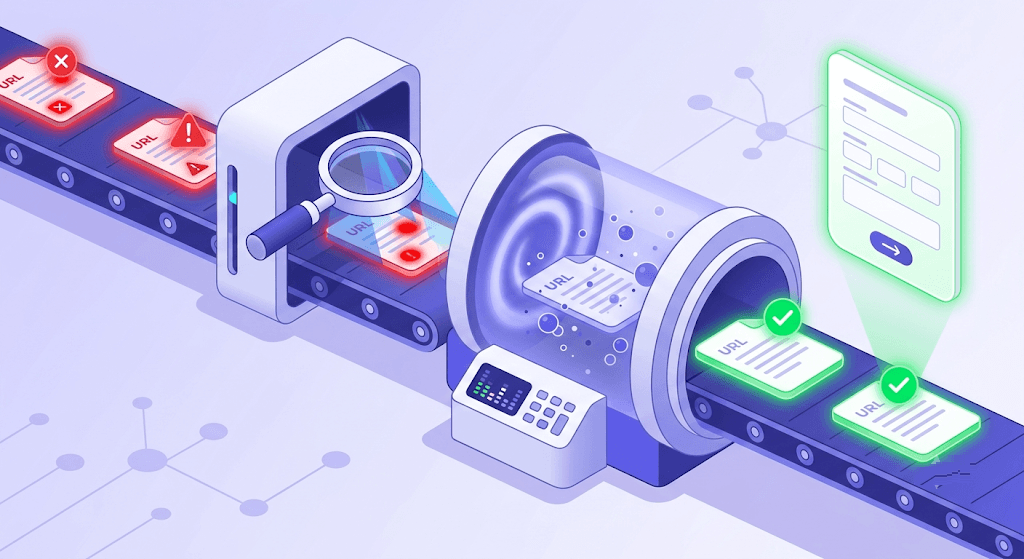
The order matters. Submitting a review request before your site is actually clean doesn't speed up the process — it resets it. Every major blacklist operator notes failed reviews and treats subsequent requests with more skepticism.
Identify the specific blacklist and the stated reason
Run all the checks listed above. Write down which list flagged you and what category it assigned — malware, phishing, spam, deceptive content. The remediation steps differ depending on the category, and the review request form will ask you to address the specific reason.
Run a full malware scan and document every infected file
Use Sucuri SiteCheck, Wordfence (for WordPress), or server-side ClamAV. Document every infected file path, every injected script, every suspicious redirect. You'll need this documentation for the review submission.
Remove the malicious code and close the entry point
Removing the infected files is not enough if the vulnerability that allowed the compromise is still open. Patch the plugin or theme that was exploited, rotate all credentials (hosting panel, CMS admin, FTP, database), disable any admin panels exposed to the public internet, and audit your user list for unauthorized accounts.
Verify the fix before touching the review form
Rescan with the same tools you used in Step 2. If the scan is clean, pull a fresh Google Safe Browsing check. Don't proceed to Step 5 until every scanner confirms the site is clean.
Submit a review request through the correct channel
For Google Safe Browsing flags: Google Search Console > Security Issues > Request Review. For Spamhaus DBL: use the removal request form at spamhaus.org. For VirusTotal detections: each underlying vendor has its own false-positive or clean-site submission form — VirusTotal links to them from the scan result. Submit each one separately.
Monitor re-indexing and delivery recovery
Google typically reviews clean sites within 72 hours and will notify you through Search Console. Spamhaus DBL removal can take longer — 24–48 hours after the listing criteria are no longer met. Email delivery will recover as the updated records propagate to mailbox providers, but some providers cache reputation data for up to a week.
URL blacklists and email deliverability — the link most guides skip
Here's the part that most web security guides don't mention, and it costs senders real money.
Google Safe Browsing and email delivery operate in separate systems. A GSB flag will destroy your web traffic but won't directly cause SMTP rejections. Spamhaus DBL, SURBL, and URIBL are different. These are URI-based reputation lists that major mailbox providers — Gmail, Outlook, Yahoo — query during delivery to check every domain embedded in a message body. If your domain is listed, your email doesn't reach the inbox. It bounces with a policy rejection, or it lands in spam without a bounce at all.
The mechanism that puts you on these lists doesn't require you to be sending spam. If someone else uses your domain in the body of their spam campaign — a phishing link, a redirect, a forged sender — your domain accumulates flags on URI blacklists without you sending a single email. You find out when your bounce rate spikes and the bounces are classified as policy rejections rather than the usual hard-bounce pattern.
There's a second route that's entirely within your control: spamtrap hits from your own send list. Spamtraps are addresses that no legitimate opt-in subscriber would ever provide — recycled addresses that ISPs repurpose as honeypots, or pristine traps seeded into data broker lists. Hitting enough spamtraps in a campaign is one of the fastest routes to a Spamhaus or SURBL listing. The fix isn't just removing the infected page from your website — it's verifying the list you're sending to before the next campaign goes out.
This is why the email deliverability guide on list quality treats list hygiene as the foundation, not an afterthought. Authentication records — SPF, DKIM, DMARC — tell inbox providers who you are. A clean send list tells them you're not a spam source. Both are required. Cleaning your website after a compromise is necessary but not sufficient if your list is still full of stale addresses and spamtraps that triggered the flag in the first place.
Policy rejections look different from hard bounces
When a domain is blacklisted on Spamhaus or SURBL, the resulting bounces are classified as policy rejections — the receiving server accepted the connection but refused the message based on reputation. These don't always show up in your ESP's bounce report the same way a hard bounce does. If your bounce rate is rising but the "invalid address" count looks normal, check your domain's blacklist status before anything else.
Is your sending domain clean?
Verify an email address from your domain to see its current deliverability status — catches spamtrap risk before the next send.
Powered by Valid Email Checker — full SMTP handshake, disposable + role detection, no card required.
If you're working through a bounce rate problem and suspect a blacklist is involved, the Email Deliverability Checker can help you test inbox placement after a removal. For the list-hygiene side of the equation, the guide on reducing email bounce rate below 2% walks through the verification steps that prevent spamtrap accumulation.
How to prevent URL blacklisting
Prevention is cheaper than remediation. A week of downtime, a suspended ad account, and a degraded sender reputation cost more than the 20 minutes it takes to set up the monitoring that would have caught the problem first.
- Keep your CMS, plugins, and themes patched. The majority of WordPress compromises exploit known CVEs — vulnerabilities with patches already available. Auto-updates for minor versions are on by default in WordPress 5.5+; turn them on for plugins too.
- Use a web application firewall. Cloudflare's free tier blocks common exploit patterns before they reach your server. Sucuri's WAF and hosting-level ModSecurity rules are alternatives worth the cost if you're running a business site.
- Enable two-factor authentication on every admin account. Credential stuffing is the second most common entry point after unpatched plugins. 2FA closes that route. Apply it to your hosting control panel and CMS admin, not just your email account.
- Set up Google Search Console alerts. Search Console will email you when it detects a Security Issues event. This is almost always faster than finding out from a visitor. If your site isn't verified in Search Console yet, do it today.
- Monitor your domain against Spamhaus DBL and SURBL on a schedule. Weekly is enough for most sites. The Domain Blacklist Checker makes this a 30-second task. Don't wait until something breaks.
- Audit your outbound email practices. Sending to unverified lists is one of the fastest routes to a URI blacklist flag. Every address that hasn't been verified recently is a potential spamtrap. This is especially true for lists built from data broker sources or old import files.
The email list hygiene decision framework covers the verification cadence in detail — how often to re-verify by list type, what to do with catch-all domains, and when to suppress rather than remove. It's the most direct prevention for the email-deliverability side of blacklisting.
False positives — when your URL is blacklisted but shouldn't be
False positives are more common than the security industry acknowledges. Heuristic scanners — Avast, Windows Defender SmartScreen, and similar — flag by pattern, not by manual review. A URL that contains a string common to malware distribution, or that resolves to an IP block associated with a known bad actor, can get flagged without any actual malicious content on the page.
Mining pool URLs are a textbook example. Security researchers running honeypots. VPN endpoints. Sites that recently acquired a domain from a previously blacklisted owner. All of these get caught by automated heuristics regularly.
Shared hosting adds another wrinkle. Your domain might be perfectly clean, but if you share an IP block with a neighbor who's been flagged, some filters will associate your IP with their behavior. This is one of the strongest arguments for dedicated IPs on high-volume sending infrastructure — and for checking your IP blacklist status separately from your domain status.
The fix for a false positive follows the same first step as a real compromise: identify the specific list and gather evidence of legitimacy. Then submit a dispute through the operator's false-positive reporting channel. Google's false-positive review is faster than most — typically 1–3 business days for clearly clean sites. Spamhaus has a formal dispute process that requires you to demonstrate the domain is not being used for spam. VirusTotal links to each underlying vendor's submission form from the scan result page.
One thing that genuinely helps a false-positive dispute: a clean verification record. If you can show that your domain's email infrastructure is properly configured — SPF, DKIM, DMARC all publishing correctly — and that your send list is verified, it's harder for a manual reviewer to argue the domain is being used for spam.
Free tool · no signup
Check your domain against Spamhaus
See your Spamhaus DBL status instantly — the list that matters most for email deliverability.
What's the difference between a URL blacklist and an IP blacklist?
A URL blacklist targets web addresses — either specific pages or entire domains. An IP blacklist targets the numeric address of the server sending email or hosting the site. The two systems are maintained separately and cause different types of damage.
A domain on Spamhaus DBL means the domain name itself has been flagged — email containing that domain in the message body or envelope will be rejected regardless of which server sends it. An IP on Spamhaus SBL or similar lists means the sending server's IP address is flagged — email sent from that IP will be rejected regardless of which domain is in the envelope.
In practice, a serious compromise often triggers both: the infected domain gets flagged at the domain level, and if the same server was used to send spam, the IP gets flagged too. Check both with separate tools. The Domain Blacklist Checker covers the domain side; the IP Blacklist Checker covers the sending IP. They're different lookups against different databases.
The email authentication guide covers how SPF, DKIM, and DMARC interact with IP reputation — if you're investigating an email deliverability problem alongside a blacklist issue, that's the right next read.
Frequently asked questions
What is a URL blacklist and who maintains them?
How do I check if my URL or domain is on a blacklist?
Why did my site get blacklisted even though I didn't do anything wrong?
How long does it take to get removed from a URL blacklist?
Does a URL blacklist affect my email deliverability?
What is the difference between a URL blacklist and an IP blacklist?
How do I prevent my domain from being blacklisted again after removal?
A blacklisted domain is a two-front problem: web traffic and email delivery both take the hit, often within the same 48-hour window. The fix is the same either way — identify the specific list, clean the actual problem, verify it's gone, then submit. The fastest way to confirm your domain is clear on the email side is to run a domain blacklist check and test inbox placement after the removal is confirmed.
Try Valid Email Checker free
Verify any email in under a second
Get 150 free verifications. No credit card. Auto-refund on every Unknown result — the only verifier we know that does this.
- 150 free credits when you sign up
- Auto-refund every Unknown verification (we're the only ones that do)
- 11-stage flow catches what 1-step checkers miss
- Drop-in integrations for Mailchimp, HubSpot, SendGrid, 14 more
Written by
Mara ChenMara covers deliverability from the receiving end — the filters, reputation signals, and quiet rejections that decide whether you reach the inbox or the spam folder. She cares less about clever subject lines than the unglamorous fundamentals that actually move placement: clean lists, consistent sending, and a sender reputation you don't have to rebuild every quarter. Expect practical, no-hype advice grounded in how mailbox providers really behave.