MX Records Explained: How They Affect Email Deliverability
 Devon ParkJune 18, 2026
Every email you send passes through a lookup you never see. Before the first byte of your message travels anywhere, the sending mail server asks a simple question: where does this domain accept email? The answer lives in an MX record.
In the next few minutes you'll understand exactly how MX records work, why the priority number matters more than most guides admit, and — the part nobody else covers — how a broken or missing MX record cascades into hard bounces, damaged sender reputation, and email verification failures.
The trick is understanding MX records not just as a setup task but as a live signal that inbox providers, verifiers, and sending MTAs all read continuously.
What an MX record actually is
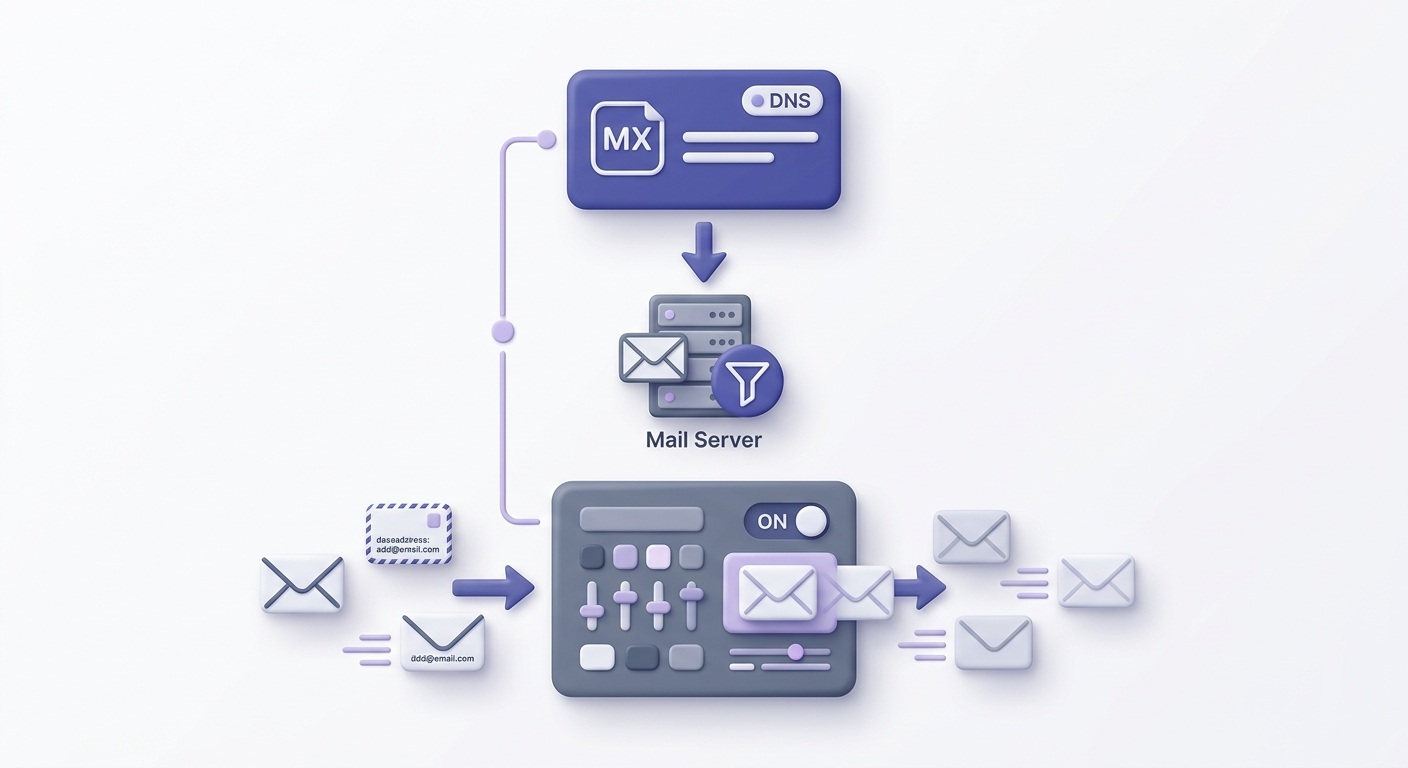
An MX record — Mail Exchanger record — is a DNS entry that tells the internet which mail server accepts incoming email for your domain. Nothing more, nothing less.
Think of it as the postal sorting-office address for your domain's email. When someone sends to you@yourdomain.com, the postal system doesn't know where your inbox lives — it consults the MX record to find the right building.
It's worth separating MX from the other DNS record types you'll see in the same zone file:
- A record — maps a domain name to an IPv4 address. Handles web traffic and many other services.
- CNAME record — an alias that points one domain name to another domain name.
- TXT record — free-form text. Hosts SPF, DKIM, and DMARC policies, among other things.
- MX record — specifically and only for SMTP mail routing. Points to the hostname of a mail server.
There is one hard rule worth burning into memory: an MX record must point to a hostname (an A or AAAA record), never to a CNAME. RFC 5321 — the specification that defines SMTP — explicitly forbids CNAME targets for MX records. Violating this causes unpredictable delivery failures across different mail server implementations.
MX records live in your domain's DNS zone file alongside your SPF, DKIM, and DMARC TXT records. They're managed wherever your DNS is hosted — your registrar, Cloudflare, Route 53, or a dedicated DNS provider.

How MX records work step by step
The MX lookup happens on the sending side, not the recipient's. When a mail transfer agent (MTA) wants to deliver a message to recipient@example.com, here's the exact sequence:
DNS MX query
The sending MTA queries DNS for
MX example.com. It gets back one or more records, each with a priority value and a hostname.Hostname resolution
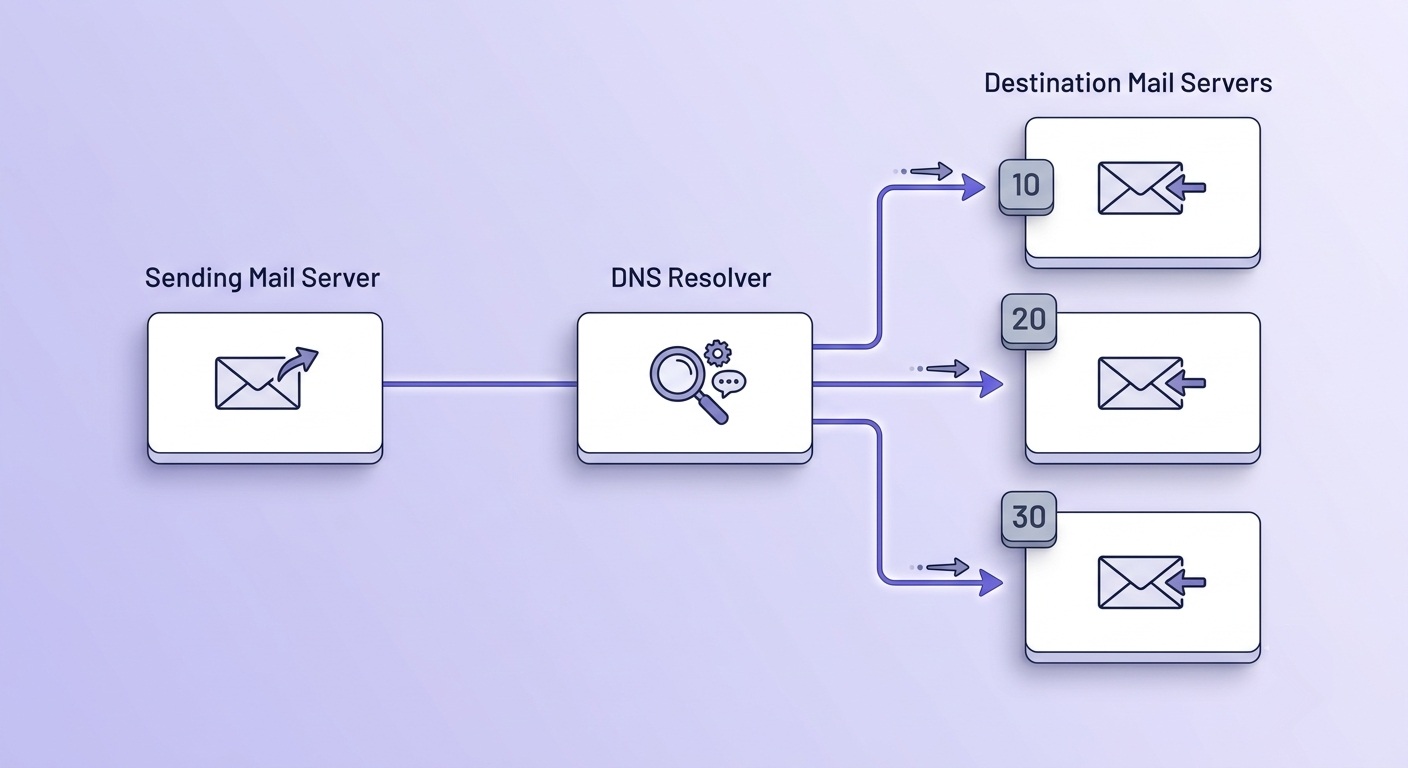
The MTA takes the highest-priority hostname (lowest number) and resolves it to an IP address via an A or AAAA lookup.
SMTP connection
The MTA opens a TCP connection to port 25 (or 587 / 465 for submission) on that IP and begins the SMTP handshake —
EHLO,MAIL FROM,RCPT TO,DATA.Delivery or fallback
If the connection succeeds, mail is delivered. If the primary server is unavailable, the MTA tries the next record in priority order. If all records fail, the message queues for retry.
What happens if a domain has no MX record at all? Behavior varies by sender. Some older MTAs fall back to the domain's A record and attempt delivery there. Most modern servers — and all major providers — simply reject the delivery attempt and return a permanent error. From the sender's perspective, that's a hard bounce.
TTL (time-to-live) controls how long resolvers cache the record. At rest, a TTL of 3600 seconds (one hour) is typical. If you're planning a mail server migration, drop the TTL to 300 seconds (five minutes) at least 24 hours in advance — this ensures the change propagates quickly once you flip the record.
MX record priority — what the number actually means
Every MX record carries a non-negative integer called the preference value, commonly referred to as priority. Lower number means higher preference. A record with priority 10 is tried before a record with priority 20.
This is the most common point of confusion. People see '10' and assume it means tenth in line. It doesn't. It means 'try me first if I'm the lowest number in the set.'
The practical setup for most domains:
- Primary server at priority 10 — first choice for all inbound mail.
- Backup server at priority 20 — only used if the primary is unreachable.
- Two records at equal priority (both at 10) — triggers round-robin load balancing between them.
Real-world examples show how providers use this. Google Workspace publishes five MX hosts: aspmx.l.google.com at priority 1, two hosts at priority 5, and two at priority 10. Microsoft 365 uses a single host — something like yourdomain-com.mail.protection.outlook.com — at priority 0. One host, highest possible preference, no fallback needed on their side.
Equal-priority round-robin is genuinely useful for high-volume domains that need to distribute inbound load across multiple servers. For most businesses, a primary and a single backup is enough.
Reading a real MX record — annotated examples
Here's what raw MX records look like in practice. Three setups you'll encounter regularly.
Google Workspace (five hosts):
example.com.  3600  IN  MX  1   aspmx.l.google.com.
example.com.  3600  IN  MX  5   alt1.aspmx.l.google.com.
example.com.  3600  IN  MX  5   alt2.aspmx.l.google.com.
example.com.  3600  IN  MX  10  alt3.aspmx.l.google.com.
example.com.  3600  IN  MX  10  alt4.aspmx.l.google.com.
Reading left to right: the domain name, TTL in seconds (3600 = one hour), record class (IN = internet), record type (MX), priority value, and the mail server hostname. The trailing dot on hostnames is zone-file syntax indicating a fully qualified domain name — leave it off and some DNS parsers will append your domain name to the hostname, breaking it.
Microsoft 365 (single host):
example.com. 3600 IN MX 0 example-com.mail.protection.outlook.com.Priority 0 means this is the absolute first choice. Microsoft handles redundancy internally — you only need the one record.
Custom server with failover:
example.com.  3600  IN  MX  10  mail.example.com.
example.com.  3600  IN  MX  20  backup-mail.example.com.
Now, what a broken MX record looks like:
- Pointing to a CNAME —
example.com. IN MX 10 mail-alias.example.com.wheremail-aliasis a CNAME. RFC-forbidden. Some servers reject it outright; others attempt it and fail unpredictably. - Mistyped hostname —
aspmx.l.gogle.com.instead ofaspmx.l.google.com.. The A lookup returns NXDOMAIN and delivery fails. - Missing trailing dot in a zone file —
mail.example.comwithout the trailing dot gets interpreted asmail.example.com.example.comby zone-file parsers. - A record that doesn't exist — MX points to
mail.example.combut no A record for that hostname exists. Mail queues, retries, then hard-bounces after the retry window expires (typically 4–5 days).
These failures all produce hard bounces on the sending side — not soft bounces. A soft bounce means a temporary condition (mailbox full, server busy). A wrong MX record is a permanent routing failure, and senders count it the same way inbox providers do: against your sender reputation.
Check if an email address has a valid MX record
Run a live 11-stage verification — MX lookup is stage 2. Instant result, no signup needed.
Powered by Valid Email Checker — full SMTP handshake, disposable + role detection, no card required.
How to check your MX records
Two approaches: command line or a browser tool.
On Linux or macOS, dig is the cleanest option:
dig MX yourdomain.comLook for the ANSWER SECTION. Each line shows the domain, TTL, record class, MX type, priority value, and mail server hostname. If the ANSWER SECTION is empty, your domain has no MX record.
On Windows, use nslookup:
nslookup -type=MX yourdomain.comIf you'd rather skip the terminal, the MX Record Checker runs the same lookup in a browser and formats the output so you can read priority values and hostnames at a glance — no installation required.
One caveat: DNS changes don't propagate instantly. Most resolvers pick up a new record within an hour, but the full global propagation window is up to 48 hours depending on TTL and resolver caching behavior. If you've just updated your MX record and want to confirm it's live across major resolvers worldwide, the DNS Propagation Checker queries from multiple geographic vantage points simultaneously.
Free tool · no signup
Look up any domain's MX records instantly
See priority values, hostnames, and TTLs — no command line needed.
Common MX record mistakes and how to fix them
Most MX problems fall into five categories. Each one is fixable, but some cause delivery outages that last hours if you're not prepared.
1. MX pointing to a CNAME. The RFC forbids it. The fix is to find the A record that the CNAME ultimately resolves to and point the MX directly at the hostname that owns that A record. Don't use the CNAME as an intermediate step.
2. Removing the old MX record before the new one is live. This is the migration mistake that causes actual mail loss. The correct order: add the new MX record, wait for propagation (check with the DNS Propagation Checker), then remove the old one. Never delete first.
3. TTL too high before a planned migration. If your TTL is 86400 seconds (24 hours) and you change the record, resolvers will serve the old record for up to a day. Drop the TTL to 300 seconds at least 24 hours before any planned change, then restore it after migration is complete.
4. Duplicate records with the same hostname at different priorities. This creates unpredictable routing. If the same hostname appears twice with different priority values, some senders will treat the lower-priority entry as a backup even though it's the same server. Deduplicate — one hostname, one priority.
5. MX record exists but the A record it points to doesn't. The MX lookup succeeds; the A lookup fails. The sending MTA queues the message, retries over several days, then issues a hard bounce. Run a quick A record lookup (dig A mail.yourdomain.com) alongside your MX check to confirm both exist.
Migration order matters
Always add before you remove. A 10-minute window with two MX records active is safe. A 10-minute window with zero MX records causes permanent delivery failures for messages sent during that gap — they won't retry successfully if the MX is gone when the retry fires.
MX records and email authentication — how they fit together
MX records and authentication records — SPF, DKIM, DMARC — live in the same DNS zone but handle completely different jobs. Understanding the division prevents a common confusion.
MX handles routing. It answers: where do I deliver mail to this domain? SPF, DKIM, and DMARC handle authentication. They answer: is this sender authorized to send from this domain, and what should I do if they're not? The full explanation of how these work together is worth reading if you're setting up a new domain from scratch.
There's one practical dependency worth knowing: DMARC aggregate reports require a working MX record. The rua and ruf addresses in your DMARC policy are email addresses. The servers sending those reports perform an MX lookup on those addresses before delivery. If your report-receiving domain has no MX record, the reports never arrive — and you're flying blind on authentication failures.
Inbox providers also cross-check MX records as a reputation signal. A sending domain with no MX record is suspicious — legitimate businesses receive email. A domain that only sends but never receives is a pattern associated with throwaway spam infrastructure.
One more thing: catch-all configurations are often confused with MX settings. A catch-all — where a mail server accepts messages to any address at the domain regardless of whether the mailbox exists — is a mail server setting, not an MX setting. The MX record just routes traffic to the server. What the server does with it is a separate question. (For a deeper look at catch-all domains and what they mean for verification, see the catch-all emails guide.)
Free tool · no signup
Check your SPF record alongside MX
Verify both are configured correctly before your next send.
When MX records affect your sender reputation
Here's what most MX guides skip entirely: MX record health isn't just a receiving concern. It directly affects your sending reputation.
Receiving servers check the MX record of the sending domain as part of reputation scoring. A sending domain with no MX record is a red flag — it signals the domain was registered to send spam and never set up to receive replies. Google's sender guidelines include domain legitimacy signals as part of their filtering criteria, and a missing MX is one of the cheapest signals to check.
Parked domains with no MX record are also common spamtrap hosts. Spamtrap operators register domains, let them expire or park them with no mail infrastructure, and harvest any addresses that still receive mail. Sending to those addresses damages your IP's reputation with every major blocklist operator. If your list contains addresses on MX-less domains, you're likely hitting traps.
This is where MX records connect directly to email verification. In Valid Email Checker's 11-stage verification flow, the MX lookup runs at stage 2. If a domain has no valid MX record, the verification returns invalid immediately — no further stages run. No MX means no mail server, which means no mailbox can exist at that address. It's a hard invalid, not a soft unknown.
For bulk senders, this has a practical implication: a list where more than 5% of addresses belong to MX-less domains is a stale or purchased list. Legitimate opt-in lists don't accumulate that many dead domains organically. That ratio is a signal worth acting on — see the email list hygiene decision framework for how to handle it systematically.
Hard bounces from MX-less domains count against your sender score with every major ESP. Mailchimp, Klaviyo, SendGrid — all of them track bounce rates and will suspend sending if you consistently hit domains that have no mail infrastructure. The threshold is typically 2%. Getting below that and staying there requires catching these before you send, not after.
The bottom line: MX records are not a one-time setup task. They're a live signal that affects routing, authentication, verification outcomes, and sender reputation simultaneously. Understanding what they contain — and what happens when they're wrong — is one of the more leverage-rich things a deliverability-focused sender can do.
Bounce rate is the metric that warns you things are slipping. MX record failures are one of the cleanest causes — and the easiest to diagnose before a send. Run your next list through a verifier and filter for the invalid results that come back at stage 2. That's your MX problem, quantified.
Frequently asked questions
What is an MX record and what does it do?
What does the priority number in an MX record mean?
Can an MX record point to a CNAME?
How do I check my domain's MX records?
dig MX yourdomain.com and look at the ANSWER SECTION. On Windows, use nslookup -type=MX yourdomain.com. If you prefer a browser-based option, the MX Record Checker at validemailchecker.com runs the same lookup and formats the priority values and hostnames clearly.What happens if my domain has no MX record?
Why would a valid-looking email address still bounce if the MX record is wrong?
How are MX records different from SPF, DKIM, and DMARC records?
How does DNS propagation affect MX record changes?
MX records are the foundation that every other email function builds on — authentication, verification, and reputation all depend on them being correct. The fastest way to confirm yours are healthy is to run a live check and look at what comes back. The tool below handles the MX lookup, and if you want to go further, a full 11-stage verification will show you exactly how your domain's DNS health translates into deliverable — or undeliverable — addresses.
Try Valid Email Checker free
Verify any email in under a second
Get 150 free verifications. No credit card. Auto-refund on every Unknown result — the only verifier we know that does this.
- 150 free credits when you sign up
- Auto-refund every Unknown verification (we're the only ones that do)
- 11-stage flow catches what 1-step checkers miss
- Drop-in integrations for Mailchimp, HubSpot, SendGrid, 14 more
Written by
Devon ParkDevon writes about the parts of email nobody puts on a landing page: SPF, DKIM, DMARC, MX records, and the DNS quirks that quietly decide whether your mail lands or bounces. His aim is to turn specs that read like legalese into something you can implement today — usually with the exact record to copy and a way to confirm it worked. When other guides hand-wave past setting up authentication, Devon stops and shows you how.