How to Write a Formal Email (With Address Checks)
 Emmanuel KwartengAugust 27, 2026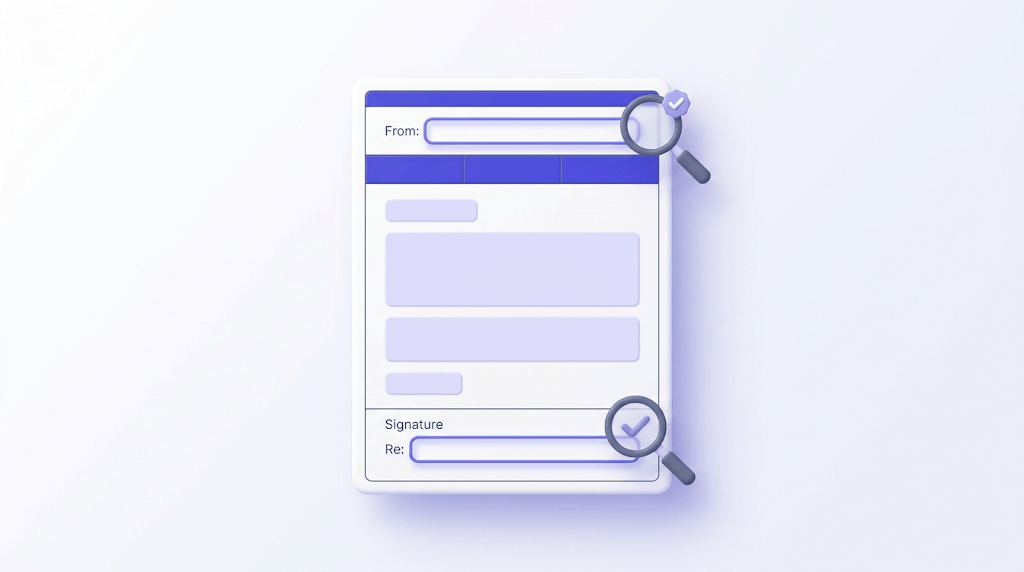
A formal email sent from the wrong address, addressed to the wrong name, or landing in a dead inbox isn't formal — it's a liability. Most guides cover the six-part structure and call it done. This one covers that, plus the layer underneath: the sender address, the signature block, and the recipient address that most people never check.
By the end, you'll know exactly how to structure a formal email, which phrases to use and which to cut, and how to run a pre-send check that protects your credibility before you hit send.
The specific detail most guides skip: the email address in the From field and the address you're writing to matter as much as the subject line. We'll get to both.
What makes an email formal (and when it actually matters)
A formal email is a professional, structured message written for workplace, academic, or business contexts — job applications, client correspondence, complaints, external partner communication, anything where the relationship is new or the stakes are real.
The dividing line between formal and informal isn't word count or sentence length. It's relationship distance. You can write a warm, clear email to your CEO and it can still be formal. You can write a stiff, jargon-heavy email to a close colleague and it will read as awkward, not professional.
Default to formal when:
- You're contacting someone for the first time
- The recipient is external to your organization
- There's a power or authority differential (a hiring manager, a professor, a regulator)
- The email involves a complaint, a legal matter, or a significant request
- You'd hesitate before hitting send
That last rule is the most reliable. If you're second-guessing the tone, go formal. You can always loosen up once the relationship is established. You can't easily recover from opening with 'Hey!' to someone who expected 'Dear Ms. Chen.'
The most common mistake: treating formal as synonymous with stiff. Archaic phrasing like 'I beg to remain your humble servant' signals formality in the 19th century. Today it signals that you didn't proofread. Clarity and respect matter more than ceremony.
The anatomy of a formal email: six parts, in order
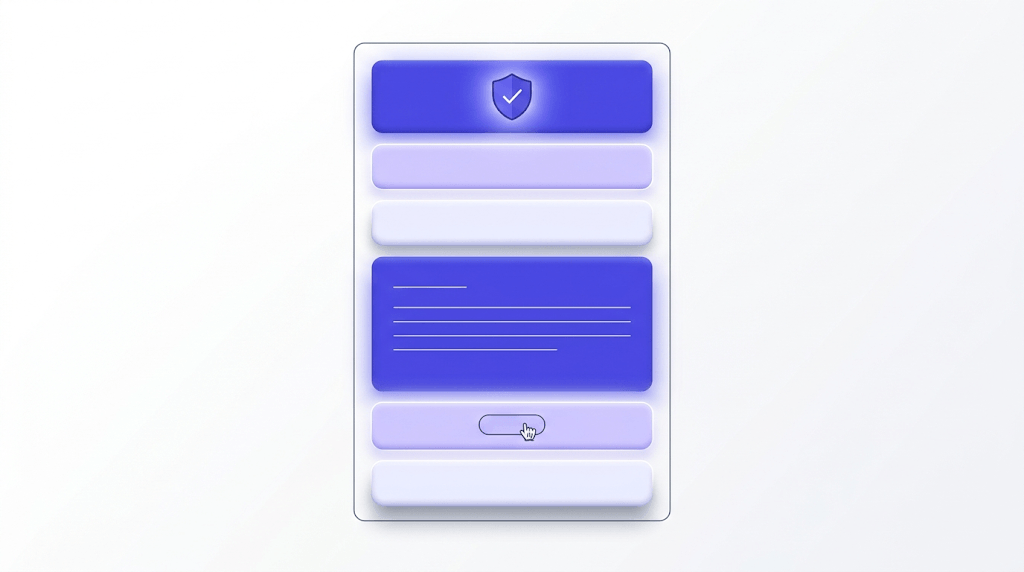
Every effective formal email has the same six components. The order isn't arbitrary — each part sets up the next.
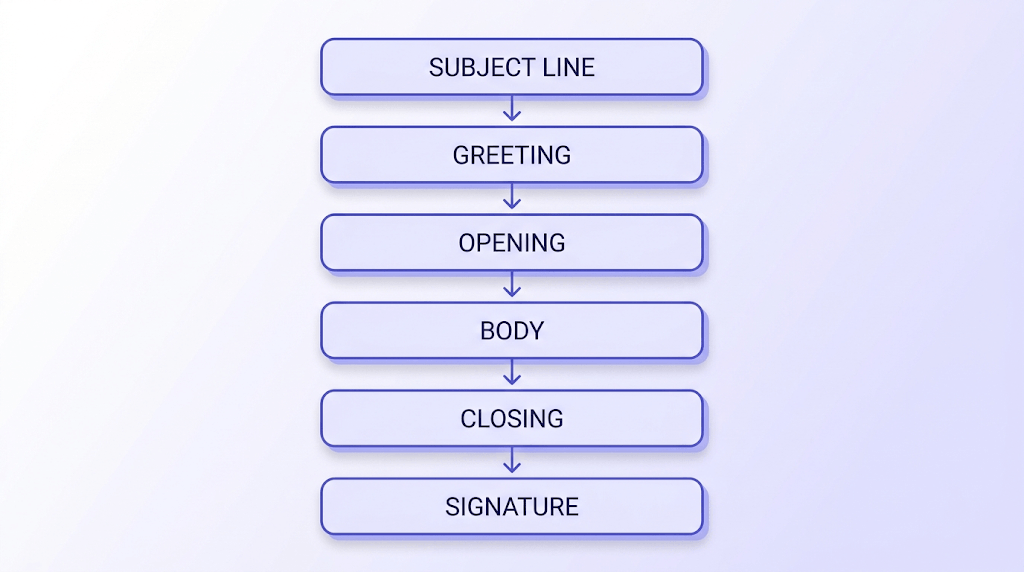
Subject line: 2–5 words that state the reason, not a teaser. 'Follow-up: Q3 invoice #4821' gives the recipient everything they need to prioritize the email before opening it. 'Quick question' gives them nothing. Specific subject lines also make your email easier to find later — which matters in a complaint or negotiation thread.
Greeting: 'Dear [Title Last Name]' is the standard for unknown contacts. 'Dear Dr. Okafor,' 'Dear Ms. Reyes,' 'Dear Mr. Thompson.' If you genuinely don't know the name, 'Dear Hiring Manager' is acceptable. 'To Whom It May Concern' is a last resort — it signals you didn't try to find out who you were writing to.
Opening sentence: State your purpose in the first line. Not the third paragraph after two sentences of pleasantries. 'I am writing to request an extension on the Q2 report deadline' tells the reader what they need to know immediately. They have 40 other emails to get through.
Body: One idea per paragraph. If you have a multi-part request, a short bulleted list is acceptable — but bullets in a formal email should be used sparingly. Three well-structured paragraphs beat a wall of nested bullets every time.
Closing line: Tell the reader exactly what happens next. A question ('Could you confirm by Friday, March 14?'), a deadline ('I'll follow up if I don't hear back by end of week'), or a clear next step ('I'm available Tuesday or Wednesday afternoon for a call'). Don't leave the ball in the air.
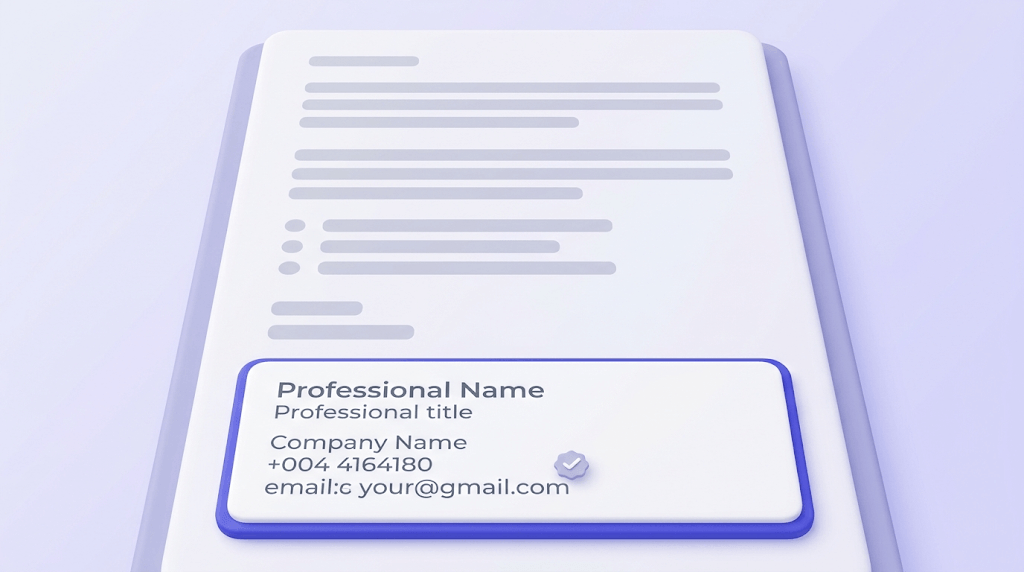
Sign-off and signature: 'Sincerely,' 'Best regards,' or 'Kind regards,' followed by your full name, title, company, phone number, and a professional email address. The signature block is part of the formal email — a missing or incomplete signature in a high-stakes send undermines everything above it. Use our email signature generator to build one that's consistent across every email you send.
Subject lines that get opened (and the ones that get deleted)
Recipients decide open-or-delete in under two seconds. In a formal context, a vague subject line doesn't read as casual — it reads as disorganized.
The formula that works: [Action or context] + [Specific detail].
- 'Request: budget approval for May campaign' — not 'Important'
- 'Introduction: Sarah Park, partnership inquiry' — not 'Reaching out'
- 'Follow-up: proposal sent March 5' — not 'Following up'
- 'Complaint: order #8823, missing items' — not 'Issue with my order'
Vague openers — 'Following up,' 'Checking in,' 'Quick question' — are inbox noise. They force the recipient to open the email just to understand what it's about. In a formal context, that's not a minor annoyance. It's a signal that you don't value their time.
Length: aim for 6–10 words. Anything over 12 clips on mobile, which is where most business email is first read. If your subject line needs 15 words to be specific, the email probably needs to be restructured.
One more thing: when you reply to a thread that has drifted to a different topic, update the subject line. 'Re: Re: Re: Team lunch' is not an appropriate subject line for a budget request.
Greetings and sign-offs: the exact phrases to use
The greeting and sign-off are where most people go wrong — not because they're difficult, but because the informal defaults feel natural and the formal ones feel stiff. They're not stiff. They're appropriate.
Formal greetings, in order of preference:
- 'Dear Dr. Okafor,' — use when you know the title and last name
- 'Dear Ms. Chen,' / 'Dear Mr. Thompson,' — when you know the last name but not a professional title
- 'Dear Hiring Manager,' / 'Dear Customer Service Team,' — when you know the role but not the name
- 'To Whom It May Concern,' — last resort only; signals a cold, generic send
Punctuation: comma after the greeting, then a new line before the body. Not a colon. A colon after a greeting is a US legal convention that has no place in standard business email.
The informal boundary is clear: 'Hi Sarah' is informal. 'Dear Sarah' is formal. 'Hey' is never formal, in any context, to any recipient. If you're unsure whether 'Hi [First Name]' is acceptable, default to 'Dear [Last Name]' for the first email and follow the recipient's lead in their reply.
Formal sign-offs:
- 'Sincerely,' — universally appropriate, slightly formal
- 'Best regards,' — professional and warm, works in most business contexts
- 'Kind regards,' — slightly warmer than 'Best regards,' still formal
- 'Yours faithfully,' — UK convention, used only when you opened with 'Dear Sir/Madam' or 'To Whom It May Concern'
Never use 'Cheers,' 'Talk soon,' 'Later,' or 'Warmly,' in a first-contact formal email. 'Warmly' in particular has drifted into a pseudo-formal grey zone — it reads as either presumptuous or trying too hard, depending on the recipient.
Match your sign-off to your greeting
If you opened with 'Dear Sir/Madam,' close with 'Yours faithfully.' If you opened with 'Dear Dr. Okafor,' close with 'Sincerely,' or 'Best regards.' The pairing matters — mismatching them reads as a template error.
Tone and language: concise, not cold
Here's the opinion most guides won't give you: English formal writing is not the place for complexity. In many languages, long, syntactically elaborate sentences signal education and formality. In English, they signal that you haven't edited. Short, direct sentences are the mark of a careful writer — not an informal one.
The most common tone problem is hedging. Hedged requests read as unconfident and waste the recipient's time.
- 'I was just wondering if perhaps you might be able to...' → 'Could you please confirm by Friday?'
- 'I hope this email finds you well' → delete it entirely and start with your purpose
- 'Please do not hesitate to contact me' → 'Reply to this email if you have questions'
- 'At your earliest convenience' → 'By [specific date], if possible'
Active voice is the other consistent win. 'I attached the report' is clearer and more confident than 'The report has been attached.' Passive voice in formal email often reads as evasive — it hides who did what.
On contractions: avoid them in high-stakes formal emails. Job applications, complaints, legal correspondence, first contact with a senior executive. 'I am writing' rather than 'I'm writing.' 'I would appreciate' rather than 'I'd appreciate.' The difference is subtle, but it's consistent with the register. In ongoing business correspondence with known contacts, contractions are fine.
Bold or italics: one callout per email, maximum. If you bold five things, nothing is emphasized. Bold the one piece of information — a deadline, a reference number, a key question — that the recipient absolutely cannot miss.
30 ready-to-use formal email phrases
These aren't filler. Each phrase below has a specific job. Pick the one that fits the situation — don't mix and match indiscriminately, or the email will read as assembled from templates.
Opening phrases:
- 'I am writing to inquire about...'
- 'I am contacting you regarding...'
- 'Further to our conversation on [date]...'
- 'I am reaching out on behalf of [organization]...'
- 'I would like to draw your attention to...'
Request phrases:
- 'Could you please...'
- 'I would appreciate it if you could...'
- 'Would it be possible to...'
- 'I would be grateful if you could...'
- 'I am writing to request...'
Attaching documents:
- 'Please find attached...'
- 'I have enclosed...'
- 'Attached is the [document name] for your review'
- 'I am attaching [document] as discussed'
Following up: For a detailed breakdown of the follow-up email specifically, see our guide on how to send a follow-up email that actually gets replies.
- 'I wanted to follow up on my email from [date]'
- 'Could you provide an update on...'
- 'I am following up to confirm whether...'
- 'I understand you may be busy — please let me know if you need any additional information'
Closing phrases:
- 'I look forward to hearing from you'
- 'Please let me know if you need any further information'
- 'Thank you for your time and consideration'
- 'I would welcome the opportunity to discuss this further'
- 'Please do not hesitate to contact me if you have any questions' — use sparingly; the active version ('Reply if you have questions') is cleaner
A note on tone calibration: 'I look forward to hearing from you' works in virtually every formal context. 'Yours faithfully' only works when you've opened with 'Dear Sir/Madam.' Match the formality level of each phrase to the relationship — not to how formal you want to sound.
Formal email templates for five common situations
Templates are starting points, not scripts. Adjust the specific details — every recipient can tell when they've received a template that wasn't personalized.
Job application email
Subject: Application: [Job Title], [Your Name] Dear [Hiring Manager's Name], I am writing to apply for the [Job Title] position listed on [platform/source]. With [X years] of experience in [relevant field], I am confident I can contribute to [specific aspect of the role or company]. My CV and cover letter are attached for your review. I would welcome the opportunity to discuss my application at your convenience. Sincerely, [Full name, title, phone, professional email]
Meeting request
Subject: Meeting request: [topic], [your name] Dear [Name], I would like to schedule a 30-minute call to discuss [one-sentence agenda]. I am available Tuesday, March 18 at 2 pm or Wednesday, March 19 at 10 am — please let me know which works for you, or suggest an alternative. Best regards, [Full name and title]
Complaint email
Subject: Complaint: [specific issue], order/reference #[number] Dear [Name or Customer Service Team], On [date], I [describe what happened — factual, specific, no emotional language]. This has resulted in [describe the impact]. I am writing to request [state the specific resolution you expect — refund, replacement, response within X days]. Please confirm receipt of this complaint and provide a response within [timeframe]. Sincerely, [Full name and contact details]
Follow-up after no reply
Subject: Follow-up: [original subject], sent [date] Dear [Name], I am following up on my email from [date] regarding [one-sentence restatement of the original ask]. Could you please confirm whether you received it, and advise on next steps? I would appreciate a response by [specific date]. Best regards, [Full name]
Introduction email
Subject: Introduction: [Your name], [your company or role] Dear [Name], My name is [Name] and I am [role] at [company]. I am reaching out because [one-sentence reason — specific, not generic]. I would appreciate [specific ask — a 20-minute call, a referral, feedback on a proposal]. Thank you for your time. Best regards, [Full name, title, phone, professional email]
Pre-send checklist: what to verify before you hit send
This is the section most guides reduce to 'proofread before sending.' That's not a checklist. Here's one.
Start with the recipient. Getting the name wrong in a formal email is an immediate credibility hit — and it's entirely avoidable. Double-check the spelling of the name in the greeting against the email signature or contact record. Then check the address itself.
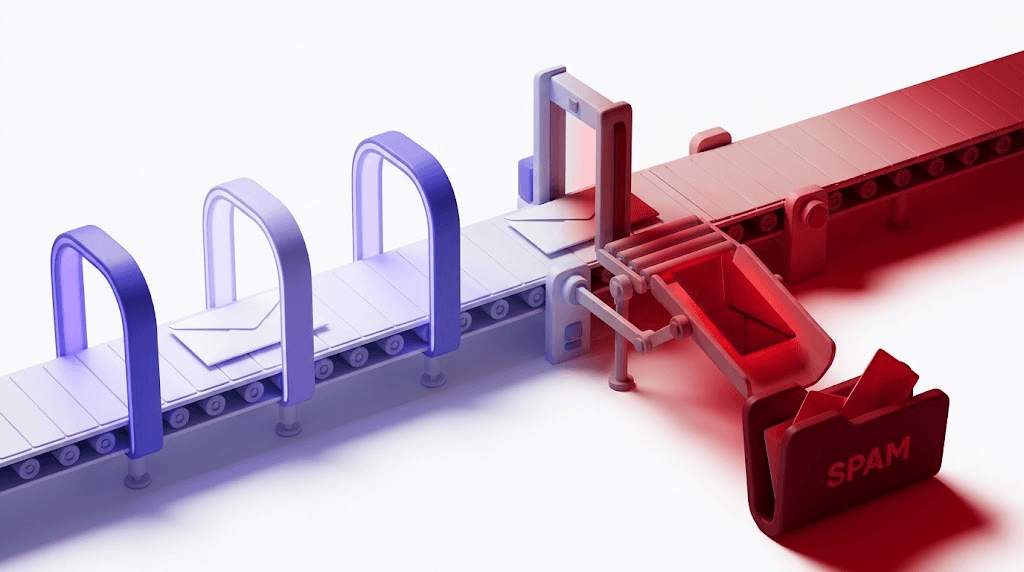
That second step matters more than people realize. A formal email sent to a stale, mistyped, or non-existent address doesn't arrive. It bounces — or worse, it lands at the wrong person's inbox. Before any high-stakes send, verify the recipient's email address before sending. Valid Email Checker's 11-stage verification engine checks syntax, MX records, and mailbox existence in seconds. If the address is dead, you find out before you send, not after.
Check the recipient's address before you send
Paste the email address below. We'll run an 11-stage check and tell you if the mailbox is live — in seconds.
Powered by Valid Email Checker — full SMTP handshake, disposable + role detection, no card required.
The From field is equally important. A perfectly structured formal email sent from 'coolguy1987@gmail.com' undermines every word in the body. Your professional email address should follow the format firstname.lastname@company.com or a clear equivalent. If you're self-employed, a custom domain email address is worth the cost.
The full checklist:
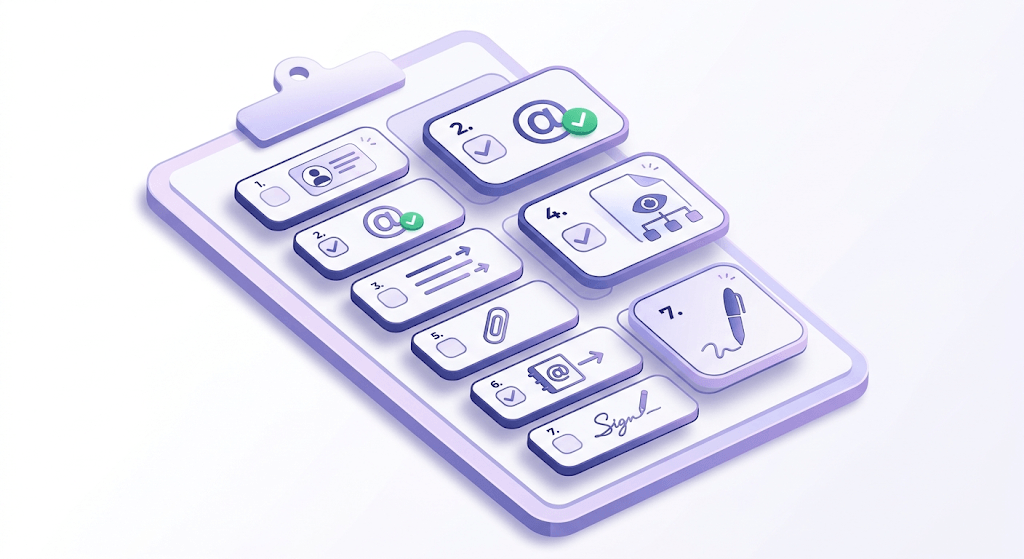
- Recipient name is spelled correctly in the greeting
- Recipient email address is verified as live — not just typed correctly, but actually deliverable
- Subject line is specific and matches the body content
- Purpose is stated in the first two sentences
- Attachments are actually attached — if you mention an attachment in the body, confirm it's there before sending
- From field shows a professional email address, not a personal handle
- Read the email aloud — if it sounds robotic or passive-aggressive, rewrite the problem sentence
- Signature block is complete with current title, phone, and contact details
On the address format specifically: if you're unsure whether an address is correctly structured, validate the email address format before adding it to your contacts. A syntax error in an address you've been using for months is surprisingly common — especially with addresses that include hyphens, dots, or subdomains.
Free tool · no signup
Verify a recipient's address before your next formal send
11-stage check. Live mailbox detection. Results in seconds.
One last note on the signature: if you don't have a consistent, professional signature block set up yet, that's a gap worth closing. A complete signature — full name, title, company, phone, and professional email — is a standard part of a formal email, not an optional extra. Build a professional email signature once, and every email you send carries it automatically.
Free tool · no signup
Create a signature block in under two minutes
Name, title, company, phone — formatted and ready to paste into any email client.
The structure of a formal email is learnable in an afternoon. The habit of checking every detail before you send — the name, the address, the From field, the attachment — is what separates writers who get responses from writers who wonder why they don't. Run your next high-stakes send through the checklist above, and check that the address is live before it leaves your outbox.
Frequently asked questions
What is the difference between a formal and informal email?
How do you start a formal email when you don't know the recipient's name?
What are the best sign-offs for a formal email?
How long should a formal email be?
What phrases should you avoid in a formal email?
How do you write a formal follow-up email after no response?
Is 'Hi' too informal for a professional email?
Should you use contractions in a formal email?
Try Valid Email Checker free
Verify any email in under a second
Get 150 free verifications. No credit card. Auto-refund on every Unknown result — the only verifier we know that does this.
- 150 free credits when you sign up
- Auto-refund every Unknown verification (we're the only ones that do)
- 11-stage flow catches what 1-step checkers miss
- Drop-in integrations for Mailchimp, HubSpot, SendGrid, 14 more
Written by
Emmanuel KwartengEmmanuel is the founder of Valid Email Checker. He spends most of his time in bounce logs, verification data, and the gap between what email vendors promise and what actually happens when you hit send. He started the company because too much deliverability advice is guesswork dressed up as best practice, and he writes here to cut through it with the numbers behind each claim.