Email Threading and Deliverability: Why Threads Matter
 Mara ChenJuly 16, 2026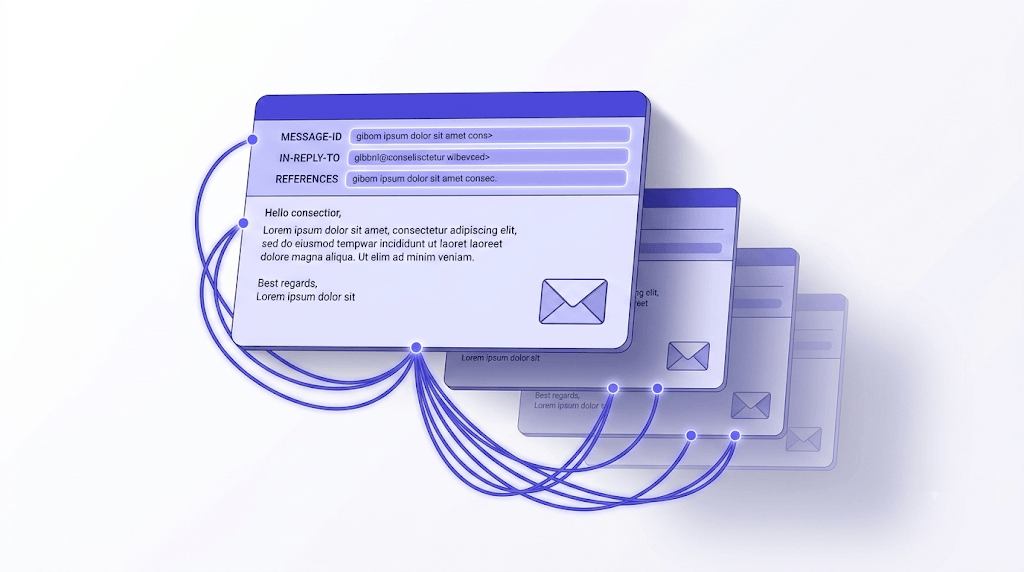
Most people think an email thread is just emails with 'RE:' in the subject line. That's close — but the 'RE:' is decoration. The actual threading happens in headers most users never see, and when those headers break, your inbox turns into a pile of disconnected messages with no context.
After reading this, you'll know exactly how threads are built, why they break, and — the part most guides skip — why the engagement signals inside a thread directly affect whether your future sends land in the inbox at all.
The connection between threading and deliverability is the piece worth paying attention to.
What an email thread actually is
An email thread is a chain of messages and replies grouped under one conversation. Your email client displays them as a single row in your inbox rather than separate entries — click it, and you see the full back-and-forth in chronological order.
The grouping mechanism is not the subject line. It's three specific headers: Message-ID, In-Reply-To, and References. The subject line with 'RE:' prepended is a visual convention that clients add for readability. Strip those headers and the thread falls apart, even if every message says 'RE: Project Update' in the subject.
You'll hear three names for the same thing: email thread, email chain, and conversation view. They mean identical things. 'Conversation view' is the client-side rendering label (Gmail uses it explicitly); 'thread' and 'chain' are informal synonyms.
The anatomy of a thread has five parts: the subject line anchor (the original subject, usually preserved with RE: or FWD: prefixes), the quoted body history (previous messages pasted below each reply), the metadata headers that do the actual linking, any signature blocks appended by each sender, and the timestamp chain that shows the sequence.
How threading actually works under the hood
Every email sent carries a Message-ID header — a globally unique identifier assigned by the sending mail server. It looks something like <20240315142233.7f3a2b1c@mail.example.com>. No two messages should share one.
When you hit Reply, your client writes two headers into the outgoing message. In-Reply-To contains the Message-ID of the email you're replying to — the direct parent. References contains the full ancestry: every Message-ID in the chain going back to the original message. This is how a client can reconstruct a 40-message thread from scratch even if it's never seen most of those messages before.
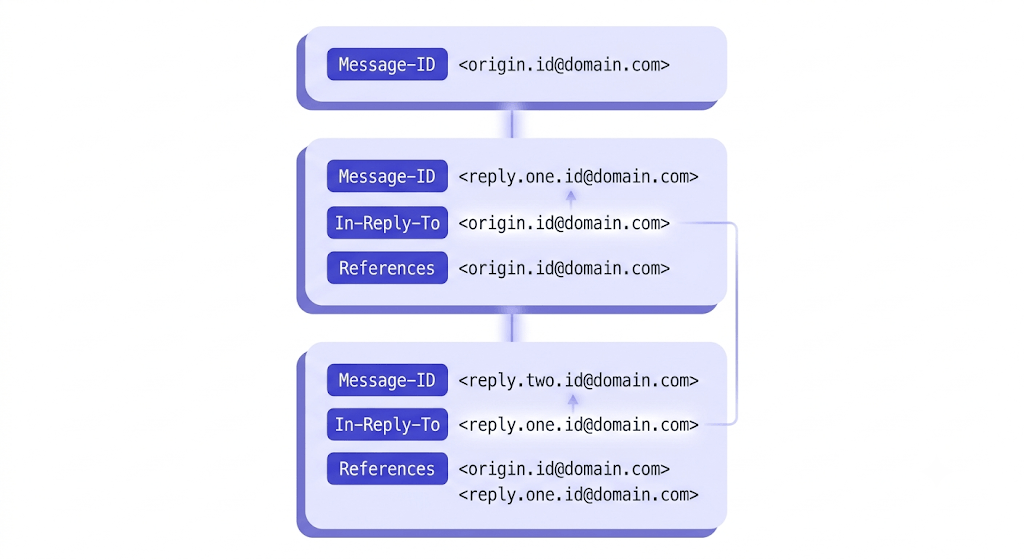
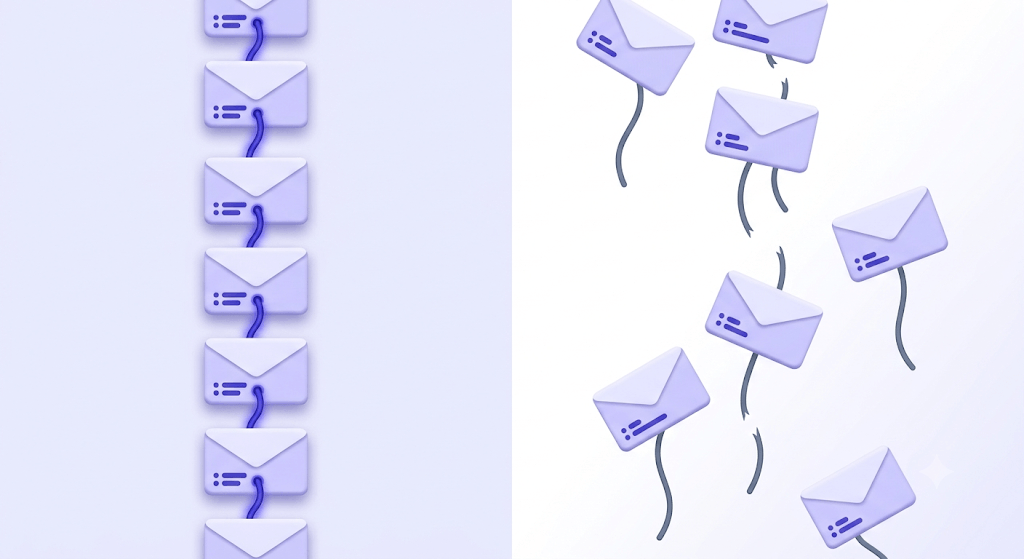
What happens when a client is missing one of these headers? The receiving client has nothing to link the new message to, so it starts a fresh conversation. This is why forwarding breaks threads: a forward strips In-Reply-To and References, and the forwarded message arrives at its destination as an orphan.
Gmail and Outlook handle subject-line changes differently. Gmail threads by both the header chain and the subject line — change the subject mid-thread and Gmail often splits it into a new conversation. Outlook threads primarily by the header chain, so a subject change is more likely to stay grouped. Neither behavior is wrong; they're just different interpretations of RFC 5322, the standard that governs internet message format.
When email threads help (and when they genuinely hurt)
Threading's wins are real. One inbox row per conversation means a 30-message negotiation takes up the same space as a single email. Full context is visible without searching. Reply All keeps every stakeholder in sync without anyone manually CCing the group again.
But threading breaks at scale. Once a thread hits 15+ active participants, a few failure modes kick in hard:
- Reply-all storms. One person's 'Thanks!' triggers 14 more. The thread becomes noise.
- Buried action items. Decisions get quoted below three paragraphs of pleasantries and vanish.
- The accidental external-recipient problem. Internal commentary written for colleagues gets forwarded to a client because it was sitting in the quoted history.
- Thread hijacking. Someone replies to a six-month-old thread with a completely unrelated topic, poisoning search results and filter rules for everyone.
The question of when to start a fresh thread is genuinely underrated. If the topic has changed substantially — different project, different decision, different group of people — a new subject line with a new thread is cleaner than grafting onto old context. The cost of a new thread is one extra inbox row. The cost of a hijacked thread is weeks of misfiled messages.
Email thread etiquette that most guides skip
Top-posting — writing your reply above the quoted history — is the default in most enterprise email clients. It's also the format that buries decisions most effectively. A reader joining the thread late has to scroll to the bottom to understand what was originally asked, then scroll back up to read the current answer. Inline replies (responding point-by-point within the quoted text) are more readable but require discipline and are uncommon enough that they can confuse recipients who aren't expecting them.
Here's the deal: neither style is universally right. Match the convention of the people you're writing to. What does matter is trimming quoted history. Leaving the full 40-message thread pasted below a two-sentence reply wastes everyone's time and makes the thread harder to search. The last one or two exchanges are usually enough context.
Reply vs. Reply All has a simple rule of thumb: would everyone on this thread benefit from your response? If the answer is no — and it's no more often than most people admit — reply only to the sender. The people who weren't going to benefit from your message will quietly thank you.
Subject line hygiene matters more than it gets credit for. When a thread drifts from 'Q3 budget review' to 'office renovation plans' over 20 replies, the subject line should update to reflect reality. Clients that thread by subject will split the conversation — which is actually the right outcome when the topic has genuinely changed.
How to manage threads in Gmail, Outlook, and Apple Mail
Gmail's Conversation View is on by default. To toggle it: Settings > General > Conversation View > On/Off. Turning it off shows every message as a separate inbox row — useful if you process email one message at a time and find grouped threads disorienting.
Outlook puts threading under View > Show as Conversations. You can enable it per-folder or globally. There's also a 'Show Messages from Other Folders' option that pulls related messages from Sent Items into the thread view — a genuinely useful feature that most Outlook users never find.
Apple Mail uses View > Organize by Conversation. The threading behavior varies slightly by macOS version — on Ventura and later, the default is to show the most recent message at the top of a collapsed thread, while older versions showed the original at the top.
Mobile clients often have their own threading settings, separate from their web counterparts. Gmail's iOS app, for example, can be set to bundle or unbundle conversations independently of your Gmail web settings. If your inbox looks different on your phone than your browser, that's usually why.
Gmail's Mute Thread feature
In Gmail, pressing 'M' on any thread (or More > Mute) archives all current and future messages in that thread automatically. Useful for high-volume threads where you're CC'd for awareness but don't need to act. The thread stays searchable — it just stops hitting your inbox.
Email threads in team and transactional contexts
Shared inboxes — support@, sales@, info@ — have a threading problem that individual inboxes don't: multiple agents can see the same thread and reply simultaneously. Tools like Intercom and Missive solve this with assignment locks and collision detection. Without them, a customer gets two different answers to the same question within minutes of each other, which is worse than no answer at all.
Transactional email systems use threading deliberately. When a payment processor sends an invoice, then a receipt, then a refund confirmation — those should appear as one conversation in the customer's inbox, not three separate emails. The SMTP protocol provides the mechanism; platforms like MailerSend expose it via their API's In-Reply-To parameter, letting you stitch automated messages into a coherent thread programmatically.
In legal and compliance work, threading is a cost-reduction tool. eDiscovery platforms like Relativity use email thread analysis to de-duplicate review sets — if a 200-message thread has been forwarded to 15 people, a naive search returns 3,000 documents. Thread-aware deduplication collapses that to the unique messages, which can cut review time (and legal spend) by 60–70%.
For cold outreach, the threading question is strategic. A follow-up sent as a reply to your original email — staying in the same thread — signals continuity and tends to get higher open rates than a fresh send. The recipient sees the context of your first message without having to search for it. This is the approach most outreach sequences use, and the PILLAR: cold email list verification guide covers why list quality determines whether those follow-ups land at all.
And here's the deliverability angle most guides miss entirely.
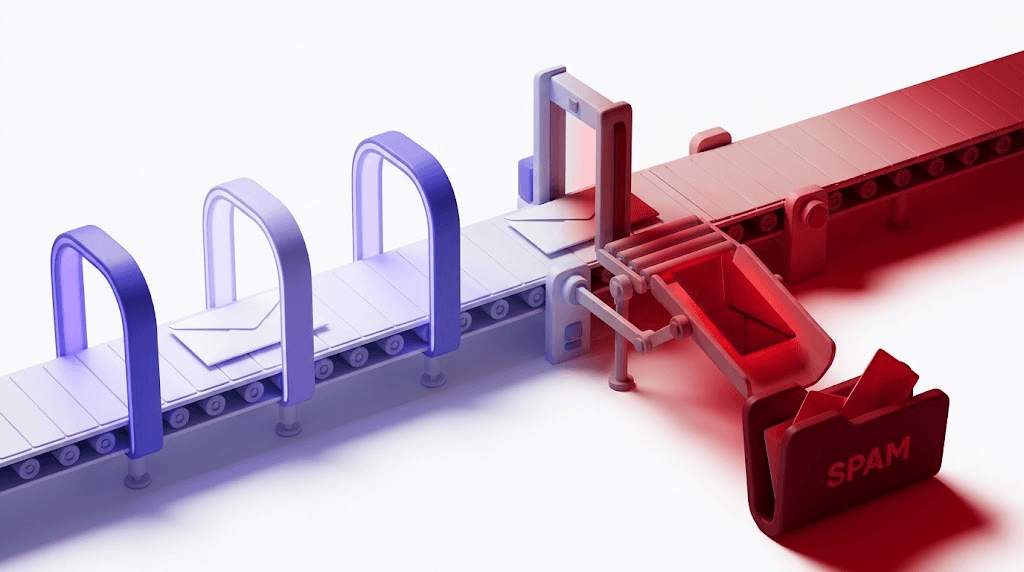
When a recipient replies to your email — even a short 'Thanks' — that reply registers as a strong positive engagement signal with inbox providers. Gmail, in particular, treats replies as one of the heaviest signals that a sender is welcome. A domain that consistently generates replies earns better inbox placement over time. This means the quality of the addresses in your threads matters: a verified, active mailbox that replies lifts your sender reputation; a dead address that never engages drags it down. You can check your deliverability to see how engagement patterns are currently affecting your inbox placement.
Check if an address in your thread is real
Paste any email address and get an 11-stage verification result in seconds.
Powered by Valid Email Checker — full SMTP handshake, disposable + role detection, no card required.
When email threads break — and how to fix them
Broken threads are more common than most people realize, and the causes cluster around a handful of patterns.
CRMs and marketing platforms are frequent offenders. When a platform sends email on your behalf, it sometimes strips or rewrites the Message-ID and In-Reply-To headers — either because the platform generates its own IDs or because it doesn't preserve the originals when logging replies. The result is that a reply to a sales thread arrives in the CRM as a new conversation with no parent.
Forwarding is the other common culprit. When you forward an email, your client generates a new Message-ID for the forwarded copy and drops the In-Reply-To and References headers entirely. The recipient's client sees a fresh message with no ancestry. If they reply to it, that reply starts a new thread rather than continuing the original.
Mailing list software that rewrites Message-IDs creates phantom threads — messages that look related by subject line but have no header relationship. Gmail's threading algorithm sometimes catches these by subject matching; Outlook usually doesn't.
To diagnose a broken thread in Gmail: open the suspect message, click the three-dot menu, and select Show original. You'll see the raw headers. Look for Message-ID, In-Reply-To, and References. If In-Reply-To is missing or contains an ID that doesn't match any message you have, that's your break point. You can paste those raw headers into the Email Header Analyzer to get a readable breakdown without parsing the raw text manually.
Free tool · no signup
Diagnose a broken thread in seconds
Paste your raw email headers and see exactly which Message-ID or In-Reply-To field caused the split.
When to move the conversation off email entirely
Email threads are the right medium for async, formal, or cross-organization communication. They're the wrong medium for at least four situations that routinely end up there anyway.
- More than 8 active participants. At that point the thread is functionally a mailing list. A Slack channel or Teams space gives you threading, reactions, and the ability to pin decisions — without the reply-all problem.
- Real-time back-and-forth. If you're exchanging emails every three minutes, you're having a chat conversation in the wrong tool. Move it to a messenger and send one email summarizing the outcome.
- Decisions that need an audit trail. A 60-message email thread is a terrible place to store a final decision. Project management tools (Linear, Notion, Asana) give you a record that's searchable, assignable, and not buried in quoted history.
- Sensitive internal discussion that includes external recipients. Once an external address is on a thread, every subsequent reply carries the risk of accidental disclosure. Internal-only discussion belongs in an internal-only channel.
The thread is email's natural unit of conversation. Used for what it's designed for — async, multi-party, cross-organization exchange — it's hard to beat. The mistake is treating it as a universal container for every kind of communication.
And one underappreciated implication: the addresses in your threads are doing active work for your sender reputation. A thread full of real, engaged mailboxes that reply to your sends is a positive signal to inbox providers. A thread seeded with dead addresses, role accounts, or disposables that never engage is a slow drain on deliverability. The email deliverability and list quality guide covers this in depth — but the short version is that verifying the addresses in your threads before you send is cheaper than rebuilding sender reputation after it slips.
Frequently asked questions
What is an email thread?
How does email threading work technically?
Why does my email thread keep breaking or splitting into separate conversations?
How do I turn email threading on or off in Gmail and Outlook?
What is the difference between Reply and Reply All in a thread?
When should I start a new email thread instead of continuing an existing one?
How do transactional email systems create threaded conversations programmatically?
Why do email threads matter for deliverability and sender reputation?
The reply inside a thread isn't just a productivity event — it's a deliverability event. Every real engagement from a real mailbox is a vote in your favor with inbox providers. The fastest way to protect that signal is to make sure the addresses you're threading with are verified before you send. Run a sample through Valid Email Checker's free tier and see what the engagement-risk breakdown looks like before your next campaign.
Try Valid Email Checker free
Verify any email in under a second
Get 150 free verifications. No credit card. Auto-refund on every Unknown result — the only verifier we know that does this.
- 150 free credits when you sign up
- Auto-refund every Unknown verification (we're the only ones that do)
- 11-stage flow catches what 1-step checkers miss
- Drop-in integrations for Mailchimp, HubSpot, SendGrid, 14 more
Written by
Mara ChenMara covers deliverability from the receiving end — the filters, reputation signals, and quiet rejections that decide whether you reach the inbox or the spam folder. She cares less about clever subject lines than the unglamorous fundamentals that actually move placement: clean lists, consistent sending, and a sender reputation you don't have to rebuild every quarter. Expect practical, no-hype advice grounded in how mailbox providers really behave.